Skylum Launches Luminar Neo: New Features and a Big Speed Boost
Skylum has announced the new AI-driven photo editor Luminar Neo is available alongside the Luminar Share app for easy photo transfers between the software and users' mobile devices.
Skylum has announced the new AI-driven photo editor Luminar Neo is available alongside the Luminar Share app for easy photo transfers between the software and users' mobile devices.
Photographer Deborah Parkin's beautiful Jackdaw photo series printed with the cyanotype method was a major factor in helping her cope with the death of her father.
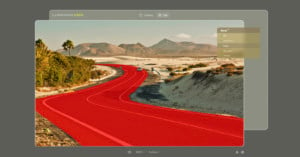
Early access to Luminar Neo is giving us the first look at its four prominent features: Dust Spot Removal, Relight AI, Powerlines Remove tool, and Luminar Share app. With a full release around the corner, is Luminar Neo living up to expectations?
Fylm.ai was originally created with professional video color grading in mind, but the browser-based editor recently added support for RAW photos. That sounds nice, but does it have something unique to offer a relatively crowded space?
The Kamvas Pro 24 (4K) is Huion's flagship pen display: a high-resolution graphics display that delivers most of the benefits of a Wacom Cintiq Pro 24 at about half the price. In the two months I've spent using it on-and-off in preparation for this review, I've come to three important conclusions: (1) this is an excellent product, (2) a large 4K pen display is the best way to edit your photos, and (3) I can't realistically use this display as my daily driver.
One of the most exciting advancements in digital photography over the last several years has been the rapid increase in the ability to shoot and edit RAW photos.
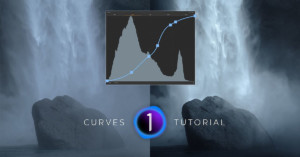
The Tone Curve in Capture One 22 is by far my favorite tool to edit images, but it's usually one of the most difficult commands to get to grips with. It can definitely be one of your most valuable assets if you want to improve your editing skills.
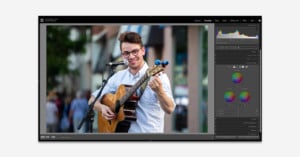
The color grading panel in Lightroom offers powerful tools that can completely transform an image. Photographer Kevin Raposo has put together a brief tutorial to show what these tools are capable of.
Photographer and Youtuber Mathieu Stern recently purchased two glass plate negatives from 1910 and decided to scan, restore, colorize, and animate the photos with the help of artificial intelligence (AI).
Capture One has announced Capture One 22, which the company claims brings improved performance, support for the latest cameras, panoramic photo stitching, and HDR merging. The update also opens up the door for more features coming in 2022, such as the company's first cloud and tablet products.
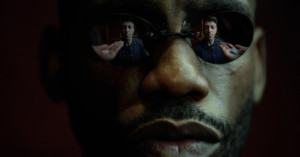
With a new Matrix movie coming out this month, Unplug Productions and its creative director Isaac Alvarez decided to recreate the iconic "red pill, blue pill" scene with a fun twist, and share how they made it all come together.
After introducing basic photo editing functionality to One Drive over the last year, Microsoft has added several more, including exposure adjustments, cropping, creative filters, and the ability to add markups.
Astrophotography is a discipline rife with compromises. It’s a battle of shutter speed, aperture, and ISO with no one combination being completely ideal. That’s where Topaz Labs in the edit comes to the rescue.
The most fun I have with photography is capturing something I’ve never seen before. Of course, that sets up a lot of pressure to come away with tack-sharp perfect photos. Topaz Labs is how I ensure my success.
Many things that used to be true about photo editing are no longer the case, such as not being able to fix a subject that was accidentally out of focus or not being able to recover much detail when doing heavy noise reduction. Topaz Labs is a big reason as to why we can approach post-processing differently now.
From importing, to organizing, to the editing process itself, few tools have the capacity to define a photographer’s workflow like Adobe’s Lightroom. Of the program’s many indispensable features, the ability to create user presets ranks quite high: it offers photographers the ability to lock in preferred looks, adjustments, and settings for rapid implementation across multiple images. Better still, these presets are readily shareable, allowing users easy access to the settings required …
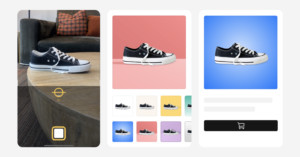
The digital payments company Square has launched the Square Photo Studio app which allows sellers to easily take "professional" product photos from a mobile device and sync them to their online store or Square item catalog for free.
Although Photoshop has many tools to cover practically any post-processing desire, it is daunting to newcomers as a result. To help make the program easier to jump into, photographer PJ Pantelis has shared a brief tutorial that equips photographers with a handful of top tools to get started in Photoshop with ease.
Capture One was recently updated with a dedicated before and after tool, and new powerful heal and clone tools. Before this update, the healing and cloning tools were unusable to me, but now with this update, I can save the time of moving back and forth between Capture One and Photoshop.
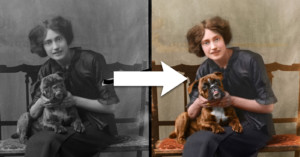
A growing trend among retouchers and editors in the last few years has been to repair vintage photographs that have faded and been damaged over time. In addition to this restoration work, "colorizing" vintage photographs has been experiencing explosive growth. Adobe's "Colorize" Neural Filter now makes the job easier than ever.
XP-Pen's new Artist Pro 16 is one of the most compelling entry-level graphics displays on the market. It's lightweight, well-built, highly customizable, color-accurate, and all for a price that will make Wacom owners blush. It's not a perfect product, but no other Full HD pen display on the market offers this kind of experience and build quality for just $450.
Adobe has rolled out new Lightroom Classic and Lightroom updates that, among other updates, features a new set of Selective Adjustment tools for precise object selection and masking.
Adobe has announced a major feature release for Photoshop across platforms, ranging from enhancements on the main desktop app through new capabilities in the Photoshop Express smartphone app and the Chrome and Edge browser-based program.
In a new update, Adobe is greatly increasing the masking capabilities of its Lightroom applications as well as Adobe Camera RAW. While it is not as powerful as what is found in full-fledged Photoshop, you will find yourself wondering how you ever lived without it.
VSCO has announced a set of more than 100 new film-inspired photo and video effects for iOS devices. Built from film scans, the company says they will give photos a nostalgic look and feel and bring the magic of analog to smartphones.
Film photography retailer Analogue Wonderland has announced the launch of its very own women-led processing lab, aptly named the Analogue WonderLab.
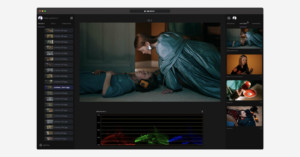
The founder of lutify.me has launched fylm.ai, a modern AI-powered and browser-based approach to motion and stills color grading that helps users easily match and extract color, emulate print film, share and collaborate remotely, and more.
Adobe has unveiled the latest version of Adobe Photoshop Elements 2022, which utilizes its Sensei AI technology to do all the heavy lifting -- just like the previous version -- and introduces new tools, like moving overlays, artistic photo effects, easy object selection and removal, and more.
With the recent reveal of Luminar Neo, Skylum users have questioned the direction the company and its product line are heading in and what will become of current software. Luminar 4 is being retired, but the company says Neo isn't its replacement.
Don’t toss a photo just because the lighting isn’t the best. You may be able to bring it back alive in post-production. As photographers, we face countless different scenarios and it's nearly impossible to get the perfect shot 100% of the time.
ACD Systems International has launched the newest edition of its flagship software -- ACDSee Photo Studio Ultimate 2022 -- boosting the digital asset management process and introducing AI-powered facial recognition.
Cyberlink has announced PhotoDirector 13, which promises improved AI-editing tools, integration of Getty and Shutterstock libraries, and adds new lighting effects and color adjustment features.
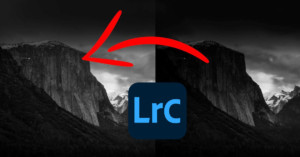
Black and white images can tell entirely different stories than color. By removing all of the colors, the tones carry the weight of the story. There’s a lot of gray area (pun intended) when it comes to black and white images as there’s no right or wrong way to take them. In this article and video, I’ll be walking through a new way to edit black and white images in Adobe Lightroom.
Skylum has announced Luminar Neo, a new creative image editor that uses AI-driven tools, allows complex layering, and can be used as a plugin for Adobe Lightroom and Photoshop. It is set to launch before the end of the year.
In most images, midtones carry much of the important information. This is not true for all images, but those are the exceptions. In this article, I will present an approach to control midtone information from color to tonal structure.
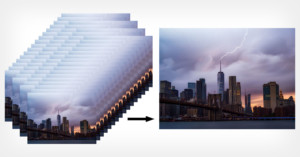
In this article, I'll share a technique that I learned many years ago and that I still use occasionally. You can use it for removing people from a scene, but in this case, I will be using it to mimic one of a neutral density (ND) filter's main purposes: longer exposure.
Picsart has announced that it has secured an additional $130 million in Series C funding from a host of huge investors, with a post-money valuation of roughly $1.5 billion.
The Luminosity Mask is a really great tool to use when it comes to retouching landscape, cityscape as well as portrait. It gives you more freedom when you use different tools in Lightroom and you will see it is awesome!
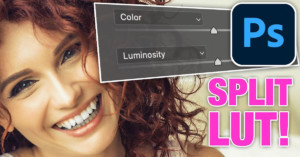
I'm Colin Smith from PhotoshopCAFE.com. In this 4-minute video and article, I'll share a new Photoshop technique I came up with that gives you separate control over strength, color, and luminosity in LUTS. I call this the Split LUT technique.
Color grading is a vital part of creating an eye-catching image, especially if you’re shooting raw. There are many ways to tackle it, of course, but in this 12-minute video and article, I want to show my personal Lightroom color grading process from start to finish.
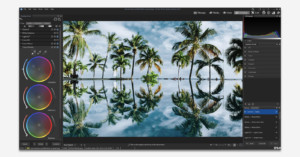
ACDSee has launched free beta access to its Gemstone Photo Editor 12 -- a layered editor that supports RAW level working with multiple documents and non-destructive tools. But, does it hold up with similar grade editors or still has a way to go yet?
Serif has released its latest 1.10 update to its image editor suite, Affinity Photo, alongside Affinity Designer and Publisher, which claims to bring "superpowered performance" with a completely re-engineered architecture.
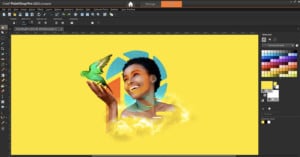
Corel has announced PaintShop Pro 2022 and PaintShop Pro 2022 Ultimate -- an all-in-one photo editing and graphic suites that has received major upgrades from its earlier 2021 versions.
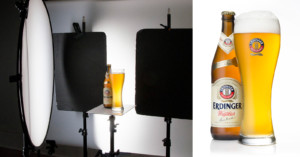
In this 18-minute video, photographer Dustin Dolby explains many of the tricks beverage photographers use and shows how anyone can achieve professional-level beer photos with just a few speedlights and some entry-level camera gear.
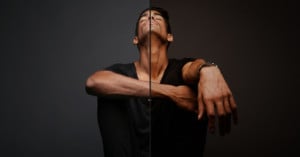
This 22-minute video offers a fascinating deep dive into the history of portrait photography manipulation, which dates all the way back to the Victorian era. It's an eye-opening look at the continuous relationship between societal beauty standards and reality.
Capture One 21 has released update 14.3.0 that brings what the company touts as new and improved features that includes a new Magic Brush as well as a new camera and lens support.
ON1, an established photography software company located in Oregon, recently released its new noise reduction application called NoNoise AI. As a longtime user of Topaz Labs DeNoise AI, it only made sense to pit these two machine-learning-based noise reduction programs against each other and see which one comes out on top.
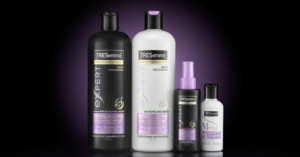
This tutorial explains how to dramatically light a hair product group -- or any other health and beauty product -- using entry-level gear and a home studio. The accessible and repeatable workflow delivers vibrant and punchy images that are catalog-ready.
AMS Software have lately released the 10th version of PhotoWorks, their popular photo editor for PC that has gained quite a recognition in recent years.
Adobe has teamed up with prominent photographers who are experienced in photographing subjects with darker skin tones to release a set of free presets that aim to deliver more naturally calibrated photos of all skin complexions.