Post-Processing

AI and the Battle for the Future of Photo Editing

For photographers, AI photo editing is no longer a fringe topic for ML researchers or a gimmick employed by smartphone apps. With the impending release of Skylum's Luminar AI and Adobe calling the latest build of Photoshop "the world’s most advanced AI application for creatives," it's time for the community to reckon with an important question: What does this mean for photography, photo editing, and creativity at large?

How to Get Professional Results with Photoshop’s AI Sky Replacement Tool

One of the major updates to the latest version of Photoshop is the addition of Sky Replacement: a tool that has the potential to save you a ton of time when editing your landscape images. But as Aaron Nace explains in this video, this AI-powered tool requires a bit of thought if you want to get professional results.

New Video Shows Off the Powerful Landscape Editing Tools in Luminar AI

In their latest demo of the upcoming Luminar AI photo editor, Skylum takes aim at landscape photographers and shows them just how powerful Luminar's machine learning-based tools really are. From Enhance AI for relighting and color grading, to Atmosphere AI for adding fog and other effects, there are some impressive automatic editing tools coming to your laptop very soon...

Loupedeck and Adobe Team Up on Bespoke Photoshop Plugin

Part of Adobe's big Photoshop update today was the announcement of a new "plugin experience," including a bespoke Plugin Marketplace and special Plugin Launchpad. And one of the first photography companies to take advantage of the new experience is editing console maker Loupedeck.

How to Use Photoshop to Turn Video Into Long Exposure Photos

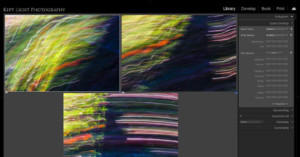
As you may very well know, long exposure photography is a method by which you expose a sensor to a scene for an extended period of time. But in this 15-minute video, PiXimperfect asks the question, then isn't a video just a long exposure? Well, not really, but you can use a video to make long exposure photos.

Sneak Peek: Skylum Shows Off Water Reflections in AI Sky Replacement Tool

Skylum, the makers of Luminar 4 and the soon-to-be released Luminar AI, are taking a page out of the Adobe playbook. In a sneak peek video released earlier today, the company showed off the next iteration of its AI-powered Sky Replacement tool, which will be able to generate fake reflections from you "new" sky automagically.

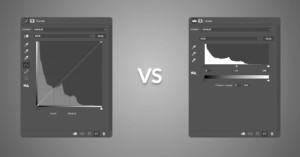
Photoshop 101: What’s the Difference Between Curves and Levels?

If you want to manipulate the light and color information in an image using Photoshop, two of the most common tools for the task are Curves and Levels. But how do these two adjustments actually differ? And when might you choose to use one instead of the other? That's exactly what Aaron Nace explains in this helpful video.

Creating a ‘Time-Blend’ to Enhance the Drama in Your Landscape Photography

In my last article, I wrote in depth about my emotional connection to the subjects that I photograph and my artistic process in creating imagery. As I said before, to me photography is much more than capturing a single moment in time. I want to portray the sensory experiences that I have when I am immersed in nature or wilderness and pour that into an image that tells a story related to those experiences.

Can You Even See the Difference Between 1080 and 8K?

YouTuber Matti Haapoja decided to put himself, and his viewers, to the test: can you tell the difference between shots taken in 1080p and those taken in 8K from the Canon EOS R5? He edited several clips back to back in a mix of 1080p and 8K to see if the average person watching on YouTube can tell which is which.

Luna Display for Windows Turns Your iPad Into a Graphics Display for PC

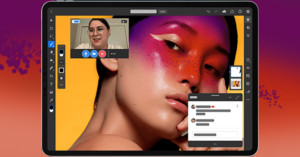
Astro HQ, the creators of Astropad and Luna Display, have just revealed plans to create Luna Display for Windows. This little hardware dongle, when paired with the Luna App on iPad, will be able to turn your iPad into a wireless, high-quality secondary display and graphics tablet for any PC.

Google Photos Gets AI ‘Portrait Light’ Tool and One-Tap Edits

Google has unveiled a major update for the Google Photos app. The update adds two new AI-powered photo editing tools: a one-tap editing feature that tailors suggestions to your specific photo, and an intelligent 'Portrait Light' feature that lets you alter lighting post-capture.

Skylum Unveils ‘Adaptive Templates’ Coming to Luminar AI

As Skylum continues to prep for the full launch of its AI-based photo editor, Luminar AI, the company has reveled more details about how it will work. Namely: Skylum is showing off something called 'Adaptive Templates,' which are essentially next-level presets with some machine learning smarts.

30 Lightroom Tips and Tricks for Faster Photo Editing

Landscape photographer Christian Möhrle of The Phlog Photography recently put together a handy compilation of his favorite tips and tricks for Adobe Lightroom Classic. Chances are good you'll find at least one or two (and probably several more) little workflow tips that you didn't know about.

ON1 Unveils ON1 Photo RAW 2021 and Launches All-New ON1 Portrait AI

Portland-based software company ON1 made three announcements yesterday. It launched a new application called ON1 Portrait AI, pushed a major update to ON1 Photo RAW Mobile for iOS and Android, and unveiled the latest version of the ON1 Photo RAW desktop editor, which will officially launch in October.

The Pixelmator iPad App Now Lets You Upscale Photos Using AI

Pixelmator Photo—the iPad version of the popular Mac app Pixelmator Pro—has just released a major update with a new machine learning-based tool at its core. Called "ML Super Resolution," the tool allows you to upscale (AKA "Enhance!") your photos with just one tap.

How to Swap Faces in Photoshop in Four Easy Steps

Our friend Pye Jirsa from SLR Lounge recently teamed up with the folks from Adorama to put together a very handy Photoshop tutorial you may want to bookmark for later. In this video, he shows you how to swap faces and expressions in four easy steps.

Skylum Unveils Luminar AI: A Fully Automated, AI-First Photo Editor

Skylum has announced a new, AI-first version of its Lumiar photo editor. Dubbed Luminar AI, the program takes all of the machine-learning tools from Luminar 4, adds some more, and puts them all into a new app and plugin that's all about "reinventing" traditional photo editing.

This Free Photoshop Add-On Will Read You Jokes and Puns While You Work

Retoucher Pratik Naik and his co-workers at Infinite Tools have released a fun (and free) little side-project that you might want to get in on. It's called the "Infinite Jokes Panel" and it's a Photoshop add-on that will read you jokes, puns, and condescending statements about your photo editing abilities while you work.

How to Create the Perfect Photoshop Toolbar for Your Editing Needs

Photoshop master Unmesh Dinda at PIXimperfect has put together a simple tutorial that could have a significant impact on your photo editing workflow. In a few minutes, he'll show you how to customize your editing experience and create your personal "dream Photoshop toolbar."

Adobe Adds ‘Refine Edge’ Brush to Photoshop on the iPad

Adobe continues to update and improve Photoshop on the iPad. The December update brought Subject Select, February was Object Select, May brought Curves and Pen Pressure Sensitivity, and today's update adds another very important selection tool: the Refine Edge brush.

Adobe Supercharged ‘Select Subject’ in the Latest Photoshop Update

Unmesh Dinda over at PiXImperfect recently took the latest update of Photoshop for a spin, and he was blown away by the improvement to 'Select Subject.' This AI-powered selection tool was always okay as a baseline, but now it's gotten so good that Dinda isn't sure he'll be using the Pen tool at all anymore.

3 Basic Lightroom Editing Shortcuts for Cropping Photos

Cropping is the one editing function that we pretty much apply to almost every photograph that passes through Lightroom. Effective cropping is critically important for composition, setting the mood, and even optimizing photos for sharing on social media.

Testing Every New Feature Adobe Just Added to Photoshop and Lightroom

Earlier this week, Adobe released major updates for Photoshop, Lightroom, and Camera RAW, with new and improved features across the board. But if the announcement was a bit overwhelming, don't worry: Colin Smith at PhotoshopCAFE has put together a demo of every new feature that Adobe just added to these products.

A Beginner’s Guide to Mastering the Pen Tool in Photoshop

Los Angeles-based automotive photographer Dave Cox (AKA @ShootingDave) has put together a useful beginner's guide that will help you master what he's calling "the sexiest tool" in Photoshop: the Pen Tool. "Sexy" might sound like a stretch, but Dave has a point. The Pen Tool can make detailed masking a breeze... if you know how to use it.

How to ‘Magically’ Remove Glare from Glasses in Photoshop

Unmesh Dinda over at PIXimperfect has released another exceptional photo editing tutorial that you'll want to bookmark if you shoot portraits. In this video, he shows you a detailed step-by-step method for removing glare from glasses in Photoshop—something all of us have probably had to do at one point or another.

DxO Unveils Nik Collection 3 with New Plugin, Non-Destructive Editing, and More

Since acquiring the popular Nik Collection of photo editing plugins from Google back in 2017, DxO has released several minor updates. Now, nearly three years later, they've finally debuted a major refresh. Nik Collection 3 comes with a new plugin launcher, a brand new perspective plugin called Perspective Efex, and more.