Software

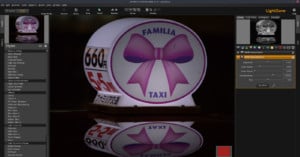
How to Install and Use LightZone, the Underdog Raw Digital Darkroom

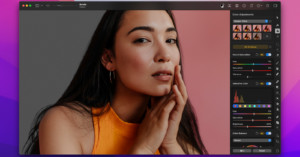
Darktable, RawTherapee, digiKam are undeniably powerful applications for processing RAW files. But while they offer a plethora of advanced editing and processing tools, using them to get the result you want requires and patience and some effort. But who has time for that?

13 Camera Settings Every iPhone Photographer Should Know

If you do iPhone photography, common sense may say you pick up the iPhone, open the camera app and just start shooting. That’ll work, but there happen to be so many settings and features hidden within these phones that stump way too many people, even some of us pros sometimes.

The Image Quality Apps from Topaz Labs Let Me Do the Impossible

Many things that used to be true about photo editing are no longer the case, such as not being able to fix a subject that was accidentally out of focus or not being able to recover much detail when doing heavy noise reduction. Topaz Labs is a big reason as to why we can approach post-processing differently now.

Photographer using Adobe Lightroom on an iPad Pro.

The Best Free Adobe Lightroom Presets and Where to Get Them

From importing, to organizing, to the editing process itself, few tools have the capacity to define a photographer’s workflow like Adobe’s Lightroom. Of the program’s many indispensable features, the ability to create user presets ranks quite high: it offers photographers the ability to lock in preferred looks, adjustments, and settings for rapid implementation across multiple images. Better still, these presets are readily shareable, allowing users easy access to the settings required …

A screenshot showing the process of creating a new heal layer in Capture One

How to Reveal and Remove Dust Spots in Capture One Pro

Capture One was recently updated with a dedicated before and after tool, and new powerful heal and clone tools. Before this update, the healing and cloning tools were unusable to me, but now with this update, I can save the time of moving back and forth between Capture One and Photoshop.

How Adobe’s Neural Filters Make Colorizing Photos Way Easier

A growing trend among retouchers and editors in the last few years has been to repair vintage photographs that have faded and been damaged over time. In addition to this restoration work, "colorizing" vintage photographs has been experiencing explosive growth. Adobe's "Colorize" Neural Filter now makes the job easier than ever.

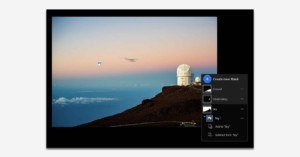
How to Leverage Lightroom’s New Masking Tools in Your Workflow

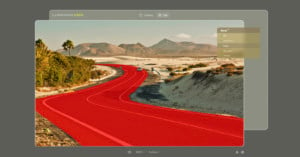
Unless you’ve just emerged from a nuclear fallout bunker, you’ve likely already heard about Lightroom’s impressive new masking tools that Adobe announced at their annual Adobe Max conference. In fact, PetaPixel’s Ryan Mense wrote a wonderful hands-on article covering the expanse of these new masking tools.

Adobe Brings Photoshop to the Web

Adobe launched a slew of updates to its Photoshop lines today, but the news was not limited to desktop and mobile software. The company also announced that Photoshop is being extended to the Web.

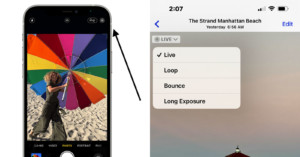
Where Did Live Photos Go in iOS 15?
For years, Apple's iPhone Live Photos has offered the coolest camera trick. With one click and no tripod, I could easily transform a body of water into a long exposure like dreamy shot, with long flowing water.

DxO Brings Major Updates to PhotoLab 5 and FilmPack 6

DxO has announced updates to PhotoLab 5 and FilmPack 6. PhotoLab 5 has enhanced local adjustments and a more powerful photo library, while FilmPack 6 adds new film emulations, cinemagraphic renderings, and support for Fujifilm RAW files.

Adobe Announces Smarter, More Robust Photoshop Elements 2022

Adobe has unveiled the latest version of Adobe Photoshop Elements 2022, which utilizes its Sensei AI technology to do all the heavy lifting -- just like the previous version -- and introduces new tools, like moving overlays, artistic photo effects, easy object selection and removal, and more.

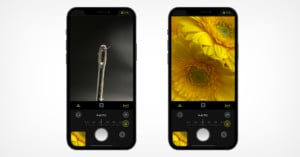
Halide App Brings Macro Photography to All iPhones

The new iPhone 13 Pro Macro mode allows for perspectives that are new to the iPhone, but limited to those who purchase Apple's newest devices. Halide wants to change that and has announced an update to its app that brings macro to all iPhones.