Software

best lightroom and photoshop plugins

The Best Plugins for Photoshop and Lightroom in 2026

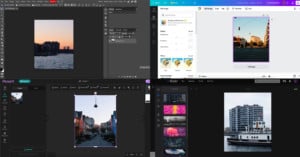
Photoshop and Lightroom are mainstays in most photographers’ workflows for a reason. While other options abound, no other set of programs matches the popularity and widespread adoption of Adobe’s signature photography software. But while Photoshop’s manipulation capabilities and Lightroom’s processing and editing power are certainly robust, both offer even more power beyond the software itself in the form of plugins.

How to Remove a Background in Photoshop

Using Photoshop to remove the background in an image so that you can replace it is one of the most frequent things for which it was used, and might still be. The actual placing of a new image for a background is relatively easy. The heavy lifting comes from making a good selection of your subject as this will be used to remove the unwanted background for replacement.

FilterPixel Photo Culling AI Software Increases Workflow Productivity by 75%

FilterPixel automates the process of looking for photographs that are not good enough to be framed and added to your portfolio of work. The software uses Artificial Intelligence to scan and automatically separate the unworthy captures, saving time and effort in browsing through hundreds of captures and inspecting them closely to check for blur and focus issues.
Creating Cosplay and Superhero Inspired Photo Portraits

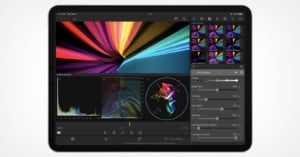
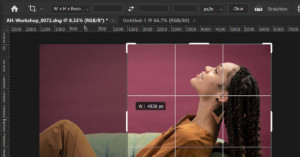
Creating compelling sci-fi and fantasy inspired images was once a task that required either awesome practical effects and lighting, dexterous digital paint skills, or a mastery of complex 3D animation software. Recently, Boris FX, an Academy Award-winning software company that has developed film and television visual effects tools for over 20 years, has leveled the playing field with the introduction Boris FX Optics.

Cleanup.pictures: How to Easily to Remove Objects From Your Photos

Removing unwanted objects and text out of an image to clean up your photo used to require special software and skills, but these days AI has led to features like Content-Aware Fill in Photoshop that lets anyone do it in just a few clicks. If you do not have a Photoshop subscription, there is a free Web and mobile app called Cleanup.pictures you can use.

Optimize Your Lightroom Photo Editing with These Tips and Tools

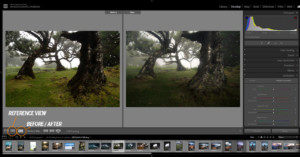
With the advance in computer technology, you would think editing photos is faster than ever before. It's simply not the case - far from it. Software such as Adobe Photoshop Lightroom Classic has become far more sophisticated, and with the increasing file sizes improving your workflow speed and productivity becomes a necessity.

How to Use Curves in Photoshop

When thinking about the Curves tool in Adobe Photoshop, the phrase “With great power, comes great responsibility” is a thought that comes to mind. Curves is the most powerful tool in Photoshop for adjusting brightness, contrast, tonality, and color.

What It Was Like To Use Photoshop Version 2.5 From 1992

Adobe Photoshop has been around for so long that it has become the international standard for photo editing and is even used as a generic verb for any type of photo edit. But, like all great things, it took a long while for it to reach its current state.

Boris FX Optics Plugin

Boris FX Optics Brings Cinema Effects to Photoshop and Lightroom

Academy award-winning software developer Boris FX has launched a new version of the Optics plugin for Adobe Photoshop and Lightroom Classic that the company says will add "the same high-end cinematic look and effects to photos that the film and television industry has relied on for over twenty years."