Post-Processing

A Sneak Peek at the Toolbar Editing Feature Coming to Photoshop

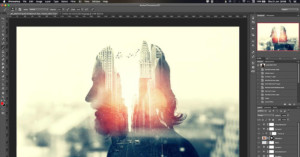
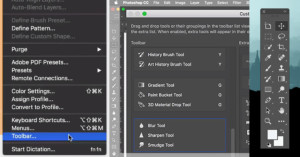
In the next update to Adobe Photoshop CC, you'll be able to customize the app's toolbars to optimize the layout for your exact needs.

Photoshop educator Howard Pinsky of IceflowStudios published the 2-minute video above that gives a sneak peek in to how the toolbar editing system works.

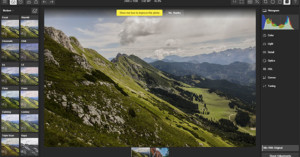
Polarr Photo Editor 3 Launched for Web, Chrome, and Windows 10

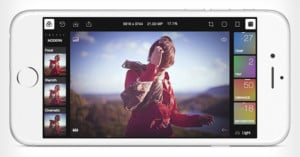
The free browser-based photo editor Polarr is expanding its reach yet again. After launching version 2 of its online photo editor back in February and a wildly popular iOS photo editing app back in June, the company today unveiled version 3 of its flagship photo editor and the company's expansion to Chrome and Windows 10 Desktop.

Apple and Adobe Slammed for ‘Sexist’ Photoshop Fix Demo That Made a Woman Smile

Apple and Adobe sparked some unintended controversy yesterday after unveiling and demonstrating the new iPad Pro. Adobe mobile design director, Eric Snowden, took to the stage and showed off a new app called Adobe Fix, which offers powerful face detection features for mobile photo retouching. This is the mobile Photoshop app that was previously referred to as Project Rigel.

As an example of the app's powers, Snowden showed how the app can easily turn a woman's neutral expression into a smile. The demo drew some chuckles from the audience, but journalists and commentators immediately turned to social media to condemn the demo as sexist.

5 Steps to Creating Long Shadows in Photoshop

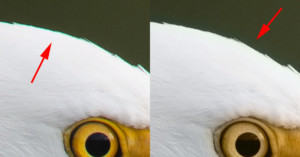
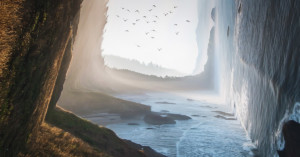
I had kind of a hard time coming up with an appropriate title for this post... I'm still not totally sure if it conveys what I'm trying to show you today. As you may hopefully have guessed by looking at my new image, I'm going to be talking about how I made the shadow that the eagle is casting. The problem was I couldn't really call this post, "How to Create Long Shadows Cast By A Subject That Is Suspended In An Epic Beam Of Light." It's just a bit too wordy... So anyway this is how I did it!

Video: A Primer on Color Spaces and Having a Color-Managed Photo Workflow

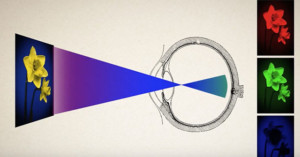
For some photographers, no term strikes more fear into one’s heart than "Color Spaces." The idea that different devices, along with our eyes, perceive light differently can seem confusing. Anyone that has gone to print one of their photographs probably knows that it can take some know-how to ensure your images are correctly represented on paper.

If you're new to the world of color theory, photographer Forrest Tanaka wants to help: in the 13-minute video above, he explains color spaces in an easy-to-understand way.

AstroPad Mini Turns Your iPhone Into a Photo Editing Graphics Tablet

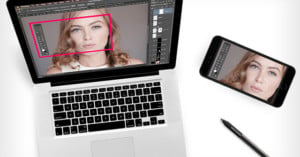
Last month we reported on the AstroPad App for the Apple iPad: a solution that allowed you to turn your consumer tablet into a professional graphics tablet when working with applications such as Adobe Photoshop, Lightroom, or Illustrator. Now, the company is announcing a new app for the iPhone called AstroPad Mini -- it's everything you love about AstroPad... just minimized.

How To Create a Recoverable Workspace in Mac OS X For Safe Photo Editing

Many photographers unfortunately know the horror of editing a photograph and accidentally saving over the original copy all too well. While Lightroom implements a non-destructive system for saving files, Photoshop can be a bit more dangerous, and accidents do occur. Today, we will show you how to set up a safe workspace area on your Mac that will back up photographs as you edit them.

An Intro to Lightening and Brightening Eyes in Adobe Photoshop CC

It is said that eyes are the windows to our souls and when focusing in on a portrait, we do our best to make sure they are razor sharp. With a bit of help from Photoshop, we can take the beauty of the eyes a step further. Today, we will be examining a method that I have personally used over the last few years to truly make eyes pop and give them another dimension of depth.

Adobe: Next Camera Raw Update to be the Last for Photoshop CS6

Creatives utilizing Adobe’s software suite who have yet to buy into the company’s Creative Cloud will soon find some of their updates coming to an abrupt halt. Adobe has announced that the upcoming release of Adobe Camera Raw v9.1.1 will be the last version available for CS6 users. Those looking to continue receiving the latest updates will need to upgrade to a monthly or yearly Creative Cloud subscription.

Rocket Rooster’s Lightroom Film Emulation Pack is a Cheaper Alternative to VSCO

Rocket Rooster is a digital filter company that produces affordable plugins for Adobe’s Creative Suite. After creating over half a dozen styles for cinema purposes, the company set their sights on creating products for still photographers using Lightroom. Rocket Rooster’s latest filter set, the Analog Film Pack, includes 20 old school film presets and over 100 variations.

Why I Stopped Using the DNG File Format

A couple of years ago, when I switched careers and moved into photography full time, I did a lot of research on multiple aspects of running a photography business. One of those areas, digital asset management (DAM), deals with, well, managing your digital assets, your image files.
I discovered Adobe’s open standard Digital Negative Graphics (DNG) file format. There are a number of advantages to converting your proprietary raw files (CR2, NEF, etc.) to DNG files, including file size, embedded file verification, future compatibility, and speed.

Timelapse: Restoring an Old, Ripped-Up Photo

Here's a great look at how far Photoshop can go in restoring a heavily damaged photo print. Argentinian photo restorer Hernan Folmer made the time-lapse above showing how he reconstructed an old photo last year using Photoshop CC. The video shows 2 hours of work in Photoshop CC condensed into 2 minutes.

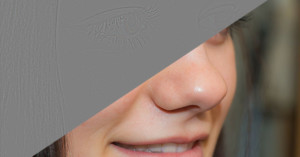
Primer: Using Frequency Separation in Photoshop For Basic Skin Retouching

Photoshop contains a world of post-production tools that photographers can use to bring their works of art to life. Today, we are taking a look at the technique of frequency separation, including how it works and how it can improve your images. For the rest of us without advanced knowledge of image processing, frequency separation is simply a method we can use to separate the colors and tones of a photograph from its textures. By utilizing this technique, you can obtain better control of your photos for retouching or other work.

Review: Palette’s Modular Photo Editing Controls Are Pricey but Powerful

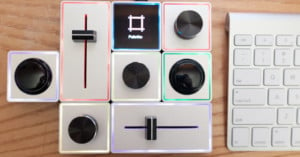
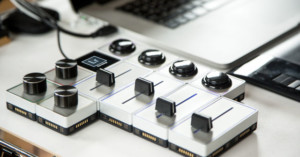
In a world saturated by digital controls and on-screen buttons, the team at Palette is looking to create a more tactile future. Originally launched on Kickstarter, Palette wanted to change the way people interact with software by creating hot-swappable hardware modules. We got a chance to test the Palette Expert Kit, which allowed us to map our favorite programs, such as Lightroom, onto three dials, two sliders, and two buttons.

A Primer on Reading and Using Histograms

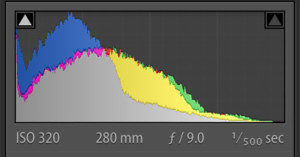
Image histograms are useful tools that can be used to help properly gauge the exposure and contrast within a scene during shooting or to balance the tonality of a photograph in post-production. These days, histogram graphs can be found almost everywhere, with more modern digital cameras including live displays during composition. Today’s primer focuses on how to correctly read histograms and use them to your advantage.

Here’s What Adobe Dehaze Can Do for Photos Taken in a Blizzard

I took a trip to Iceland this past March, but weather wasn't the greatest while I was there. We encountered a few blizzards, and I took some photos to see what I could recover from them. Adobe recently announced a Dehaze tool for Photoshop CC and Lightroom CC, and I wanted to know how well it could recover image data from a blizzard -- which could be considered be an extreme version of haze. After trying the slider on my images, I'm very impressed!

Timelapse: Restoring and Colorizing an Old Damaged Photo

Argentinian professional photographer and retoucher Joaquin Villaverde has a knack for restoring and colorizing old photographs. The video above is a time-lapse he made showing how he recently breathed new life into a vintage portrait that had a good amount of damage. It's 2 hours of work in Adobe Photoshop CC 2014 condensed into 3 minutes.

A Primer on Speeding Up Your Photoshop Workflow with Actions

Adobe Photoshop serves as an important process in many photographer’s daily workflows. Whether you are fine-tuning your shots from a wedding or simply touching up a photograph of your cat, Photoshop can help you bring your mind’s visualizations to life. However, you may be utilizing more of your time than needed if you employ repetitive actions without the use of macros.

This Preset Pack Brings Real Dehaze to Lightroom 6.1

When Adobe launched a major Creative Cloud update that brought the powerful new Dehaze slider to Lightroom CC, photographers who had purchased a standalone copy of Lightroom 6 instead of subscribing to Adobe CC didn't receive the new features.

If that describes you, there's some great news for you today: your Lightroom 6.1 can have Dehaze as well thanks to a new free preset pack by Prolost.

Retrospecs App Transforms Your Photos into Retro Computing Art

Do you yearn for a time when graphics were more pixelated and Betamax still had a chance? At times, we can’t help but to reminisce about late 20th-century technology, which is why we have decided to take a close look at Retrospecs for iOS. This nifty $2 app allows you to quickly transform your favorite pictures into retro computing art with the press of a button. Today, we are taking a look to see if it fulfills our nostalgic desires or gives us the pains of Nintendo’s Virtual Boy.

How To: A Primer on Reducing Noise in Photos Using Adobe Lightroom

Nothing can be more frustrating than taking a beautiful photograph only to later find out that it is riddled with digital noise. While digital image sensors have advanced the field of photography, they have also introduced new problems to tackle. Luckily, programs such as Adobe Lightroom can reduce the amount of noise within a photograph caused by high ISO settings or long exposures. Today, we are going to learn how to tackle noise reduction in Lightroom CC.

Hands-On: Emulsion for Mac is a Simpler Alternative to Adobe Lightroom

Last week, we took a look at an excellent Photoshop alternative for Mac OS X, Affinity Photo Beta. This week, we are taking a look at a possible Lightroom alternative, Emulsion, to see if it can also help you step outside of Adobe’s ecosystem. While Adobe provides an excellent range of products, some photographers are looking to expand their horizon with more affordable alternatives.

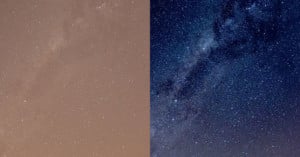
An Impressive Test of Adobe’s New Dehaze Slider

Want to see an impressive example of what the new Dehaze slider in Photoshop and Lightroom can do? Check out the 1-minute video above by photographer Grant Friedman, who tested out the feature using a foggy and blown out RAW photo of Times Square on a rainy day.

Ultimate Cheat Sheets for Photoshop and Lightroom

Want an ultimate single-page cheat sheet for looking up keyboard shortcuts in Photoshop CC and Lightroom CC? The design team over at setupablogtoday have created just that: massive sheets that you can study and explore to your hearts content.

Dehaze Comes to Adobe Photoshop and Lightroom

That Dehaze feature that Adobe teased last month is now official for Photoshop's Adobe Camera RAW and Lightroom in a major new Creative Cloud update. The feature helps eliminate fog and haze from photos to create "startlingly clear images."

The Meta35 Lets You Easily Transfer Metadata From Select Film Cameras

If you shoot film, you know how difficult it can be to properly organize your photographs once they have been digitized to your computer. Modern digital cameras allow easy organization with built in metadata that provides every bit of information you could ever need; however, digitally scanned photos contain no such data. Promote Systems has introduced the Meta35, a device to easily import and sync your film camera’s metadata.

A Look at How the Top iOS Mobile Photo Editing Apps Stack Up

With many cameras now supporting integrated Wi-Fi connectivity, a good number of photographers are editing their photographs while still on the road. There is a variety of applications on both iOS and Android that offer different feature sets at varying price points. In this article, we'll take a look at some of the best offerings to help you pick out what may be the best solution for your circumstances.

VSCO FILM 07 Eclectic Collection: 18 Profiles for an ‘Elegant and Modern Aesthetic’

The debate between analog and digital may never end, but there can be a happy medium. One of the reasons that analog continues to live on is due to the wondrous ‘color profiles’ that one can find in different packages of film, along with their unique grain profiles. VSCO, a company that designs presets for Adobe Lightroom and Adobe Photoshop, has released their latest collection “VSCO FILM 07” - the eclectic films package.

SourceForge Accused of Bundling GIMP with Adware

If you've downloaded a copy of GIMP for Windows from SourceForge in recent days, you may want to double check to make sure you didn't get other programs installed as well. Some copies of the "open source Photoshop" were apparently being offered with for-profit adware bundled with the installer.

This is the ‘Dehaze’ Tool Coming to Lightroom

At Adobe MAX 2014 last October, Adobe gave a tech preview of a new "dehaze" feature that it's currently developing that can seemingly magically remove haze from photos. Above is a new sneak peek video Adobe just posted that shows what's "coming soon to Lightroom CC."

I’m So Over The ‘Overly-Retouched’ Argument

Ah, “photography”, you loosely defined word that everyone seems to have their own definition of. It’s amazing how polarizing you can be, isn’t it?

And one of your most polarizing aspects seems to be exactly how much retouching is considered reasonable. Purists claim no retouching of any kind is allowed (then they usually reference Ansel Adams, which is quite ironic considering the amount of dodging and burning he brought to the field), while others gladly accept Photoshop as a regular part of their photography tool-belt.

Here’s a Trick for Adjusting Past +/- 100 in Lightroom and Adobe Camera Raw

In this post, I'll share a trick I use to get some adjustments "beyond" +100 or -100 in Lightroom and Adobe Camera Raw.

In the screenshot above, I like how most of the image looks -- the bird and the branches are well exposed, at least. But the blue sky got blown out to almost pure white. I already moved the Highlights slider down to -100 and it's still pretty white. I want to go past -100.

How to Turn a Photo Into a Painting with Photoshop

I recently had the absolute pleasure of meeting and shooting with Mackenzie Johnson! Today I'm going to share how I turned my portrait of her into a painting. Not everyone is a painter, but with a little time and patience -- and Photoshop -- I believe anyone can achieve this effect.

Speed Editing a RAW Landscape Photo in 5 Minutes with Photoshop

If you're just starting out in Photoshop, Adobe Camera Raw, and/or landscape photography, here's a video you may find enlightening. Landscape photographer Joshua Cripps offers a quick walkthrough of his post-processing methods, turning a straight-out-of-camera RAW photo of a lake scene into a finished shot.

Why Your Lightroom CC May Actually Be Slower with the New GPU Acceleration

When Adobe unveiled Lightroom CC/6 last month, one of the big features in the update was support for graphics processors (GPU) in order to speed things up in the Develop module. Adobe claimed that some users would see up to a 10x performance increase with the GPU helping the CPU out.

Unfortunately for some users who bought or upgraded to Lightroom CC/6, that hasn't been the case.