iPhone Duo Review: A Compromise, But Not Compromised
The iPhone Duo pulls me in two directions. On the one hand, it’s a brilliantly designed phone that feels premium and invites you in like no other Apple handheld has before. On the other, it surfaces issues I’ve never had with an iPhone before.
The iPhone Duo is an exceptionally crafted device, especially for a first generation product. I just don’t think it solves any problems the iPad doesn’t already address and revives old ones the iPhone long since overcame.
Pros
- Outstanding, high-quality design and build
- Interior matte display rejects reflections and fingerprints
- Small and pocketable yet large, bright, and beautiful
- Excellent speakers
Cons
- Awkward to use one-handed
- Touch ID is slow and clumsy
- Battery life is just barely good enough
But perhaps more than anything, the iPhone Duo asks you to relearn how you interact with your iPhone in a way no other iPhone ever truly has. I remember the shift from the Home button to Face ID, and that took me no more than a couple of days before it felt like second nature. But now, a week into my time with the Duo, I’m still finding myself fumbling with it at times. I forget where the volume buttons are, I grab the phone with the wrong fingers for Touch ID, or I try to type a text one-handed and find that my thumbs just can’t clear the width.
The Duo is a huge change for Apple, but it’s also a huge change for an Apple user. Luckily, there are gratifying things about the Duo that largely overshadow the learning curve. But yes, there is a curve, and many of you aren’t going to enjoy having to deal with it before getting to that first straightaway.
iPhone Duo Review: Design and Build Quality
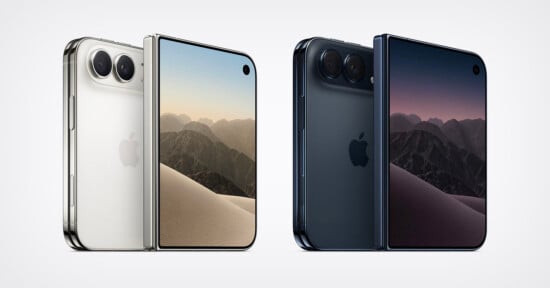
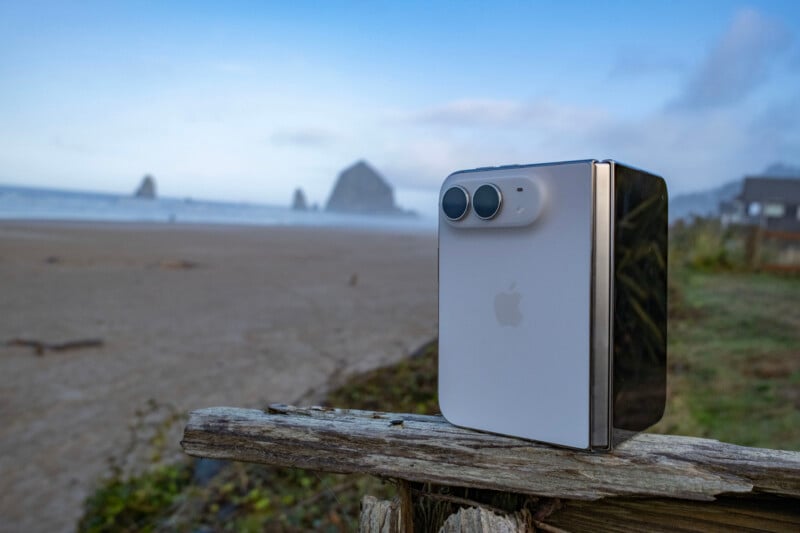
As Apple immediately pointed out when it revealed the Duo in September, this folding phone uses what was supposed to be a unique form factor. I say “supposed to be” because Xiaomi caught wind of what Apple was making and technically beat the company to the punch, releasing the Xiaomi 18 Fold, which is identical when it comes to the aspect ratio and size. I think we can probably give Apple credit for the design, though.
The Duo features a Grade 5 titanium frame, a choice that we’re coming back to after only getting the material on the iPhone Pro for a single generation. The front display features Ceramic Shield 2 while the back (the area with the camera module) features Ceramic Shield.
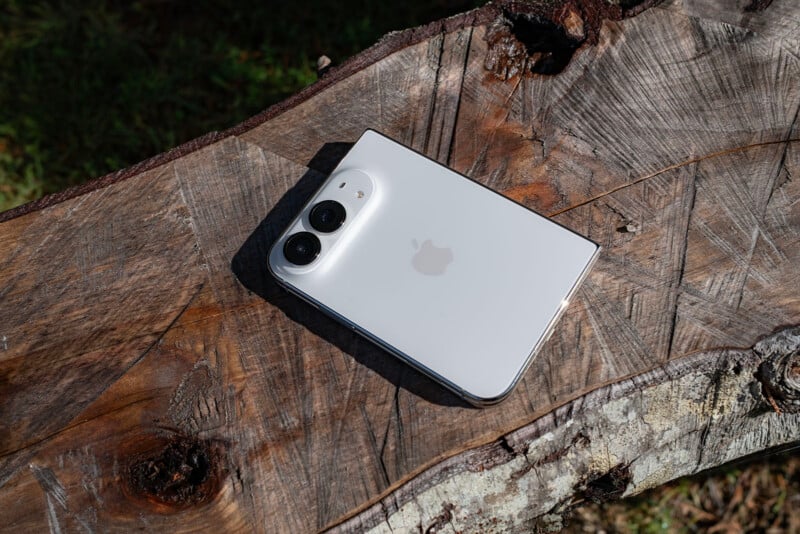
The construction of the frame and the folding system is really nice. When I was at Apple Park for the iPhone 18 launch, I was shown a model of the Duo’s guts, including a close-up look at the hinge design. This is an intricate, complicated design and the result is an opening and closing experience that is remarkably satisfying. The resistance you feel changes with the angle, and the hinge features a custom alloy that is nitride-treated to preserve it over time. Basically, the Duo’s excellent opening and closing experience is meant to last.
If you’ve used a Galaxy Fold, it’s just a hair better than that thanks to the fine-tuning of springs and the proper application of magnets. I cannot fault this experience at all: it’s really nice.
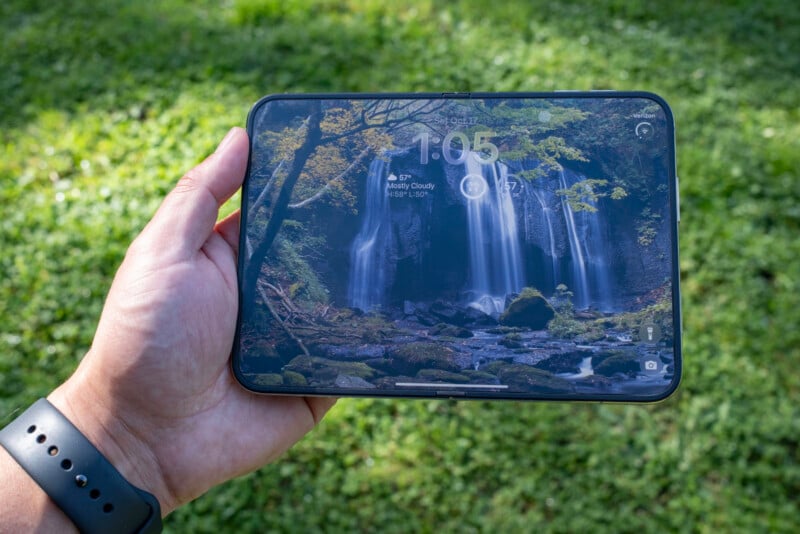
The interior and exterior displays are different insofar as one, the exterior, is the expected glossy glass while the interior is a matte finish. I am sure that this will be a contentious discussion point because there are many people who do not like the Nano-Texture displays Apple already makes for its MacBook Pro and Pro Display XDR. I like them quite a bit, but friend of the publication Jason Vong could not help but express his distaste for it when he saw me working on my MacBook last month. To him, the matte texture reduces visible sharpness.
I would say if you’re not a fan of Nano-Texture, you probably won’t like the matte interior display of the Duo, and vice versa. It substantially reduces glare and gives the interior display a completely different texture compared to what anyone who has used a smartphone — iPhone or not — has felt before without adding a third-party screen protector. Not only does it block glare, but it also hides fingerprints astoundingly well. You can still see them if you turn the display off and hold the Duo at an off angle to perfectly reflect the light, but much like that hinge in the middle, fingerprints disappear when you are using it normally.
I have wiped the front screen of the Duo multiple times during my time with it, the same as I would with a standard iPhone, but have never felt the urge to do that with the interior screen. That says a lot about how well this design decision prevents me from noticing them at all.
What a segue to that hinge, because a lot has been said about its visibility. Apple said it chose the matte finish because it reduced the visibility of the hinge, and the Internet jumped all over that, saying that you could still see it if you held the phone at the right angle. Sure, that’s true. Apple did not say it eliminated the visibility of the hinge; the company just said it reduced it. And let me tell you, it’s substantially reduced to the point where you don’t think about it at all.
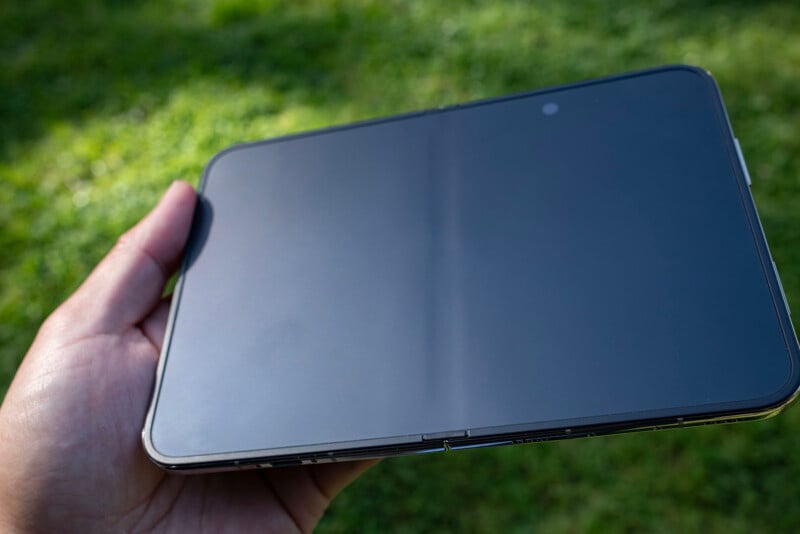
That is a lot more than I can say about the crease in the Samsung Galaxy Fold series, which is basically always visible. Apple’s implementation here is superior — vastly so — to what Samsung has done. I guarantee that this will be copied in the future, because it makes for a much better user experience.
Another point that I’ve seen talked about is how it will feel to run your thumbs or fingers across that hinge as you’re using the Duo. “You’ll feel it,” I’ve seen said. Yeah, you do. And you know what? I like it.
When I’m scrolling Reddit, I kind of get excited for the moment that I’ll drag my thumb down across that hinge. The only way I can describe it is as a subtle, soothing bump. It feels nice! Having some difference in texture actually makes me want to use the Duo more; it’s very odd and I’m having difficulty expressing my feelings about it other than to say they’re positive.
If you’ve used a modern iPad, you know that depending on what orientation you have the tablet in, the volume buttons change to make sense for that orientation. So in portrait orientation, those buttons are on your right, so the top one raises the volume and the bottom one lowers it. But if you shift it to landscape, those invert because suddenly they are oriented left and right, not up and down.
Out of the box, the Duo doesn’t do this — at least my review version with the initial software did not — and instead the buttons work like they do on a standard iPhone: they never change from up and down being up and down. But the Duo can have a bunch of different orientations, meaning at first, the volume button was an exercise in frustration. Luckily, there is a feature called “Fixed Position Volume Controls” that you can toggle off, which allows the buttons to dynamically change depending on the phone’s orientation. I think this should be disabled by default as opposed to how it is now, which is on by default. It’s iOS, so I get why it isn’t treating the Duo like an iPad, but it really should.
I want to point out that Apple said it was about the size of a passport, but that’s not true: the Duo is smaller. A passport can wholly hide the Duo.
I mention this because I feel like the Duo is both a bit too small and also a bit too big. That is to say, I understand what Apple was going for with the shared aspect ratio between open and closed, but for my hands, the Duo is just a bit too wide. I can’t use this phone one-handed in any configuration comfortably, and that does not feel great when I’ve gotten so used to that experience with mobile phones to this point.
Usability is Part of Design
I’m going to take this opportunity to sidebar into usability, because the design of this phone is intrinsically tied to how it feels to use.
Regarding the “bit too small” comment, the screen space when the Duo is folded feels like barely enough. While apps that are designed natively for this device (and we’ll get more into that discussion in a bit) do feel better than those that are in compatibility mode, there is a whole line of relatively unusable space on the right side of the screen where Apple puts controls and, on the home screen, your favorites bar. That means your viewed content area is smaller than the screen size of the last iPhone SE, which is a bit jarring to go back to after jumping to the larger Pro and Pro Max phones years ago.
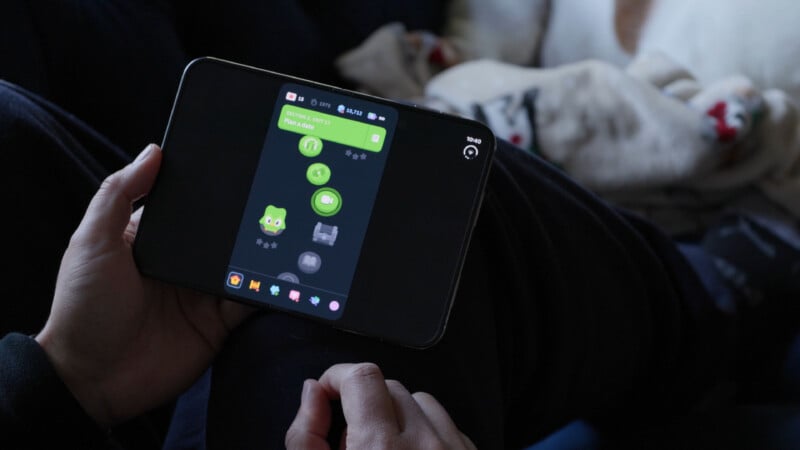
So the active (and I won’t use the word “usable” here since, again, this space can be utilized when apps are designed for it) screen space is much smaller than I’m used to while the phone is noticeably wider in hand. It’s an odd feeling that my brain has a hard time coming to terms with. This is exacerbated by the keyboard, which ignores that active space and spans the entire width of the screen so that your active space is thinner than your typing space. It’s just visually imperfect and makes it so that you’re functionally less likely to be able to use the phone one-handed.
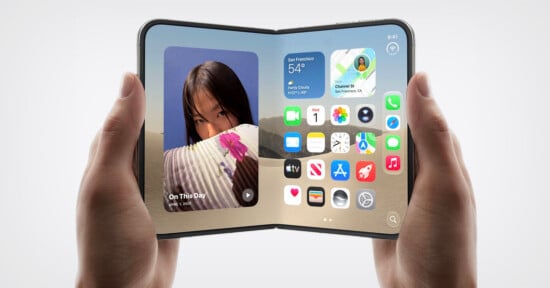
These feelings evaporate when you fold the phone open and suddenly have twice the working space. Opening this phone feels wonderful.
In natively designed apps like Slack, for example, the experience laid out in front of you looks grand and spectacular. I can see my chats on the left, the active chat in the middle, and then controls for navigating the app on the right.
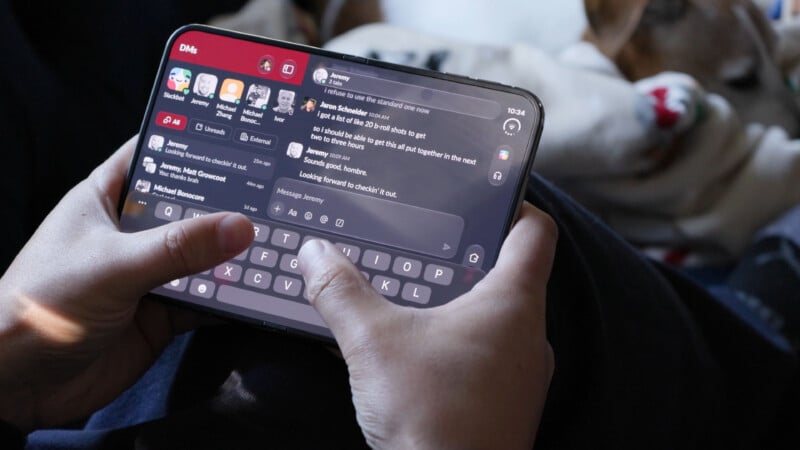
It’s lovely right up until the moment I start to type into a chat, and then I realize the keyboard is just too big and neither of my thumbs can easily reach the “G” in the middle of the board. So then I rotate the phone to be portrait-oriented, and now it’s just a giant chat window, with all of that full view that I was just praising gone, and my view is once again reduced to the same single-column, one-chat view that I was getting on the single front screen of the Duo and the single display of the iPhone 18 Pro.
This is the case for many of the apps, even natively designed ones, for the Duo. I don’t gain anything when I’m actually using the Duo. For many apps, the experience only gains something if you are a passive observer of content.
There are exceptions, of course: photo editing.
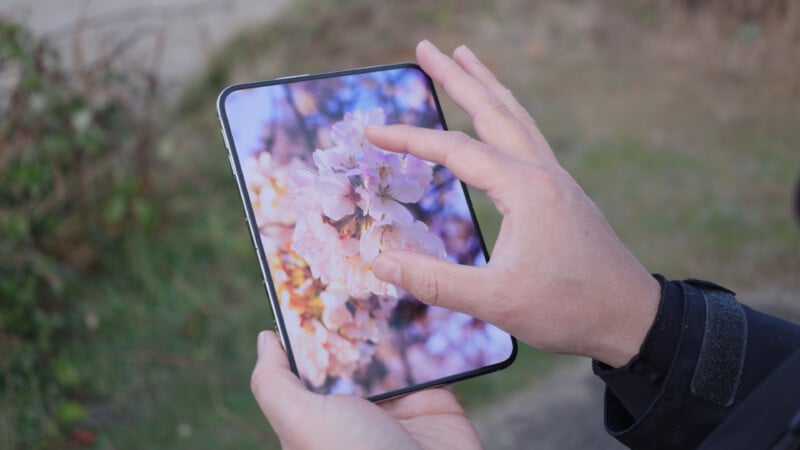
In my time with the Duo, any photos I took with it (and we’ll get to that momentarily), I made sure I only edited on the device, breaking with my normal habit of editing on a computer. The experience is excellent. The size of the Duo is, I think, perfect for the touch-based editing experience of both Lightroom and Afterlight. I used both equally to test different styles and found both showcased the benefits of the larger interior display.
It’s really lovely to be able to zoom into a section of a photo and actually see that section clearly thanks to the bigger display. You can also see the whole photo zoomed out, which isn’t as bad as it usually is since it’s no longer thumbnail-sized, but actually takes up two-thirds of the interior display space.
Video editing feels the same. While I don’t like editing on mobile devices, I know it’s a popular choice, and tools like Edits make strong use of that huge display space.
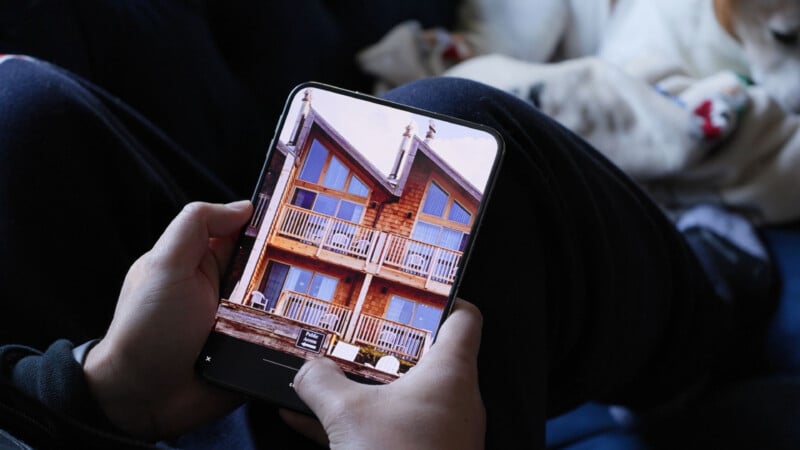
I think this boils down to when the keyboard appears. If you ever need to type, the Duo starts to feel cumbersome and requires two hands in any orientation.
It feels great when you can cradle it, and clunky when you cannot. The best usability of the Duo is two-handed.
Compatible vs Native vs Old
For the first time since Apple changed the aspect ratio of the iPhone, you will butt up against issues with how apps display on the Duo. There are three possible outcomes. First are, of course, apps designed to work natively on Duo. These all feel pretty darn good, and the apps that really leverage a full-screen view like maps, games, and photo editing all shine here. The sidebar where controls and phone information display is also well utilized.
This gets slightly worse when an app was designed with the iOS 27 SDK. These are apps like the Reddit Viewer Narwhal or the YouTube app. These automatically resize to fit the screen better, and while the sliver of screen where those controls live isn’t as nice to look at, it’s manageable. These apps don’t visually bother me.
It’s the apps that are using the older iOS 26 SDK that are a downright awful experience. I’m looking at you, YouTube Studio, Duolingo, Gmail, and Firefox. These apps are “compatible” but appear significantly windowed. On the front screen, that means the whole right side is a black bar outside of the signal strength, battery, and Wi-Fi icons. When you open the Duo up, these appear center-aligned in the middle of a black background. They look atrocious and won’t get any better until they are dramatically updated.
iPhone Duo Review: Cameras
Camera hardware was never a major selling point of the Duo, and that’s because they are a downgrade when compared to the Pro series phones. You only get two 48-megapixel fusion cameras: an ultra-wide and a wide (with a 2x option). Apple defaults you to 24 megapixels on these cameras, which means they have nice detail despite not being as good as the Pro line, and you can also do that 2x zoom on the main wide lens without succumbing to issues with digital zoom.

The ultra-wide camera is exactly what you have come to expect from Apple’s ultra-wide cameras on its pro phones, which is to say it’s not my favorite. It’s the exact same as the one on the iPhone 18 Pro, which was the subject of most of my criticism when talking cameras on that device when I reviewed it last month. I think it’s best to use it when filming yourself, since the main camera is a bit too tight for holding at arm’s length, and for that, it is totally acceptable. It just won’t blow you away, and I contend it is in the most desperate need of an update.

The main camera is unique in that Apple says it’s a brand-new camera made specifically for Duo. The sensor itself is the same as the one used in the ultra-wide; it’s just the lens system that’s new so it can fit into the thin chassis of the Duo. This camera is the epitome of “fine.” It is perfectly serviceable for what most people who take photos on their phones need. You shouldn’t zoom in too closely or you start to see issues, and likewise, it won’t blow you away in low-light situations either.
The Duo cameras are all middling in quality. That doesn’t mean you can’t get great photos with the iPhone Duo; it just means that there are way better cameras available even in Apple’s own product line.

The iPhone Duo can’t shoot ProRes Log video and it can’t capture ProRAW files either. Likewise, while you get some of the nice shortcut controls that were introduced in the Camera app on iPhone 18 Pro, you don’t get control over shutter speed or aperture (aperture is fixed on both lenses). While I miss full pro controls, I can see why they weren’t added here, and I appreciate that Apple still gives us the ability to access certain controls with the shortcut bar.
Apple also ditched the LiDAR sensor, and I can’t say I’m seeing any real-world case for missing it, at least when it comes to the camera experience. I was afraid that it might make low-light focus worse, but I wasn’t having any issues. I was also concerned that it would affect tracking, but it wasn’t any different of an experience there either. Apple’s new tracking autofocus that it introduced in the 18 Pro is here on the Duo and it works exactly as I expected. Every frame of my dog running toward me was in focus.

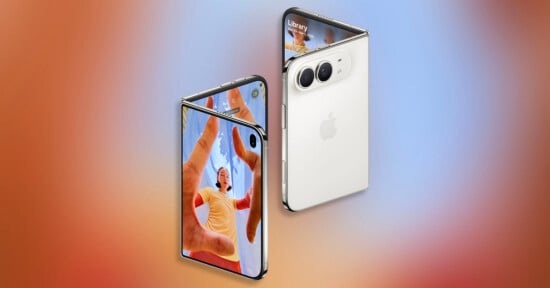
In what is a theme with the Duo, what you’re getting is a different experience when it comes to capturing photos. Because of the shape of the Duo, which lets it sit on a surface without accessory hardware or having to lean it on a rock, the folding phone introduces a feature called Smart Take. In this mode, the phone will evaluate a scene, wait for people to appear in it and pose, and take photos intelligently. It’ll shoot for about a minute or until it captures around 20 photos, and it isn’t just doing it on an interval, but is actually checking the poses of people in the shot. It’s a really smart feature that, as I said in my iPhone 18 Pro review, should be in all iPhones.

Apple also added two other unique features: Kid Cue and Duo Preview. Kid Cue plays cute Snoopy animations to get the attention of children so snapping a photo (with them making a happy face) is much easier. Duo Preview is more useful for both solo creators as well as those with persnickety partners who want their pose to be just right. Instagram boyfriends are about to have a much easier job getting their partners’ photos right.
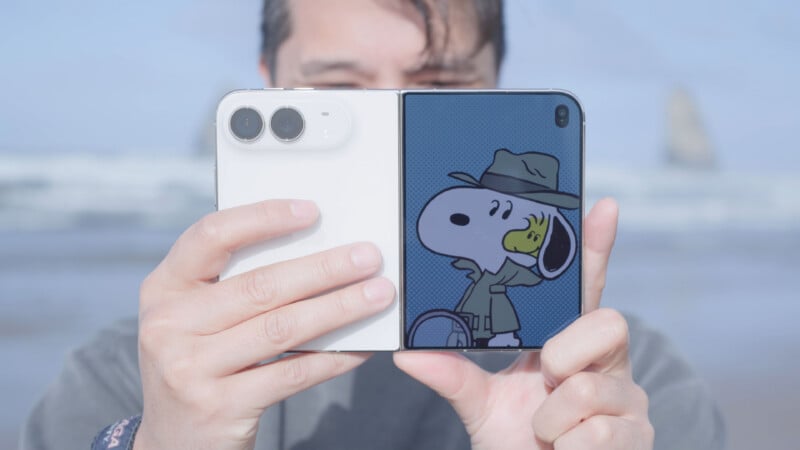
You can also activate the camera when the Duo is fully unfolded and, if you’re pointing the camera at yourself, it will sense that you are in front of it and give you the option to turn the camera controls onto the front screen and deactivate the inner display entirely. This makes it much easier to take a selfie while you’re holding the phone and see your frame. The only issue is that the camera module and the preview screen are pretty far apart, so if you’re on the main camera and you’re looking at yourself, your eyeline is either too low or too high, depending on the orientation. If you’re the kind of person who likes to look at yourself while recording video (and not the dead stare of a camera lens), then this isn’t quite as helpful as you probably hope. I will say, the issue is less of a problem if you’re using the ultra-wide, since the angle of view isn’t as tight.
Apple also brought over the latest Photographic Styles control that it brought to the iPhone 18 Pro, and just like I said in the review of that device, they are awesome here. I really like the looks, especially the addition of Texture and the fact that the Styles are just better applied than before. Photos just look so much nicer now and I use Styles all the time.

The last thing I’ll note is that the actual photo-taking experience isn’t my favorite. When folded, I feel like the Duo is a worse form factor than the iPhone to hold, because to get a firm grip on it, you really have to palm about a third of the screen, which blocks your controls. So, when you do this, you end up holding it by your thumb and middle finger, hovering your index finger over the display so you can fire the shutter.

If you open the Duo up, you do get a much bigger screen to compose with, but it ends up feeling like you’re taking photos with an iPad like your grandma.
The best photo experience is two-handed.
iPhone Duo Review: Battery Life and In-Use
The iPhone Duo chews through battery life, which I think was expected. I don’t really look at the battery life promises given by Apple, but rather like to try and use the device myself to give a more real-world evaluation.
After a full day (7 AM to 9:30 PM) of moderate to heavy use, without stopping to charge it at any point, I was down to just under 30% at the end of the day. I watched some YouTube videos, but never full TV episodes or movies, and I used it to take photos, edit those photos, answer messages, and check email, though. This is what I would consider to be a pretty normal day, and I feel like the battery life is just barely good enough.
The Duo doesn’t have as fast charging as the iPhone 18 Pro, but it isn’t terrible and you can get up to a 50% charge in about 20 minutes when using a 60-watt adapter or better and a USB-C cable. The iPhone 18 Pro can do that in 15 minutes. So while not as good, it’s probably good enough and most people will probably be able to keep their Duo filled enough to get through most days.
The Duo can also get warm if you work it. Playing games, editing photos, or doing anything that stressed the processor resulted in pretty noticeable warmth on the right side of the phone when unfolded. It will then gradually spread that heat out across the spine and over to the other side of the phone if you keep using it.
The iPhone 18 Pro is really, really good at heat dissipation to the point that it never really feels hot in a single spot. Rather, the whole phone feels warmer — I intentionally am not using the word hot here. The iPhone Duo still feels hot at a single point when the processor is really chugging.
Touch ID, Phone Calls, and Sound Quality
Apple went with Touch ID on the Duo instead of Face ID, and I think this was a mistake. I would have accepted a larger cutout on the front to accommodate the IR camera because the touch experience is just not it. Not only can you not use a case that covers that button, it’s very sensitive to the wake command (the press) and constantly buzzes at me with the error buzz when I’m just trying to pick it up or move it. You’re going to want to register all 10 of your fingers, too, because you never hold this thing the same way twice. You’ll be shocked how often you go to pick it up and it’s not facing the direction you thought or it asks for Touch ID to confirm a purchase you didn’t consider when you registered your fingers, so you have to rotate the whole thing to find the finger you did register.
I have found that Touch ID is slower than Face ID for unlocking the phone. It got to the point where I was so grateful that I have an Apple Watch because I could set it to automatically unlock it when it sensed I was wearing the watch. Unlock with Watch is also, somehow, faster than using Touch ID. It removed a lot of the friction I was butting up against with Touch ID, but it requires a Watch.
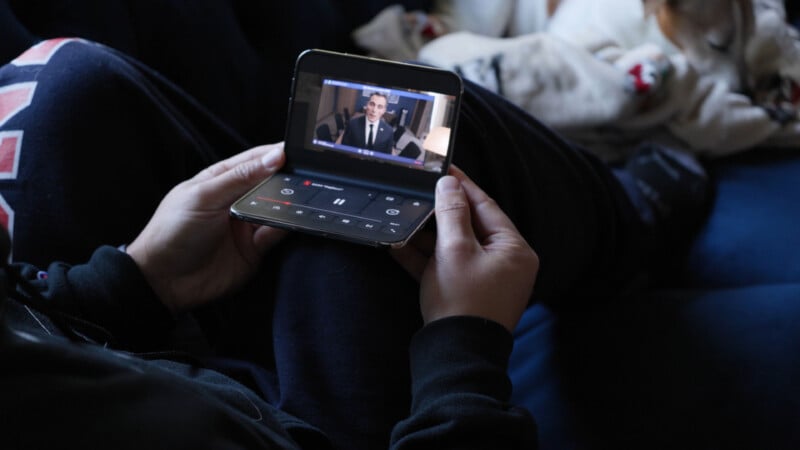
The phone call experience isn’t the best either. For all phones I’ve used to this point, the speaker for your ear is on the front of the device at the top of the main display. On the Duo, this is not the case and instead the earpiece is meant to be the speaker on the top of the phone. This means that if you hold the phone to your ear in the way you’re used to doing it, the person on the other end of the line sounds really far away because their voice is actually above and behind your ear canal. The best experience is actually holding the phone much lower than you would expect and pointing it a bit in, aiming the speaker into your ear canal.
This issue is solved either with speakerphone (don’t do this in public, please) or AirPods. But I take issue with the idea that two of the major use cases of the Duo are only good when combined with accessories: the Watch and AirPods. I think Steve Jobs would have wanted the phone to be at least good on its own and then enhanced with accessories. From a UX perspective, it just doesn’t quite sit right with me.
I said this issue is solved with speakerphone because I do want to praise the Duo here: the speakers on this thing are really good. Apple has really hit its stride with audio and I’ve been super happy with the iPad Pro’s speakers, the MacBook Pro’s speakers, and now the Duo speakers. With a device like the Duo, content consumption is really important and so great audio is a must. Luckily, Apple knocked this one out of the park: they are loud, have surprisingly good low-end rendition, and excellent clarity. Big thumbs up.
Standby Modes
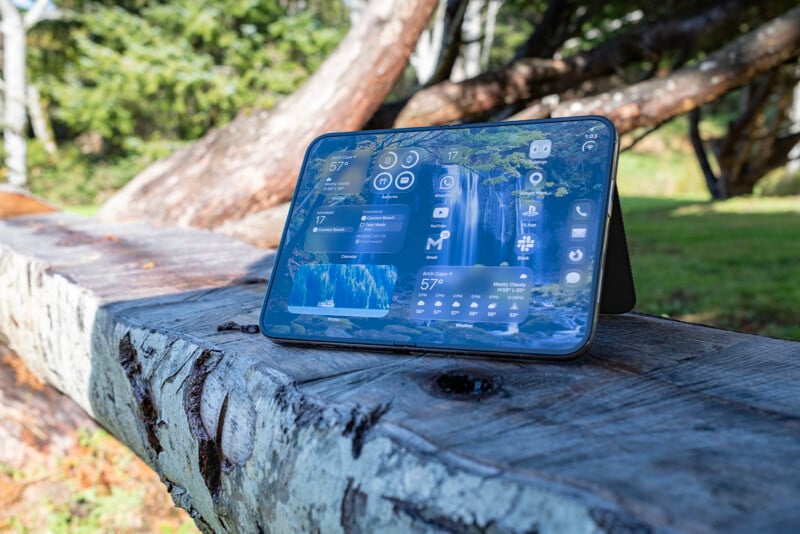
I want to touch on this briefly because they’re not super critical to the use of the device, but I do think they’re neat. When the phone is folded halfway like a tent, it can be set on a desk and the main display will go into one of several Widget options like a clock, calendar, or weather. It does the same thing when set on its other side where it is open like a book on a desk. If you have the folio case, you can fully open the Duo and rest it on that little kickstand, and it will also activate the widgets.
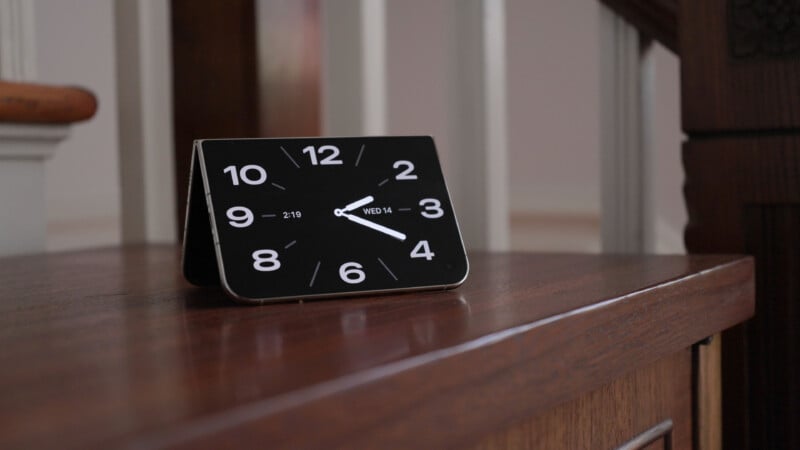
These are nice additions and make putting the Duo on my desk while working a neat little enhanced experience. That said, the photos widget doesn’t work how I’ve been conditioned to believe it would thanks to how digital photo frames work.
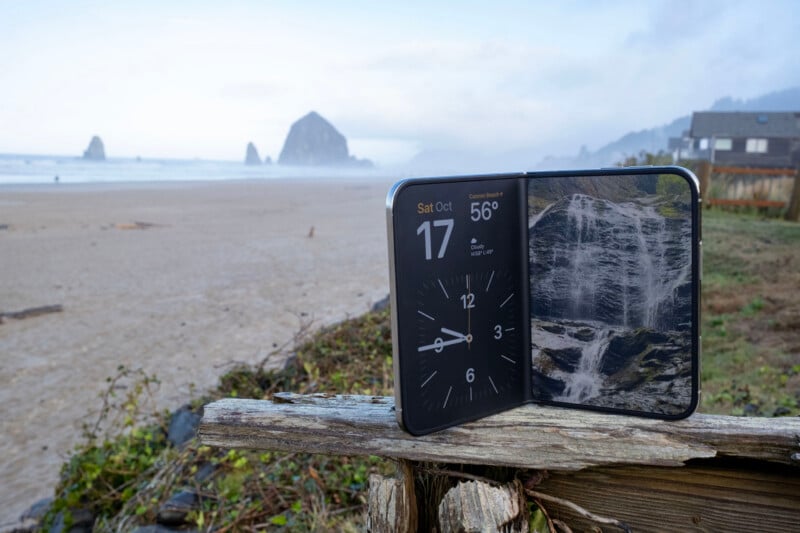
If you have ever used a digital photo frame with touch support, you know that if you see a photo on there and you want to change it, you can just swipe to move to the next photo. You can’t do that on the Duo. Whatever photo it has decided to show, either a random one from your whole library or a photo from an album you have created, that’s what it is going to show until it moves on to the next one on its own. I think I should be able to swipe.
The iPhone Duo is a Compromise… but That’s Not the Same as Compromised
I would be remiss if I didn’t at least address the cost of the Duo: it’s a lot. This is Apple’s most expensive iPhone ever. That said, it’s not crazy when compared to the foldable market. The Samsung Galaxy Z Fold 8 and Fold 8 Ultra start at $1,699 and $1,899 each while the Xiaomi 18 Fold starts at about $1,650 (converted from Yuan). iPhone Duo starts at $1,999.
As the premium product it is being marketed as (and actually is), it’s not a crazy asking price to be $100 more than the most expensive alternative. The best part about it is that it earns that asking price. It feels high-end. It feels like you’re getting what you’re paying for.
The iPhone Duo is an exceptionally crafted device, especially for a first-generation product. I just don’t think it solves any problems the iPad doesn’t already address and revives old ones the iPhone long since solved.
This feels like a device made for two hands. As I said a couple of times in this review, everything gets better when you dedicate both hands to using it, and it’s markedly worse when you only use one. I don’t have huge hands, so I can’t reach the whole keyboard with one hand no matter what orientation it’s in. Apple solved this problem already, but the Duo resurfaces it. I also think Face ID was a much better solution than Touch ID, especially considering how slow it is on the Duo. That’s back, too.
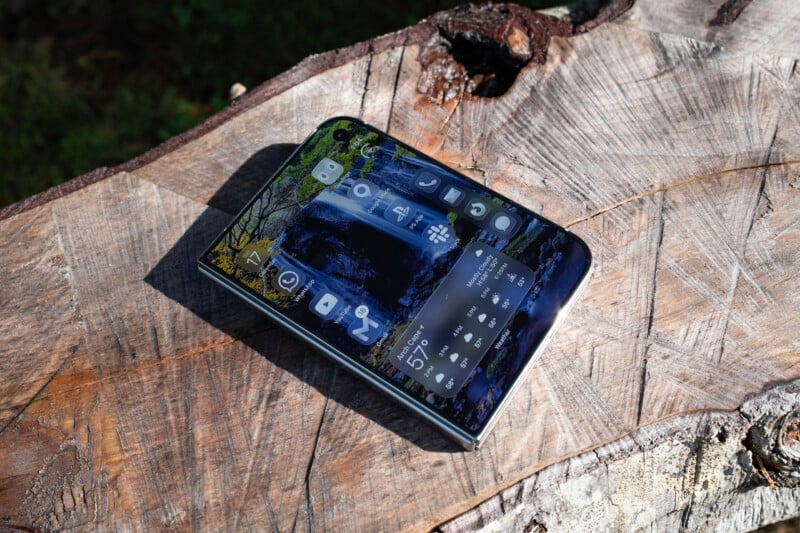
You could argue foldables make more sense on Android where the tablet market is laughably bad. But that’s not the case in the Apple ecosystem and never has been since tablets have been a thing. Android kind of needs folding phones to fill the gaps, while Apple doesn’t. What it does in Apple’s case is regularly remind me of what I don’t have either on my iPhone or on my iPad, and it feels like a compromise between the two.
But when I say the Duo is a compromise, that’s not the same as saying it’s compromised.
It is absolutely an in-between device that gets you 60% of an iPhone and 60% of an iPad. There will be many people who don’t want to have two devices and will want to carry a tablet with them everywhere. For them, the Duo is perfect. It’s a spectacular content consumption device and I was never happier with it than when I was lying in bed, scrolling through social media or watching a video.
But for those who really power use either the iPhone Pro series or an iPad, the Duo falls short of being as good as either. Netflix is unequivocally better on my iPad than on the Duo. Taking photos with a standard phone already feels ergonomically bad, but it feels even worse with the Duo, regardless of orientation.
There are things the Duo does better than both an iPad and an iPhone, too. Editing photos feels better than it ever has. The size and form factor is perfect for that. Scrolling Reddit on the couch in full screen is better, too. Watching YouTube while washing dishes is an elevated experience.
The Duo really is about give and take. You can’t have it all, and so it is a compromise between both. And just like in a compromise, hands were shaken, both sides were satisfied with the result, but neither side got everything they asked for.
Are There Alternatives?
Sure, but not for Apple users. The Duo is going to be popular because it’s an Apple product that fits into Apple’s ecosystem. As such, the only real alternative is not a folding phone like the iPhone 18 Pro. But if we are going to pretend that people regularly dip in and out of Apple’s ecosystem, then the Samsung Galaxy Fold line can’t be ignored and neither can the Xiaomi Fold, which aped the Duo’s design aesthetic hard but put better cameras on it.
Should You Buy It?
Maybe, which is more of a “probably.” If you care more about content consumption than creation, then the Duo is really quite fantastic. The cameras will be the biggest letdown, but I don’t think a majority of Apple iPhone users were getting the most out of the Pro line’s cameras anyway. Just about all Apple fans will be perfectly served with what the Duo offers and will get a superior display for watching videos at the same time.