Post-Processing

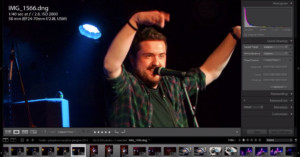
Lightroom CC Gem: You Can Now ‘Add to Collection’ When Importing Photos

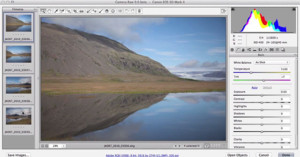
Adobe Lightroom CC/6 has been a hot topic in the photo community ever since it was announced a week ago. Although most discussions have focused on the "big" features such as HDR, panoramas, and performance, I have personally found one small addition to be the most useful new feature in my own workflow. I'm talking about the new "Add to Collection" option -- it's a bigger time saver and organizational boost for me than anything else that was introduced.

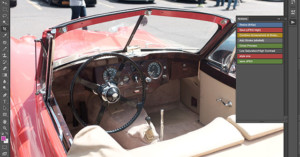
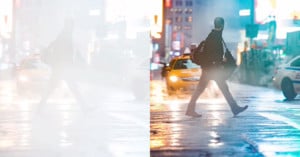
How to Create Faux Fog in Photoshop in 4 Easy Steps

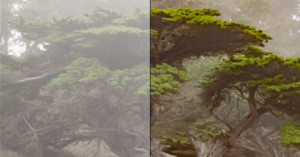
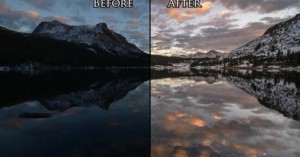
While I strongly prefer adding creative touches to my photos with physical tricks and effects -- such as using dry ice for fog -- sometimes I do need some digital manipulation done in Photoshop. Here is my technique for adding some fake fog to a photo in just 4 easy steps.

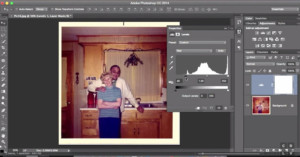
Recreating the Look of Tintype Photography Using Photoshop

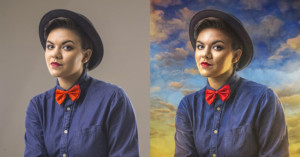
The other night I came across the work of photographer Victoria Will, who made real tintype portraits of some actors who attended this year’s Sundance Film Festival.

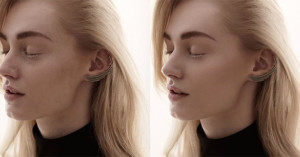
The portraits themselves were excellent but what really drew me in was the effect of the tintype medium and the old lens and camera that was used to make the images; very narrow depth of field, low tonal range, and non-uniform exposure across the frame. I decided I wanted to see if I could replicate the look of tintype using my Sony A7R and some Photoshop massaging.

Start to Finish: Post-Processing a Photo of Sandhill Cranes in Flight

On March 23, I was in Kearney, Nebraska to view and photograph the annual migration of the Sandhill cranes. These birds are graceful, awkward, beautiful and kooky all at the same time. They fly with grace, but while on the ground sometimes exhibit some of the funniest behaviors you'll see from a bird. With a wingspan of up to 7 feet, these birds aren't the biggest, but they're some of the biggest most of us will get to see.

6 Helpful Functions of the Shift Key When Working in Photoshop

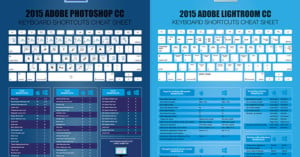
I was working on a commissioned artwork in Photoshop today and I noticed something. I keep my left hand over the shift key pretty much the entire time I am working in PS. That little button does a LOT. So I thought I would take some time and show you guys what you have been missing out on if you haven’t taken advantage of shift key functionalities in PS before.

Post-Processing Trends in Wedding Photography

Wedding photography, much like the entire business of weddings, is highly influenced by the ebb and flow of trends. They come, they go, and they’re cyclical. When I plunged into the business in early 2012, I committed myself to research the industry: what works, what’s popular, and what sells? I quickly discovered that there’s a common, predictable, and heavily relied upon set of post-processing trends in wedding photography.

The Do’s and Don’ts of Photoshopping Wings Into a Surreal Portrait

Ok, let's just be honest for a second here: everyone and everything in the world looks drastically cooler with wings. Period. It's just the way it is.

In middle school when I was heavily into my "drawing magical fantasy creatures" phase (it never ended by the way... just ask my sketchbook), I used to check out this "how to draw animals" book from the library all the time. Really they should have just given it to me, I had it checked out so often.

Lightroom Iron Chef: 29 Submitted Photos Processed Live In Front of a Crowd

Photographer Stu Maschwitz of Prolost recently paid a visit to the Bay Area Lightroom User Group and tried something he's always wanted to do: Lightroom Iron Chef.

He took 29 audience-submitted photographs and post-processed them in Lightroom in front of a live audience of more than 100 people, all while providing a running commentary of what he's doing and why.

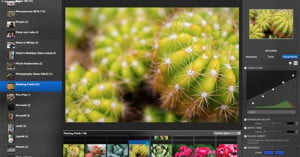
Polarr Unveils Version 2.0 of Its Online Photo Editor with History, RAW, and UI Improvements

One of the more impressive services in the world of browser-based photo editing is Polarr, a web app that launched to the public back in September 2014. In just a handful of months, the 3-person startup has developed a service used by hundreds of thousands of people around the world.

The team tells us that they've just released Version 2.0 of the service in Alpha testing stage. It's an update that delivers a handful of most-requested features submitted by the community.

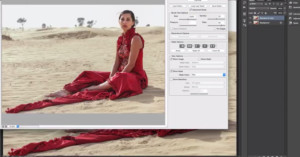
5 Steps to Creating a Dreamlike Gown in Photoshop

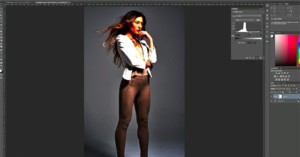
Today, I'm going to show you how to create a dress from scratch out of something that was not a dress... at all. Here are five steps to creating a gown using Photoshop.

Hair Stocks Are My New Favorite Photoshop Hack

I have this project I’ve been working on for a few weeks now. It is a conceptual portrait commission for one of my clients. The goal of the image is to create something with the feeling of “The Dutch Masters” -- something with a painterly feel, but not necessarily with visible paint strokes.

I finally got the image to a point where I was ready for some feedback, so I uploaded the image to get some critiques from my artistic tribe.

10 Tips for Optimizing Your Photos with Lightroom: A Primer on Basic Techniques

If you're just starting out in Adobe Lightroom and would like some guidance on how you can use the software to improve your photographs, here's a free lesson that may be of interest to you. Photography instructor Tim Grey shares his top 10 tips for optimizing photographs in Lightroom.

The talk runs for nearly 2 hours, so you'll need to carve a chunk out of your day to watch it, but it could be helpful for anyone in need of a primer on some basic tools.

How I Created This Viral Puddle Reflection Picture in Photoshop

My name is Michael Pistono, and I'm a 28-year-old photo enthusiast living in Honolulu, Hawaii. I was recently playing around with a reflection photo when I had the idea of creating another one out of a puddle -- one that featured both tall buildings and an airplane.

The photo I ended up creating in Photoshop (shown above) went viral online. Here's a look at how it was made.

Neat Trick: How to Customize Your Lightroom 5 ‘Splash Screen’ Image in Less Than a Minute

Here's a really neat little customization trick that Adobe are allowing you to do if you're using Lightroom 5 or newer. You know that splash screen that pops up when you first open up LR, the one with all the developers' names on it? You can now replace that image with one of your own in just a couple of quick steps!

The tutorial was created by Craig McCormick of Destructive Pixels for our good friends at F Stop Lounge, and the process couldn't be any simpler.

This is What Adobe’s Cloud-Based Version of Photoshop Looks (and Works) Like

Two months ago, we told you that Adobe and Google were hard at work bringing Photoshop to the browser. Essentially, this version would run off of a server, allowing you to use as weak of a machine as you like, since the program isn't relying at all on your computer's processing power.

Up till now, that's really all we knew, but after two months of testing Adobe has pulled back the veil and given us a sneak peek at what 'Streaming Photoshop' -- as the program is called -- actually looks like.