
Special Feature
Sigma FP2 Review: The Brick with a Heart of Gold
I absolutely love Sigma lenses, but I really struggle with the camera designs. This is not a recent development either; I’ve disliked every single camera body I’ve tested. Usually, the reason comes down to strange ergonomics that don’t feel comfortable in hand, menus and controls that force you to use the camera in one rigid way, and risk-taking design decisions that often lead to a perplexing shooting experience.
Sigma has some very odd design choices and awkward workarounds to make this camera functional. However, the image quality and focusing performance are excellent. It's fast, capable, and certainly a true hybrid camera.
Pros
- Very compact design
- Excellent autofocus for photography
- Partially-stacked sensor alleviates many electronic shutter issues
- Color modes are fun
- Plenty of customization
Cons
- Add-on attachments are inelegant and add cost to the package
- Limited space and ports to use multiple attachments together
- Camera overheats at higher frame rates
- No in-body image stabilization
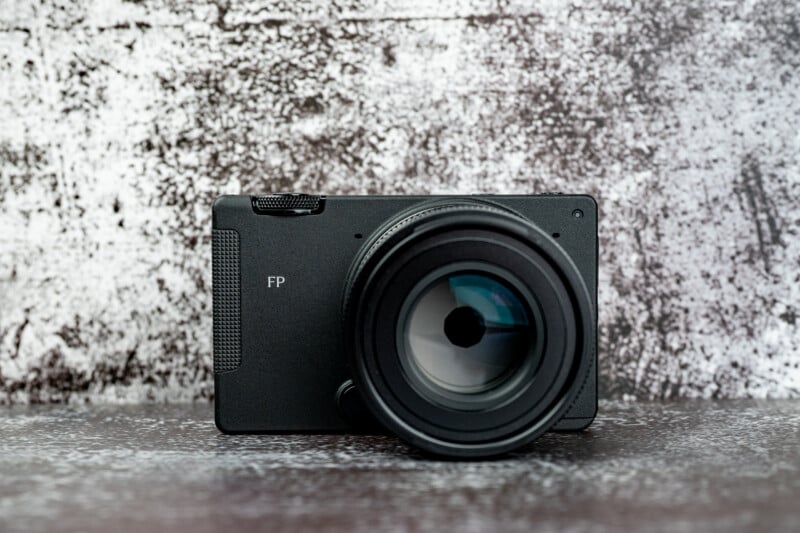
The FP series of cameras was not even the worst offender, but the brick-like design, lack of a mechanical shutter, and annoying menu system still really bothered me. When I heard that the new $2,199 Sigma FP2 was on the way, I immediately wrote it off. After using it for a bit, I may have been mistaken.
Sigma FP2 Review: How It Feels
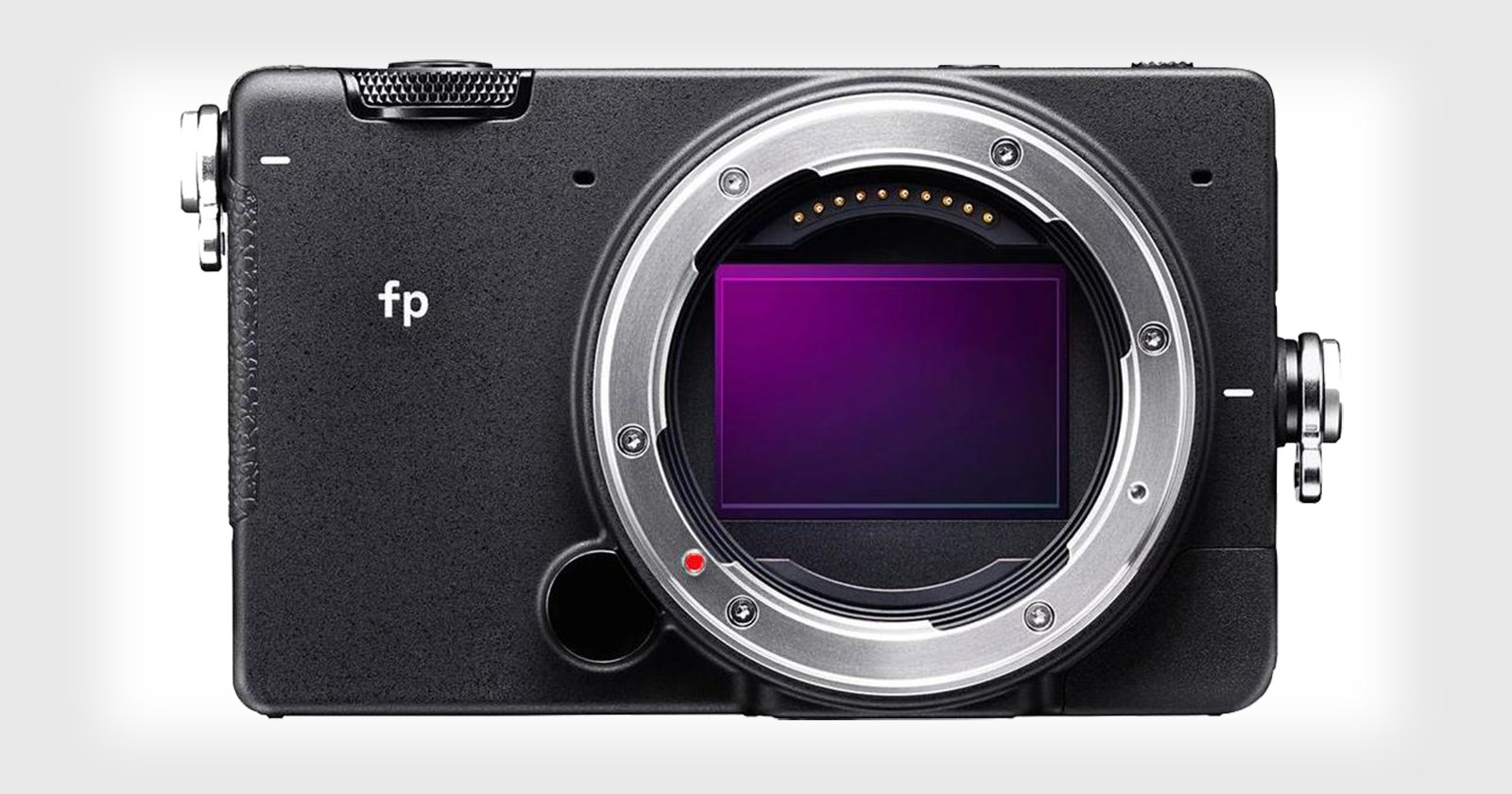
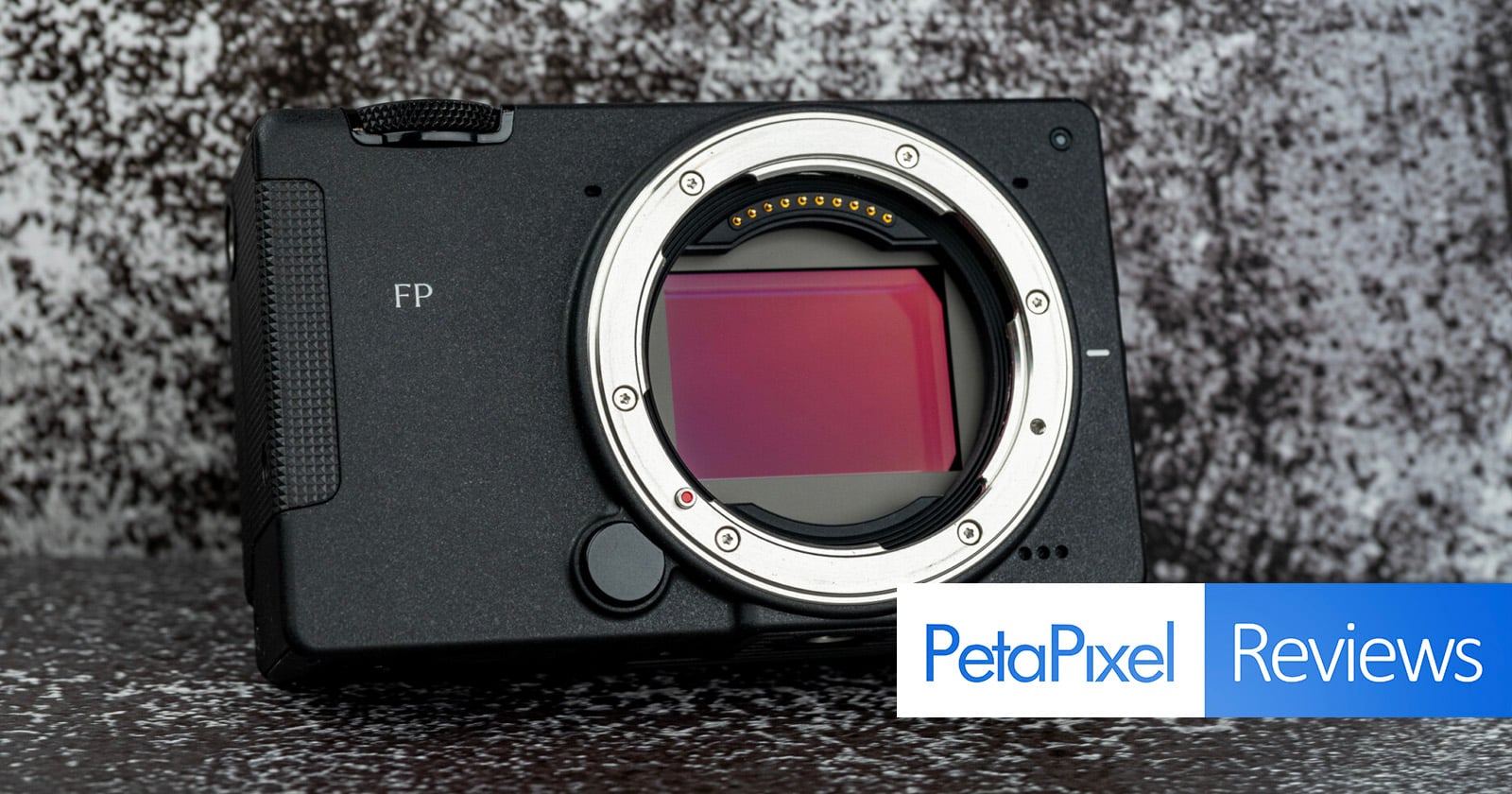
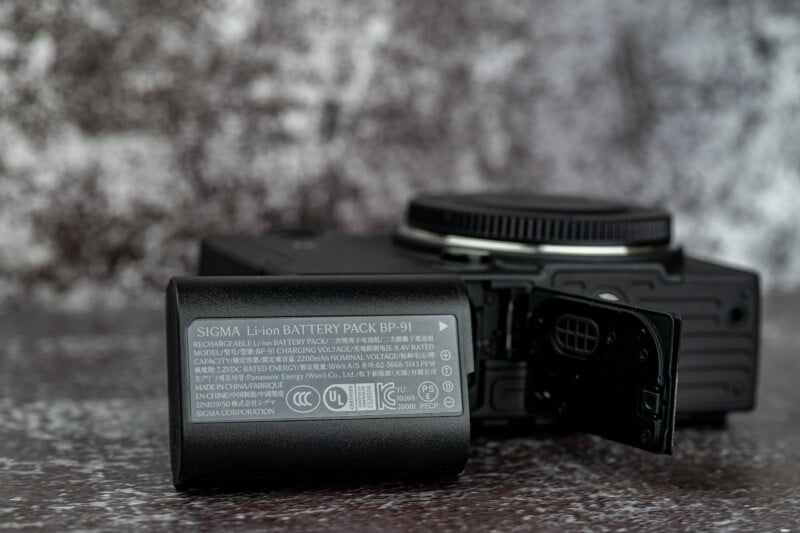
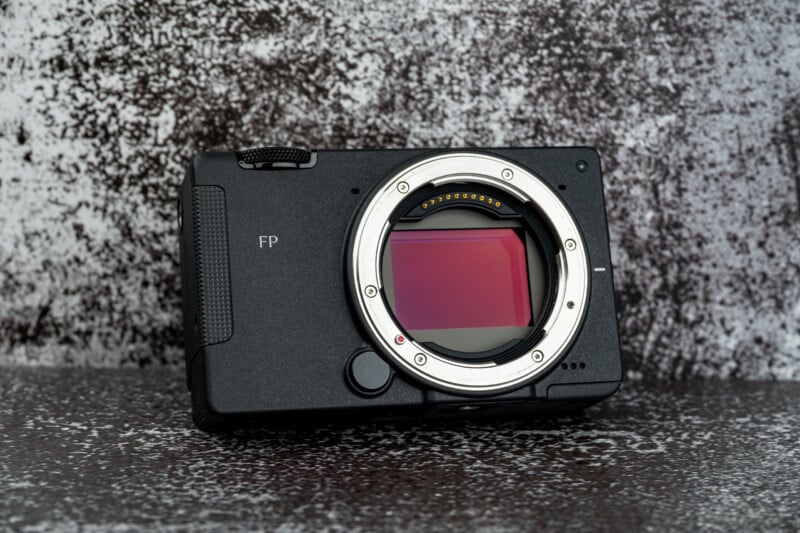
The FP2 is still a brick, and it still lacks a mechanical shutter, but the addition of a full-frame partially-stacked 24-megapixel sensor helps to mitigate some of the downsides associated with that choice and the new body design is even more compact than before. It weighs only 470 grams when loaded with a battery and card. Sigma even put a new battery inside, which seems identical to the Panasonic BLK22, and increases the previous camera’s paltry performance up to 370 CIPA-rated shots.
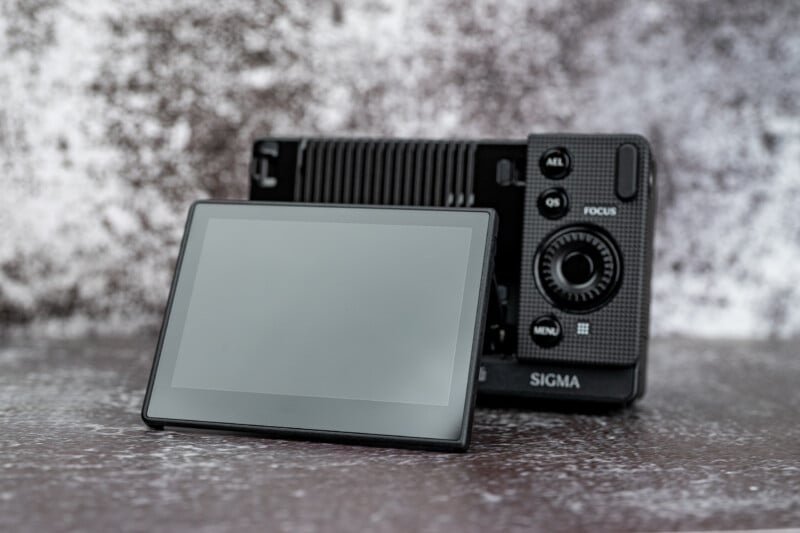
The back LCD panel is 2.1 million dots and now vertically articulates for waist-level shooting and overhead shots. It’s just barely bright enough to see on sunny days, but the detail is great. Our review unit came with a handgrip that is an improvement over the hard square edges of the brick-like body. There will be an assortment of official and third-party grips to suit your hand and shooting intentions, too. The grip that came with our setup is not very comfortable in hand, especially because it can pinch your fingers against the camera body. However, it does give you a solid hold on the FP2, and would even be helpful if you wanted to use longer or heavier lenses.
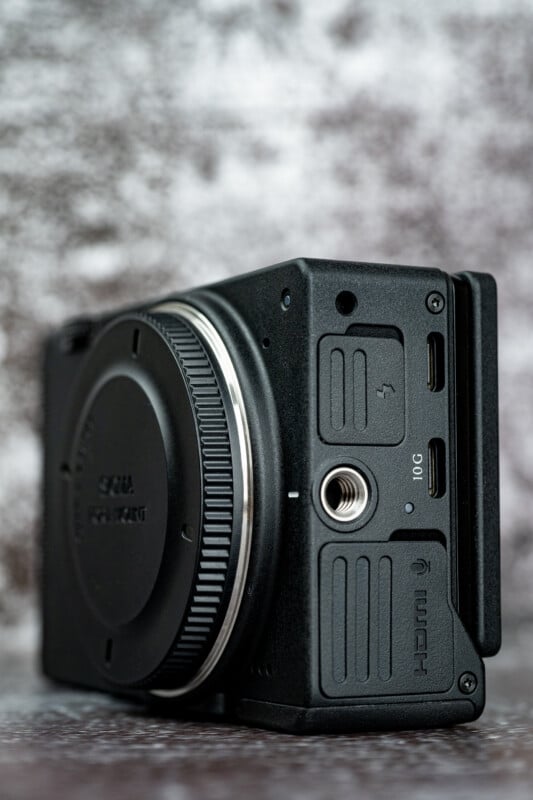
The FP2 is designed to be customizable by having multiple 1/4-20 threads all over the body. If you were kitting it out for video, you would have lots of hard points to attach accessories. Alternatively, Sigma makes a whole series of gizmos that also screw in place, such as the aforementioned handgrip. More on these add-ons later.
The buttons and dials are all quite refined and solid-feeling. I like the layout for the most part, although I do think the camera would benefit from a few more customizable buttons. The menu is better than what I’ve used in the past, and it is intuitive to use, but it can be a little slow to navigate through with the D-pad until you learn to rely heavily on the command dials. Hence, more custom buttons to avoid having to dive into the menu would be desirable.
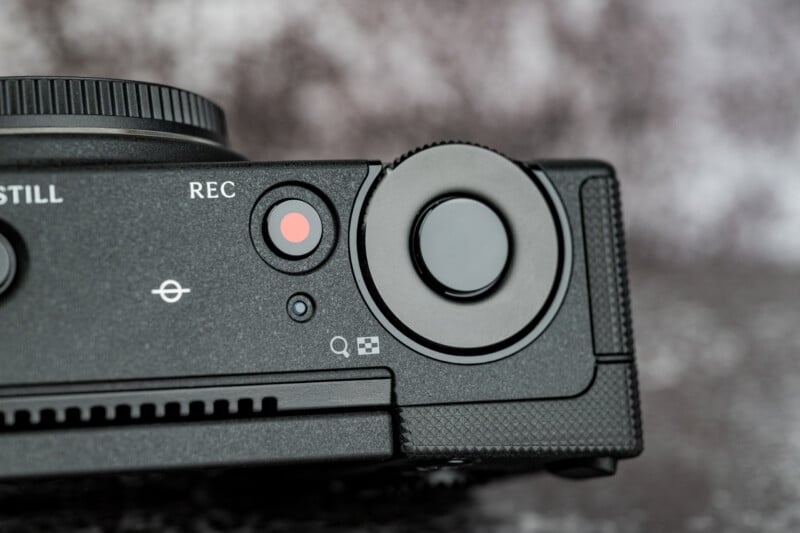
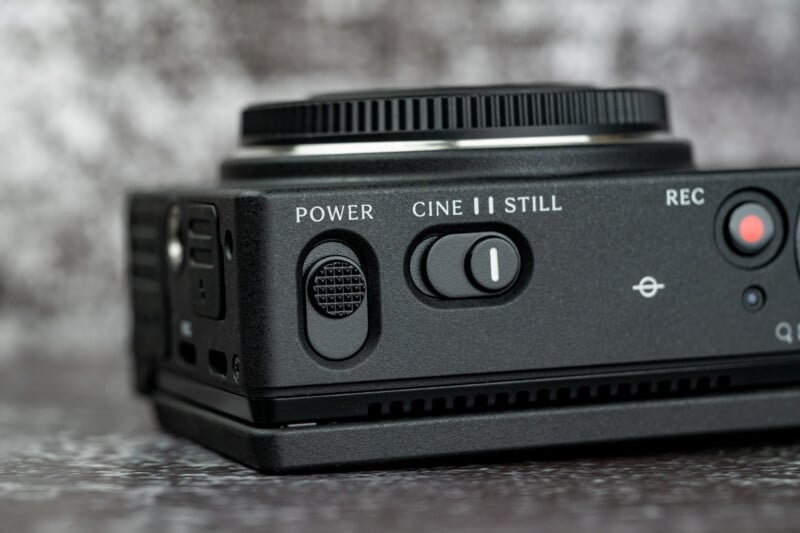
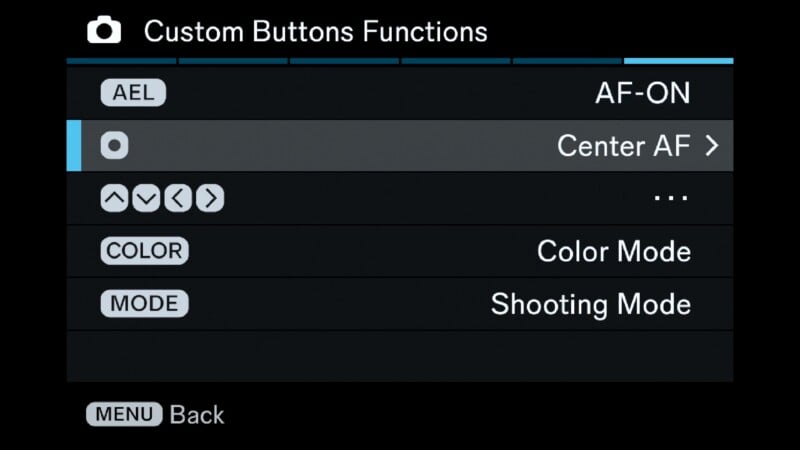
I will say that the FP2 is insanely customizable, and I really appreciated the ability to adapt the camera to my preferred way of shooting. I was able to set an AF-ON button, customize controls for autofocus, set dials to my preference for aperture control and exposure compensation, and much more.
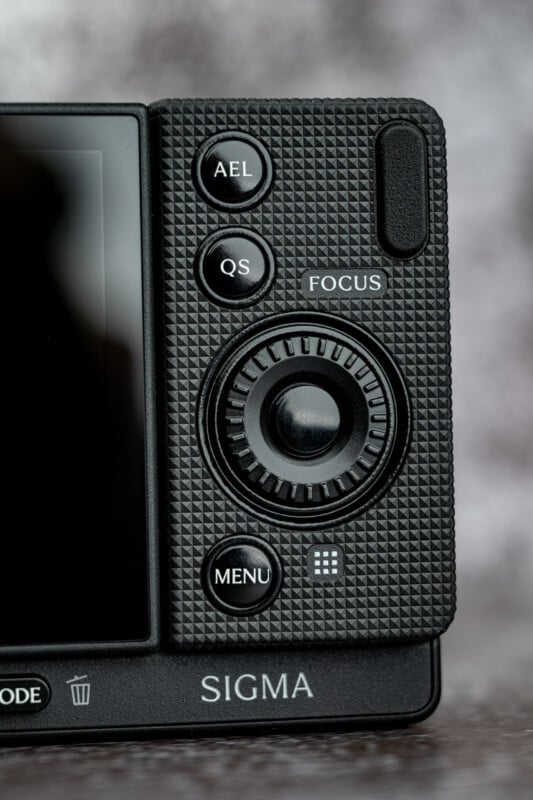
The only complaint I have is that the camera features only a front command dial and a rotating D-pad. Because of the lack of custom buttons, I customized the D-pad for autofocus controls, but when I turned the back dial, I often clicked into an AF control by mistake. A second command dial or more custom buttons would have helped avoid this issue. However, I still think that the FP2 has the most customizable and usable control scheme on a Sigma camera so far.
This customization is further demonstrated by the various attachments that you can add to the FP2 to change its functionality. I’m all for cool add-ons, but this is where things go off the rails a bit.
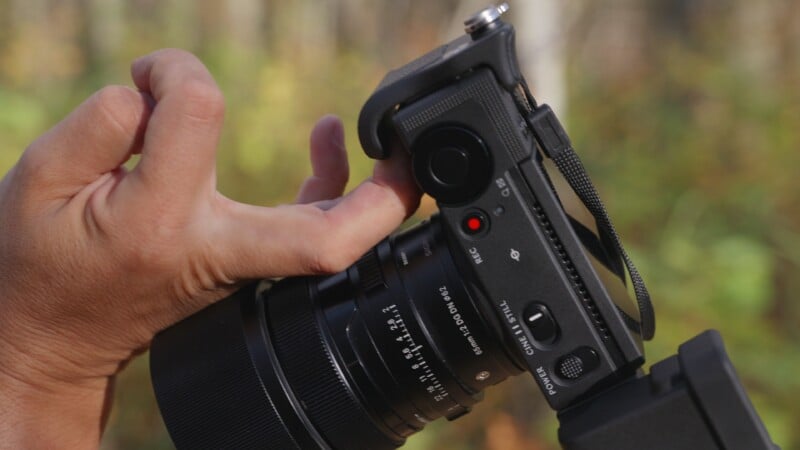
You need so many little bits and bobs to make the camera work, and although this allows the user to design the camera for a specific function, it also complicates handling while adding extra cost on top. Even attaching a strap requires easily lost screw-in strap lugs. Much like the previous FP cameras, there is also no hot shoe on the top of the camera and no EVF either. Sigma has a workaround solution, but I really dislike it. You can screw in an awkward hot shoe attachment on the side of the camera, but if you do this, you can’t use the optional EVF. Put in the EVF, and you obviously can’t use the hot shoe.
Regardless, both of these attachments are pricey, and the EVF in particular looks and feels heinous on the side of this thing. Sigma decided to change the profile of the EVF so as not to block the USB port on the camera, but this design looks strange on the side of the camera. It changes the silhouette of the camera into something bulky and awkward, and it doesn’t fit well into most camera bags. It is the opposite of an elegant solution.
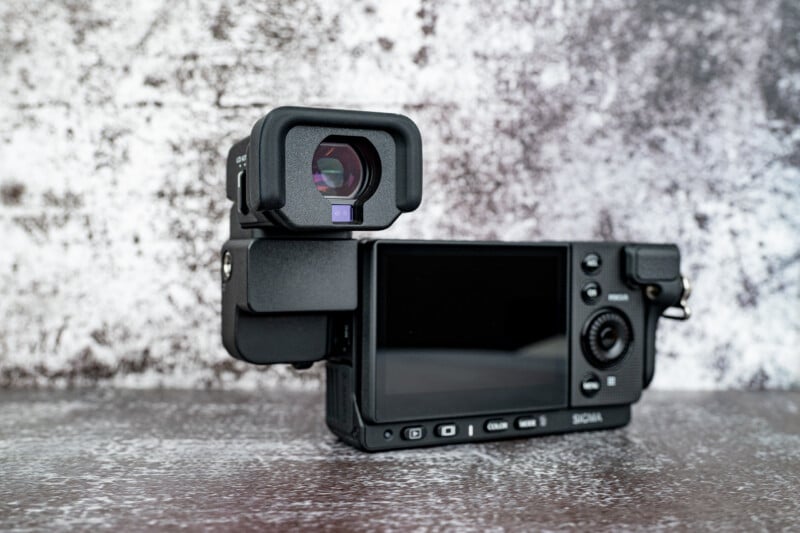
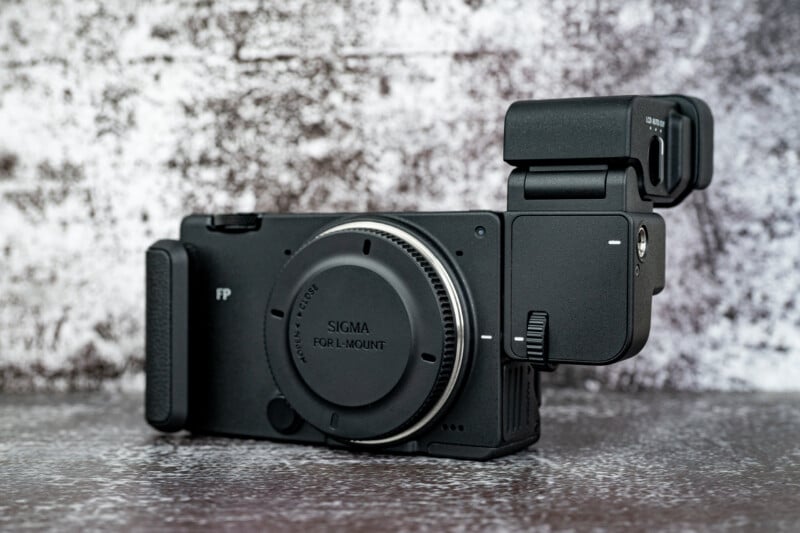
Don’t get me wrong: an optional 5.76-million-dot EVF is better than nothing, but why not just mount a multi-interface hot shoe onto the FP2 and make a much more compact slide-on EVF for the shoe instead? I’d much rather this camera be a few millimeters thicker or taller than have to deal with all these strange bolt-on parts.
There is no autofocus joystick control, by the way, although you do have a touchscreen interface with which to change your focusing point. No, this doesn’t work in the menus for some reason, and yes, you will constantly find the AF point at the top right corner of your camera because of your thumb placement.
Sigma FP2 Review: How It Shoots
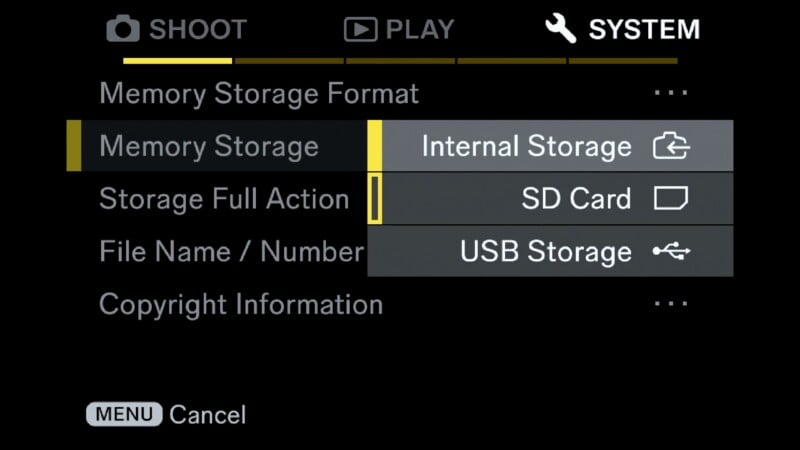
First, let’s cover how we are going to store images and video. Sigma loves to put internal memory into its cameras. I’m fine with that, especially when the FP2 has 70GB of storage, but I also appreciate that the camera has a UHS-II SD card slot. I get more than enough backup storage, but I still get to expand that with my own cards. This is a great feature to implement.



The FP2 doesn’t really need that much storage given that it uses a 24-megapixel full-frame sensor. What is interesting, though, is that we now get a similar partially-stacked sensor to something like the Panasonic S1 II. This faster-scanning sensor reduces rolling-shutter issues, which is important because you will not find a mechanical shutter in this camera.
I’m okay with omitting this feature if the sensor can accommodate it, and this one definitely can. This is an awesome sensor for hybrid cameras, and Sigma does state that the FP2 should be a 50:50 hybrid. Mission accomplished.



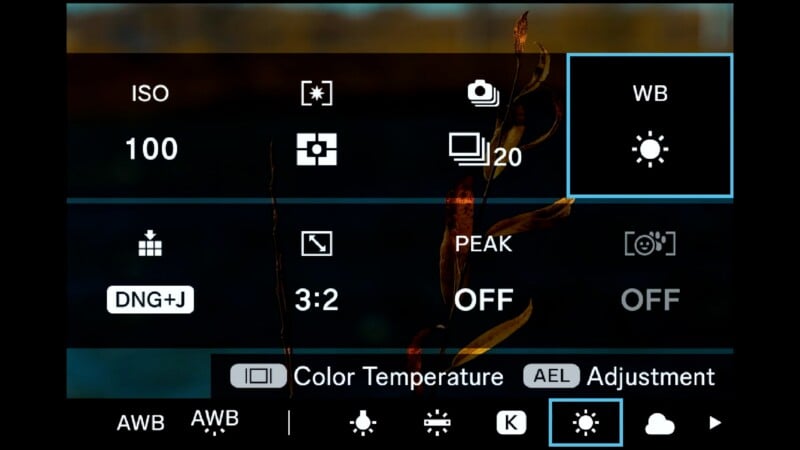
The FP2 has a button near the bottom labeled “color”, and this opens up all its latest color modes. I wish we could customize which ones we like and don’t like to streamline the choices, but the profiles do have some nice looks. Personally, I gravitated toward the teal and orange look as well as the sunset red look. All of these profiles are adjustable for contrast, shadows and highlights, and haze, just to name a few, and you can also set a general opacity of the filter effect. Every manufacturer is jumping on updated color looks, and the FP2 does a good job at making some interesting profiles fun to play with.



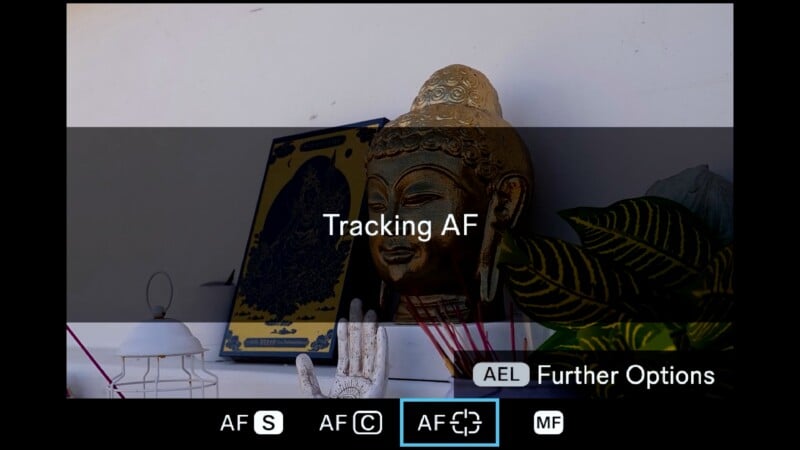
By far, the most highly anticipated thing about the FP2 was going to be its autofocus performance. The Sigma BF absolutely blew us away with how well it did at tracking subjects, whether they were part of the subject detection modes or not. The FP2 even states that it improves upon the BF focusing experience, and now has more advanced support to track birds and animals.
The FP2 had no issue finding a subject’s eyes and locking focus accurately, but I also found it to do a great job with tracking any inanimate object on the screen. I can’t speak to what Sigma does to make its tracking autofocus so Sony-like, but the result is a compact camera that focuses in a very reliable and natural way.



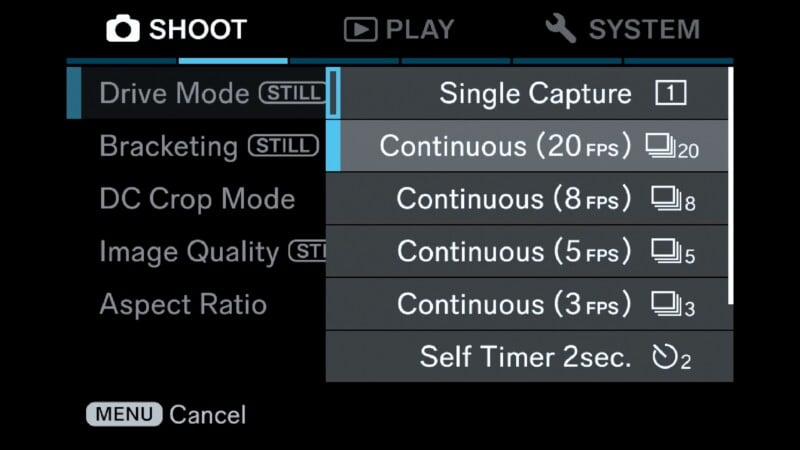
The FP2 can also push up to 20 frames per second at maximum burst mode, and thanks to the faster sensor, can avoid most rolling-shutter problems. The buffer will allow the camera to shoot about 180 RAW pictures in a row before slowing down, so you have a platform that is quite capable when push comes to shove. The FP2 can handle a surprisingly large assortment of photographic genres given its speed of focus and fast sensor, even if the form factor still isn’t ideal for sports or wildlife.


Sigma FP2 Review: Powerful Video Hybrid
The original FP was a very capable video camera to begin with, so Sigma had a good starting place to add improvements. The partially-stacked sensor will again bring many benefits to the video capabilities of this new FP2. Just look at what a similar sensor does for the highly capable Panasonic S1 II camera. The highly modular design of the FP2 suits video applications more than it does photo ones as well, because this camera can fit inside cages or be placed on a gimbal easily. The 1/4-20 threads all over the body make sense for attaching microphone mounts, video lights, and external monitors as well.
Unfortunately, there is a bit of scarcity when it comes to ports on the FP2. For example, there is a mic jack on the camera but no headphone jack. You can use a USB adapter to a 3.5mm headphone jack, but then you give up one of the two ports that might be needed for the EVF attachment or an external SSD. You do get a full-size HDMI port, which is a big improvement on this iteration of the FP camera, and will be far more rugged when constantly plugging in external monitors.
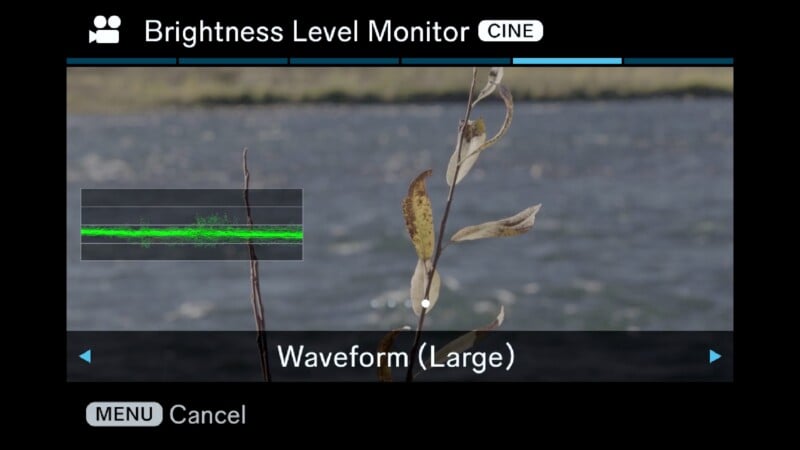
The FP2 can now shoot 4Kp60, and can push to 120p with a crop. The new sensor brings about far better rolling-shutter results when shooting full-width 60p, and dynamic range is excellent as well. You also get 6K open-gate recording up to 30p. There is a plethora of record modes available, from efficient H.264 and H.265 modes, all the way to massive ProRes RAW HQ. The raw footage needs to be recorded to external SSDs, and we found the H.265 mode using L-log to have plenty of range to grade the video, while being more convenient to use. The assist tools are also really nice, with proper waveforms, leveling tools, and shutter angle available to use.

The autofocus improvements do apply to video shooting in some situations, but we still found some limitations. The FP2 can certainly handle camera movements with subjects also moving fairly slowly relative to the camera. Think handheld gimbal on a reverse walking shot. Where the camera struggles to maintain focus is in situations where the subject walks toward or away from the camera. Even at a normal walking pace, the FP2 would sometimes lose track and have to reacquire the focus. It usually did accomplish this, but the effect is jarring. The Panasonic S1 II seems to do a slightly better job maintaining focus in video mode.
The Sigma FP2 does handle overheating quite well. There is no active cooling, but there are heatsink fins behind the LCD and some opportunity for airflow to go in between. Recording 6K open-gate footage, the FP2 continually ran for an hour and a half, which is an impressive result. However, pushing the resolution down to 4K while raising the frame rate to 60p did heat up the camera faster. 33 minutes of recording time was the result before the camera shut down. If you like to do the occasional slow-motion clip, this is no big deal, but if you prefer to record everything at 60p, be prepared for the overheating.
Sigma FP2 Review: Sigma’s Best Camera
This is the first Sigma camera that I enjoyed using. I still feel like Sigma has some very odd design choices, and awkward workarounds to make this camera functional. However, at the heart of the camera, the image quality and focusing performance are excellent. It’s fast, capable, and certainly a true hybrid camera for creators who want to do both photo and video work. This camera could be very popular in the same way that the Panasonic S9 has taken off. The form factor is similar, and the partially-stacked sensor makes way more sense. You also have an option to add an EVF, even if it is an expensive and bulky add-on. The complete lack of IBIS is disappointing, especially when the S9 does feature the extra stability.
Adding all the extra attachments does raise the price of things quickly, though, and at $2,199 the camera is already more expensive than the Panasonic S9. I’m okay with this extra cost given that the camera is more capable as both a video and photo tool.
However, if you start adding on the extra attachments, you lose the compactness advantage, and now the camera is approaching the price of the Panasonic S1 II. I would say that the S1 II is a far more elegant and capable package compared to a tricked-out FP2, but the Sigma will appeal to those who like being able to modify their camera for the task at hand, or want to put the camera on a gimbal for most of their work. We have to appreciate that the design of the FP2 is well-suited to video projects, even if it’s a little cumbersome for photographic ones. No matter how you set up the FP2, I truly appreciate the work Sigma has done to make the FP2 more accessible and more enjoyable to use. It is a massive step in the right direction.
Are There Alternatives?
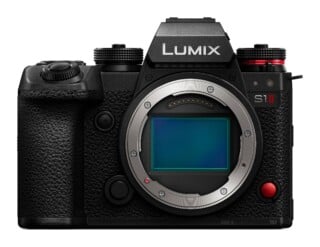
The Panasonic S1 II would be a logical choice for a hybrid photo/video camera. It will have slightly superior video capabilities and similar photo performance, and once you add the EVF to the FP2 the price is even similar.

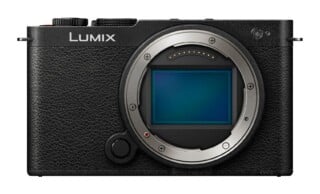
The Panasonic S9 would be a more affordable alternative if you didn't plan on getting attachments for the Sigma FP2. The S9 will not have the better sensor or quite the same video performance, but it does give you IBIS.
Should You Buy It?
Yes. Ultimately, the FP2 design will polarize buyers, but the sensor, autofocus, and color modes, are all substantial improvements. If you are okay with a very quirky design, the FP2 will take good care of you.
Affiliate Disclosure PetaPixel articles may include affiliate links; we may earn a commission if you buy through one.