Post-Processing

Simple Photoshop Script Imports Multiple Images as Layers in a Single Document

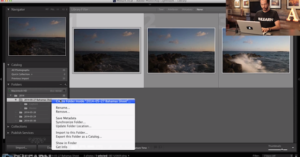
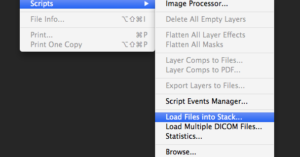
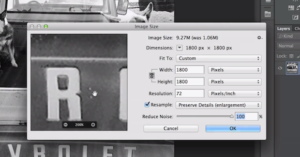
No matter how many hours you spend in Photoshop each day, it’s inevitable there’s a feature or utility within the app you’re yet to use or are completely unaware of. Such was the case for this neat little tip by Digitalchemy that we just stumbled upon, which shows you how to import a collection of photographs into Photoshop, each as a new layer in the same file.

Quick Tutorial Shows You How to Create a Tilt-Shift Effect in Photoshop

Tilt-shift images can be made one of two ways: one is to capture them in-camera using a tilt-shift lens, and the other is to create the effect in post-production by using a clever blurring technique.

One isn't necessarily better than the other -- each has its own time and place -- but more often than not, creating the effect in post-production is the most convenient (read: cheapest) method.

Tutorial Shows Off Effective and Efficient Method of Smoothing Out Skin in Portraits

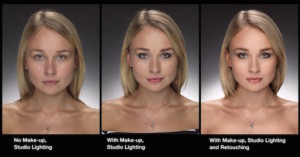
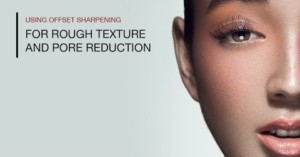
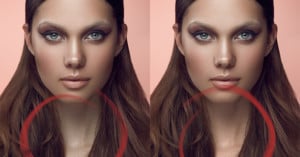
When retouching skin on a subject, there’s a fine balance to strike between smoothing out a rough skin texture and keeping the skin looking natural. There are no shortage of ways to find this balance, but in the above tutorial Michael Woloszynowicz of Vibrant Shot shows us his method for achieving the desired results in an efficient and effective manner (something of a gift he has).

Simple Tutorial Shows You How to Change an Object’s Color in Photoshop

One of the basic Photoshop skills that many beginners want to learn early on is how to change something's color in one of their images (be that an object or someone's eye color). Well, you're in luck, because Aaron Nace and Phlearn are here with a simple tutorial that will show you how to do just that, and do it well.

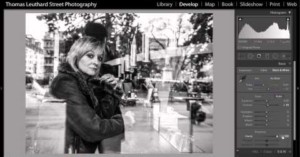
Tutorial: Short, Sweet Workflow for Editing Street Photography in Lightroom 5

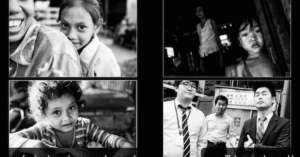
When it comes to street photography, much of the aesthetic appeal is the limited editing that usually takes place (or doesn’t take place, I guess), leaving the story and subject the focus of the image instead of creative editing. But that's not to say that editing should be left out of the equation or completely disregarded.

If you're wondering where that line should sit, this tutorial by Swiss street photographer Thomas Leuthard shows you what he does when he imports his street photos into Lightroom 5.

Adobe Creative Cloud Is Down, Rendering Apps Unusable… Chat Support Useless

Man down! And by man down, we mean Adobe Creative Cloud. Starting late yesterday afternoon, a number of subscribers to Adobe’s Creative Cloud platform -- myself included -- started noticing that upon trying to use our applications or login to with our Adobe IDs, an error message would appear, deeming the applications and services useless.

Google Unveils New and Improved Analog Efex Pro II, a Step Forward Into the Past

Today, Google has officially announced Analog Efex Pro II, the latest update to its Nik Collection line-up. Striving to “pay homage to the classical, vintage, and alternative processing techniques that photographers used so many years ago,” this update includes a plethora of new features and fixes, further refining the program and taking it to the next level.

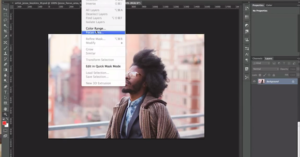
Tutorial Shows How to Mask Out Hair from a Background in Photoshop

When it comes to masking out and/or selecting hair in an image, be it to remove a background or selectively style it, it’s never an easy task. Even with the most tamed of manes, it can be a pain, but thanks to this "Advance Hair Selection Tutorial" by the Photoshop Training Channel, your life is going to get a lot easier.

How Much Did Photigy Do to That Amazing iPhone vs Hasselblad Photo in Post?

Last week we shared a video that got both incredibly popular and controversial. It was put together by Photigy's Alex Koloskov, and showed how he created nearly-identical product shots of a glass of whisky using an iPhone and a Hasselblad.

Now he's back to answer some of the concerns that readers brought up after watching that video, specifically regarding how much post-processing went into the image and if it would be printable on the large scale.

Take Your Landscape Pics to the Next Level with These Awesome Photoshop Tips

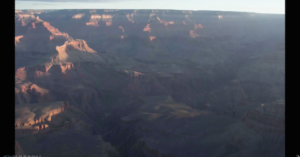
Vacation photos rarely turn out the way you want them to. Even if you're a more advanced shooter, you might not have brought all your best gear with you on that family trip to the beach or the Grand Canyon and so, when you get home, you find your photos and your memory of what the scene looked like differ significantly.

Fear not, Aaron Nace and Plearn are here to help with a very useful tutorial that will close that gap in a BIG way with a few easy adjustments in Photoshop.

Random Request From Stranger Turns Into Hilarious Photoshop Free-for-All

Be careful what you wish for, the saying goes, because you might get way more than you bargained for. Julia Kuzmenko, talented photographer and founder of Retouching Academy, is quite used to coming across Facebook messages from random people, but it's not often she receives requests from complete strangers to retouch a photograph.

Tutorial: A Simple Technique for Matching Tones and Correcting Colors in Photoshop

One of the issues talented photographer and retoucher Michael Woloszynowicz often runs into when he's taking portraits is mismatched skin tones. Using a light modifier of some sort he'll get the tone he wants in the face, but the tones or colors in another part of the subject's skin simply don't match.

You could correct for this using curves, selective color or hue/saturation, but Woloszynowicz has a better way: using solid fill layers and tonal averaging, he's able to "take the guesswork" out of it and perfectly match tones every time.

Tutorial: How to ‘Make Eyes Look Amazing’ In Photoshop

One of our favorite Photoshop tutorial websites, Phlearn, yesterday put out a tutorial that is both incredibly useful and a bit scary. Useful because making eyes pop in post is probably one of the most sought after Photoshop skills. Scary because this kind of manipulation is a slippery slope that could lead to photographers getting lazy and using the "fix it in post" excuse... so proceed with caution.

Adobe Brings Lightroom to Your iPad, But Only for Creative Cloud Subscribers

After showing off early versions on photography shows and leaking a troubling $100/year Lightroom for iPad page momentarily earlier this year, Adobe has finally dropped the iOS version of Lightroom in our laps for free.

Well, actually, that depends. If you're a Creative Cloud subscriber, chances are this app was just dropped in your lap for free. If you're not, then Adobe has turned something of a cold shoulder to your plight... you can't even buy it.

Tutorial Shows How to Correct Skin Tones, Colorize Shadows and Add Light Effects

When it comes to nailing the white-balance in a photo, it's rarely an easy task, especially with portraits. It becomes even more arduous when you're trying to stylize the image a certain way, since you might not want the same tones and color balance in your skin tones as you do in the rest of your image.

This tutorial by the folks at Phlearn shows you how to get past those challenges and achieve the results you want in every part of your photo without having to sacrifice elsewhere.

Tutorial: A Quick and Simple Technique for Adding Textures to Images

When Nick Fancher created his series of 80's Cyber images, he made use of some textures to add that extra bit of character to the photos. The textures turned out so well that, upon publishing the series, he received multiple inquiries about where he got those textures.

Well, it turns out he created them himself, and he's decided to share the step-by-step how-to in case you want to duplicate his results.

Tutorial Explains How to Sharpen Images Contextually

When it comes to sharpening an image, more than likely, your technique involves using a certain method over the entire image all at once. However, that's rarely the best way to do it, because how much and where to sharpen varies quite a bit depending on what you're shooting.

Tutorial: How to Easily Replicate a Photo’s ‘Look’ Using Curves

It's happened to all of us: we're browsing through someone's portfolio or even just through Flickr or 500px and we come across a photograph or series of photographs with a 'look' we absolutely love.

From there, we usually dive into our own photo archives and try to replicate that style/look, but rarely does it come out anywhere near as professional looking as the original photo. Thankfully this 2012 tutorial by London-based journalist and designer Ben Secret can help you apply just about any photo's look to another.

Tutorial Shows Quick, Effective Method For Managing Stray Hairs in Post

No matter who it is you're photographing or where you're taking their picture, it's almost inevitable that in at least a few shots there will be some stray hairs flying across the photo. Usually, the result is an extra hour or so in post-production trying to get the hairs out one-by-one. Cue infomercial guy saying: "There has to be a better way!"

Tutorial Shares How to Turn an ‘OK’ Photo Into a Great Photo in Post

No matter how long you've been shooting or what level you're at in your photography endeavors, there will always be those moments where you walk away from a shoot unsatisfied with how some of the images turned out. It happens to the best of us.

Thankfully, photographer and retoucher Glyn Dewis has created a great tutorial that shows you how to turn an OK -- or even bad -- shot into an awesome one with the help of Adobe Lightroom and Photoshop.

Love Your Selfie: TODAY Show Hosts get ‘Fantasy’ Photoshop Makeover

Update on 12/16/21: This video has been removed by its creator.

In a bit of contrast to the RAW Beauty Talks portraits featured yesterday, today we have an interesting before and after Photoshop comparison of the hosts of the TODAY show

With the help (if you can call it that) of Cosmopolitan's "Photoshop experts," Matt Lauer, Savannah Guthrie, Al Roker and Natalie Morales were given a substantial post-production makeover.

Mosaic Breaks Down the Average Size of a Lightroom Catalog

Here at PetaPixel we enjoy the crunching of numbers. So, naturally, when Mosaic told us about a blog post they had done recently that broke down some Lightroom catalog statistics, we were intrigued.

With "tens of thousands" of Lightroom catalogs synched to their service, they sampled a random 3,000 of those to come up with the average size of a Lightroom catalog. And in the end, they were actually quite surprised by the results.

Adobe is Resetting Free Trials for Creative Cloud, Try It for Another 30 Days Free

According to Lifehacker, Adobe is currently sending out emails to notify users that they are resetting everybody's Creative Cloud 30-day free trial. If you've not given the newest versions of the software a chance and you're not one of the people who is dead set against it, now is a great time to see if what you're missing is worth jumping into the subscription model.

This Contest Winner Looks Like a Movie Poster (And That’s Good)

John Stanmeyer of VII won the World Press Photo of the Year on Thursday with this magnificent image of migrants in Djibouti trying to get a cheaper cell phone signal from neighboring Somalia.

It looks like a movie poster, but not for the reasons that I complained about last year.

Women Given Photoshop Transformations Say They Prefer Their Before Images

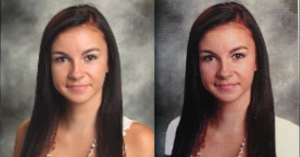
It's common knowledge that Photoshop is used, in varying degrees, to help models and celebrities look their best in magazines. But is 'their best' really all that great? Does removing imperfections, smoothing skin and trimming waistlines really something desirable?

BuzzFeed wanted to find out, and so they offered four women professional photoshoots and Photoshop makeovers to see how they reacted to their before and after images.

Great Tutorial: ’10 Things Beginners Want to Know How To Do’ in Photoshop CC

It's likely one of the reasons Adobe decided to shift to a subscription model was so that they could bring in more beginners and amateurs that had never had affordable access to the software.

For them, justifying a several hundred-dollar purchase wasn't always feasible, but $10 per month through Adobe's perpetually-extended Photoshop Photography Program is more than reasonable, and so we'd bet there are more beginners on Photoshop CC than ever before. Now the hard part... actually using the software.

Super helpful Photoshop CC beginner tutorial to the rescue!

Shortcut-S: An Intense 319-Key Keyboard Designed Specifically for Photoshop

Where Photoshop and other advanced image editing software is concerned, the standard keyboard is woefully outmatched. To get around this, Adobe and other developers use shortcuts (that aren't always all that short), but one designer decided that instead of going down to the keyboard's level, he would bring the keyboard up to his.

Thus was born the Shortcut-S: a massive 319-key keyboard that is designed specifically so that you never have to use more than one finger when selecting an editing function ever again.