The Do’s and Don’ts of Photoshopping Wings Into a Surreal Portrait
Ok, let's just be honest for a second here: everyone and everything in the world looks drastically cooler with wings. Period. It's just the way it is.
Ok, let's just be honest for a second here: everyone and everything in the world looks drastically cooler with wings. Period. It's just the way it is.
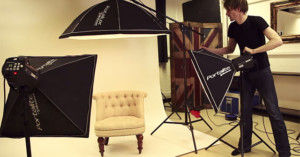
A white seamless background is a staple of photography and video studios. Photographer Zack Arias of DEDPXL has created a fantastic (and lengthy) two-part tutorial on the basics of the setup.
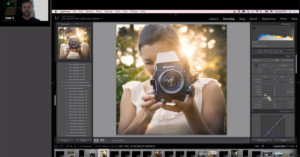
Photographer Stu Maschwitz of Prolost recently paid a visit to the Bay Area Lightroom User Group and tried something he's always wanted to do: Lightroom Iron Chef.
In my work, the concept and the pre-visualization of the images are the key issues. It's all about fresh ideas and trying to achieve something that has never been seen when trying to create original pieces of art.
Lightroom 6 is coming soon, and a leaked product listing is giving us a good idea of what we can expect in the latest version of Adobe's popular tool for photographers.
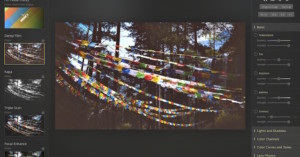
One of the more impressive services in the world of browser-based photo editing is Polarr, a web app that launched to the public back in September 2014. In just a handful of months, the 3-person startup has developed a service used by hundreds of thousands of people around the world.
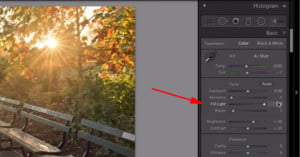
Retoucher Matt Kloskowski offers this quick and easy Lightroom tip for your mental library: if you ever find yourself with a drastically underexposed photograph, you can use a "secret shadow slider" in Lightroom to try and recover an extreme amount of detail.
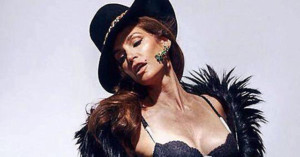
An unretouched photograph of Cindy Crawford has leaked onto the Web, causing a fresh new wave of discussion and debate about Photoshop and what women's bodies really look like.
Darkroom is a new photo editor for iPhones that just launched today. The app offers a number of powerful features for editing photos on iOS, including do-it-yourself photo filters, a curves tool, and an infinite history with all your edits.
Today, I'm going to show you how to create a dress from scratch out of something that was not a dress... at all. Here are five steps to creating a gown using Photoshop.
I have this project I’ve been working on for a few weeks now. It is a conceptual portrait commission for one of my clients. The goal of the image is to create something with the feeling of “The Dutch Masters” -- something with a painterly feel, but not necessarily with visible paint strokes.
If you're just starting out in Adobe Lightroom and would like some guidance on how you can use the software to improve your photographs, here's a free lesson that may be of interest to you. Photography instructor Tim Grey shares his top 10 tips for optimizing photographs in Lightroom.
London-based interdisciplinary photographer Sean Tucker has created a helpful three-part video tutorial that teaches the basics of shooting larger products in a studio in front of a white background.
Ashot Gevorkyan is a professional photographer and retoucher based in Kaliningrad, Russia. He recently created a series of animated GIFs that offer a look into how commercial images are composited and retouched from the original photograph to the final delivered image.
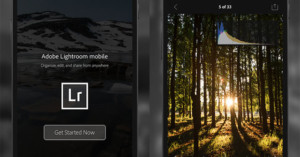
Adobe has announced Lightroom mobile for Android phones. It's an app that helps extend your workflow beyond your desktop and allows you to use your phone to review and edit your photos. Changes made through the app are automatically synced back to your Lightroom catalog on your computer.
Here's a strange (and time-consuming) way you can test your Photoshop prowess if you ever have some time to kill: turn a dimpled golf ball into a smooth ping pong ball using only the dodge and burn tools.
Back in 2013, Adobe began posting a series of short video tutorials on YouTube called the "Photoshop Playbook." The series has since grown to contain fifty how-to videos showing how some of the most popular and fundamental edits are done in the photo editing program.
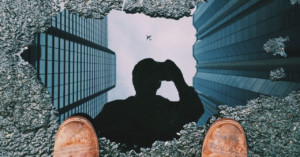
My name is Michael Pistono, and I'm a 28-year-old photo enthusiast living in Honolulu, Hawaii. I was recently playing around with a reflection photo when I had the idea of creating another one out of a puddle -- one that featured both tall buildings and an airplane.
If you have 30-minutes to spare for a tutorial, check out this one by photographer and retoucher Michael Woloszynowicz on the techniques of dodging and burning. It's an in-depth video in which he discusses 4 different approaches that photographers can take and which ones to use in which situations -- things like layer blend modes, curves adjustments, frequency separation, and layer blend-if.
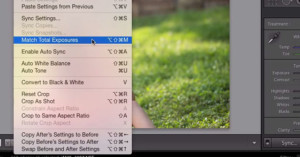
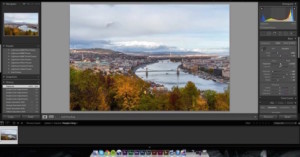
If you're just starting out in Lightroom (or haven't explored its features much), perhaps you haven't heard of the powerful "Match Total Exposures" feature. This is a feature that lets you quickly adjust the exposure of multiple photos to match a target photo of your choice.
Here's a really neat little customization trick that Adobe are allowing you to do if you're using Lightroom 5 or newer. You know that splash screen that pops up when you first open up LR, the one with all the developers' names on it? You can now replace that image with one of your own in just a couple of quick steps! …
Two months ago, we told you that Adobe and Google were hard at work bringing Photoshop to the browser. Essentially, this version would run off of a server, allowing you to use as weak of a machine as you like, since the program isn't relying at all on your computer's processing power.
The folks at Lammily are sending a powerful message with their latest advertisement. In the sped up, minute-long video above, they transform their signature realistic doll into a taller, slimmer version that looks a lot more like the Barbies of old... before wiping it all away with a few strokes and a hard-hitting tagline.
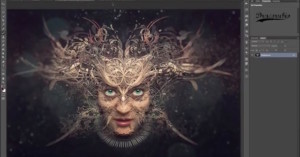
Although they often get overlooked in the Photoshop workflow, clipping masks can make for some very interesting effects in images. A perfect example is the work of Roderique Arisiaman, whose portraiture includes intricately overlaid designs to make for intricate, unique images.
Many of you have already no-doubt heard of Keira Knightley's recent photoshoot and interview with Interview Magazine [Warning: NSFW], in which she posed topless on the condition they wouldn't Photoshop her body before publishing the final shot.
How much weight loss can Photoshop do? As you'll see in the video above, the answer is "a whole lot".
Autumn is well underway here in the United States, so what better way to honor the colorful season than to share with you a post-production walkthrough by Serge Ramelli that will show you how to make your seasonal snapshots ‘pop’ with color.
People can get really upset when you start using the P word. Magazine covers, professional portraits and even Instagram posts have been accused of using Photoshop. But nobody bats an eye when a beauty commercial comes on TV.
Between now and January 31st of 2015, those interested in switching up your post-processing workflow and experimenting with software outside of the Adobe ecosystem have a great incentive to do so: DxO has partnered with Digital Photographer to offer free, no strings attached licenses of DxO Optics Pro 8 to anybody who wants one.
Love carving Jack O' Lanterns? Hate the mess? No problem. We are photographers after all, which means we don't need to actually go out and DO things like this... we can just 'fix it in post.' Jokes aside, this short and simple tutorial will show you how to carve a simple Jack O' Lantern entirely inside of Photoshop.
If you've been looking to migrate your Aperture library over to Lightroom ever since the official announcement of Aperture's demise, you've had to be content with manually doing it or using one of the unofficial tools that had already been released. But that is no longer the case.
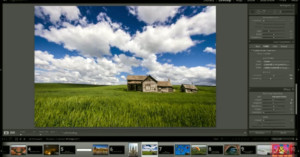
Most tutorials tend to focus on one small aspect of the photographic process -- be it tweaking a minor adjustment such as white balance or showing you how to properly sharpen an image -- but this Lightroom 4 QuickStart tutorial goes way beyond this.
It, instead, opts for a more comprehensive approach, showing you how to properly edit almost any landscape image from beginning to end.
We received a tip today from a reader who asked us to take a look at the official portraits for the Miss World Philippines 2014 candidates. The tipster had harsh things to say about the images, saying the creator, "must've been bored or high when he post-processed these photos."
At the Adobe MAX 2014 conference this past week, Adobe showed off some of the crazy technology current brewing in the company's labs. Two of them offer a glimpse at what may soon be available to photographers in Photoshop: changing the time of day (i.e. lighting) in photographs with a simple slider and removing haze from a scene automatically.
During the Max conference, as he was preparing to demonstrate some of the touch functionality baked into Photoshop CC on the Microsoft Surface Pro 3, Adobe's Josh Ulm said, "when we started to explore touch, we knew that we would have to radically shift the user interface." …
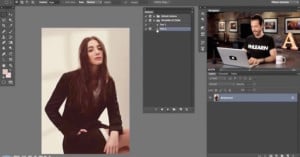
There are a seemingly infinite number of videos that walk you through retouching a portrait from beginning to end; however, most of them are based in Photoshop, Lightroom and -- once upon a time -- Aperture. This leaves the less-used but robust Capture One Pro out of the game.
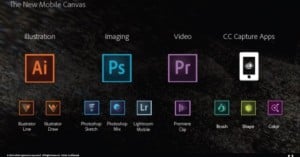
As Adobe prepares to give the keynote presentation of its Adobe MAX conference in just a couple of hours, one thing is becoming clear: the theme of this year's Adobe MAX is all mobile, all the time.
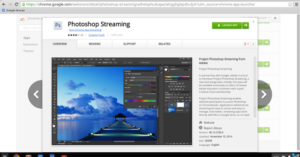
Adobe has been making moves into the cloud for some time now (it is called Creative Cloud after all), so it doesn't come as a surprise to hear that the long-awaited Chromebook Photoshop beta is finally live and ready for cloud computing early-adopters to start putting through the ringer.
As Photoshop CC continues to get more and more complex -- seriously, have you seen THE SIZE of some of the Photoshop books out there!? -- thanks to the myriad of new features Adobe continues to add, the company is moving its beginner-focused Elements offerings the other direction.
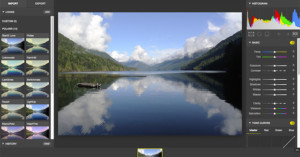
As cloud-based storage options expand in size and numbers, the battle for browser-based photo editors is equally under way. One of the newest and most impressive to the game is Polarr. It's currently available to use as an open beta and features a number of advance tools and resources for making sure you can efficiently edit your images from within the browser.
Well, this is certainly one of the more... interesting Photoshopping trends we’ve seen. Thanks to a brigade of dedicated Photoshop masters on Tumblr, Marvel superheroes are getting the most unlikely of makeovers -- Hello Kitty makeovers, to be precise.
Aperture is about to leave the RAW image organizing/editing game, and OnOne Software wants to tempt users over to their ranks before they all give in to Adobe. To that end, OnOne just announced an impressive new version of its Perfect Photo Suite.
Photoshop is a wonderful resource, full of creative potential; to help streamline that creative potential, Adobe has included an insane amount of shortcuts that allow you to easily apply effects, swap tools and perform actions. There's just one issue... there's too many of them to keep track of.
Just in case you missed your chance when onOne Software ran this deal the first time a few months back, the company is yet again giving away its Perfect Effects 8 Premium Edition software, usually $100, completely free in exchange for your email.
Photoshop actions can be a critical resource in any photographer’s workflow. Turning otherwise monotonous tasks into an autonomous utility, actions are created by manually performing a series of steps and recording them as an ATN file. This ATN file can then be ‘played’ in the future, when you’re looking to repeat those actions on future images, without the hassle of repeating the now-recorded workflow.
From the creators of photo-editing apps, Intensify, Focus and FX Photo Studio comes a new black and white image editor for Mac called Tonality. Both a standalone app and plugin for Photoshop, Lightroom and Aperture, Tonality is versatile in its implementation into your workflow.
Noise reduction, much like sharpening, is one of those post-processing tools that is often overused or used improperly, yielding terrible results. But as Bryan O'Neill Hughes shows you in the video above, tackling noise in Photoshop can be both easy and effective just as long as you know what you're doing.
If you missed your chance to snag a free license for DxO FilmPack 3 last September/October when they were handing them out for free, you're in luck! The company is at it again, and this time you have until August 15th to grab a quality piece of film emulation software for the price of 'on the house.'
When it comes to photographing the elusive Milky Way in one of the most light-polluted major cities like Singapore, timing is critical. Most of the faint details will be washed out by the extreme light pollution and if we were to shoot the Milky Way under unfavorable atmospheric conditions, our attempt would be futile.
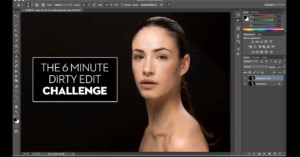
The video above is called The 6 Minute Dirty Edit Challenge, and it’s an interesting project/dare by photographer Jeff Rojas. The goal is simple: how much retouching can you possibly get done in just six minutes time.