This is the Eye AF Coming to the Nikon Z6 and Z7
Nikon Europe just published this 15-second video that provides a preview of the Eye-Detection AF functionality that's coming to the Z6 and Z7 mirrorless cameras.
While developing its Luminar Flex AI-based Photoshop plugin earlier this month, Skylum did research on what plugins are currently available. The software company has now compiled a huge list of 55 Photoshop plugins that photographers may find useful.
If you need to make a complex selection in Photoshop that involves hair or fur on a background, the powerful Refine Edge Brush is ready to help. Here's a 1-minute Photoshop Magic Minute video by Adobe that will show you how to get started with the tool.
Instagram has internally floated the idea of a small design change that would have a huge impact on the service. Leaked screenshots show mockups of Instagram in which the Like counts on photos and videos are hidden from public view.
The Chinese 360°/VR camera and software company Kandao has announced a new technology called AI Slow-Motion that uses machine learning to turn ordinary footage into super slow motion shots. For example, it can make a 30fps video look like it was shot at 300fps.
After finding success with its layer-based image editor for iOS and Mac, Pixelmator is now bringing a powerful new RAW photo editor to the iPad. Called Pixelmator Photo, the app competes against the likes of Adobe's Lightroom CC for iPad.
Sony has just released firmware version 3.0 for the Sony a7R III and a7 III mirrorless cameras. It's a major update that adds Real-Time Eye AF, Animal Eye AF, and Time Lapse features to the cameras.
Skylum has announced Luminar Flex, a new plugin that brings Luminar's powerful AI-based tools to third-party apps like Photoshop and Lightroom.
One of Photoshop's most impressive features was just added to After Effects. Content-Aware Fill is now available for automatically removing unwanted elements from video.
Camera Bits has released Photo Mechanic 6, the latest major version of the photo ingesting, tagging, and browsing tool that's designed to speed up photographers' workflows.
Fujifilm has received rave reviews for its cameras in recent years, but sadly the same can't be said about its companion app for mobile devices. But Fujifilm just released a new major version of its Camera Remote app, and v4.0 promises design and usability improvements.
Sony has launched firmware version 5.0 for its flagship a9 mirrorless camera. The major software update brings AI-powered autofocus capabilities, better image quality, and workflow improvements.
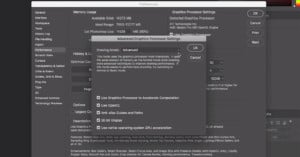
Is your Photoshop running a bit sluggish at times? There might be a way to speed things up. Here's a helpful 10.5-minute video by photoshopCAFE that goes over 10 tips that will help you squeeze the fastest possible performance from the program.
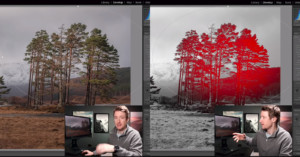
Lightroom has a powerful tool called Range Mask that can transform the way you post-process your photos, but photographers are often unaware that the tool even exists. Landscape photographer Thomas Heaton decided to make this 12-minute video to show how the tool can be invaluable for improving your photos.
Impressed by NVIDIA's AI creating photorealistic portraits of people who don't exist? Check out what the company is doing with landscapes. NVIDIA has developed a powerful AI that can turn your doodles into photorealistic landscape images in real-time.
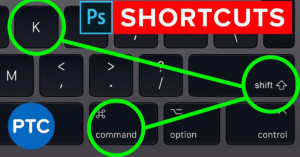
If you're always looking for ways to optimize and streamline your photography post-processing workflow, here's an 11-minute video for you. Jesús Ramirez of Photoshop Training Channel shares 15 helpful Photoshop keyboard shortcuts (AKA hotkeys) that aren't as commonly known.
Want to turn some old black-and-white photos into color photos? There's an amazing new website called Colourise.sg that'll get the job done for you. It uses deep learning AI to create remarkably realistic results in just seconds with zero work on your part.
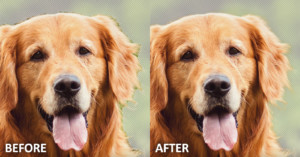
I got an email notifying me of the release of Topaz Sharpen AI, a program that enhances details and fixes out-of-focus/blurred shots. I initially expected that it was something similar to Adobe Enhance Details, which slightly enhanced the details of some specific shots and didn’t work for many other images. Topaz provided a demo fully-functional for 30 days, so I decided to give it a try.
Developer Benjamin Sandofsky and designer Sebastiaan de With, the duo behind the popular iPhone camera app Halide, have announced a brand new camera app called Spectre. It's an AI-powered camera that helps you shoot long exposure photos with your iPhone.
When I first began dabbling in the world of landscape photography, I was enticed by the instant gratification of purchasing Lightroom presets. I was originally drawn in by the fact that I could instantly download these presets and I could instantly import them into Lightroom and instantly “improve” my own photos.
Am I the only one that finds some of the most popular apps used for landscape photography a bit overwhelming? Don’t get me wrong: these apps are tremendously powerful tools and I own many of them, but I find that I rarely use them anymore. I prefer apps that have a simple user interface that enables me to obtain the details I'm looking for quickly and without having to dig through mountains of other information.
Want to navigate through a large set of photos and assign star ratings using only your voice instead of your keyboard? It's extremely easy to set up for any image organization software if you use a Mac. Here's a 6.5-minute tutorial by photographer Tony Hoffer on how to set this up.
Adobe just released its February 2019 update for its photography ecosystem, adding a little something to each of its photo-editing apps across platforms.
Adobe has announced a new feature for Lightroom and Camera Raw called Enhance Details. It harnesses the power of artificial intelligence to produce more detail and fewer issues in RAW photos.
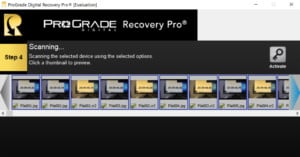
ProGrade Digital today expanded beyond memory cards and readers and into the world of software with the introduction of Recovery Pro. It's a program that recovers lost, deleted, and or/corrupted photo and video files.
If you've ever handed your smartphone to a kind stranger and asked them to shoot a photo of you, you may have found it difficult to communicate exactly what framing and pose you'd like them to capture. A Korean app called SOVS2 (which stands for "SomeOne Very Special") is designed to help with this problem.
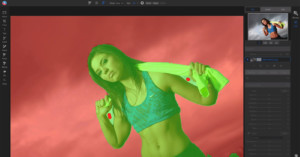
ON1 just announced the latest update to Photo RAW 2019. Version 2019.2 brings a new AI-powered masking feature and new performance enhancements.
Over the years, I have come across this question often: “Can a JPEG image be enhanced to a RAW image quality?” I understand where this question comes from. Photographers are taught to “shoot in RAW” from day one. These days, so many images are only in JPEG format, from phone photos to stock photos, to those priceless old pictures. It would be really nice if we could enhance them to RAW image quality so they could fit into today’s photographer’s RAW image editing workflow!
Editing images with software like Lightroom typically involves changing parameters like exposure, contrast, highlights, shadows, and so on for more than 90% of your work. These parameters are controlled using sliders that you have to drag with your mouse -- sliders that emulate physical controls. But why not use such physical controls like sliders or control dials directly?
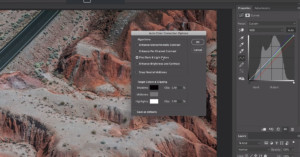
Even if you've worked with the Curves Tool in Photoshop for years, they may still be some useful tricks that you've never come across before. Here's a helpful 2-minute video by Adobe that contains 13 different tips.
In unveiling the new a6400 last week, Sony also announced its next-generation AI-based tracking features that are also coming to existing cameras in a firmware update. Sony Artisan Patrick Murphy-Racey shared this 2-minute video showing just how impressive the tracking is.
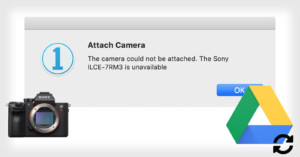
Is your Sony camera not tethering to Capture One Pro or any other software on your Mac or Windows computer? I had this issue for quite some time and thought there must be some issue with my system, or camera, or wire -- nope. I decided to write a message to Capture One and get a fix but no one could help me.
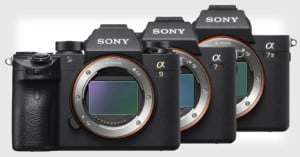
Sony has just announced major upcoming firmware updates to the a9, a7R III, and a7 III mirrorless cameras that will include improved autofocus performance and features.
Over this past year, an increasing trend in photography seems to be finding a viable alternative to Adobe Lightroom. Some have done it to get out from underneath the subscription service while others aren't pleased with what remains to be inconsistent speed and performance. It seems to be more of the latter than the former, with the Lightroom Catalog largely responsible for the latter.
After releasing firmware v2.0 for the a7 III and a7R III in October, Sony abruptly took down the update earlier this month citing a bug that would cause photographers to lose RAW photos they've captured. Sony has since fixed the issue and today released firmware v2.10 as a replacement.
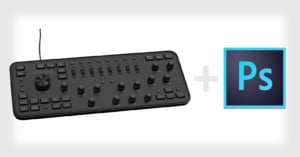
Loupedeck today announced its first integration with Adobe Photoshop, allowing photographers to use the editing console in the popular app.
Adobe has released the December 2018 update to its entire photo ecosystem, bringing new features, improvements, and bug fixes to Camera Raw, Lightroom Classic CC, and Lightroom CC for Mac, Windows, Android, ChromeOS, and iOS.
VSCO exploded onto the photography scene back in 2012 with instantly popular Photoshop and Lightroom presets for accurately simulating various film stocks on RAW photos. But now the company is moving away from its origins: it just announced that its desktop presets are being discontinued.
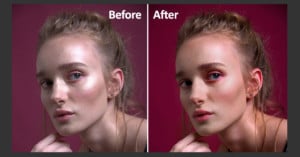
Artificial intelligence is no longer a new concept in photography. Complex algorithms allow machines to choose auto contrast and exposure settings in all modern editing software. They're getting better all the time. What I haven't seen before however, is a tool that successfully automates face retouching. Until now, that is.
On December 18, 2018, Skylum will be releasing its long-awaited DAM (Digital Asset Manager) for Luminar. Called Luminar 3 with Libraries, this will be a free update for everyone who currently owns Luminar 2018 on Mac and Windows.
After a year of drumming up anticipation and sneak peeks, Skylum today finally announced the availability of Luminar 3. The all-in-one imaging package is both an image editor and library, meaning it's now a direct competitor to Adobe Lightroom.
Before Instagram became a worldwide phenomenon, Hipstamatic was the cool kid on the block that popularized retro photo filters. And while Hipstamatic hasn't achieved nearly the level of popularity as the now-Facebook-owned app, it's still innovating: it has just launched a powerful new camera app called TinType that shoots realistic-looking tintype-style portraits.
Phase One just launched Capture One 12, the latest major version of the popular RAW conversion, photo editing, and asset management software.
Instagram is taking a step toward being more accessible by adding auto and manual descriptions of photos for visually impaired users.
Think modern day Photoshop beauty retouching is impressive? In the future, your professional-grade camera might be able to retouch subjects for you in real-time. Here's a 30-second video that shows this technology in action.
Instagram is rolling out a redesign to its profile view. The goal is to make it "easier and cleaner to use," but the new look will also deemphasize follower counts.
Google has released an update to the Google Photos app for iOS that brings bokeh adjustment for Portrait mode photos.
Adobe's October 2018 update to Photoshop CC brought a host of new features, and one of the most exciting ones is the new Content-Aware Fill, which has powerful new abilities and its own dedicated workspace and tools. Here's a 10-minute crash course on the new system by photoshopCAFE that will help you hit the ground running.
Photographer Irene Rudnyk made this 22-minute video to share her top 10 Photoshop hacks when working on portraits. These are tips and tricks Rudnyk says she uses all the time on all of her photos.
Luminosity Masks have become a popular type of selections in Photoshop used by both professionals and beginners alike. However, unlike many other types of selections, they won’t be found in any menu. Instead, you’ll have to create them yourself. Don’t worry, it’s not as hard as you might think. It’s actually quite straightforward and all you need to do is follow a few simple steps.