Post-Processing

Lightroom Shortcuts You Can Use All the Time

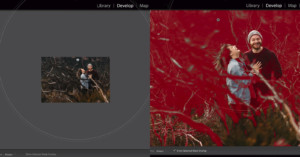
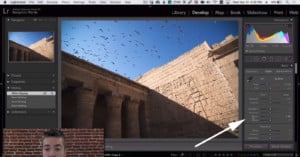
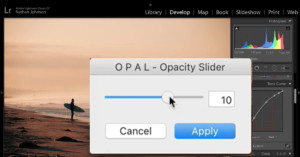
If you're starting to spend a lot of time inside Lightroom, keyboard shortcuts and hotkeys can help speed up your workflow and save you precious seconds that add up over time. Toronto-based photographer Lucy Martin put together this helpful 3-minute video to share the handy Lightroom shortcuts that she finds herself using all the time.

How to Create a Droste Effect Photo in a Photo in a Photo

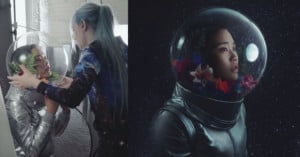
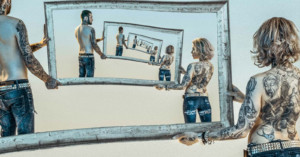
The Droste effect is when a photo recursively appears within itself -- the photo within the photo within the photo, "tunneling" forever. Here's a 12-minute video by photographer and retoucher Antti Karppinen that shows you can create a Droste effect photo for yourself.

An 8-Minute Crash Course on Blending Modes in Photoshop

Want to get a good grasp of Photoshop's Blend modes? Here's an 8-minute crash course on the subject by the Photoshop Training Channel. They may be one of the least understood features, but blending modes can be extremely useful when creating composites and retouching.

This is How One Photographer Dodges and Burns His Photos

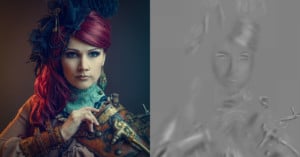
Photographer and visual artist Antti Karppinen dodges and burns his photos using a single 50% natural gray layer in Overlay blending mode. By sharing these gray "dodge and burn layers" separately, Karppinen can easily show exactly what he did to each of his photos.

How to Naturally Retouch Eyes with Photoshop

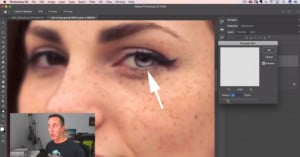
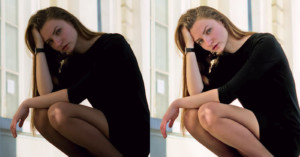
Retouching eyes unnaturally is a great way to ruin a good portrait. Here's a 14-minute tutorial by photographer Dani Diamond that shows how you can easily retouch eyes with a natural look using Photoshop.

How to Easily Use RGB Curves to Tone Your Photos

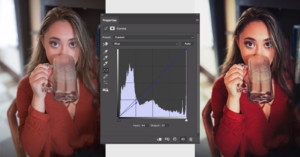
RGB Curves can be an intimidating photo editing tool that's difficult to wrap your mind around, but they're powerful and worth learning. Photographer Conner Turmon made this helpful 8.5-minute video that explains how tone curves work and how you can use them to create professional-looking photos.

7 Ways to Enhance Eyes in Photoshop

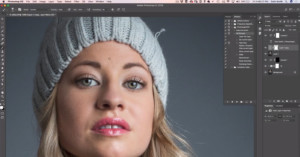
Here's an in-depth 28-minute tutorial from the Photoshop Training Channel that will show you how to enhance and create amazing eyes in portrait photos using Photoshop.

Here’s the Best Way to Match Tones in Composite Photos

One of the most common difficulties with compositing photos is having the color tones of the different parts of the image match. This can be tricky to achieve, but this 10-minute tutorial by Photoshop expert Antti Karppinen shows a powerful way you can do it using a Selective Color adjustment mask.

Finding the Perfect Composition When All Seems Lost

Here's a 20-minute video in which Serge Ramelli shows how he captured some beautiful fine-art photos of hot air balloons at a festival, even though the photo opportunities were initially looking bleak. Faced with a poor foreground full of spectators and bright yellow buses, Ramelli had to think outside the box.

This App Turns Your Smartphone Into a Lightroom Control Panel

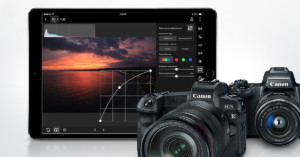
Control Room is a new app that turns your smartphone or tablet into an external control panel for Lightroom photo editing. This means you can control adjustments through the screen on your phone while watching those adjustments affect the large photo open in Lightroom on your computer.

5 Ways to Change the Color of Anything in Photoshop

Changing the color of an object using Photoshop is a typical use case for the software, and there are many ways to do it. This 20-minute video from Nathaniel Dodson of tutvid that examines 5 separate ways to re-color or add color to objects.

Using LAB Color in Photoshop to Add Color and Punch to Photos

The LAB color space is particularly useful for boosting colors and definition in images due to the way it handles colors when compared to RGB and CMYK. Rather than describing how colors should appear on a screen or in print, LAB is designed to approximate human vision. Colin Smith of photoshopCAFE shows in this video how this color space can be utilized in Photoshop to easily improve your images.

Using Focus Stacking on Landscapes for Extreme Depth of Field

Focus stacking is a technique typically used in macro shots to achieve a large depth of field. It’s a relatively simple concept: take many images focused at slightly different distances and combine the sharp portions to a single image in post. This 6-minute video from landscape photographer Mark Denney will show you how to utilise the technique in landscape photography.

3 Lightroom Tricks That Will Change How You Edit Photos

Lightroom is a fairly straightforward and simple piece of software to get your head around. But, like anything, there are always shortcuts and tricks you can use to improve and streamline your workflow. In this 6-minute video from Travis Transient, try out these 3 top tips for making Lightroom life flow more smoothly.

How to Do a Realistic Sky Swap in a Photo Using Photoshop

In this 9-minute video tutorial from Serge Ramelli, learn how to easily swap out an unattractive white sky from a photo for a more dramatic one using Photoshop. Utilizing the power of the multiply blend mode, it's possible to convincingly change the sky in the shot in minutes.

How to Make a Realistic Shallow Depth of Field Using Photoshop

In this 20-minute tutorial by PiXimperfect, learn how to use Photoshop to create a realistic bokeh effect in your photo. Creating a shallow depth of field after you've taken the shot can be tricky to do convincingly, but this tutorial will show you one method for how to do it.