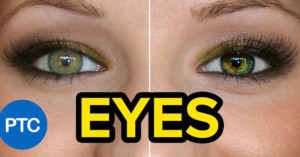
7 Ways to Enhance Eyes in Photoshop
Here's an in-depth 28-minute tutorial from the Photoshop Training Channel that will show you how to enhance and create amazing eyes in portrait photos using Photoshop.
Here's an in-depth 28-minute tutorial from the Photoshop Training Channel that will show you how to enhance and create amazing eyes in portrait photos using Photoshop.
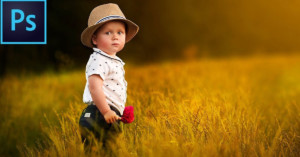
Here's a 47-minute tutorial from PiXimperfect about how to create those soft, dreamy portrait photos of children using Photoshop.
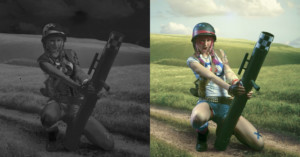
Once you've matched the color tones in a composite photo, you can then move on to matching the saturation for proper realism. Here is a 5-minute tutorial from Antti Karppinen that shows how you can do so using Photoshop.
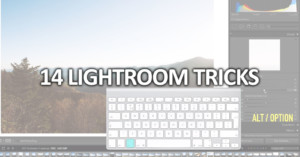
Adobe Lightroom is an app that's filled with all kinds of helpful features that can make life easier for you once you learn they exist. Here's a 10-minute video by photographer Evan 5ps with 14 different tips and tricks that he uses on a daily basis.
One of the most common difficulties with compositing photos is having the color tones of the different parts of the image match. This can be tricky to achieve, but this 10-minute tutorial by Photoshop expert Antti Karppinen shows a powerful way you can do it using a Selective Color adjustment mask.
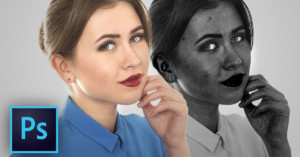
There are many tips and tricks in Photoshop that can make editing life easier if you know how to use them. Here's a 13-minute tutorial by PiXimperfect that teaches how you can easily identify and remove blemishes in portraits using a black-and-white adjustment layer.
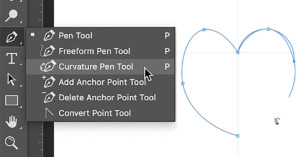
Adobe has just announced its October 2017 update of Photoshop CC, which comes with a number of new features and improvements to the photo editing program. Big ones in this release include a brand new Curvature Pen Tool and improved brush preset management.
It's amazing what can be done with Photoshop these days with simple techniques and a lot of patience. Case in point: UK-based photographer Denyer shared this 4-minute timelapse of an edit he did for fun, removing a large crane covering a busy building over 2-hours of retouching.
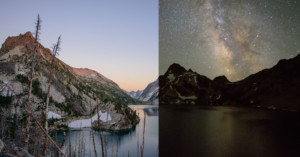
This 10-minute tutorial by nature photography site Nature TTL teaches how to create a day to night time-lapse from sunset to a starry night sky. While it can be a tricky technique to pull off, the effects can be totally mesmerizing if done correctly.
Here's a 20-minute video in which Serge Ramelli shows how he captured some beautiful fine-art photos of hot air balloons at a festival, even though the photo opportunities were initially looking bleak. Faced with a poor foreground full of spectators and bright yellow buses, Ramelli had to think outside the box.
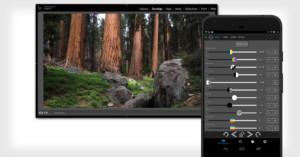
Control Room is a new app that turns your smartphone or tablet into an external control panel for Lightroom photo editing. This means you can control adjustments through the screen on your phone while watching those adjustments affect the large photo open in Lightroom on your computer.
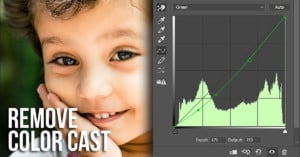
Is there an unwanted color cast spoiling your photo? Correcting this is really simple when you use the curves tool, as demonstrated by PiXimperfect in this 7-minute tutorial.
Adobe has just announced the release of Photoshop Elements 2018. With this latest version, Adobe is moving away from using version numbers and will instead begin naming the software version after the upcoming year.
When photographer Scott Kelby posted photos of Atlanta's new $1.6 billion Mercedes-Benz Stadium, a lot of his viewers started wondering about his workflow. In response, he just shared an entire 11-minute walkthrough of his Lightroom editing process.
Hello, photographers. Here's a giant list of 194 photo editing tools and photography apps you can use in your photography.
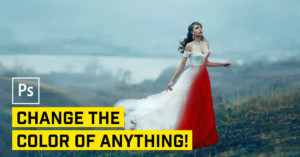
Changing the color of an object using Photoshop is a typical use case for the software, and there are many ways to do it. This 20-minute video from Nathaniel Dodson of tutvid that examines 5 separate ways to re-color or add color to objects.
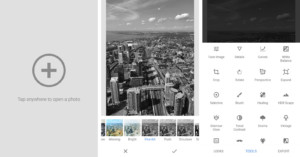
Google today rolled out the latest version of its Snapseed photo-editing application. Version 2.18, available for Android and iOS users, features a fresh new user interface and new presets.
The LAB color space is particularly useful for boosting colors and definition in images due to the way it handles colors when compared to RGB and CMYK. Rather than describing how colors should appear on a screen or in print, LAB is designed to approximate human vision. Colin Smith of photoshopCAFE shows in this video how this color space can be utilized in Photoshop to easily improve your images.
Focus stacking is a technique typically used in macro shots to achieve a large depth of field. It’s a relatively simple concept: take many images focused at slightly different distances and combine the sharp portions to a single image in post. This 6-minute video from landscape photographer Mark Denney will show you how to utilise the technique in landscape photography.
Adobe just announced that there's a powerful new Curvature Pen Tool coming to Photoshop CC later this year. The 1-minute video above is a sneak peek at how this upcoming tool works.
Here's a 10-minute video tutorial by PiXimperfect that teaches how to add artificial film grain to your photos. Learn three ways to give your digital photos a film look.
Lightroom is a fairly straightforward and simple piece of software to get your head around. But, like anything, there are always shortcuts and tricks you can use to improve and streamline your workflow. In this 6-minute video from Travis Transient, try out these 3 top tips for making Lightroom life flow more smoothly.
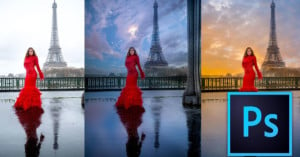
In this 9-minute video tutorial from Serge Ramelli, learn how to easily swap out an unattractive white sky from a photo for a more dramatic one using Photoshop. Utilizing the power of the multiply blend mode, it's possible to convincingly change the sky in the shot in minutes.
An important part of developing your own editing style is the way that you color grade your images. Photographer Sean Tucker explains his approach in this 15-minute video, showing how he uses edits his photos while adhering to a consistent color palette.
In this 20-minute tutorial by PiXimperfect, learn how to use Photoshop to create a realistic bokeh effect in your photo. Creating a shallow depth of field after you've taken the shot can be tricky to do convincingly, but this tutorial will show you one method for how to do it.
The curves tool is a powerful one in both Photoshop and Lightroom, with the ability to change both the tones and colors in an image. This 7-minute tutorial from PiXimperfect examines the tool in the context of removing color casts from the shadows of a photograph.
I'm going to start this field test back to front and for one reason only: the LoupeDeck system blew my socks off. If you're a wedding photographer -- in fact, if you're into any genre of photography -- the Loupedeck is a game changer.
The Camera Calibration Panel in Lightroom is often left untouched, owing to its position in the panel stack and uncertainty over its functions. This 15-minute video from Anthony Morganti explains the panel’s features in detail.
Photoshop’s Liquify Tool is a very powerful tool for retouching images, especially photos of people. Learning all of the features of the tool is important to make sure your edits don’t look unnatural. This 25-minute video from tutvid will help you master Liquify, as Nathanial Dodson explores 10 tips, tricks, and features.
In this 9-minute video by tutvid, take a look at Photoshop's Healing Brush and learn how exactly you can use it to improve your editing workflow.
In this 8 minute image manipulation tutorial, Colin Smith of photoshopCAFE utilises the little-used Lighting Effects filter in Photoshop to completely re-light a scene.
Macphun, the creator of the popular photo editing software Aurora HDR, has announced a new version of the program: Aurora HDR 2018. Best of all, it's coming to both Mac and Windows users.
Sharpening gives your images a bit of pop by increasing the edge contrast, but it’s easy to go too far and end up with an over-sharpened mess. In this 10-minute video, Tony Northrup demonstrates how sharpening works in Lightroom and how to know how much is enough.
Here's a somewhat unusual tutorial: Kiwi photographer and videographer Ben Stewart has found a way to control Lightroom efficiently using a Playstation controller. He uses a PS3 controller, but his instructions would also work with a PS4 controller.
Here's a 15-minute video by photographer Sean Tucker in which he runs through an effective technique for processing black and white images, with a focus on mobile. Tucker demonstrates using curves and HSL sliders to achieve a dramatic look for his images that end up on his Instagram.
Here’s a quick video from tutvids covering five different tricks that will be completely new to most Photoshop users. Did you know there is a Banana Tool? You’ll soon find out what it does (or doesn’t do).
Frequency separation allows you to retouch images by editing one aspect without affecting others. For example, it will allow you to soften the skin while maintaining its texture. Here's a 21-minute video by PiXimperfect on how to use this advanced technique to improve your retouching skills.
Adobe has launched a new Photoshop tutorial series for beginners on its YouTube channel, titled "3, 2, 1... Photoshop!"
Photographer Brandon Woelfel has a distinctive editing style that has netted him over 1.2 million followers on Instagram. This 15-minute crash course from photographer Aaron Hurt runs through the steps required to recreate the look in Lightroom and Photoshop.
Here's a 4-minute video by the Photoshop Training Channel on how to use Photoshop's Content-Aware Fill tool with an advanced technique for those times in which it doesn't work quite as well as you had hoped.
Here's a 6-minute video in which photographer and retoucher Nino Batista looks at some of the most common retouching mistakes that amateur photographers tend to make. Eliminate these from your post-processing workflow to take your photos to the next level.
Hey, guys! I'm Jaxson Pohlman. In this post, I'm going to show you how to create a composite dreamscape using two photos in just a few steps using Photoshop.
Photo colorization is usually done in programs like Photoshop, but did you know that you can achieve good results in Lightroom as well? In this 21-minute video by tutvid, learn how to colorize a black and white photo using only Lightroom.
Want to learn Photoshop from the very beginning? Here's a beginner's guide by TastyTuts will let you jump-start your post production skills. It's a series of 33 videos that will help you know everything you need to handle the popular editing software "like a pro".
Voodoo is real. At least it is with Photoshop's "Puppet Warp" feature. In this 8-minute tutorial by Photoshop Training Channel, learn how to manipulate your subject and move their limbs in any number of unimaginable ways.
Adobe today released new updates for its mobile Lightroom apps, bringing powerful new features and new interface designs for both iOS and Android.
Photographer Peter McKinnon made this 2-minute video tutorial on sky replacements. Watch it to learn how to quickly swap out the sky from one photo with another in Photoshop.
Macphun announced earlier this year that it will be releasing its popular photography software for Windows after focusing on Mac up until now. Today the company made its first big move by launching a free public beta version of Luminar for Windows.
Educator Colin Smith of photoshopCAFE has 7 great tips for Lightroom users that might just surprise you and make your post production life a little easier. He previously shared 7 Photoshop tricks hidden in plain sight, and these Lightroom tricks are just as helpful.
Wacom today announced that it will be expanding its Cintiq Pro lineup with two new graphics tablets. They're designed for photographers, illustrators, and graphics designers who want a larger digital canvas than has been previously available.