Post-Processing

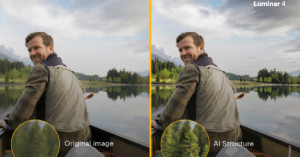
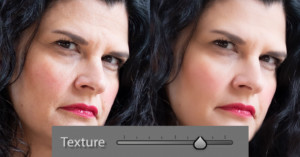
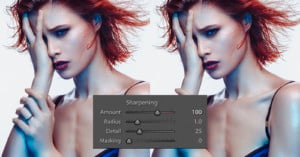
Are You Sharpening Your Photos Enough?

I’ll own up to this and say that I’m guilty of being stuck in my ways. But age is no excuse for not being as adaptive as I should be to the changing times. But let me explain.

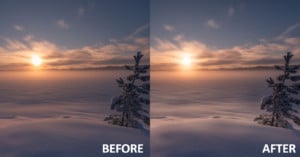
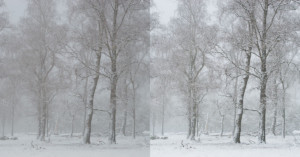
Low Contrast Photography and How to Correct it in Post-Processing

One of the most asked questions I get is how I add contrast to pictures taken in very low contrast conditions like dense fog. This made me think it would perhaps be of use to many of you if I wrote an article about contrast and how you can fix contrast issues in post processing.

3 Reasons to Create Your Own Lightroom Presets

When I first began dabbling in the world of landscape photography, I was enticed by the instant gratification of purchasing Lightroom presets. I was originally drawn in by the fact that I could instantly download these presets and I could instantly import them into Lightroom and instantly “improve” my own photos.

How to Remove Flare from Photos Without Cloning

To shoot directly into the sun is both challenging and fun. Challenging because it can be difficult to control the light and, not least, our images are very often marred by sun flare. One simple way of avoiding flare is to shoot an extra exposure with one finger or more obscuring the sun.

5 Signs You’re Over-Editing Landscape Photos

One of the more difficult aspects of post-processing is identifying when you’re starting to over edit a photo. It’s common knowledge what many of the characteristics of an over-edited image are, but determining when you’ve gone too far, that’s the challenging part. In this 14-minute video, I break down five tips that have helped me to understand and identify when I’m beginning to over process an image.

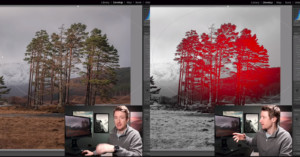
Triple Processing a Single RAW Photo

Occasionally when examining a RAW file I get a reasonably clear idea on how I would like the end result to be. In this instance, I had an inner picture of trees glowing from the sun, rather dark shadows, and a sky with nice color contrast.

Using a MIDI Controller with Lightroom for a More Efficient Workflow

Editing images with software like Lightroom typically involves changing parameters like exposure, contrast, highlights, shadows, and so on for more than 90% of your work. These parameters are controlled using sliders that you have to drag with your mouse -- sliders that emulate physical controls. But why not use such physical controls like sliders or control dials directly?

7 Lightroom Tips to Transform Your Winter Photos

The frigid winter months provide an exceptional opportunity to capture unique photos, but they aren’t the easiest to create due to extreme weather conditions and the many post-processing nuances related to snowy winter photography. In this 14-minute video, I review 7 Lightroom tips that have helped me along the way with my winter post-processing workflow.

Human vs Machine: Can This AI Retouch Photos Better Than You?

Artificial intelligence is no longer a new concept in photography. Complex algorithms allow machines to choose auto contrast and exposure settings in all modern editing software. They're getting better all the time. What I haven't seen before however, is a tool that successfully automates face retouching. Until now, that is.

6 Lightroom Tips to Create Moody Landscape Photos

It seems the moody edit trend has been going strong for quite a few years now and it doesn’t appear to be slowing down. There’s probably not a better time of the year to capture moody landscape photos than the winter months.

10 Photoshop Hacks for Portraits

Photographer Irene Rudnyk made this 22-minute video to share her top 10 Photoshop hacks when working on portraits. These are tips and tricks Rudnyk says she uses all the time on all of her photos.

How to Create Luminosity Masks in Photoshop: A Step-by-Step Guide

Luminosity Masks have become a popular type of selections in Photoshop used by both professionals and beginners alike. However, unlike many other types of selections, they won’t be found in any menu. Instead, you’ll have to create them yourself. Don’t worry, it’s not as hard as you might think. It’s actually quite straightforward and all you need to do is follow a few simple steps.

7 Essential Lightroom Tricks I Use Daily

Everyone’s list of Lightroom tricks and shortcuts is a bit different and when I started to compile mine I wasn’t 100% sure what they were exactly. It’s funny how you don’t even realize you’re using these handy timesavers as they become second nature when you apply them within your editing workflow.

Canon vs Sony: Skin Tones in Portraits and How to Correct Them

After years of shooting portraits with Canon cameras, photographer Sean Tucker recently switched over to Sony gear. After many people warned him that his portraits would suffer from Sony's "terrible" skin tones, Tucker decided to put the cameras to the test himself in the 20-minute video above.

This is Why You Don’t Hire a $0.25 Photo Retoucher

After discovering retouching services being offered on Fiverr, the popular platform that lets freelancers offer ultra-cheap services, photographer Irene Rudnyk recently decided to conduct an experiment to see what kind of results you can get for $10 and less.

This is the Full Photoshop Coming to the iPad

We learned earlier this year that Adobe is working on bringing a full version of Photoshop to the Apple iPad, and today the company officially announced it: "real" Photoshop power is coming to the popular tablet in 2019.

Teaser Video Shows Skylum Luminar’s Lightroom-esque Update

Skylum Software has been teasing a digital asset management (DAM) update for its Luminar photo editing software that would bring it more in line with the capabilities of Adobe Lightroom, and the company shared this new 41-second teaser video to offer a glimpse of the software's speed.

8, 12, 14 vs 16-Bit Depth: What Do You Really Need?!

“Bit depth” is one of those terms we’ve all run into, but very few photographers truly understand. Photoshop offers 8, 16, and 32-bit file formats. Sometimes we see files referred to as being 24 of 48-bit. And our cameras often offer 12 vs 14-bit files (though you might get 16-bit with a medium format camera). What does it all mean, and what really matters?

Lightroom Sucks: An Open Letter to Adobe

“Panic on the streets of London, panic on the streets of Birmingham, I wonder to myself, could life ever be sane again?” You’d be forgiven for thinking The Smiths were singing about wedding photographers mid-summer running around the streets in a naked hysteria after they’ve just installed the latest Lightroom update.

This is Age-Reduction Retouching in 4K

Here's a video that may blow your mind. Los Angeles-based digital compositor and beauty artist Rousselos Aravantinos made this short video showing the digital age reduction retouching he can do on a 4K video. He's able to make an older woman realistically look like she's decades younger.

How to Create a Cinematic Lightroom Preset for Landscape Photos

Lately, I’ve seen lots of cinematic looks on Instagram. There are mostly cold tones with a rare spark of a warm look. And so I have decided to have a look, do some magic, and produce a free Lightroom landscape preset for you. I know, there are lots of Lightroom presets for travel photography, but in reality, I couldn’t find anything usable that also came with an explanation. So, read on to learn how to create cinematic photography yourself.
5 Post-Processing Mistakes Beginner Photographers Make

Looking back at my early photography, I shake my head in embarrassment. I know I should be proud of the fact that I’ve come a long way since then, but it’s hard not to notice just how poorly processed those images are. I’m sure I’m not alone.

How to Mask Anything in a Snap Using Lightroom’s Auto Masking

Lightroom's Auto Mask feature lets you intelligently target edit towards specific portions of photos. While the standard tool is useful, there are more advanced ways of using the tool that can take your editing to the next level. Here's a great 13-minute tutorial on the subject by Signature Edits.

How to Make Your Own Profiles for Adobe Camera Raw and Lightroom

Earlier this month, Adobe released an update that massively revamped its Camera Profiles, renaming the feature Profiles. In addition to 6 new Adobe Raw profiles, there are also creative profiles. And instead of downloading and/or buying third-party creative profiles, you can make your own.