Post-Processing

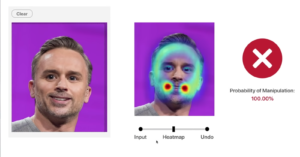
Adobe Shows Off AI Tool that Can Detect and Undo Photo Manipulation

Adobe MAX 2019 ended last night with, perhaps, the most anticipated event of the whole show. No, it wasn't the reveal of Photoshop for iPad; we're talking about the "Adobe Sneaks" showcase, where the company demoed some of the most impressive early-stage technology being developed by Adobe employees.

Match Cuts Part 2: How to Create Compelling Transitions

Filmmaker Daniel DeArco is back with the promised Part 2 of his tutorial on creating cool and compelling "match cuts" to up your transition game. In Part 1, he showed you how he captured the three shots that he would be using to create the match cut; in Part 2, he takes us the rest of the way there in post.

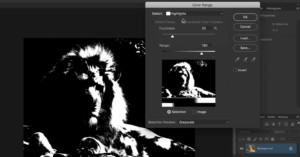
This Crash Course Will Help You Master Luminosity and Luminosity Masks

Photoshop expert Sid Vasandani of StyleMyPic has put together a fantastic, in-depth look at luminosity masks that could significantly speed up your photo editing workflow. If you don't understand luminosity or you've never used luminosity masks, this tutorial could legitimately change the way you make selections.

If You’re Using Multiple Catalogs in Lightroom, You’re Doing it Wrong

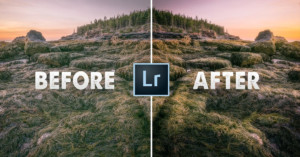
Lightroom is misunderstood and under-utilized by many photographers. Hardly a day goes by without someone asking about how to arrange their catalogs, and great swathes of people replying that you should use a new catalog for *every* *single* *shoot*. A clear indicator that they’re missing out on some incredibly useful tools Lightroom has to offer!

DxO Unveils PhotoLab 3 with HSL Tools that Leave Lightroom in the Dust

Software company DxO has released the latest version of DxO PhotoLab, a program they're calling "the most advanced photo editing software on the market in terms of image quality." We don't know about all that, but the new DxO PhotoLab 3 does come with some very interesting new features, especially where color management is concerned.

Four Subtle Lightroom Adjustments for Better Portraits

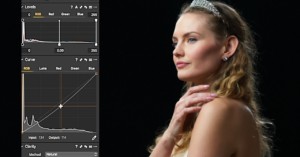
If you're looking for a quick set of useful techniques that will help improve your portrait photography, this video from Tajreen Hedayet of Tajreen&Co is a great resource. In just four minutes she covers four subtle-but-impactful Lightroom adjustments that you can use to create more professional-looking portraits.

How to Create a Focus Stack in Photoshop

Did you know that Photoshop has a built-in focus stacking function? This article explains about how it works and how to make the most of it.

How Much RAM Do You Really Need to Edit Photos in Lightroom?

How much RAM do you really need to edit photos in Adobe Lightroom? 8GB? 16GB? 32GB? And how much of a difference would upgrading your current system actually make? Ryan of Signature Edits decided to find out, and he's put together a helpful comparison video to share his results.

Adobe Shows Off Improved Content-Aware Fill Coming Soon to Photoshop

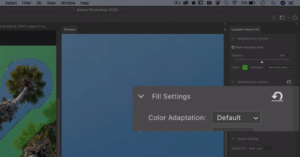
Adobe is making some big improvements to the Content-Aware Fill tool in Photoshop. In a sneak peek of an update that's "coming soon," Photoshop Product Manager Meredith Stotzner shows how an upcoming version of the tool will make it easier to get realistic results from this already-powerful fill tool.

How to Quickly and Easily Animate a Still Photo in Photoshop

There are all sorts of tools out there for making cinemagraphs and "plotagraphs" by animating certain parts of your still photos, but you don't need any of them. This short tutorial shows you how to create these animations using Adobe Photoshop.

How to Shoot People-Free Photos of Crowded Places

It's more and more difficult these days to photograph places without crowds or cars. One of the strategies that can help achieve that is to wake up early and be there at sunrise, but in very popular places, there will be other photographers with the same idea as you. So, how can we take a picture of a scene without this crowd?

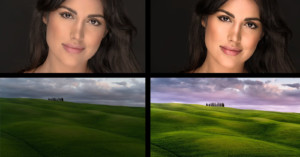
Skylum Shows Off AI Skin and Portrait Enhancer Coming to Luminar 4

Skylum continues to tease impressive AI features that are coming to its Luminar 4 software this fall. First we got AI Sky Replace, then AI Structure, and now the software company is showing off two impressive new AI-powered tools that will take out blemishes, whiten teeth, adjust facial features, and more: AI Skin Enhancer and AI Portrait Enhancer.

A Comprehensive Intro to Darktable: A Free Lightroom Alternative

Anthony Morganti of IAmMrPhotographer.com recently teamed up with photographer and fellow YouTuber Rico Richardson to produce a comprehensive introduction to the popular (and free) Lightroom alternative Darktable. If you've been wanting to try this open source RAW editor but don't know where to start, this video is for you.

How to Edit Your Images Faster: 6 RAW Processing Tips

When you're editing thousands of photos for clients every single week, time is quite literally money. This helpful video offers a few key tips that may help you speed up your workflow and save precious minutes every time you sit down to process your RAW files.

How to Speed Up Adobe Lightroom Without Buying Better Hardware

Adobe updated Lightroom with GPU Accelerated Editing a couple of weeks ago, helping to give your workflow a boost. But if your Lightroom Classic is still running too slow for your taste, this video will help you squeeze out more performance without upgrading to the latest Mac or adding better hardware to you PC.

How to Enhance the Starry Night Sky in Photoshop

Let's say I would like to enhance the stars in this Milky Way landscape photo. I could load the image into Camera Raw and add some Clarity at the risk of adding noise and artifacts to the night sky. Another way of doing it could be to use “Select Color Range” combined with a curves or levels adjustment. However, I often find that these methods don't yield satisfactory results.

How to Blend Together Any Two Landscape Photos

Part of the joy of landscape photography for me is standing around and waiting for the light to change. You put your camera on its tripod, compose a shot and wait, taking photos every few minutes, whenever the sky or light or whatever looks interesting.

Adobe Updates Lightroom with GPU Accelerated Editing

Adobe has officially released their August Photography update for Lightroom and Adobe Camera Raw, which is focused on "performance and improving your workflow." The update adds several little improvements, but the most intriguing update is the addition of GPU Accelerated Editing.

Global and Local Luminance Masking in Lightroom

I have often wanted to carry out global adjustments in Lightroom which target specific luminosity values in an image. Lately, I have discovered a way of achieving this. It is not as precise as, for instance, luminosity masking or blend-if masking in Photoshop, but yet it has the power to give an image that extra punch many of us are looking for in our editing.

Watch a Photoshop Pro Teach His Mom to Edit Photos

Photoshop expert and photo editing teacher Aaron Nace just took on his most inexperienced pupil yet: his mom. In a special episode of Phlearn, Aaron sat down with his mom to teach her how to edit some of his childhood photos in Photoshop. The result is both entertaining and, if you're a rote beginner like Mrs. Nace, a great intro to photo editing.

Corel Reveals PaintShop Pro 2020 with Content-Aware ‘SmartClone’ and More

Earlier today, Corel launched a new version of PaintShop Pro that includes some intriguing features for photographers. Boasting intelligent new cloning and selection tools and costing just $80 for the full suite, PaintShop Pro 2020 promises to "meet the needs of photographers and content creators at an unbeatable value."

NVIDIA Unveils New Studio Driver with Support for 10-bit Color for Creatives

NVIDIA has just released the latest version of its Studio Driver, and creatives who use the company's GPUS should take note. According to NVIDIA, the new driver, "delivers the best performance and reliability for creative applications via extensive testing of creator workflows" by adding support for 10-bit color for creatives who use programs like Adobe Photoshop and Premiere.

Pixelmator Pro Extension Adds Layers, RAW Editing and More to Apple Photos

Earlier today, popular macOS Photoshop alternative Pixelmator Pro just released a major update. Pixelmator Pro 1.4 'Hummingbird' adds a slew of useful new features, but the biggest news is the addition of an Apple Photos extension that turns Apple's built-in photos app into a full-blown editing suite by integrating all of Pixelmator's features.

Explaining Bit Depth and Debunking a Common Myth

Each year, someone new comes along to try and demystify bit depth for the masses. In 2017 it was Tutvid, in 2018 Greg Benz did a great job in this article, and now StyleMyPic has created a comprehensive and easy-to-follow video that explains exactly what bit depth is, how it works, and debunks a common myth.

Building The Ultimate Photo Editing Workstation

Building a solid workstation is critical to photographers and retouchers. We find ourselves sitting at the desk for 7-10 hours a day to meet deadlines. If you dread going to your editing station, it can make post-processing a chore that you don't look forward to, which means delayed deadlines and unhappy clients.

9 Single-Key Lightroom Shortcuts I Use Every Day

In all honesty, I only use single-key shortcuts as opposed to multi-key for the simple reason that I can’t remember much beyond a single keystroke. I thought about printing every shortcut and hanging it on my office wall for reference, but that would defeat the purpose of using shortcuts in the first place as I’d have to spend additional time scanning the printout to locate what I’m looking for.

How to Fix Blown Out Areas Around the Sun

Shooting directly into the Sun, whether it is sunrise or sunset, often results in some areas around the Sun getting clipped, and we get these rather harsh edges in our sky. Even when shooting bracketed or underexposing for the highlights, we may not achieve a pleasing result around the strongest light in a scene.