Post-Processing

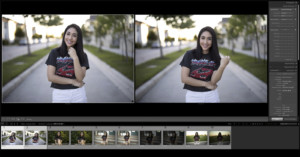
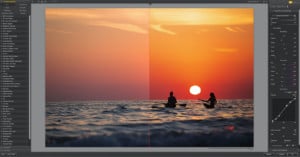
Lightroom Tip: How to ‘Stack’ as Many Spot Removal Points as You Want

The spot removal tool in Lightroom is a fast and simple method to touch up a photo and cleanup imperfections. While not as accurate or full-featured as the various touchup tools in Photoshop, sometimes you only need a simple and fast way to perform a touchup directly from Lightroom.

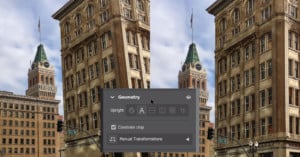
How to Edit Portraits in Affinity Photo

Portrait and headshot photographer Ivan Weiss recently created a helpful tutorial that walks you through his entire portrait editing process in the popular Adobe alternative Affinity Photo. If you've been wanting to give Affinity a shot, this is a phenomenal resource.

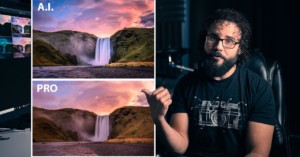
Photo Editing Shootout: A.I. vs Fiverr vs Pro Photographer

Photographer Dan Watson of Learning Cameras recently put together a little photo editing shootout. Using one of his own images, he wanted to see who would edit the photo best: strangers hired through Fiverr, a professional photographer, or some of the latest AI-powered photo editing tools.

How to Use a Waveform Monitor for Better, Faster Photo Editing

Thanks to everyone who read my previous article on my process as a TV show set photographer, and all of you who got in touch with questions and comments. People had a range of questions, especially about how I use a waveform monitor, so I'll make this a fairly wide-ranging post to try and answer everything.

Testing Canon cRAW: Smaller Files, No Downside

"Compression" is a dirty word in the world of photography, but not all compressed files are created equal. That's exactly what photographer Alex Barrera discovered when he switched to using Canon's compressed RAW (cRAW) format exclusively—it's saved him a ton of space, with virtually no downsides.

Tweak Your Curves for Another Way to Save Your Highlights

Lightroom has many adjustments and in general, they work reasonably well. I bet the most widely used sliders are the Highlights and the Shadows sliders. There seems to be a general tendency to make sure that the highlights are not blown and the shadows are not blocked.

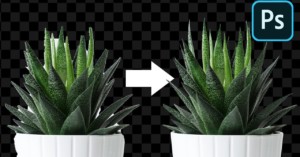
How to Make Photoshop’s ‘Object Selection’ Tool More Precise

One of the most useful AI-powered tools in Photoshop is the relatively new Object Selection tool. But if you're finding that the tool isn't quite as precise as you would like, Unmesh Dinda from PIXimperfect has a few tips that will help you dial the feature in just right.

How to Easily Remove Color Casts in Photoshop

In this post, I'll share how I do quick and easy color cast removal using Photoshop. I will provide some examples to show you that it can work for a wide range of images. The color cast removal process I will explain may not be a universal solution but it seems to be very resilient.

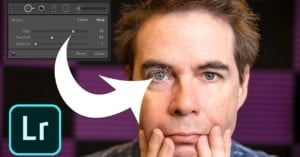
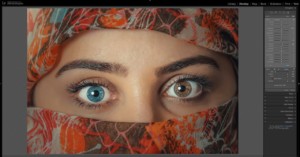
How to Change Someone’s Eye Color in Adobe Lightroom

When it comes to major retouching like changing eye color, most of us choose to use Photoshop or a similar pixel editor rather than a RAW editor like Lightroom. But as Anthony Morganti shows in the tutorial above, you don't actually have to leave Lightroom to make this kind of edit.

Apple Just Made Final Cut Pro X Free to Use for 90 Days

Following in the footsteps of Adobe, Affinity and others, Apple has just made their professional-grade video editing program Final Cut Pro X free for 90 days, extending the usual 30-day free trial and even allowing current trial users to re-start their clock.

You Can Now Get 3 Months of Affinity Photo for Free

Not be outdone by Adobe—who is currently giving everyone 2 months of Creative Cloud for free—Serif is offering prospective users 3 months of free access to Affinity Photo, Designer, and Publisher, after which you can buy the software at a steep discount if you so choose.

Adobe Unveils Major Photoshop Update for Desktop and iPad

Photoshop turns 30 years old today, and in honor of this most feared of millennial milestones, Adobe has released a major update for Photoshop on both the desktop and the iPad, improving some of the most-used and important features on both platforms: Content Aware Fill and Object Selection.

There and Back Again: Passing Photos Between Lightroom and Photoshop

Lightroom and Photoshop are designed to work hand-in-hand, so you can easily pass photos between the two programs while you're working with them. Photography instructor Phil Steele of Steele Training made this beginner's 17-minute tutorial on doing "round trips" (and even "nested round trips") with photos between Lightroom and Photoshop.

Explaining Color Space and How It Can Screw Up Your Photos After Export

If you're new to digital photo editing you've probably had this experience: you export a perfectly edited photo, but the JPEG looks all "wrong"—the colors are totally different! Actually, they not. As Unmesh Dinda from PiXimperfect explains, you just haven't sorted out your color space properly.

Creating the Best Possible Kodak Tri-X Black and White Film Simulation

Shooting black and white film over digital in the last few years has changed my approach to photography a great deal. The process of shooting film, from the tactility of the Leica M7 and Rolleiflex 2.8D cameras that I use, to developing and scanning, have given me a much deeper appreciation for the craft of being a photographer.

Lightroom Keyword Hacks: Making the Most of Your Keywords

Confession time. I hate keywording my photos. I’d rather be cutting the front lawn with a pair of scissors or ironing wallpaper. But about the 10th time it took me an hour or more to find photo, one that I knew was in my Lightroom catalog somewhere, I had to do something about keywording.

5 Worst Editing Mistakes in Landscape Photography

Photographer Mark Denney has put together a helpful video for beginners, in which he points out five of the most common photo editing mistakes he's seen and made when it comes to shooting landscapes.

Why I’m Sticking with Lightroom Classic… for Now

Ever since Adobe announced that Lightroom would become “Lightroom Classic”, the writing has been in the wall. Lightroom as I know it will someday become a technological dinosaur. If Adobe gets their way, the replacement—confusingly known as Lightroom (non-Classic)—is the way of the future.

The Problem with Presets: Why You Should or Shouldn’t Use Them

A month ago, a photography podcast slammed the preset industry in a scathing episode that was all about how presets and the photographers who sell them are terrible. Now, the photographer duo behind the popular YouTube channel Mango Street are speaking up and sharing their thoughts on this contentious topic.

Simple Lightroom Trick Helps You Find Sensor Spots (or Anything Else) in Your Photos

Using Lightroom to remove spots caused by sensor dust is a pretty straight forward process: just click "Visualize Spots" and use the Spot Removal tool, right? Well, photographer Anthony Morganti thinks that he's discovered a better way, and in the video above he shows you a "hidden" Lightroom trick that makes it easy to systematically search your images for sensor spots... or anything else for that matter.
Pixelmator’s New ML Super Resolution Feature is a Real Life ‘Enhance!’ Tool

Pixelmator Pro just released a new tool called "ML Super Resolution": a machine-learning-powered feature that "makes it possible to increase the resolution of images while keeping them stunningly sharp and detailed." In other words, the real-world equivalent of all those movies where someone yells "Enhance!" at their computer screen.

Adobe Adds AI-Powered Subject Select Tool to Photoshop for iPad

As promised in November, Adobe has already released the first major update to Photoshop on iPad. This first update adds the Adobe Sensei AI-powered Subject Select Tool—first debuted on the desktop in 2018—to the iPad version, making it much easier to create complex selections in a single tap.

Adobe Reveals the Major Updates Coming Soon to Photoshop on iPad

When Adobe released the first version of "full" Photoshop for iPad, the company reassured us that updates to this limited first version "will be impactful, and frequent." Today, Adobe followed up on that promise by revealing some of the major updates that will be coming to the app in the coming months.

How to Get Great-Looking Skin Tones in Lightroom

Ryan Breitkreutz over at Signature Edits has created a useful tutorial that dives into one of the most critical aspects of portrait photography: skin tones. In this 30-minute video, he shares some his personal tips and techniques for capturing natural-looking skin tones, first in-camera, and then in Lightroom.

Dodging and Burning in Lightroom to Transform Your Landscape Photos

There’s a common misconception among beginner photographers, especially those that are just getting started with post-processing and editing their landscape photos. This mistaken belief is that dodging and burning is a highly complex procedure that should only be attempted by seasoned professionals and Photoshop wizards -- this belief could not be further from the truth!