
Ubersnap Prints Animated GIFs as Harry Potter-style Moving Photos
Ubersnap has launched a new GIF printing service that turns animated images into moving Harry Potter-style physical prints.
Ubersnap has launched a new GIF printing service that turns animated images into moving Harry Potter-style physical prints.
If you have two or more Instagram accounts -- perhaps one for personal and one for business -- Instagram has some great news for you this week: the company is finally rolling out multi-account support, which lets you log into multiple accounts in one app and quickly switch between them. This official announcement comes just weeks after some Android and iOS users began seeing the feature in their apps.

Don't have the time or money to visit a photo exhibition you're interested in? In the future, paying a visit will be as simple as strapping a virtual reality headset to your head.
At EyeEm's Photo Hack Day 4 in Berlin recently, one of the apps developed was called Rooms. It's a virtual reality Android app that lets you enjoy photos in a virtual photo exhibition, and the app gives us a taste of what may soon be commonplace in the world of art.

Ever notice when you search for photography gear online that all the prices are exactly the same? Does it make you wonder why there isn't at least ONE retailer selling that awesome lens for less?
Have you ever tried to haggle? Maybe you have experienced that awful feeling of negotiating with a super annoying salesperson that was barely listening and every time he said something it was as if you weren't even standing there. You know, that "I don't care about you, I care about my commission" attitude. And even if you don’t mind dealing with that type of seller, do you really want to spend time, gas, and money driving around from store to store?

After launching its peer-to-peer camera gear rental network back in 2013, CameraLends is now pushing into new territory: mobile.
The startup just launched an iPhone app that allows photographers to lend and borrow gear to/from other photographers. It's "the first ever mobile app for renting," says CameraLends.

Microsoft has launched a new camera app for iPhones that's designed to help you take the perfect selfie. It's called Microsoft Selfie, and it uses some of Microsoft's latest technology to auto-tweak snapshots of your face.
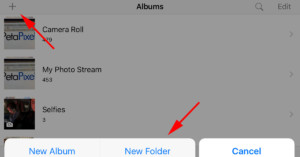
Here’s a sweet and simple photo organization tip for those of you using iPhones and iPads: in the Photos …
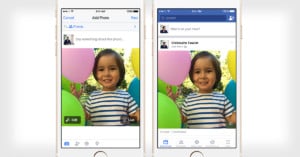
Just days after Tumblr announced support for Apple's Live Photos, Facebook is following suit. The social networking giant announced today that the official Facebook app on iOS can now lets you share and experience Apple's Live Photos.

Since May of 2015, the U.S. Department of Transportation’s Federal Aviation Administration (FAA) has been beta testing a new smartphone app called B4UFLY (pronounced "before you fly"). It's a portable resource that helps aerial photographers and other drone pilots stay up to date on where it's safe and legal to fly.
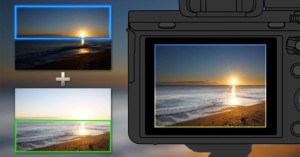
Sony just launched a new PlayMemories app called Sky HDR. It's designed to replace the graduated neutral density filters in Sony photographers' camera bags by making it easy to capture correct exposures for a bright sky in the background and a darker landscape in the foreground, all in one shot.
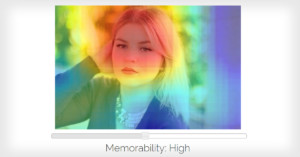
Some photographs have the power to burn themselves into our memories for a long time, while others are easily forgettable after they're seen. Scientists are MIT have been researching the science behind memorable images, and now they've created a web app called LaMem that can analyze any photo and assign it a memorability score.
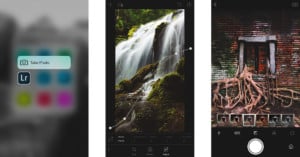
Adobe today announced Lightroom for mobile version 2.1. The update adds a number of new features for photographers who edit on their iPhone or iPad on the go.
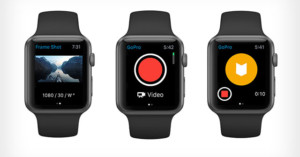
GoPro has released a new update to its iOS app that turns the Apple Watch into a remote control for GoPro action cameras.

Back in May, Google unveiled its new Photos service, which offers free and unlimited photo storage for preserving life's memories. Now the company is going a step further by making the experience social: a new shared albums feature allows you to build photo collections together with friends and family.
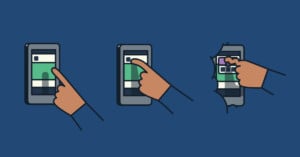
Tumblr has just announced that it's introducing support for Live Photos, a feature Apple released earlier this year with the introduction of the iPhone 6S and 6S Plus. Live Photos lets you watch a few moments of video that are recorded immediately before and after your snapshot.
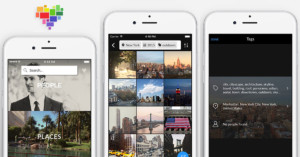
Clarifai, a NYC-based startup that's developing state-of-the-art image recognition software, has launched a new free photo app on iOS. It's called Forevery, and it's a new AI-powered app that helps you organize, discover, and share photos on your phone.

Flickr today announced its new virtual reality app for the Samsung Gear VR headset, allowing people to experience 360° photos hosted on the service through an immersive virtual reality experience. The photo sharing service began teasing this new VR experience back in September.

Back in April 2014, Dropbox announced Carousel, a photo app for archiving and sharing personal memories via a Dropbox account. Now, less than two years later, Dropbox is announcing that Carousel will soon be no more.
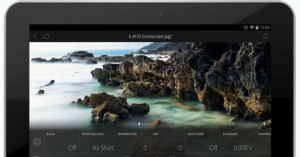
Adobe today announced Lightroom Mobile version 1.4 for Android devices. With this latest version, the photo editing app is now completely free -- you don't need an Adobe Creative Cloud subscription to download and use the app.
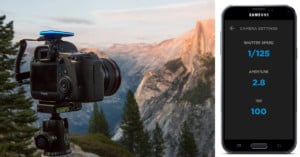
Pulse is a new camera accessory that allows you to control things wirelessly using a smartphone. It plugs into your DSLR or mirrorless camera's USB port, allowing you to shoot photos, time-lapses, or videos from an app on your phone.
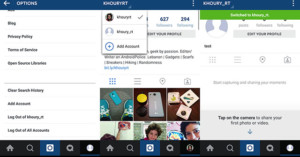
Being able to easily manage and post to multiple accounts in Instagram's app is something users have been requesting for quite some time now. If you've been struggling to maintain separate accounts for your personal life and business, here's some good news for you: it looks like Instagram will soon be rolling out a multi-account feature.
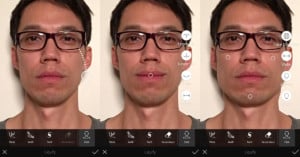
Back in September, Adobe ate some crow after showing off the new Photoshop Fix, a mobile app that has many of the powerful retouching features of Photoshop. In the demo, an image of a model was used to demonstrate the new “Smile” feature, whereby the user can manipulate the strength of a smile by simply dragging a finger.
Eyefi is best known for its Wi-Fi-capable memory cards that allow photos to be beamed to computers and mobile devices directly from cameras. Wi-Fi is appearing as a built-in feature in more and more cameras, though, and Eyefi has been pivoting its business in recent days.
Today the company jumped into the world of mobile apps by announcing that it has acquired OKDOTHIS, the photography inspiration app and community that was created in 2012 by photographer Jeremy Cowart and the Nashville-based app startup Aloompa.

The developers behind the popular Android camera app Camera51 have just announced a new app for helping people shoot the photos they need. This time the startup has targeted the online seller community with Product Camera, which lets you easily shoot product photos by automatically masking out the background behind objects.
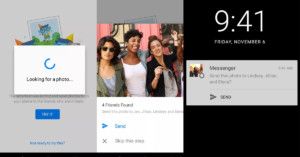
Facebook is in the process of rolling out a new feature in its Messenger app called Photo Magic. Using facial recognition, it scans through your new photographs, spots the faces of your friends, and asks you if you'd like to send those photos to those friends.

If you're curious about what it takes to do well on Instagram, Connor Franta can tell you. He's one of the biggest stars on the photo sharing service, boasting over 4 million followers. Franta recently published the 6-minute video above with his tips and tricks for shooting and editing photos that attract eyeballs.
Franta's mobile photo workflow on his iPhone consists of VSCO Cam, Afterlight, Facetune, and SKRWT.
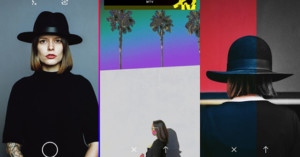
The photo filter company VSCO today announced DSCO (pronounced "disco"), a new app for creating and sharing animated GIFs of your life's moments.

Instagram has launched a new app called Boomerang that lets you share your life with extremely short looping animations. The app shoots 5 still photos in just 1 second, and then turns those frames into a moving picture that plays forward, and then backward, looping forever.
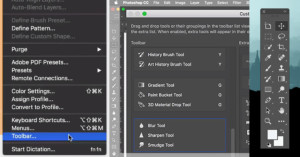
In the next update to Adobe Photoshop CC, you'll be able to customize the app's toolbars to optimize the layout for your exact needs.
Photoshop educator Howard Pinsky of IceflowStudios published the 2-minute video above that gives a sneak peek in to how the toolbar editing system works.

As camera drones become increasingly popular as a relatively cheap and easy way to capture aerial photos and videos, there are more and more stories in the news of drone accidents being caused by poor piloting. For those who wish to capture pro-quality shots without having to worry about piloting drones themselves, a group of researchers at Stanford want to help: they've create a computer tool that lets you create a shot virtually and then have a camera drone automatically turn it into real footage.
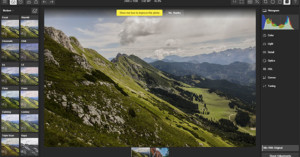
The free browser-based photo editor Polarr is expanding its reach yet again. After launching version 2 of its online photo editor back in February and a wildly popular iOS photo editing app back in June, the company today unveiled version 3 of its flagship photo editor and the company's expansion to Chrome and Windows 10 Desktop.
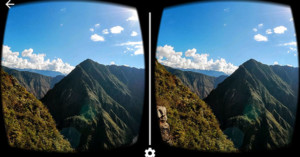
Have you bought or built a Google Cardboard yet for experiencing virtual reality with your phone? If so, there's a new major app that's now compatible. Version 2.0 of Google's Street View app has added Google Cardboard support for viewing Photospheres.

Since its launch back in April 2006, Photojojo has grown from a fun photography newsletter to a massive online store filled with photo gifts and gear. Today the company just launched a major new endeavor: Parabo Press. It's a photo printing app for iOS that lets you transform your digital photos into all kinds of physical products.
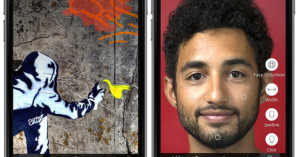
After pulling the plug on its Photoshop Touch app back in May, Adobe is now back in the mobile photo editing game. Today the company officially launched Photoshop Fix, the app that was teased months ago and code-named "Project Rigel."
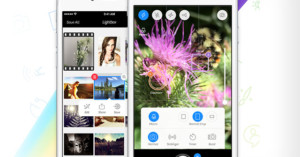
Since launching back in 2010, Camera+ has been downloaded over 14 million times by iPhone users and has become one of the best-known third-party camera apps.
Now, half a decade later, tap tap tap is going free with its blockbuster app. The app developer has launched a new free version of Camera+ as an easy way for iPhone users to obtain a more powerful camera app.

If you've always wanted to play around with the idea of using a Leica M rangefinder but don't want to shell out the cash, Lifelike Apps has a new app for you. Called Red Dot Camera, the iOS app aims to bring the feel of a Leica camera to your iPad or iPhone; it was “inspired by the retro craftsmanship of the classic M camera series” and does “without the interference of gimmicky filters.”

Snapping a collection of photos on your iPhone and then having them disappear into your Camera Roll never to be seen again can be quite a common occurrence, but a new iOS app on the market wants to change that. ‘Recently’ is a mobile application for iPhones and iPads that allows you to automatically send your 100 most recent photographs off to be printed in a personal monthly magazine and delivered straight to your door.
Quite a few parents got a rude awakening this past week after an Alabama district attorney released a video that reveals one way kids are hiding secret photos right under their parents' noses.

Google set out in 2007 to create an ambitious effort called Street View: a project aimed at providing panoramic views of individual streets around the world. The unique feature, which has since been copied by other mapping services, has, on Android devices, lived within the Google Maps app. Now, however, Street View is breaking free into its own separate application, and it includes a few features for capturing and sharing your own photospheres.
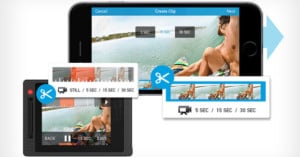
Today, some GoPro users are getting quite a nifty upgrade for their action cameras. The company has introduced a new firmware that allows HERO4 Black, HERO 4, and HERO+ with equipped LCD screens to trim video directly from the back of the device. In addition, you can now also trim and share videos directly from your smartphone.