

Tutorials

Whether you are a beginning photographer or a seasoned professional, there are always new things to learn and more areas to improve in. PetaPixel regularly publishes in-depth tutorials on a wide range of subjects, from Photoshop tips and post-processing techniques to ideas on building your own cameras and do-it-yourself equipment.
A Beginning Photographer’s Guide to Photographing The Northern Lights

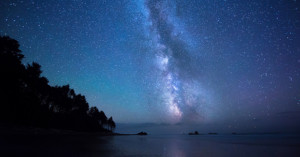
Dean J. Tatooles specializes in fine art panoramic landscape photography, wildlife photography, and indigenous portraiture from remote locations around the world. He also works with top-rated travel companies and fellow professional photographers to lead photographic safaris in Iceland, India, Kenya, and more. Fresh off a trip in Iceland, Tatooles and colleague Tim Vollmer answer some common questions about the eerie natural anomaly known as the Aurora Borealis. If shooting the Northern Lights …

Tutorial: How to ‘Make Eyes Look Amazing’ In Photoshop

One of our favorite Photoshop tutorial websites, Phlearn, yesterday put out a tutorial that is both incredibly useful and a bit scary. Useful because making eyes pop in post is probably one of the most sought after Photoshop skills. Scary because this kind of manipulation is a slippery slope that could lead to photographers getting lazy and using the "fix it in post" excuse... so proceed with caution.

Tutorial: How to Create the Perfect Gradient Reflection for Product Photography

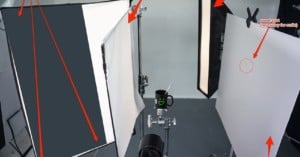
When it comes to taking product shots of glossy items, one of the most difficult aspects is getting the correct amount of diffusion when using softboxes. When the incorrect amount of diffusion is applied (or the right amount is applied incorrectly) this can lead to harsh reflections and minimal gradients, which isn't usually the look you're trying to achieve.

Tutorial Shows You How to Capture Quality Night Sky Time-Lapses

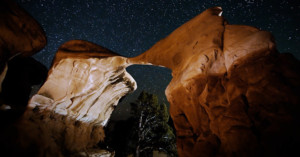
Five months after releasing his first tutorial video on shooting and processing time-lapse photography, Dustin Farrell is back at it again. This time he's gone more in depth, featuring some behind the scenes of his nighttime time-lapse workflow, from the gear he uses (and suggests) to the actual creation process of the video.

A Thorough Video Guide to Using a GoPro with a Quadcopter

Back at the GoPro goodies again is none other than Mitch Bergsma, most recently featured on PetaPixel for his tip on how to stabilize hand-held GoPro footage using your face. This time though, the tutorial attempts to help those interested in using a DJI Phantom with their GoPro attached to it.

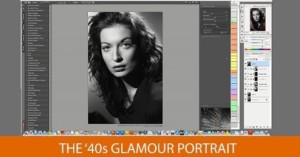
Fantastic Workshop Helps You Master the Timeless 1940s Glamour Shot

We're not in the habit of sharing full workshop videos during the week. The way we see it, most of you are at work right now (we sure are) and don't have time to watch a one and a half hour workshop at your desk (we sure don't). Problem is, this 1940s Glamour Portraits workshop by Robert Harrington can't wait.

How to Photograph an Affordable Car Like a Supercar

If there are two things I love in life it’s cars and photography, and the thought of putting those two together sounds better to me than getting chocolate in my peanut butter! Now I don’t claim to be an amazing photographer nor hold any hopes of one day having my own photography tutorial DVD. However, I do like to talk about photography and more so, I like to get other people talking about it.

Creating Motion in Stills: How to Animate a Photo in Post (Part 2)

A couple of months ago, The Creators Project and post-processing guru Joe Fellows teamed up to show you how to turn stills into '2.5D' animated sequences. The tutorial was very popular on PetaPixel, but it left some with as many questions as answers, and so the duo are at it again, creating a part 2 that addresses the most common concerns.

How To: Photoshop Perspective Warp Tool Demonstrated Using Optimus Prime

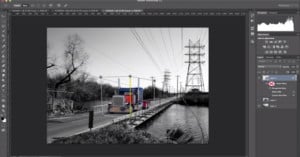
The introduction of the new Perspective Warp tool (among other things) for Photoshop CC was met with a good deal of excitement by photographers. But if you haven't had a chance to play with it yourself, or you're still unsure exactly how it works from the intro video, the demo above should give you a much better idea of how to put the tool to use.

Behold Lux: The 100% Do it Yourself, 3D-Printed Medium-Format Camera

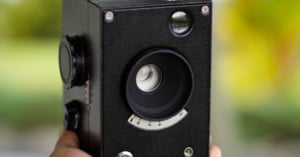
"Do-it-yourself" can mean a lot of things, but for camera dweebs, it's usually entailed some degree of scavenging and recycling parts from factory-made cameras. Grad student and specialty camera builder Kevin Kadooka understands the ease and accessibility of the practice but doesn't think it's sustainable -- eventually we'll run out of old cameras to cannibalize.

Photoshop Tutorial: Retouching Shiny Skin

Without a makeup artist at your disposal, even a great portrait can be ruined by shiny skin. So if you're looking through the results of your most recent portrait shoot and there's a lot of shine there, here's a fantastic tutorial that shows you how to get rid of it without making the photo look like it's been doctored.

Tutorial: Setting up a Slow-Motion Photo Booth

A couple of weeks ago, Seattle-based production group Super Frog Saves Tokyo took the Internet by storm with their slow-motion photo booth footage from a recent wedding they shot. Now they're back by popular demand to share some of the specifics about how they set up their slow-motion experience.

How to Clean Up Your Old Cameras

Treasures are often buried under dirt. Well, that's usually the case, anyway. Treasures for photographers may mean finding a working copy of their dream camera at a flea market or on the second-hand camera market. However, more often than not, the camera may not be looking great.

DIY: Film Canister Bag Address Tags

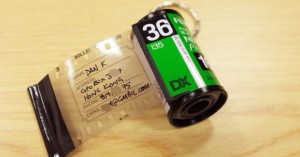
I’ve seen lots of used film canisters repurposed as dangling bag accessories for sale in trendy parts of Hong Kong. The idea is to drill or burn a small hole in the top of the plastic spool and fit a keychain to that. I figured it would be a lot more useful to use the can to give a return contact address in case the bag is lost and found. What better way could there be than to use film?

How to Turn a Smartphone Panorama Into a ‘Tiny Planet’ Photo

Ever since Google released the Photosphere feature for their Nexus devices, I have been obsessed with making tiny planets. The photosphere feature enables you to take 360 degree photos, essentially creating a "room" of photos. You also have the ability to turn your panorama into a "tiny planet". Android does all the work for you, and while you may get some errors with the stitched image, they usually turn out pretty great.