

Clever Trick: Document the Exact Lighting Setup of a Photo Using a Christmas Bulb
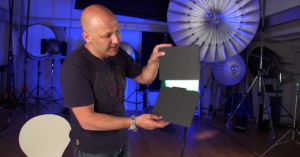
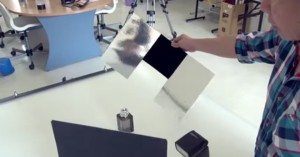
When capturing a photograph, something many of us meticulously try to account for is the lighting -- more specifically, how much light is coming from what sources.
One of the advantages a beginner in any field has over an intermediate or professional who is trying to improve their craft, is that the beginner has nothing to unlearn. So while the idea of holding your camera correctly for better low-light shots might seem painfully basic, this is one of those fundamentals you'd rather learn right the first time.
Post-processing and lighting and camera tutorials are all good and well, but none of them are going to do anything for you if you don't have a good handle on composition. To that end, this basic two-part composition tutorial by Mike Browne will give you a solid foundation from which to start.
One of the parameters first time photographers frequently go nuts with in post (to their detriment) is sharpening. So whether you're editing in Camera RAW or Photoshop (or even Lightroom, for that matter), the basic tips and tricks in this Photoshop Playbook tutorial will help make sure your photos don't end up as one big artifact.
There's no shortage of great photography resources out there for photographers of all levels who want to continue honing their skills, and joining their ranks today is a new video series from Olympus that is part marketing campaign and part learning opportunity.
Watermarks are a controversial topic. Many believe they ruin your images, and are so easily removed that there's no point in adding one. Others see it as a necessary hurdle they would like to place in a potential photo stealer's way.
Michael Woloszynowicz of Vibrant Shot is back with another share-worthy and thorough tutorial, and this time he's showing you how to fix some of the hair and skin issues that tend to crop up in portraiture.
One problem almost all portrait photographers are going to run into at one point or another is skin redness. We're human, there's blood flowing through our faces, it's inevitable and even natural.
Earlier today, Adobe announced a collection of upgrades, updates and new releases for its Creative Cloud platform. Briefly detailed in our coverage of the announcement, Photoshop CC received a number of improvements, Lightroom Mobile received an iPhone version, and Adobe announced a new iPad app Photoshop Mix.

As much as composition, proper exposure, and location can affect how good your subjects look in a photo, posing plays a very crucial and often overlooked role -- well, overlooked until you realize that all of your portraits look awkward and unnatural.
In this short but helpful episode of Adobe Creative Cloud TV, Adobe Evangelist Terry White reveals some neat Photoshop CC layer features that you may not know about. From filtering and searching layers, to selecting multiple layers, to generating assets from layers, White shares some very useful information.
We all know that light is the crucial element in photography. Understanding how it behaves and the factors that influence it is mandatory.
When diving into Lightroom, trying to set up a workflow can be a daunting task. Even once you have one in place, trying to stay consistent with it and properly tweak it as needed is a challenge.
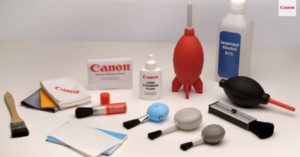
Most camera gear is built with longevity and strenuous activity in mind, but that doesn’t mean you shouldn’t take the best possible care of your gear. To that end, Canon’s service and support team recently put out this video showing the best practices for making sure that you properly and thoroughly clean and check your gear so it can keep working for as long as possible.
Behind every great photograph is a well-crafted creative workflow, and if you haven't honed yours yet, then this seminar by photographer Robert Rodriguez Jr. will help you nail it down. In a little over an hour, he details the four steps he uses in Lightroom's Develop module to go from RAW file to final, edited image.
It's not unusual for still photographers to dabble in videography at some point in their career. With almost every high-end camera on the market capable of shooting HD video almost as well as it can capture stills, the potential is just teasing still photographers to jump into the motion picture realm. Many of the compositional principles used in photography also apply, but motion picture adds an entirely new dimension to creating compelling work. To help ease that transition a bit, Filme von …
Yesterday evening, Pye Jirsa over on SLR Lounge shared an interesting and informative video about how he’s managed to incorporate a small army of LED camping lights into his photography workflow to great effect.
While the clone stamp tool is one of the most vital and frequently-used tools available within Photoshop, it’s also one that few know how to use most effectively. Here to help fix that is Aaron Nace of the Phlearn team, who graciously dedicated a quarter of an hour to showing you how to make the most of this tool.
Whether you’re just diving into Adobe Lightroom or have been using it for a while and are simply in need of some productivity tips, the above video on keeping your catalog as clean and structured as possible will likely come in very useful.
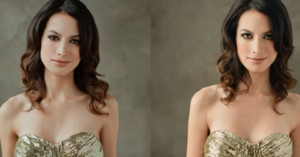
If you're new to the world of studio portraiture and you've noticed that the skin tones in your photos are often turning out wrong, it's possible you're getting color contamination from the ambient lights in your studio -- be that a bank of windows or overhead lights.
Sprinkled in-between the more advanced lighting, photography and post-processing tutorials that we feature on the site, we've been trying to add in the occasional basic tutorial or walkthrough for the beginning photographer. Not everybody who reads PetaPixel is a pro- or even an intermediate-level photographer, and we all have to start somewhere.
An ongoing debate among photographers from all backgrounds is that of natural vs artificial light. Both options have their pitfalls and qualities worth praising, but even so, it seems like some photographers are hesitant to put a subject in front of a strobe if natural light is available.
Butterfly lighting is one of the oldest techniques for lighting a subject. Named for the butterfly-shaped shadow that forms underneath the subject’s nose, this setup is a proven method to ensure your subject is well-lit in a pleasing manner.
No matter how many years you’ve been a photographer or what level you’re on, sometimes it’s important to get back to the basics. To help do just that, Adobe Creative Cloud News has put out a new video that goes through the basics of flagging and rating images in Lightroom.
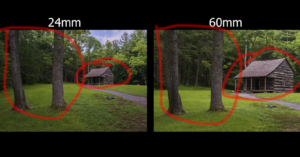
Put together by photographer Steve Perry, the video tutorial above shares a collection of useful tips, advice and examples that help explain how to best think of and use focal lengths when you're out capturing landscape photography.
Photoshop's Content Aware Scale tool doesn't get much headline time thanks to other popular features like Content Aware Move and, of course, the vilified Liquify tool, but it can come in extremely handy in a few situations.
Tilt-shift images can be made one of two ways: one is to capture them in-camera using a tilt-shift lens, and the other is to create the effect in post-production by using a clever blurring technique.
This article was reprinted with express permission from Thomas O'Brien and Muench Workshops …
When retouching skin on a subject, there’s a fine balance to strike between smoothing out a rough skin texture and keeping the skin looking natural. There are no shortage of ways to find this balance, but in the above tutorial Michael Woloszynowicz of Vibrant Shot shows us his method for achieving the desired results in an efficient and effective manner (something of a gift he has).
Many spectacular sports photos are captured by cameras that are being triggered from a ways away, as this allows for angles that would otherwise be dangerous -- for both the photographer and the athletes -- or outright impossible to capture. But have you ever wondered how these remote cameras are set up? …
Wedding photography has grown exponentially over the past decade, and with that growth has come some new trends in weddings that weren’t nearly as prevalent before. One of these is the ‘first look,' the moment that the groom first sees the bride in her dress, and a moment that is quickly becoming a must-capture.
One of the basic Photoshop skills that many beginners want to learn early on is how to change something's color in one of their images (be that an object or someone's eye color). Well, you're in luck, because Aaron Nace and Phlearn are here with a simple tutorial that will show you how to do just that, and do it well.
When it comes to street photography, much of the aesthetic appeal is the limited editing that usually takes place (or doesn’t take place, I guess), leaving the story and subject the focus of the image instead of creative editing. But that's not to say that editing should be left out of the equation or completely disregarded.
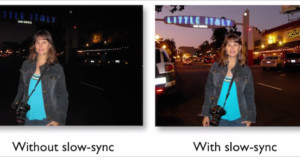
When you're first starting to experiment with using strobes, it's easy to get confused by all the talk of flash durations, flash sync speeds, and the other technical aspects of lighting up a scene. Heck, it wasn’t until two years into my photography career that I understood how it all worked.
This colorization tutorial by IceFlowStudios is actually a couple of years old now, but we only just now stumbled across it and we just had to share. In it, Howard Pinsky demonstrates an incredibly quick and easy (albeit somewhat limited) way to colorize a black and white image.
Photoshop is a program of many talents; however, there are three tools that you probably haven't used much for some time now. As some of the first features to find their way into Photoshop, the Dodge, Burn and Sharpen tools have quickly become dismissed as blunt tools of the past.
When it comes to the type of glass used in still photography, versus the glass used in motion picture, there’s quite a dramatic difference in design, quality and price. Quite often, it's the last of those differences that is the most inhibiting for photogs who want to dabble around in motion picture.
Here's a basic tip that some of you may have overlooked in your DSLR's owner manual: did you know that you can use your TV's remote when reviewing photos on it from your DSLR? It feels much better than holding your connected DSLR in your hands, and as long as you have a compatible TV and DSLR, the process is a breeze.
Have you ever heard of an anamorphic lens? If you’re a movie fan then you may have, but if not you’ve certainly seen them used in many films made for the big screen.
Just the other day we shared an awesome ‘hack’ of sorts to get up to nine times as much battery life out of your camera using an external battery. And today we have another hack, albeit one that’s a bit more involved and uses extra batteries you might actually have laying around the house.
When it comes to masking out and/or selecting hair in an image, be it to remove a background or selectively style it, it’s never an easy task. Even with the most tamed of manes, it can be a pain, but thanks to this "Advance Hair Selection Tutorial" by the Photoshop Training Channel, your life is going to get a lot easier.
Created by photography magazine COOPH, this handy little video follows photographer Leo Rosas showing off 7 little photography hacks to help create more unique images with minimal investment, in either time or money.
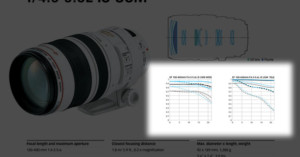
This post contains absolutely no mathematics. Explaining MTF without math is sort of like doing a high-wire act without a net. It’s dangerous, but for any number of reasons is more likely to keep the audience interested.
Photographer JP Danko recently put together the above video that takes a 20-minute behind-the-scenes look at the editing of an underwater photo. Detailing from beginning to end, Danko shares his personal technique for turning a straight-out-of-camera shot to something ready for publication.
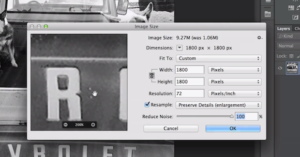
The most recent video to come out of Adobe's "Photoshop Playbook" series of tutorials offers a quick and useful tip for if you ever find yourself having to resize a low res image. It's meant for relative newbies to Photoshop, so it's not anything groundbreaking by any means, but if you use Photoshop CC it could come in very handy (and yes, this particular method is limited to Photoshop CC).
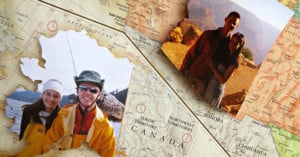
Want a crafty way to show off your travel photos? Try creating a personalized photo map, with states, provinces, or countries in the map replaced with pictures showing you in those locations.
When it comes to product photography, the smallest changes in lighting and setup can completely alter the final image, for better or worse. This applies doubly to objects like perfume bottles where you have both transparent and reflective surfaces to deal with.
In what is one of the coolest photography hacks I’ve seen in a while, Steve Ramsey from Woodworking for Mere Mortals shows you how to easily create a print-transfer to wood using nothing more than your standard inkjet printer.
Vacation photos rarely turn out the way you want them to. Even if you're a more advanced shooter, you might not have brought all your best gear with you on that family trip to the beach or the Grand Canyon and so, when you get home, you find your photos and your memory of what the scene looked like differ significantly.
About a month ago, the folks at DigitalRev TV launched a new series called "Speed Shooter" in which they show you how to take great high-speed shots of various subjects. We didn't get a chance to cover the first episode when it first came out, and so now that episode two has debuted we thought we'd put them together in one.