

How to Pull Focus in 1500FPS Slow-Mo
Here's a 2-minute video in which cinematographer Matthew Rosen explains how he pulled focus at high speed for detergent ad.
Here's a 2-minute video in which cinematographer Matthew Rosen explains how he pulled focus at high speed for detergent ad.
“Take only photos, leave nothing but footprints.” We've probably all heard the saying, but what does it mean? Basically 'take only photos, leave nothing but footprints' means to make as little impact on an environment as possible.
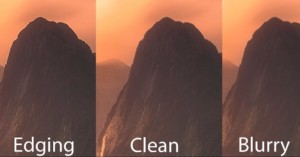
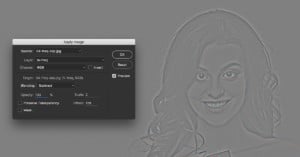
When you sharpen a photograph, what you're doing is adding contrast to the edges in an image, but unfortunately, that often leads to black and white edging in some areas. In this short, useful Photoshop tutorial, Jimmy McIntyre will show you how to avoid this and sharpen your photos cleanly in Photoshop.
Hyperfocal distance—commonly defined as "the closest distance at which a lens can be focused while keeping objects at infinity acceptably sharp"—is critical for landscape photographers who want their whole frame in focus. Here's a trick for nailing hyperfocal distance without resorting to charts or smartphone apps.
If you've been itching to step up your film photography game—be it trying 35mm for the first time, stepping up to 120 medium format, or even trying out large format film—this old video that's circulating the Interwebz again today is a great place to start.
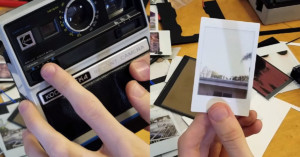
Photographer Josh Gladstone of PhotoChemicals made this 11-minute video showing how you can use new Instax instant film on an old Kodak instant camera.
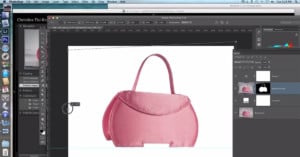
Want to learn about product photography editing techniques? A small trove of helpful video tutorials has been found in an obscure YouTube channel that had previously gotten no attention.
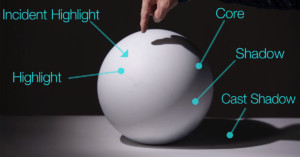
As we mentioned this morning, composition is one of the most critical aspects of photography. But another, equally important piece is understanding the basic laws of light and how to use them when capturing a photograph.
One of the biggest challenges when it comes to night photography is incorporating good foreground elements, but learning a few simple tricks will instantly elevate your game.
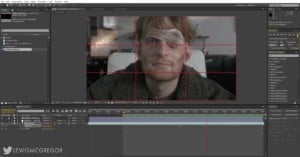
The Dolly Zoom—also known as the Vertigo Effect—is a powerful cinematic technique that involves moving the camera in one direction while you zoom the lens in the opposite direction. But did you know you can actually create this same effect in post without a zoom lens? Thanks to high-res cameras, you can.
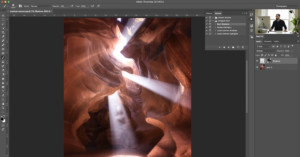
While Photoshop does have the "Dodge" and "Burn" tools, using them destructively on your original image is definitely not the best way to edit your photos. Check out this tutorial to discover two dodge and burn techniques that are more effective, cleaner, and smarter.
What would you do if you were stranded in the wild with nothing but your camera gear? Could you fashion tools for yourself to stay alive? That's what Chris Niccolls of TCSTV explores in this unusual 14-minute video.
Everyone's digging that "faded" film look nowadays, but here's a secret: you don't have to have a VSCO preset pack to get it. In this short tutorial, Mathieu Stern will show you three very quick and very effective ways to "crush the blacks" and get that popular look using just Photoshop.
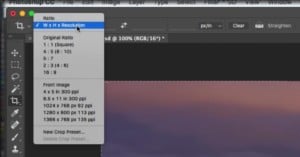
Cropping a photo to exact dimensions in Photoshop can be a real pain, but there's actually an easy one-step solution built right into the program.
There’s nothing quite so frustrating as discovering a lens you own has developed a bad growth of fungus on the internal elements. Lens fungus is commonly found in older lenses. It is indiscriminate of brand, build-quality, or price tag. If humidity stays in your lens for too long, the dreaded fungus may appear.
Keyboard shortcuts, or "Hotkeys," are indispensable in Photoshop. So the folks at Phlearn dug into their collective knowledge to come up with their Top 5 keyboard shortcuts that will speed up your Photoshop editing.
The Film Look made this 2-minute video showing how they created customized lens caps to help better identify and keep track of them.
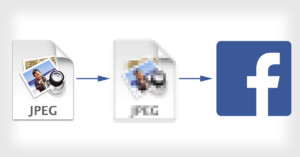
After upgrading my phone and switching over to iOS, I began uploading videos and photos to Facebook using the app itself... only to find out that it was not uploading my files in high-definition quality at all.
If you want ultimate control over your High Dynamic Range images, manual blending is still the way to go. But creating a perfectly blended image from two or more exposures using layer masks can be challenging.
We're always looking to up our Photoshop game, but the lists of Must Know "techniques" or "skills" or "tools" we run across typically disappoint us by being either to basic or too niche. This useful Top 10 by Nate Dodson of Tutvid is an exception.
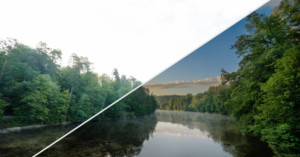
You don't need ON1 Effects 10 or Topaz Clarity to get that "Dynamic Contrast" pop in your landscape images. This short tutorial shows you how to create the effect from start to finish using only Photoshop.
Window reflection portraits are a popular style, but you don't need to live near an empty cafe on a busy New York City street (do those even exist?) to create a photo like this. The effect is pretty easy to replicate in Photoshop in just a few steps.
There are no unbreakable rules when it comes to how you should compose your photographs. After all, who likes rules except for your old school principal or heads of H.R. departments? There are, however, several photography composition guidelines you can use to help improve the composition of your photos.
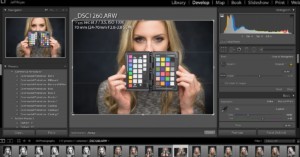
If you've never used an X-Rite ColorChecker Passport before, this quick-and-dirty primer by photographer Jeff Rojas is a great place to start.
As with most creatives, when I have a concept in mind it will distract and consume me until it becomes a reality. I wanted to create a conceptual self-portrait that was dreamlike, surreal, and relevant to an inner conflict in my life.
I recently built my own DIY large format camera using scraps. The idea of this camera started with vintage profile spotlight that I wanted to restore, only to discover that some of the internal lens elements were shattered. The only lens element that was undamaged was the front element. Upon closer inspection, I discovered that this element can project an image circle big enough to cover an 8x10 area.
Looking to make your own DSLR camera trap housing? You’ve come to the right place. Camera trapping is an increasingly popular technique, and it’s rather addictive too. The ability to leave your DSLR camera out for days or weeks at a time, watching and waiting 24 hours a day, has revolutionized the wildlife photography field.
Professional travel photographer Elia Locardi made this 30-minute video tutorial that shows how he's able to shoot and edit top-notch RAW photos without carrying a laptop around, and instead using the Adobe Lightroom Mobile app, which got RAW editing in June 2016.
Typically, the term “gobo” is reserved for the lens filters and patterns that are affixed to theater lights. The terms “flag” or “cucloris/cookie” are actually more accurate for what we’re going to be using in this post, which is an object placed between the light and the subject, but not attached to it.
There’s something special and so satisfying about shooting, editing, and publishing photos all on one device. The following is an example of taking a photo through the editing process.
Nearly every photographer has spent a portion of a session bouncing from tree to tree, placing their subjects in the patches of shade that these saviors provide. After all, it tends to be one of the easiest settings to work in. Your subject’s eyes are relaxed, your camera’s meter is calm, and if you’re lucky you get to cool off too.
Photographing the moon can be spectacular—a rising full moon looks very big and is often red. And combining a spectacular moonrise shot with landscapes or objects in close-up can give really great results.
Unless you have the dough to get a lab scanner, it is a painful process to scan your own film. Luckily one day all the photo labs dumped their Pakon F-135 to the market, and I remember you could get one for ~$250 a pop.
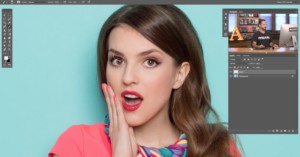
Here's a quick how-to that will probably come in handy sometime down the road for every portrait photographer. Have you ever shot a portrait where one of your subject's eyes was partially closed and it made everything look strange and uneven? Scott Kelby shows you how to fix it in Photoshop.
The idea of cleaning your camera’s sensor fills many photographers with dread. It may seem difficult or complicated but it is actually much more straightforward than you may think. In this article, I will give you a simple guide on how to check for sensor dust and how to effectively clean your camera’s sensor.
Getting into fashion or beauty photography doesn't have to involve getting lots of expensive gear right away. As New York City-based photographer Jeff Rojas shows you in this short tutorial, you can capture three totally different looks with a very small footprint and just a couple of lights.
Here's an 8-minute video lesson by photographer Mike Hagen of Nikonians and Visual Adventures on how and why to start using back button focus on your camera.
Daniel Norton, the same photographer who showed you how to capture three distinct looks simultaneously when you're pressed for time on a shoot, is back for another useful quick tip. This time, he's showing you how to capture four distinct portrait looks with a single umbrella.
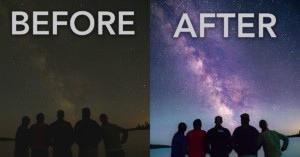
This short Lightroom tutorial will show you how to turn a simple RAW photo of the Milky Way into the kind of bright, vibrant Milky Way shot you're probably used to seeing online—complete with out-of-this-world colors.
If you've been interested in trying your hand at real estate photography for some spare cash between assignments, this short video guide by photographer Troy Nikolic a great place to start.
Photographing a meteor shower is more like photographing a time-lapse than traditional still photos. You can never anticipate where or when a meteor is going to streak across the sky.
If you're looking for a simple lighting setup for dramatic portraits, look no further. Photographer Aaron Anderson has put together a lighting tutorial that will show you how he uses one light, a black flag, and a white card to capture beautiful, dramatic headshots.
If you wanna capture quality product photos on the cheap, this short little DIY tutorial is going to be a great resource. In it, you see how an $8 IKEA table turns into a full-fledged product photo booth with just a few modifications and some creative foam board placement.
Recently, I had a portrait shoot with the legendary poet, rapper, and actor Saul Williams. It began with a simple stroke of luck: I saw he was scheduled to perform at a local club near my house, and so I did a quick search for the name of his manager. I easily found it and e-mailed them, introducing myself and explained that I would like to take his portrait.
After showing you how to make a tripod using a piece of string, I’m going to go a little more surreal this time by explaining how an old frying pan can be used to get dramatic low angle images.
In this Photoshop tutorial, we’re going to walk through the many different ways to create this pixel dispersion fragmenting effect to make your model or object look like it is bursting into little particles and pieces.
If you've been using a channel mixer adjustment layer to help you properly dodge and burn portraits, listen up. You've been doing it wrong, and retouching expert Daniel Hagar wants to explain why.
Ever since the middle of high school, I’ve been immensely interested in “the process.” You know, that middle bit between point A and point B that nobody but the artist ever sees. I’ve always loved peeking behind the scenes to see where something started and what kind of work and thought went into creating the finished product.
It's time for a long overdue post. Looking back through my archives, I realized that I've covered topics like film selections and scanning film but to date I've skipped one really important part: metering and exposing color film.
Light painting has been a basic technique in my photography ever since I learned how to really play with it. I started by just doing the usual of writing names and doing swirls but then I learned how to use it for my professional work.