Posts Tagged ‘ios’

Camera Awesome: A Free and Powerful Camera App for iOS by SmugMug

Camera Awesome: A Free and Powerful Camera App for iOS by SmugMug cameraawesome mini

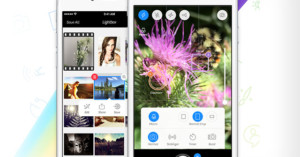
Want to upgrade the camera on your iPhone for free? SmugMug has launched a new iOS camera app called Camera Awesome that puts a number of fancy features at your fingertips, including separate focus and exposure selection tools, a one-touch “Awesomeize” button, fancy guide lines (e.g. horizon, rule of thirds, golden rule), and effects (textures, filters, and frames).
Read more…

iOS and Android Give Apps Access to Your Photos Without Permission

iOS and Android Give Apps Access to Your Photos Without Permission app mini

The private photographs on your phone might not be as private as you think. Earlier this week, the New York Times reported that iOS has a loophole that allows third-party apps who have access to location information to also access (and copy) your entire photo library without any further notification or warning. A couple days later, Android was also found to have a loophole that’s even worse — any app that can access the Internet can copy photos to a remote server! Both companies have acknowledged the privacy flaws and are currently working on fixes for them. Welcome to the scary world of Internet-connected cameras!

(via The Verge via Engadget)


Image credit: iPhone Camera by Nico Kaiser

Adobe Launches Photoshop Touch for iOS and Android Tablets

Adobe Launches Photoshop Touch for iOS and Android Tablets pst1 mini

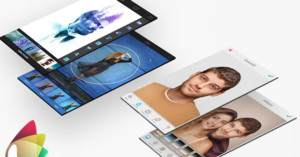
After announcing its impending arrival last year, Adobe today officially launched Photoshop Touch for the iPad and Android-powered tablets. The app offers many of Photoshop’s core tools:

Use Photoshop features designed for the tablet such as layers, selection tools, adjustments, and filters to create mind-blowing images. Use new Scribble Select to easily keep and remove elements of an image.

It’s priced at $10 and is available from the iTunes App Store and the Android Market.
Read more…

iOS Unlock Screen to Include Slider for Faster Camera Access

iOS Unlock Screen to Include Slider for Faster Camera Access slidetoshoot mini

Here’s some good news for all you iPhoneographers out there: Apple’s upcoming iOS 5.1 update — the rumored release date is March 9th — will feature a new unlock screen that’s designed to make accessing your iPhone (or iPod) camera as easy as unlocking your phone. They’ve decided to include a new fixed camera slider button next to the unlock slider — simply slide this icon up to reveal the camera! Currently, the fastest way to access the camera is to double-tap the home button and then click the camera icon that appears.

(via MacRumors and BGR)

Mattebox: An iPhone Camera App That’s Modeled After the Konica Hexar

Photographer and developer Ben Syverson has created an iPhone camera app called Mattebox that mimics the Konica Hexar, a luxury point-and-shoot from 1993 that was powerful enough for professionals but simple and intuitive enough for beginners. It’s one of the most beautifully designed camera apps we’ve seen yet, and comes with a number of fancy features baked into it (e.g. dual stage shutter release, highlight recovery, advanced B&W conversion). The app costs $4 over in the iTunes App Store.

Mattebox (via TOP)

Wander Turns Strangers Into Instagram Penpals

Wander Turns Strangers Into Instagram Penpals wander mini

Want to travel the world through photographs? Wander is a new free app that can help you do that. It connects you with strangers around the world through photo-based conversation threads. Create a profile, and the app will suggest guides for you. Once you’ve established a connection with a “photo penpal”, you share lives for a week through photo-based missions, allowing you to glimpse into what life is like for a person. Once the week is over, you’re given a new guide to provide you with a whole new experience.


Wander (via Mashable)

Idea Mine: An App for People Suffering From Photographer’s Block

Idea Mine: An App for People Suffering From Photographers Block ideamine mini

“Idea Mine” is an upcoming iOS app by Canon that helps photographers save and generate ideas. The idea is that photo ideas can always be broken down into four components: location, subject, feeling, and technique. Provide the app with these four things, and it will store your idea for you to come back to later on. If you need some inspiration, hitting the “randomize” button will fill in the fields for you — kinda like a photographic mad libs.
Read more…

How to Unlock the Hidden Panorama Mode in iOS 5 Without Jailbreaking

How to Unlock the Hidden Panorama Mode in iOS 5 Without Jailbreaking panoramic1 mini

A couple days ago it was discovered that iPhones, iPods, and iPads running iOS 5 have a secret panorama mode that’s hidden in the operating system. The feature can be enabled, but featured either a jailbroken device or knowledge in how to edit a particular iOS 5 preference file. Luckily for non-hackers, Redmond Pie has discovered an easy way to do this by taking advantage of iTune’s backup feature. This tutorial will teach you how to get the panorama feature unlocked in 5-10 minutes.
Read more…

Secret Panorama Feature Found in iOS 5

Secret Panorama Feature Found in iOS 5 pano mini

Developer Conrad Kramer was poking around in iOS 5 when he stumbled upon a hidden panorama feature built into the operating system. It allows you to create panoramic photos by simply sweeping your camera across a scene. If you’re familiar with iOS, unlocking the feature involves changing a single line in a preference file (set EnableFirebreak to “YES” in com.apple.mobileslideshow.plist). People with jailbroken iPhones and iPods can also download the new Firebreak app in Cydia.

(via @conradev via Wired)

Vintage Photo Filter Functionality May be Baked into Future iPhones

Vintage Photo Filter Functionality May be Baked into Future iPhones ios5

Apple’s upcoming iOS 5 will offer a number of welcome photography-related upgrades for iPhone shooters, but here’s one that will surely cause a love/hate response: filters. The following functions will be available to app developers once the OS is released:

CIAdditionCompositing, CIAffineTransform, CICheckerboardGenerator, CIColorBlendMode, CIColorBurnBlendMode, CIColorControls, CIColorCube, CIColorDodgeBlendMode, CIColorInvert,CIColorMatrix, CIColorMonochrome, CIConstantColorGenerator, CICrop, CIDarkenBlendMode, CIDifferenceBlendMode, CIExclusionBlendMode, CIExposureAdjust, CIFalseColor, CIGammaAdjust, CIGaussianGradient, CIHardLightBlendMode, CIHighlightShadowAdjust, CIHueAdjust, CIHueBlendMode, CILightenBlendMode, CILinearGradient, CILuminosityBlendMode,CIMaximumCompositing, CIMinimumCompositing, CIMultiplyBlendMode, CIMultiplyCompositing, CIOverlayBlendMode, CIRadialGradient, CISaturationBlendMode, CIScreenBlendMode,CISepiaTone, CISoftLightBlendMode, CISourceAtopCompositing, CISourceInCompositing, CISourceOutCompositing, CISourceOverCompositing, CIStraightenFilter, CIStripesGenerator,CITemperatureAndTint, CIToneCurve, CIVibrance, CIVignette, and CIWhitePointAdjust.

Looks like Apple is embracing the idea of vintage filters for iPhone photos and is making it extremely easy to make your own. What this probably means is that we’ll be seeing a huge explosion of bad filters very soon.

(via TechCrunch via PopPhoto)


Image credit: iPhone Filters by adamwilcox