
Tutorials

Whether you are a beginning photographer or a seasoned professional, there are always new things to learn and more areas to improve in. PetaPixel regularly publishes in-depth tutorials on a wide range of subjects, from Photoshop tips and post-processing techniques to ideas on building your own cameras and do-it-yourself equipment.

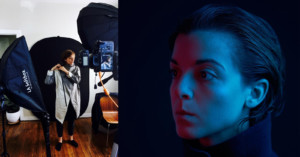
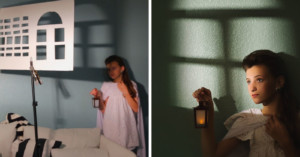
Shooting Blade Runner-Inspired Portraits Using Color Gels

Almost a year ago I purchased a set of color gels on Amazon but never got around to actually trying them out. Recently, after watching Blade Runner 2049 and being smitten by the gorgeous cinematography by the legendary Roger Deakins, I just had to play with them. Not only that, the original Blade Runner, shot by Jordan Cronenweth, is one of my biggest influences ever so this shoot was bound to happen.

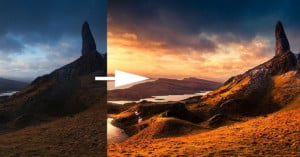
How to Use the Foreground to Create Depth in Landscape Photos

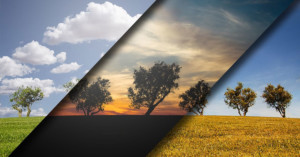
Sometimes a beautiful landscape scene doesn't look as good on camera as it did to your eye, but that's because translating a 3-dimensional scene into a 2-dimensional space is challenging. Using strong foreground elements in your composition is one way to create depth and counter this problem, as shown in this 8-minute tutorial from Nature TTL.

Video: How to Post to Instagram From Your Computer

Here's a quick 2-minute video tutorial by photographer Travis Transient on how to post photos to Instagram using the browser on your desktop computer. The trick involves using the Developer Tools feature in your browser and using your browser as a mobile browser.

7 Tips for Getting Natural Smiles in Photos

Getting someone to smile naturally on camera can sometimes be a difficult task. Here's a 2-minute video by photographer Mathieu Stern in which he shares 7 techniques for getting your subject to grin from ear to ear in seconds.

How to Put Together a Nifty SD Card Hub for Under $50

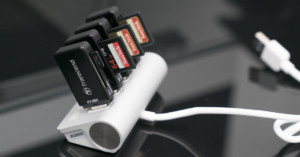
For years now, I've been looking at using the Lexar Hub to efficiently transfer multiple SD cards to my iMac. The reason I never pulled the trigger was that it seemed like it was a bit much. The Lexar hub is pretty large and it requires its own power source which is an inconvenience while traveling and having to back up cards on your laptop. I think I finally found the solution!

5 Hacks for Creative Photography in 1 Minute

Want to spice up your photography and try some unorthodox methods for getting unusual photos? This 1-minute video may be the inspiration you need. Photographer Dan Watson runs through 5 neat accessories that will let you "hack" your way to creative photos.

The 7 Commandments for Great Photo Walks

In the last year, I’ve walked probably more than 2,000 miles with my camera. I love photo walks because they are so meditative. There is also great excitement when you get home to look at the photos, to see if you caught any great ones. It adds a dimension of extra beauty and flow to your regular long walks. Here are the seven most important lessons I have learned when it comes to getting the best possible enjoyment and results from your photo walks.

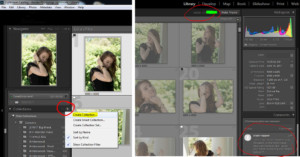
How to Easily Make Photo Selects with a Client Using Lightroom Web

You've always been able to do selects from Lightroom on the Web, but until now you needed an Adobe ID. Convincing a client or model to sign up for an Adobe ID can be a challenge. Now they can authenticate using either Facebook or Google, making the process much simpler for everyone. If you are already using collections, you're halfway there!

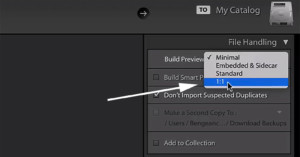
Speed Up Photo Viewing in Lightroom with 1:1 Previews

Ask any photographer their least-favorite thing about Adobe Lightroom, and they will most likely tell you it’s the application’s speed. There are a few tricks to help optimize the responsiveness of Lightroom, and this minute-long Lightroom coffee break video focuses on generating 1:1 previews.

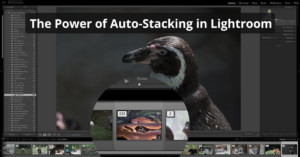
Harnessing the Power of Auto-Stacking in Lightroom

Auto-stacking in Lightroom can quickly organize a huge set of images in to more manageable ‘stacks’, which are small groups of images grouped according to their capture time. This 6-minute video from photographer Anthony Morganti shows how you can use the feature to speed up your workflow.

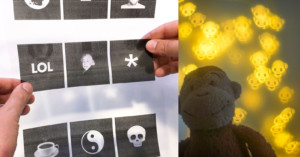
How to Customize the Bokeh in Photos Using a Laser Printer

If you're into photography, chances are that you've seen the tutorials where you are supposed to cut hearts out of paper to get heart-shaped bokeh. I recently decided to try to do this myself. But I soon realized that my scissor skills aren't anywhere near good enough to make nice looking heart shapes... let alone anything more advanced.

4 Common Photo Composition Errors and How to Fix Them

When it comes to composition “rules”, it’s important to understand the concepts so that you have them in the back of your mind while shooting. You’re not going to jail if you break them, but you will likely end up with a better image if you follow them! This 6-minute video from photographer Evan Ranft runs through 4 common composition mistakes that photographers make, and how to avoid them.
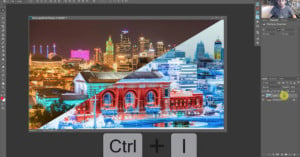
Using LAB Color in Photoshop to Add Color and Punch to Photos

The LAB color space is particularly useful for boosting colors and definition in images due to the way it handles colors when compared to RGB and CMYK. Rather than describing how colors should appear on a screen or in print, LAB is designed to approximate human vision. Colin Smith of photoshopCAFE shows in this video how this color space can be utilized in Photoshop to easily improve your images.

5 Dos and Don’ts When Shooting With Models

Photographing a human subject successfully has a lot to do with making a connection, making sure your model is feeling comfortable, and being respectful. In this 10-minute video, photographer Manny Ortiz teams up with his wife Diana (who is a model herself) to talk about the do’s and don’ts of working with models.

High Magnification at a Low Price: How I Built a Super Macro Rig for $230

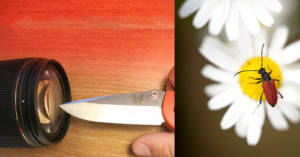
Last year, I bought a macro lens for the summer. Just a normal one with 1x magnification. I fell into a beautiful and mesmerizing world of minuscule flowers and bugs. I found that in macro photography, you don't have to travel to beautiful places to take beautiful photos -- you can just walk around in your backyard, and discover a whole new world.

10 Tips On Using Extreme Wide Angle Lenses for Landscape Photography

As a landscape photographer, I love extreme wide angle lenses. I use my 16-35mm for 90% of my photos and I mostly use it at 16mm. When I give lectures about photography, I often hear people saying they have trouble with using extreme wide angle uses just because they are "so wide". But these lenses require a different approach than your kit lens to get the most out of them.

Using Focus Stacking on Landscapes for Extreme Depth of Field

Focus stacking is a technique typically used in macro shots to achieve a large depth of field. It’s a relatively simple concept: take many images focused at slightly different distances and combine the sharp portions to a single image in post. This 6-minute video from landscape photographer Mark Denney will show you how to utilise the technique in landscape photography.

How to Master Photoshop’s Pen Tool in Just 30 Minutes

Mastery of the pen tool enables complex vector shapes and selections that can be used for masking or extracting elements from an image. There is a bit of a learning curve to the tool, but this 30-minute video from Unmesh Dinda of PiXimperfect will teach you everything from the fundamentals to real-world use.