How I Built a Film-Digitizing Lightbox
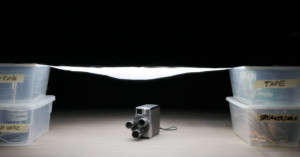
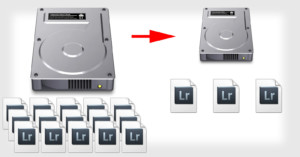
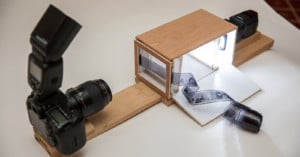
Shooting film is fun and developing film is fun, but tediously scanning film is not fun... so I built myself a film-digitizing light box to be used with a flash and a 1:1 macro lens.
Shooting film is fun and developing film is fun, but tediously scanning film is not fun... so I built myself a film-digitizing light box to be used with a flash and a 1:1 macro lens.
Drone photography is all the rage right now. It's not just for amazing aerial films, but also for great stills from a unique perspective. In this 5-minute film, COOPH gives 11 great tips for improving your drone photos.
This 2-minute video from Adorama highlights one super-simple tip that could make your life behind the camera a little easier.
Educator Colin Smith of photoshopCAFE has 7 great tips for Lightroom users that might just surprise you and make your post production life a little easier. He previously shared 7 Photoshop tricks hidden in plain sight, and these Lightroom tricks are just as helpful.
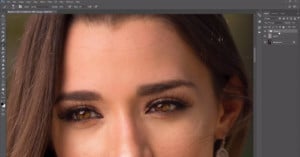
Professional high-end retoucher Zoë Noble made this 9-minute video tutorial on how to use the Clone Stamp tool in Photoshop for effective skin retouching. After the success of her recent luminosity mask retouching tutorial, Noble is back to train you on the Clone Stamp tool.
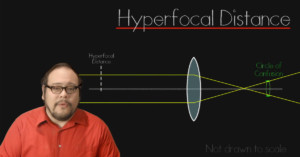
Hyperfocal distance is a tool often used by certain genres of photography to render an entire scene in focus. It allows you to capture the foreground through to the background, keeping the whole image sharp. But how does it work? This 12-minute video by Filmmaker IQ looks at the science behind hyperfocal distance.
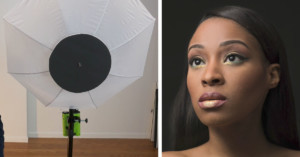
Beauty dishes are great pieces of equipment to have in your lighting arsenal, but they come at a price. You can spend hundreds of dollars on a dish, yet using a cheap shoot-through umbrella can easily produce the same effect, as this 10-minute tutorial by Joe Edelman shows.
DSLR cameras often have a little depth of field preview button beside the lens mount. This 3-minute video by ZY Productions revisits the basics of a DSLR camera and looks at how this handy button works, as well as some lesser-known things to consider.
Looking to do product photography on a budget? The lighting setup found in the 6-minute video above by DSLR Video Shooter will cost you only $50 and involves just one light source: a 24" x 24" soft box.
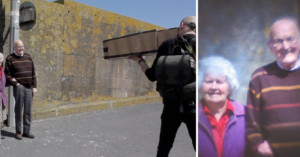
"Camera obscura" refers to a device for viewing an image that makes use of the principles of pinhole imagery, and is usually made with a box of sorts. It's this that was eventually turned into the first pinhole camera - and now you can make your own!
Whether you’re just starting your photography career or have years of experience, being found in search engines is critical to accomplishing your goals. In this post, we'll be sharing 5 helpful SEO tips that can help your photography website place well in search engines.
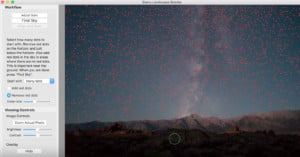
After doing an astrophotography shoot and zooming in on the stars, and you may find digital noise spoiling the scene. Removal in Lightroom can result in less color in the cosmos, but using a piece of software called Starry Landscape Stacker software can make the final output much better.
Polarizing lens filters help your camera see the world in a new light... literally. If you've never used a polarizing filter before, check out this great 3-minute video by photographer Christopher Frost in which he discusses why these filters are so neat and how to use them.
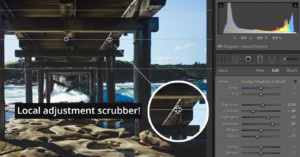
Making local adjustments in Lightroom can be a great way to bring attention to a specific part of your image, but they lack an opacity slider to retroactively change the strength of the effect. This 4-minute video shows you how to tweak the impact of your adjustments after they’ve been applied.
"Lens creep" is that really annoying thing in which your lens slips and zooms itself out of position. It happens on all sorts of zoom lenses that have an externally moving part rather than an internal one. In this quick 2-minute tip by Dr Jake, an ordinary rubber band is the answer to all of your lens creep woes.
Glassware makes for beautifully contrasting shapes on a white background. Taken under studio lighting, this high-key style of photography looks really impressive. If you're into product photography, then this 8-minute tutorial by photographer Dustin Dolby of workphlo is one you will want to watch.
The pen tool is one of Photoshop's incredibly effective tools. But it can also be difficult to understand and master, at least from the outset, and always seems to do something just really... weird. This short video tutorial promises to make you a pen tool master in just 5 minutes.
Have you ever used Photoshop’s Calculations Tool? It allows you to quickly blend two images together with optional blend modes and opacity. This 10 minute video from PIXimperfect explains how the tool works, and how it can be used to quickly convert a color image to black and white.
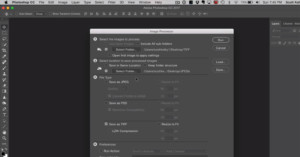
Here's a 5-minute video by Photoshop guru Scott Kelby about a piece of "buried treasure" in Photoshop: the powerful Image Processor tool.
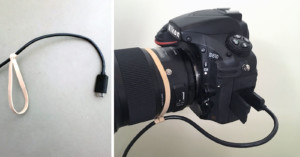
If you often shoot with your camera tethered, there are commercial solutions out there for taking the stress off your camera and cable and protecting the cord from getting yanked out. But if you'd rather not spend your hard-earned money on such a product, an ordinary rubber band can do the same thing.
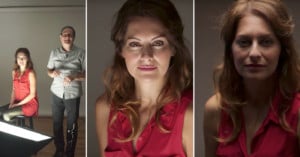
It goes without saying that lighting is an incredible important aspect to any genre of photography. But in portraiture, light can be used to create, or enhance, emotion in a photo.
Want to shoot some opportunistic car photos but only have your smartphone on hand? In the 6-minute video above, COOPH has 12 tips & tricks that you can apply instantly to spruce up your automobile images.
Saving images for the web, and specifically Facebook, can require a little bit of extra attention to get them looking sharp. This 10 minute video from Francisco Hernandez of FJH Photography explores some sharpening, sizing, and exporting tips to ensure your images look their best on Facebook.
Hollywood photos and still frames often look fairly dreamy with a bit of a glow to the subject in the image. In this tutorial by the guys at Photoshop Cafe, you can learn a number of ways to do this to your own portraits.
Panning with a moving subject is a great way to show motion whilst also separating your subject from the background. Learn how to achieve this effect in this 11-minute beginner's guide from photographer Josh Katz.
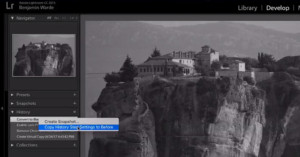
In Lightroom, the backslash key can be used in the Develop module to toggle the Before/After view. But you can actually do more: here’s a 50-second video that shows you how to customize which "Before" view is shown.
Action shots of cars in movement are often taken with a ‘car rig’ – basically a long pole that is attached to the car, with a camera mounted on the end. A professional car rig can cost in the thousands, but this 13 minute video from Practical Photography will teach you to make your own for under $40.
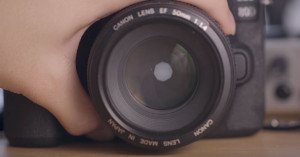
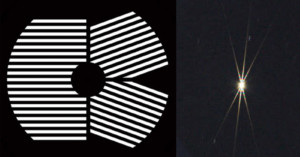
Finding razor-sharp focus when shooting astrophotography can be hard – stars appear as point light sources, and there are no detailed surfaces to aid the eye in achieving focus. The Bahtinov Mask is a widely used tool that cleverly uses diffraction as a focusing aid.
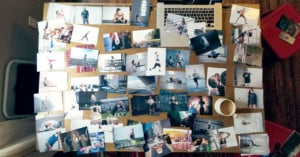
My best photos aren't in my portfolio. Or, maybe I should more accurately say, photos that were my best at one point in time, have now been discarded from my portfolio because they have been replaced by newer, better work. It didn't happen all at once. One by one, they dropped like flies to be replaced by newer and better flies.
The mere mention of image manipulation may make some photographers cringe, but there’s no denying that some skill with Photoshop can enable you to completely transform an image. In this 20 minute tutorial, Serge Ramelli walks through the process of manipulating a ‘boring’ image and turning it in to a dramatic one by transforming the lighting and sky in the scene.
In this article, I’m going to be breaking down very tactical and easy steps to help you land more collaborations with Instagram influencers. If you follow this guide, using the framework and template that I've provided, you will find success.
A radial gradient can be used almost like a spotlight, directing the eye of the viewer where you want in an image. In this 10-minute video from f64 Academy, learn how to use the tool in harmony with blend modes and opacities to control the effect.
Mounting a monitor on your DSLR usually means using an articulating ball mount, which is fiddly and impossible to adjust with one hand. Caleb Pike shows how to build a freely adjustable mount using GoPro parts in this 5 minute video.
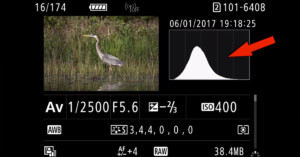
Once you understand how to read a histogram, it becomes an extremely useful display of the data that your camera is seeing. This 10-minute video from Steve Perry examines what histograms are, how to use them to check exposure, and some tips for avoiding exposure clipping.
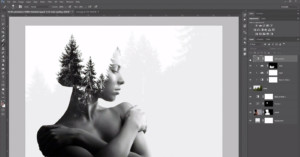
The artistic effect created by compositing images in a double exposure is certainly nothing new, but the masking techniques learned in constructing this kind of image in Photoshop are valuable in all sorts of post-production. This 9-minute video from Eye Stocker will show you how to combine a portrait of a woman with a photo of pine trees.
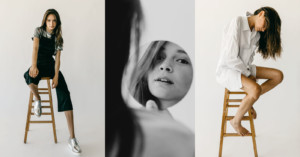
There’s little in portrait photography less flattering than a double chin. This concise video tutorial from the Koldunov Brothers demonstrates 5 techniques for reducing double chins, to significantly improve the portrait.
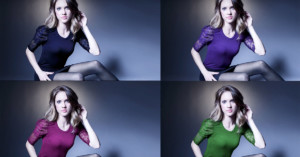
Ever shot an image of a model and kicked yourself about the color of what you had them wearing? Perhaps the clothing choice doesn't suit the final image once you've put it through some processing software. By using masking and selective color tools, you can make fashion decisions in hindsight.
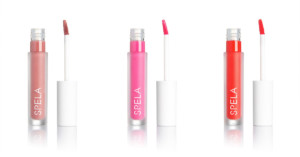
Cosmetics look great on a pure white background, known as 255 white. In this tutorial for workphlo, Dustin Dolby shows off his workflow when shooting your "typical" cosmetic catalog photos.
Shooting RAW gives you a lot of latitude to make exposure adjustments in post, but it’s still vital to understand how to correctly expose a scene to avoid clipping highlights and destroying shadows. This 3-part series from photographer Greg Benz will teach you everything you need to know to get the shot.
Ever since I decided to start learning photography, I’ve been looking for a good catalog of composition ideas. Once you figure out the mechanics of how a DSLR works, getting good at the composition of your photos seems to be the 80/20 of rapidly improving at photography.
It's difficult to stand out from the crowd in still life photography. When someone picks up a camera for the first time, still life is probably the initial thing they try. Therefore the internet is packed full of still life images, but these tips will help to give your photos an edge.
The golden hour is popular amongst landscape photographers, but it is definitely worth utilising this for outdoor portraiture. By positioning the sun behind or in front of the subject, the lighting is changed dramatically. It's just like having a giant light on in the studio, but it is golden and delicious in the evening.
I’ve been photographing extreme weather for 25 years. After publishing tips on how to photograph lightning here back in March, I was asked to share any tips I have in capturing an award-winning tornado image. So, here I go…
Photos take up a lot of storage space. That’s just something that us photographers have to deal with. That said, there’s no reason to waste space on our computers. So here's a tip: deleting old, unneeded Lightroom data can clear up a ton of space.
Did you know that there are lots of hidden Lightroom shortcuts? Some of the app’s most useful shortcuts are tucked away in places you might never look. As a result you may be unaware of them until someone points them out to you. Here are 14 you might want to know.
Can’t get enough of yourself? Here’s a 10-minute video from Peter McKinnon in which he shows how to create clones of yourself in photos using Photoshop and in videos using Premiere Pro.
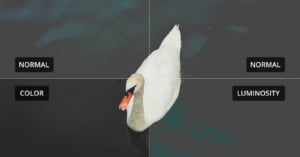
Blend Modes in Photoshop are simple at a glance, but it’s easy to forget exactly how each of the 27 modes work. This 10-minute video from Blake Rudis of f64 Academy goes in to detail on Luminosity and Color, which are both very useful for photo editing.
Here's an inspiring video by Mango Street about one of the most important things you can learn to do as a photographer, which is storytelling. In addition to organically capturing moments as they happen, you can also conceptualize and execute an idea that inspires you, and Rachel and Daniel show how it's done in the 5.5-minute video above.
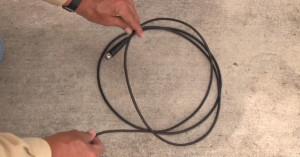
There are few things in life more frustrating than tangled cords and rope, and you may run into both during a photo shoot. In under 5 minutes, this video from PremiumBeat will teach you how to properly wrap your cables to keep them tidy and save time.
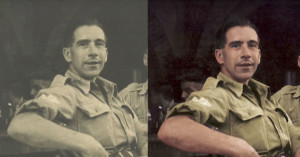
Watching old family photographs fading away in treasured photo albums is a sad reality. However, bringing the digital age to these old film photographs can deliver them back to life. Colorizing old black and white photos can immediately transform an aged, washed-out capture into an image full of realism.