Archives

Jump to articles by year, month, or day.

Year
Month
Day

Year alone opens that year’s archive. Add a month or day to narrow it.

Three people stand in a marble staircase area, smiling and engaged in conversation. The person on the left wears glasses and a sweater, the person in the middle wears a blue sweater, and the person on the right wears a pink polka dot top.

Adobe’s Creative Residency Program Welcomes New Artists for 2025

Adobe's celebrated Creative Residency program seeks to provide up-and-coming artists new opportunities to develop their work and gain stronger footholds in the broader art world. To that end, the program places artists at some of the world's most famous art institutions and gives them a chance to showcase their work.


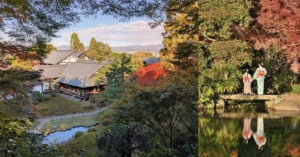
A serene Japanese garden with a traditional building, vibrant autumn foliage, and a reflective pond. Two people in kimonos stand on a stone bridge, enhancing the scene's tranquility and cultural richness.
The Landscape Photographer’s Guide to Japan

The images of Japan that spring to mind are of the bustling, neon-splashed streets of Tokyo—towering walls of steel and glass, teeming pedestrians dodging traffic. But the Land of the Rising Sun also harbors visions of natural beauty that stretch the eye to the horizon and tug at the soul.

A promotional image for Aiarty Image Enhancer V3.0 featuring a before-and-after comparison of an enhanced photo. Text highlights new AI models, face restoration, and DPI options. The interface is displayed on a laptop screen.

Upscale, Denoise, Deblur Photo and Restore Facial Details with New Aiarty Image Enhancer Powered by AI

Every photographer encounters challenges with image quality at some point. These could be blurry or out-of-focus pictures from unsteady hands, grainy or noisy shots from cranking up the ISO, underexposed images in dim lighting, or pixelated photos that lose their clarity and detail when zoomed in -- these are all typical headaches requiring effective solutions.

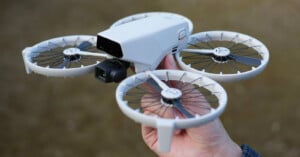
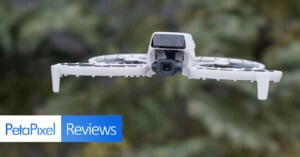
A drone with a camera flying outdoors against a blurred green background. The image has text reading "PetaPixel Reviews" in the bottom left corner.

DJI Flip Review: Lightweight Done Right

More than ten years ago, I decided to dip my toe into the world of aerial video when Chris Niccolls and I reviewed the DJI Phantom 2 for The Camera Store TV. Two crashed drones in less than a week later, I decided to leave aerial footage to the professionals. But now DJI has introduced the $439 Flip, with incredibly low weight, just enough video quality mojo, and some cool automated tricks. It might be the perfect compliment to my YouTube camera kit, but I wanted to see how it performed in the …

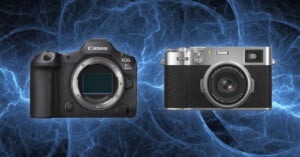
Two digital cameras are displayed side by side against a blue fractal background. The left camera is a Canon EOS R5 without a lens, and the right camera is a Fujifilm X100V with a lens attached.

Camera Sales Surged in Japan in 2024

Japanese retail analyst BCN+R released a new report showing that consumer electronics, including cameras, experienced a huge boom during 2024, especially at the very end of the year.

An Adobe Photoshop splash screen featuring vibrant artwork of an animal in a hat with a colorful outfit. Surrounding the screen are various stamps, a wand, and a paintbrush on a textured background.

Healing Tools in Photoshop: Picking the Right One

Fixing blemishes is one of the most basic uses for Photoshop, tiresome though it is at times. They vary, these blemishes, whether they’re dust spots on digital images, marks and scratches on film scans, or blobs, stains, and tears on old prints. Other blemishes are the kind that exist on your subject, like skin flaws.