Software

Don’t Update to macOS Catalina Yet if You Use Photoshop or Lightroom

If you're a Mac user who regularly uses Adobe Photoshop or Lightroom Classic CC, we don't recommend updating your computer to macOS Catalina just yet. Even though the new operating system has been in beta for months, updating your Mac today will lead to a few annoying issues that you might want to wait for Adobe to iron out.

Adobe Shows Off Improved Content-Aware Fill Coming Soon to Photoshop

Adobe is making some big improvements to the Content-Aware Fill tool in Photoshop. In a sneak peek of an update that's "coming soon," Photoshop Product Manager Meredith Stotzner shows how an upcoming version of the tool will make it easier to get realistic results from this already-powerful fill tool.

Canon Releases Major Autofocus Firmware Update for the EOS R and RP

If you own Canon's EOS R or EOS RP, download the latest firmware for your camera ASAP. As of last night, Firmware Ver 1.4 and 1.3 for the Canon EOS R and Canon EOS RP, respectively, have been released, boasting improved overall autofocus performance, enhanced Eye and Face Detection AF, and more.

How to Use Google Earth for Extremely Detailed Location Scouting

There are a lot of great location scouting tools out there. But while PhotoPills and The Photographer's Ephemeris do an amazing job and are packed full of useful features, photographer Tony Northrup explains why he prefers to use something else that's completely free: Google Earth.

How to Shoot People-Free Photos of Crowded Places

It's more and more difficult these days to photograph places without crowds or cars. One of the strategies that can help achieve that is to wake up early and be there at sunrise, but in very popular places, there will be other photographers with the same idea as you. So, how can we take a picture of a scene without this crowd?

Skylum Shows Off AI Skin and Portrait Enhancer Coming to Luminar 4

Skylum continues to tease impressive AI features that are coming to its Luminar 4 software this fall. First we got AI Sky Replace, then AI Structure, and now the software company is showing off two impressive new AI-powered tools that will take out blemishes, whiten teeth, adjust facial features, and more: AI Skin Enhancer and AI Portrait Enhancer.

Get this $35 AI Photo Editor for Free and Stop Wasting Time on Manual Processing

We live such hectic lives that there’s hardly ever any time to stop and appreciate the beauty around us (let alone take a picture of it). Even if you do manage to carve out a little photography time, even the simplest editing offers new challenges to overcome. All the tools, masks, layers, filters — not everyone has time for that.

A Comprehensive Intro to Darktable: A Free Lightroom Alternative

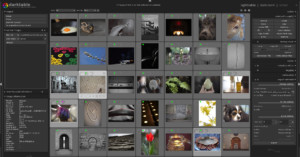
Anthony Morganti of IAmMrPhotographer.com recently teamed up with photographer and fellow YouTuber Rico Richardson to produce a comprehensive introduction to the popular (and free) Lightroom alternative Darktable. If you've been wanting to try this open source RAW editor but don't know where to start, this video is for you.

How to Speed Up Adobe Lightroom Without Buying Better Hardware

Adobe updated Lightroom with GPU Accelerated Editing a couple of weeks ago, helping to give your workflow a boost. But if your Lightroom Classic is still running too slow for your taste, this video will help you squeeze out more performance without upgrading to the latest Mac or adding better hardware to you PC.

NeuralCam Night Photo App Brings AI-Powered Low-Light Mode to iPhones

One area where Apple has been lagging behind its Android competition is low-light photography. Google's NightSight and the Night Modes on other Android devices have been blowing away reviewers, so Halcyon Mobile stepped in and developed Neural Cam Night Photo: a third-party app that brings these capabilities to the iPhone.
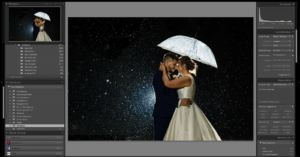

The Best Lightroom Tool For Improving Composition in Photos

How many times have you returned from what you felt was a productive photography trip only to find that some of the compositions of your favorite images weren't exactly what you expected? This happens to me rather frequently, but fortunately for us, we have access to one of the best Lightroom tools for improving composition in our photos: the Crop tool!

How to Enhance the Starry Night Sky in Photoshop

Let's say I would like to enhance the stars in this Milky Way landscape photo. I could load the image into Camera Raw and add some Clarity at the risk of adding noise and artifacts to the night sky. Another way of doing it could be to use “Select Color Range” combined with a curves or levels adjustment. However, I often find that these methods don't yield satisfactory results.

Adobe Updates Lightroom with GPU Accelerated Editing

Adobe has officially released their August Photography update for Lightroom and Adobe Camera Raw, which is focused on "performance and improving your workflow." The update adds several little improvements, but the most intriguing update is the addition of GPU Accelerated Editing.

Global and Local Luminance Masking in Lightroom

I have often wanted to carry out global adjustments in Lightroom which target specific luminosity values in an image. Lately, I have discovered a way of achieving this. It is not as precise as, for instance, luminosity masking or blend-if masking in Photoshop, but yet it has the power to give an image that extra punch many of us are looking for in our editing.

Corel Reveals PaintShop Pro 2020 with Content-Aware ‘SmartClone’ and More

Earlier today, Corel launched a new version of PaintShop Pro that includes some intriguing features for photographers. Boasting intelligent new cloning and selection tools and costing just $80 for the full suite, PaintShop Pro 2020 promises to "meet the needs of photographers and content creators at an unbeatable value."

NVIDIA Unveils New Studio Driver with Support for 10-bit Color for Creatives

NVIDIA has just released the latest version of its Studio Driver, and creatives who use the company's GPUS should take note. According to NVIDIA, the new driver, "delivers the best performance and reliability for creative applications via extensive testing of creator workflows" by adding support for 10-bit color for creatives who use programs like Adobe Photoshop and Premiere.

This is What Photoshop Was Like in 1988

Think your Photoshop is slow? Check out what it was like to use Adobe Photoshop version 0.63 Beta. Here's a humorous 13-minute video (warning: there's strong language) in which Krazy Ken of Computer Clan tries editing some photos inside the Photoshop that existed back in October 1988.

Pixelmator Pro Extension Adds Layers, RAW Editing and More to Apple Photos

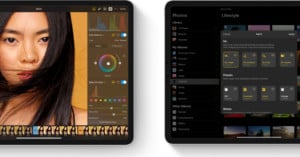
Earlier today, popular macOS Photoshop alternative Pixelmator Pro just released a major update. Pixelmator Pro 1.4 'Hummingbird' adds a slew of useful new features, but the biggest news is the addition of an Apple Photos extension that turns Apple's built-in photos app into a full-blown editing suite by integrating all of Pixelmator's features.

9 Single-Key Lightroom Shortcuts I Use Every Day

In all honesty, I only use single-key shortcuts as opposed to multi-key for the simple reason that I can’t remember much beyond a single keystroke. I thought about printing every shortcut and hanging it on my office wall for reference, but that would defeat the purpose of using shortcuts in the first place as I’d have to spend additional time scanning the printout to locate what I’m looking for.

Landscape Photographer: Why I Don’t Use Global Sliders in Lightroom

When you use Lightroom, do you edit globally or locally? Many (possibly most) people use the global editing sliders liberally when processing an image. But landscape photographer Thomas Heaton's most recent video makes a good case for using mostly local adjustments and leaving those global sliders alone.