Post-Processing

Forensics Analyst Claims That the World Press Photo Winner is a Composite

Dr. Neal Krawetz, a computer science PhD who specializes in non-classical computer forensics, online profiling, and computer security, made some pretty damning claims in a blog post recently. After taking a close look at Paul Hansen World Press Photo 2012 winner (seen above), he concluded that it was "a digital composite that was significantly reworked."

Embarrassing Photoshop Fail Illustrates a Presidential Handshake Gone Wrong

North Korea has a history of Photoshop fails, so you think the country's neighbor to the south would take heed and keep a close watch on manipulation. Sadly, that doesn't seem to be the case, as the above photo painfully clearly illustrates.

The photo -- chosen by South Korean news outlet Yonhap to illustrate their coverage of President Park Geun-Hye's recent visit with President Obama -- shows the two leaders shaking hands. The only problem is that they seem to be standing in different rooms ... and President Obama has two right arms.

Piccure Plugin Magically Reduces Camera Shake, Beats Adobe to the Punch

A couple of weeks ago, we shared a sneak peek of Adobe's upcoming Shake Reduction Tool for Photoshop that has been dropping jaws ever since an advanced preview was debuted all the way back in October of 2011. The tool selects a section of the image, uses some complicated calculations to determine how the camera was moving when the photo was taken, and then remove the blur -- pretty incredible stuff.

But it looks like Adobe has been beaten to this magical release by the small startup Intelligent Imaging Solutions and their newly announced Photoshop plugin Piccure.

Adobe Looking to Bring Lightroom-style RAW Editing to a Tablet Near You

Tablet computers may soon rival desktop computers in RAW editing potential. Adobe has revealed that it's working on bringing Lightroom-style photo editing to tablet devices, and the software would include powerful RAW photo editing features that are currently found only in the desktop versions of Lightroom and Adobe Camera Raw.

Photographer Shares His Lightning Quick Lightroom Workflow

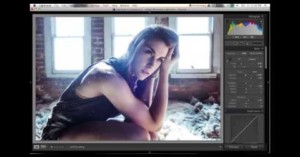
Scouring through a huge number of photos and editing all of the 'winners' can be a tiring task, especially when you consider that one day may consist of hundreds or even thousands of photos. A great workflow can help significantly expedite that process, and fortunately for us, pro photographer Nick Fancher has chosen to share his.

Quick Tutorial Shows How to Dodge and Burn Using Curves in Photoshop

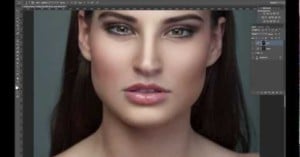
In addition to taking beautiful fashion photos, Serbian born photographer Elena Jasic also occasionally uploads a tutorial or two to her YouTube channel. One that has gotten some attention lately is this simple video that offers one way to dodge and burn non-destructively in Photoshop.

Adobe Launches Lightroom 5 Beta, Adds Several Exciting Features

From the very first version of Lightroom in 2006, Adobe has been releasing public betas prior to shipping to make sure that the final product has all of the kinks worked out, and this year is no exception. Earlier today, Adobe released the public beta of its upcoming Lightroom 5, complete with video and photo examples of a few exciting new features.

Creative Market Launches PS Extension, Lets You Buy Your Assets In-App

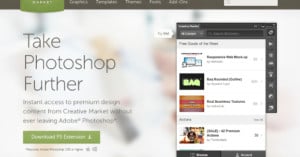
Following on the heels of a similar announcement by Adobe itself, design marketplace Creative Market has announced that it too has set up an in-app marketplace for Photoshop users. Out now, Creative Market's Photoshop extension allows users to browse and buy from the company's massive catalog of templates, fonts, infographics and more without ever leaving the comfort of Photoshop.

Double Trouble: Daily News in Hot Water for ‘Shopping an Already Fake Photo

NBC recently received some criticism for distributing the above photo of Jay Leno and Jimmy Fallon to several news outlets -- some of which used it on their front page -- without disclosing that the background and road in the image were fake. Being an entertainment outlet, however, they were granted a pass; the fakery was obvious and it was the news outlet's job to figure it out and disclose it to their readers.

But one particular newspaper has drawn more fire than the rest. The New York Daily News was one of the papers that used the photo on their front page, but on top of not disclosing the initial fakery, they further 'shopped the photo and kept that part to themselves as well.

ElementsXXL Plug-In Makes Photoshop Elements Much More Photoshop-Like

Amateurs just getting into post-processing sometimes opt to purchase the much cheaper Photoshop Elements over spending the hundreds more it would cost to get the industry standard pro version. Unfortunately, the gap in features between Elements and the upgrade leaves a lot to be desired, which is why the ElementsXXL plug-in came to be.

ElementsXXL is a Windows-only plug-in that brings a massive list of features previously reserved for the full-featured Photoshop to Elements -- all for only $50.

Google Selling Complete Nik Plugin Suite for Only $150

When Google acquired Nik Software back in September, the photographic community took it as a sign that the internet giant was focusing more intently on our passion. But last week, when Google announced it would be pulling support for the desktop version of Nik's popular mobile editor Snapseed, the same people wondered if this spelled the end of the rest of Nik's well-respected suite of plugins.

Fortunately, the opposite is the case. Google may have pulled their support for the desktop version of Snapseed, but the remaining offerings from Nik are not only still available, they will be sold in a record-low-priced bundle.

PSA: Say Farewell to Unsharp Mask When Sharpening Your Photos

Unsharp Mask: the sharpening filter of choice for photographers everywhere. It’s a fantastic tool that can really take an image to the next level when used correctly and I’m here to tell you that you should never use it again. That’s right, bid it a fond adieu and stop using Unsharp Mask. Forever.

Adobe Photoshop Touch Now Available for iOS and Android Phones

In February 2012, Adobe launched a photo editing app for Android and iOS tablets called Photoshop Touch. The software price priced at $10, and offers many of Photoshop's core features in a touch-based interface.

Now, one year later, Adobe is expanding the reach of PS Touch even more: the company announced today that the app is now available for Android and iOS smartphones (and the iPod touch).

Shooting a Portrait of Richard Branson for the Cover of Wired UK

Up. That’s all you need to say. Last November, we took on a project with Wired UK magazine to photograph Richard Branson’s latest venture in attempting to conquer the final frontier: space. We spent the good part of a week in the deserts of New Mexico and California, photographing the spaces and places, the infrastructure, the people, and ultimately Sir Richard himself.

Tutorial: Creating a Photo of Syrup Being Poured on a Pancake Lens

The vast majority of my photographic work is environmental portraiture, corporate and editorial photography, and interiors, some of my commercial photography does include product photos. Quite honestly, some of this stuff is pretty straightforward, take a nice representative image of the product on a clean white backdrop so it integrates onto a website (also white) seamlessly. Sometimes a client gives me a bit more artistic license, and sometimes I get to do a shoot that's just for me.

Tutorial: How to Create a Wet-Plate Look Photography Using Photoshop

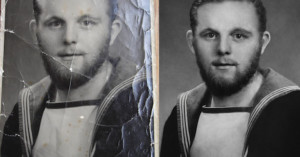
Faking the look of old films is becoming ubiquitous in the world of mobile photo sharing apps, but so far the popular apps have stuck with various films and not older photographic processes. If you want to create a photograph that mimics the look of a wet plate, it's actually pretty easy to do in Photoshop.

How to Create a Surreal Self-Portrait That Shows You Holding Yourself

Here's a step-by-step tutorial on how to create a photograph of you holding yourself up. I hope it will give you a good idea of how I create this type of image so that you can create a similar image yourself! Obviously, this is not the only way to create this type of image, but it is the way I have found most believable, as the connection between the two subjects actually occurs in real life. Enjoy!

Processing a Space Shuttle Endeavour Flyby Photo Using Lightroom

When Space Shuttle Endeavour was making low level flyovers of famous landmarks across the United States a couple of months ago, Adobe Lightroom Quality Engineer Ben Warde was able to photograph it flying by the Golden Gate Bridge. The 10-minute video above shows how Warde post-processed one of his best shots from that day using basic Lightroom adjustments. While the information may be basic for many of you, it should be helpful for people who are just starting out with programs like Lightroom, Adobe Camera Raw, or Aperture.

How to Retouch Portraits Without Losing Skin Texture with Frequency Separation

Here's a great introductory retouching tutorial by photographer Sara Kiesling, who writes,

Basic skin retouching using frequency separation and dodging & burning. I use this process on every photo that I do, and I usually spend about 4-5 minutes on headshots like this (and less time on full body shots when there is obviously less detail in the face). This is not intended to be a high-end retouching tutorial, but techniques that can help people who want to do natural-looking retouching while maintaining most of the natural skin texture!

Frequency separation is a technique that allows you to give skin a smooth-yet-sharp look.

VSCO Keys Speeds Up Your Lightroom Workflow with Keyboard Shortcuts

Visual Supply Co (AKA VSCO), best known for its film emulation software, has launched a new product that's designed to reduce the time you spend post-processing your images in Adobe Lightroom. VSCO Keys is a tool that adds powerful and customizable keyboard shortcuts to Lightroom 3 and 4. You can assign keys to the various sliders in the program, allowing you to keep your hands off your mouse during photo editing.

Great Two-Hour Lectures on How to Use Photoshop and Lightroom

Looking for free lessons on how to get started with using Adobe Photoshop and Lightroom to post-process your photographs? Look no further than the official YouTube channel of New York City camera shop B&H Photo Video. The store often invites well-known professional photographers to hold lectures on subjects they're knowledgable in and passionate about. The collection of videos aren't as shared as other shorter tutorial videos you'll find online due to their great lengths -- they run up to two hours each -- but they're fantastic resources for learning the ins and outs of photography.

Seventeen Makes No-Photoshop Pledge In Response to Teen’s Campaign

A few months ago 14-year-old Julia Bluhm caused quite a stir when she managed to collect over 80,000 total signatures in an attempt to get Seventeen Magazine to put one completely un-Photoshopped spread in each issue. Her argument was that the magazine's readers have a sensitive body image, and constantly seeing unrealistically thin and perfect software-enhanced models wasn't helping the matter.

How to Scan Film Negatives with a DSLR

Well, lets just say I've gotten better at this over the last couple of years. The left image was one of the first I've "scanned" with my DSLR, and the one on the right I've just rescanned using the techniques described below (higher resolution available here). Right now I can get higher resolution and better image quality that what street labs give you on CD.

Snapheal Brings Content Aware Fill to Your Mac for Only $19.99

The "Content Aware Fill" tool was one of the most lauded advancements in Photoshop CS5. Of course, the tool wasn't without its occasional glitches, but the ability to select a section and have the program clone it out automatically was still very impressive. But what if that's the only tool you want to use? What if you're a casual photographer who wants to remove unwanted sections in your composition without buying and learning a whole editing suite?

What if You Could Photoshop Real Life?

There's been a lot of controversy around magazines using Photoshop to make real people look unrealistically pretty or fit, but what if you could actively Photoshop what you saw and experienced? That's the question the people over at Cracked decided to ask, and the answers are pretty hilarious:

How to Manually Create an HDR Photo in Photoshop

Here's a tutorial on how to do non-automated HDR for real estate photography using Photoshop CS5. The first thing you'll need is a sturdy tripod with a level. The closer you are to a leveled image, the less correction you'll have to do later.

Adobe Introduces Photoshop Touch for Android Tablets, iOS Version Coming

Adobe has announced a new Android app called Photoshop Touch for tablet owners. Rather than provide a full suite of image editing features, the app appears to be more geared towards minor edits, effects, and sharing. It'll be released in the near future for Android at a price of $10, and an iOS version is on the way as well.

How to Shoot a 360-Degree Panorama Using a Christmas Ornament

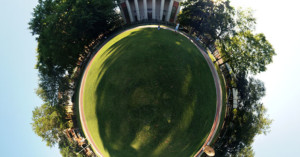
Ryan Burnside recently set out to find a cheap way to shoot 360-degree panoramas of scenes, and discovered that shooting a Christmas ornament (or any other spherical reflection) captures all the information needed -- all that's needed is a way to "unravel" the spherical image. Burnside found that the free image editor GIMP can do the trick.