Post-Processing

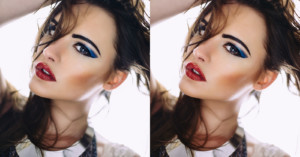
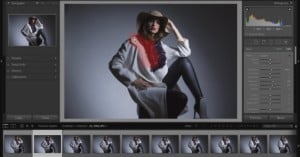
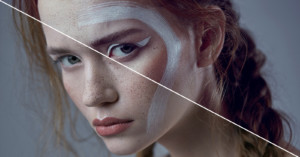
How to Add Warmth Back to Skin with Photoshop

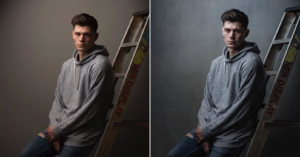
A lot of the time when we're shooting with flash photography in a big white studio, our portrait images can appear a little stark or cold. This quick fix in Photoshop takes less than two minutes to do but can add a lot of warmth and life back to our models skin.

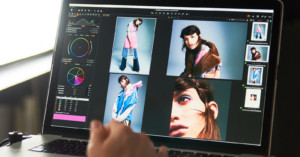
How to Speed Up Your Lightroom Editing By Using Anchor Photos

One of the ongoing pain points of being a photographer is the time we spend editing. Don’t get me wrong, I love turning a flat image into something breathtaking, but it does take a while to get through a batch of 1000+ photos from a wedding or concert.
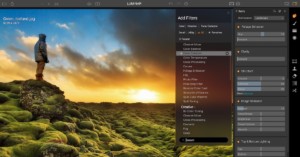
Phase One Unveils Capture One Pro 10

Phase One today launched Capture One Pro 10, the latest version of the company's powerful raw conversion and photo editing software. It features interface improvements, behind-the-scenes tuning, and some new features.

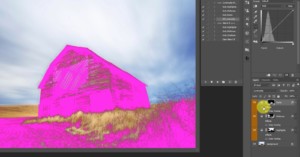
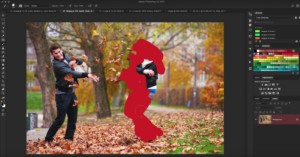
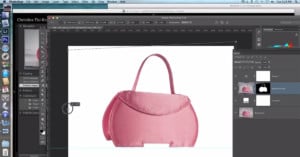
Select and Mask vs Refine Edge, or: Why Select and Mask Kind of Sucks

Adobe is dedicated to updating Photoshop consistently, but those updates don't always go so well. A lot of people have rolled back their healing brush tool, and ever since Select and Mask replaced Refine Edge this summer, people have been complaining. Meanwhile, Nate Dodson over at Tutvid has been desperately trying to make this new tool work.
5 Mistakes Photographers Make in Photoshop

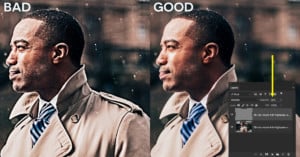
Making mistakes is a powerful learning tool, but that statement only holds true if you realize what you're doing is a mistake. To that end, here are 5 of the most common Photoshop mistakes photographers make.

148 Photo Editing Tools and Apps

Earlier this year, after researching photo editing tools, I shared a list of 104 photo editing tools you should know about. After receiving a great deal of interest and feedback from the photography community, I've created one final ultimate list of 148 photo editing tools and photography apps.

10 Novice Photoshop Mistakes You Should Avoid

Selective color, bad HDR, over-sharpening, we've all seen (and if we're honest, probably made) these Photoshop mistakes... but are you sure you're still not committing some Photoshop faux pas? In this video, Nate Dodson of TutVid covers 10 common novice mistakes you should avoid.

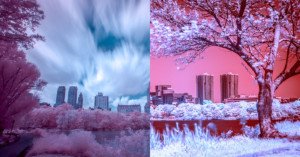
An Introduction to Digital Infrared Photography

The human eye is incapable of seeing infrared light, so infrared photography is truly a way to show your audience something they can never see with their own eyes. Here's a guide to getting started with digital infrared photography.

Quick Tip: A Cleaner Way to Sharpen Your Photos in Photoshop

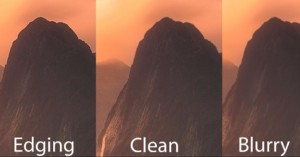
When you sharpen a photograph, what you're doing is adding contrast to the edges in an image, but unfortunately, that often leads to black and white edging in some areas. In this short, useful Photoshop tutorial, Jimmy McIntyre will show you how to avoid this and sharpen your photos cleanly in Photoshop.

Quick Tip: How to Handle Difficult to Remove Spots in Lightroom

Longtime Adobe Lightroom team member Benjamin Warde shares a very useful little tip in this 60 second episode of Lightroom Coffee Break. If you've ever run across a difficult-to-clone spot in Lightroom, Warde shows you how to use a setting that will definitely help.

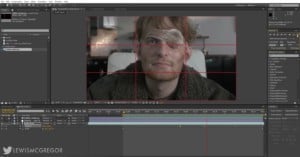
How to Create the Dolly Zoom Effect in Post, No Zoom Lens Required

The Dolly Zoom—also known as the Vertigo Effect—is a powerful cinematic technique that involves moving the camera in one direction while you zoom the lens in the opposite direction. But did you know you can actually create this same effect in post without a zoom lens? Thanks to high-res cameras, you can.

Two Ways to Dodge and Burn More Effectively in Photoshop

While Photoshop does have the "Dodge" and "Burn" tools, using them destructively on your original image is definitely not the best way to edit your photos. Check out this tutorial to discover two dodge and burn techniques that are more effective, cleaner, and smarter.

3 Easy Ways to Get that Faded ‘Film Look’ in Photoshop

Everyone's digging that "faded" film look nowadays, but here's a secret: you don't have to have a VSCO preset pack to get it. In this short tutorial, Mathieu Stern will show you three very quick and very effective ways to "crush the blacks" and get that popular look using just Photoshop.

The ‘Scientific’ Way to Nail Your White Balance in Lightroom

Lifestyle photographer Scotty Turner shared his ‘super scientific’ white balance method on YouTube this morning, and it is spot on. Instead of getting technical about it, he does what we’ve all done at one point or another: he jostles the slider like a maniac to ‘reset’ his eyes.

A Pro Photographer’s RAW Workflow in Lightroom Mobile

Professional travel photographer Elia Locardi made this 30-minute video tutorial that shows how he's able to shoot and edit top-notch RAW photos without carrying a laptop around, and instead using the Adobe Lightroom Mobile app, which got RAW editing in June 2016.

PortraitPro Body Packs Drastic Body Retouching Into Simple Sliders

Doing extreme retouching to the human body in photos has gotten a great deal of bad press as of late, but that's not keeping a London-based software company Anthropics Technology from trying to innovate in that space. It has launched a new program called PortraitPro Body, which it claims is "the industry’s first dedicated full body retouching software."

Quick Tip: How to Fix Uneven Eyes in Photoshop

Here's a quick how-to that will probably come in handy sometime down the road for every portrait photographer. Have you ever shot a portrait where one of your subject's eyes was partially closed and it made everything look strange and uneven? Scott Kelby shows you how to fix it in Photoshop.

Lightroom Basics: How to Edit a Milky Way Photo

This short Lightroom tutorial will show you how to turn a simple RAW photo of the Milky Way into the kind of bright, vibrant Milky Way shot you're probably used to seeing online—complete with out-of-this-world colors.

Free Collection of Custom Lightroom Presets from a Fuji Ambassador

Fujifilm ambassador (and author of this rather controversial article) Samuel Zeller is lending a helping hand to all the Fuji users out there. In a bid to help fellow photographers get the most out of their photos, he's giving away a whole collection of custom Lightroom presets for free!

A Simple, Consistent, Dramatic One-Light Portrait Setup

If you're looking for a simple lighting setup for dramatic portraits, look no further. Photographer Aaron Anderson has put together a lighting tutorial that will show you how he uses one light, a black flag, and a white card to capture beautiful, dramatic headshots.

How I Post-Process Hard Light and Overwhelming Tones

Ever since the middle of high school, I’ve been immensely interested in “the process.” You know, that middle bit between point A and point B that nobody but the artist ever sees. I’ve always loved peeking behind the scenes to see where something started and what kind of work and thought went into creating the finished product.