
Tutorials

Whether you are a beginning photographer or a seasoned professional, there are always new things to learn and more areas to improve in. PetaPixel regularly publishes in-depth tutorials on a wide range of subjects, from Photoshop tips and post-processing techniques to ideas on building your own cameras and do-it-yourself equipment.

How to Shoot in Harsh Midday Sunlight Using a Reflector

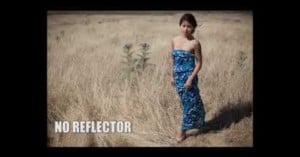
Here's a helpful tutorial that teaches how to shoot in harsh, midday sunlight using a single reflector to soften the shadows on your subject. If you've never used a reflector outdoors before, it's a great primer for getting started. Aside from buying a nice reflector for about $30, you can also find cheap ones for under $10 on eBay, use a car sun shade, or make one yourself with cardboard and foil.

How to Make a Softbox with a Styrofoam Container and Some Cloth

Photographer Don Barnard made this video tutorial showing how to convert a styrofoam shipping box into a DIY softbox. The video is pretty in-depth and runs nearly 10 minutes, but the basic idea is to line the inside of the box with some reflective material, stick a strong light inside, and cover it with some cloth to soften the light. It's a neat way to make a useful lighting tool for under $20. Check out some sample photos taken with the softbox here.

Capturing a Bullet in Slow Motion Using an Ordinary DSLR

When Eadweard Muybridge shot the first motion picture of a galloping horse back in 1878, he used 24 individual cameras placed 27 inches apart, using trip wires to fire off each camera one thousandth of a second after the previous one. With fancy high-speed camera rentals priced at thousands of dollars a day, YouTube member Destin came up with a Muybridge-esque technique for capturing a bullet flying through the air using an ordinary DSLR: he shoots a bullet for each frame and uses a fancy …

Make a Giant Holga Camera Piñata

The next time you're planning a birthday party for someone who loves photography, try making a giant camera piñata using cardboard and paper-mache. You can fill it with candy and treats, or take your photo-geekness to the next level by filling it with photography-related gifts and accessories.

How to Photograph the Night Sky

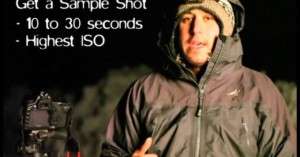
Photographer Ben Canales created this great video tutorial teaching the basics of shooting the night sky. He goes over how to shoot quick test shots to set up your composition before discussing more in-depth tips and tricks for capturing the final shot, including the "Rule of 600".

Make a Bicycle Camera Mount for $1

Reflector mounts (the things that attach a reflector to your bike) are so cheap that bike shops often give them away for free. Add a standard tripod screw, some washers, and some wing nuts, and you'll have a super cheap camera mount that you can attach to a bicycle (it's also a way to attach a camera to some random pole if you need to). You can also find a text version of this tutorial over on Instructables.

Faking the Lomo Effect in Photoshop

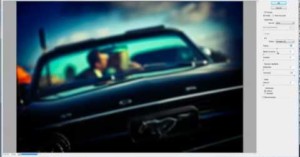
There's plenty of tutorials out there teaching you how to fake the "Lomo effect" using Photoshop, but most of them don't provide very realistic results. This "ultimate" tutorial by SLR Lounge attempts to mimic all the distinct characteristics of lomo photos (e.g. cross-processed colors, vignetting, blown highlights, and blurred edges) giving you a level of control over the results that an iPhone app could never do.

Freelensing for On-the-Go Macro Shots

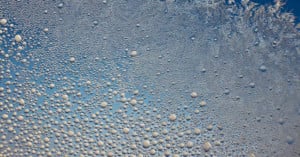
Here's another quick tutorial by Destin, the guy who helped popularize using chickens as a cheap Steadicam alternative. It was made on an airplane flight when he wanted to shoot some photographs of the ice forming outside his window. If you're ever in a situation where you want to shoot a macro photo but don't have a macro lens, try flipping your lens around for a cheap and easy macro photography solution.

A Simple Introduction to Lens Acronyms

Photography lens manufacturers use all sorts of abbreviations and acronyms to explain the features of their lenses. In an effort to educate use, the photography lens manufacturers really just confuse us. Hopefully you’ll understand a bit about the different lens feature abbreviations by reading this post.

A Detailed Explanation of Depth-of-field and the Factors That Affect It

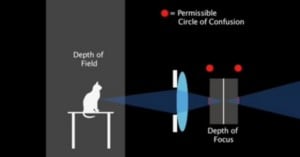
Learning how to control depth of field with your camera isn't too difficult, but do you know the science behind how it works? This uber-educational 20-minute video lesson gives a thorough explanation of depth of field and the different factors that affect it. It was made by artist Justin Snodgrass, and is also available for download (and in parts) over on his website.

Turn Your Photos into Cute Polaroid Magnets for Your Fridge

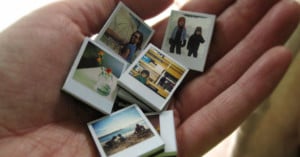
Mother's Day is just around the corner, and if you haven't gotten anything for your mom yet we think these tiny Polaroid magnets would make an awesome gift. Simply download the template, add your photos, print them out, glue them to chipboard, and attach a magnet to the back. Graphic designer Jennifer Kirk has a writeup and tutorial over on her blog Ambrosia Girl.

Turn Your Photos into Tiny Postcards

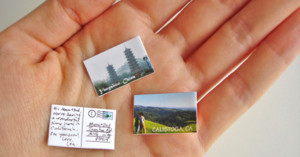
Here's something cute and creative way to share your photographs: turn them into tiny, confetti-sized postcards. All you need to do is add your photo to the pre-made template and print it out. It's designed by The World's Smallest Post Service, and you can find a step-by-step tutorial over on Photojojo.

How to Turn Your Room into a Giant Camera Obscura

National Geographic created this nifty little video teaching how to turn any room with a view into a giant camera obscura. For an even more challenging project, you can try setting up some photo-sensitive paper (either photo paper or paper you paint with emulsion yourself) on the wall to shoot giant photos with your giant camera obscura.

Eggs Transformed into Pinhole Cameras

Francesco Capponi was inspired yesterday (AKA Easter and World Pinhole Photography Day) to create pinhole cameras out of eggs. He painted the insides with emulsion to make it light-sensitive after drilling a hole, exposed it through a pinhole, then filled the egg with processing and fixing chemicals to develop the photo. You can find a full walkthrough of his process over on Lomography. The process isn't easy -- in creating four satisfactory photos Capponi ended up destroying fifty eggs!

Simple Guide for Getting Started in Digital Photography

Reddit user geft created a useful primer to get newbies started in digital photography. It's a single image measuring 1045x5480 pixels that covers sensors, aperture, shutter speed, ISO, and camera controls. This would be a great thing to print out, laminate, and give as a gift to someone who's looking to learn.

Use Your iPhone as a Free Hot Shoe Mounted Light Meter

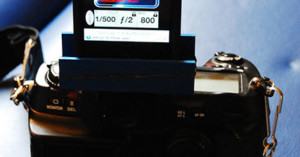
Have an older camera that doesn't have a built-in light meter? Instead of buying an expensive light meter, you can download the Pocket Light Meter app for free if you have an iPhone. What's more, you can even mount it to your camera's hot shoe if you don't mind looking uber-geeky while shooting. Nigel over at phototinker wrote a tutorial for creating the iPhone hot shoe holder shown above.

Quality Portraits with Budget Lighting

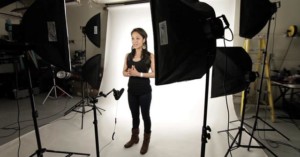
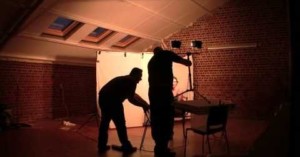
Who says you need uber-expensive lighting equipment to shoot nice-looking studio portraits? In this video, photographer Bert Stephani shows us what you can do with cheap halogen work lights (you can find them for about $30-$50) and a couple shower curtains.

Shooting Creative Long Exposure Photos with Light Stencils

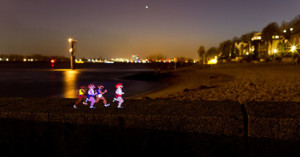
I imagine, almost everyone interested in photography has seen the stunning pictures created with a technique called light painting. You set your camera to long exposure, 20 to 30 seconds or even longer, and use a light source, a flashlight or LED light, to "paint" with it. Most pictures have some kind of magic touch to it because you see only the track of light afterwards and not the actual light source. Light stencils are somewhat related to light painting. It uses the long exposure as well …

Canon 5D Mark II Used to Convert 8mm Footage to Digital

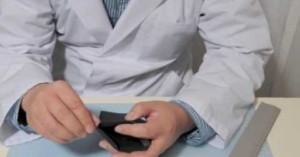
Cinematographer James Miller spent two years developing a technique for converting 8mm footage to digital by beaming it directly onto the sensor of a Canon 5D Mark II. He replaced the bulb on an old projector with LED lights, and used elements from a disassembled lens to focus the light. You can read a step-by-step walkthrough of this project here.

Shooting Microstock with Yuri Arcurs

This video by FotoTV features "microstock king" Yuri Arcurs leading a workshop and imparting all sorts of useful tips that you'll find useful even if you have no interest in doing microstock -- things like working with models and capturing emotion. Get out your pen and paper and start taking notes!

How to Shoot an NCAA Basketball Game

If you want to know the ins and outs of shooting a college basketball game, check out this awesome behind-the-scenes video with pro sports photographer Miguel Olivella. In it, he walks us through things like where to be, what gear to use, camera settings, and various tricks he has under his sleeve that help him get the perfect shot.

How to Use the Healing Brush and Patch Tool in Photoshop

Like the Pen Tool tutorial we shared last month, here's another awesome tutorial by Sean Armenta showing how to use the Healing Brush and Patch Tool in Photoshop. Perhaps these are two tools that you've never gotten around to learning how to use. If that's you, watch this video and you'll soon have two new weapons in your portrait retouching arsenal.

How to Hack Your Holga for 35mm Sprocket Hole Panoramic Photos

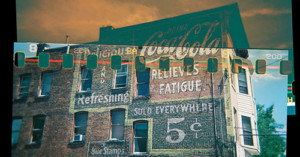
How do photographers get those wide images that bleed through the edges of the negative, showing the sprocket holes? It's a technique that allows your to create stunning panoramic images -- these little bits of film become art in themselves. These photographs are achieved by loading 35mm film into a 120 medium format camera. This tutorial was written with the Holga in mind, but the same technique works for other 120 cameras as well.

How to Use the Pen Tool in Photoshop

Have you always wondered how to use the Pen Tool in Photoshop but have never gotten around to learning it? f stoppers published this uber-informative video tutorial by Sean Armenta teaching how it's used and why it's a tool that everyone should learn. The teaching is done on a Mac, so if you have a PC, just substitute CTRL for CMD and ALT for OPT.

Shooting with Two 35mm Films in a Medium Format Camera

For those of you who still shoot film and are adventurous, have you tried double film photography? Flickr user Chuck Miller stuck two 35mm Fuji 200 films -- one normal, one redscale -- into a Holga 120N and shot the films simultaneously to get these unique sprocket hole, layered photographs.

How to Make a Photograph with Clones

You might have seen clone photographs while browsing around on the Web before, but do you know how to shoot and post-process photographs that have multiple instances of a person? Here's a video tutorial by Gavin Hoey teaching you the process (the resulting photo can be seen here).

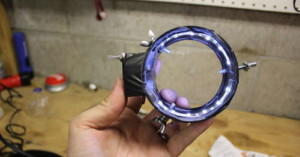
How to Build Your Own LED Ring Light

I had some stuff lying around as well as saw some parts as I was out and thought this would be fun to make. I have around $20 invested in parts. On eBay I saw ring lights for anywhere around $40 on up, so this will save you money and it was fun to make.

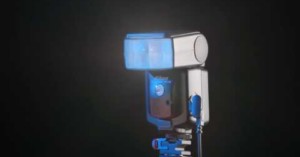
Lesson on SLR Shutters and How Flash Synchronization Works

Even if you know how to operate your SLR camera and external shoe-mount flashes, you might not have any understanding of the complicated, technical mojo going on that limit and affect your photography. This uber-informative lesson by photographer Paul Duncan brings you up to speed on how things like focal plane shutters and "second curtain sync" work.

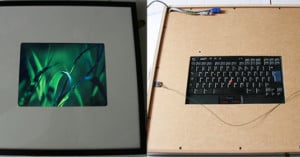
Old Laptop Transformed into a Custom Digital Photo Frame

Erik Pettersson was looking for a nice digital frame, but found that all the commercially available ones were too small, ugly, and cheap looking. He had an old Thinkpad T42 laptop lying around, so he decided to make his own custom frame. After installing Linux and writing some custom scripts for operating the frame, he disassembled it and joined it with a nice-looking IKEA frame. Best of all, he documented his entire process and published it online as a tutorial for those who want to make their …

How to Build a DIY Camera Foot Switch

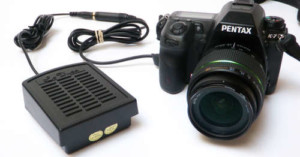
I needed a foot switch for my DSLR camera so that I could take hands-free pictures. On a long-shot, I went down to the local Radioshack to see if they had one. As expected, they didn't have any camera foot switches, but I did luck out that they had all the parts necessary to build my own. Here is how to throw together a 5-minute camera foot switch with easily obtainable parts from Radioshack.
Faking 1000FPS with Final Cut Studio and a Canon 60D

We've featured a couple beautiful examples of fake slow-motion video created using Twixtor shot with the Canon 7D and 550D. If you don't want to shell out $300 just for Twixtor, you can do something somewhat similar using only Final Cut Studio. The above footage was shot at 60fps using a Canon 60D and created entirely with Final Cut Studio. Yes, yes, we know the wheels look strange, but it's still a neat effect and might produce interesting results with the right kind of footage.

Quick Hyperfocal Distance Tutorial for Sharp Landscape Photographs

The concept of hyperfocal distance is used in landscape photography to achieve the greatest depth of field and acceptable sharpness for both near and far objects. In the two minute tutorial above, wildlife photographer Chris Weston walks through some hyperfocal distance focusing techniques. You can also find a couple informative tutorials at DOFMaster and Cambridge in Colour.

How to Make a Super Ghetto Fake Leica

Instructables member willferrari599 recently posted a funny tutorial on how to turn a cheap $20 disposable camera into a ridiculously ghetto looking fake Leica. It'd be sad if you took this tutorial seriously, but a camera like this might make a hilarious present for a photography-loving friend! …

How to Combine DSLR Stills into a Timelapse Video

Okay, so you have a memory card full of timelapse photos taken over a long-ish period of time using a DSLR camera and intervalometer. Now what? In the above video, filmmaker Philip Bloom shows how you can easily combine them into a timelapse video using Quicktime Pro.