
Tutorials

Whether you are a beginning photographer or a seasoned professional, there are always new things to learn and more areas to improve in. PetaPixel regularly publishes in-depth tutorials on a wide range of subjects, from Photoshop tips and post-processing techniques to ideas on building your own cameras and do-it-yourself equipment.

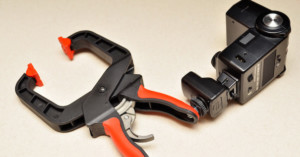
Add a Tripod Screw to a Hand Clamp for a Versatile DIY Flash Mount

Photographer Allen Mowery has a step-by-step tutorial on how to build a useful DIY flash mounting accessory using a ratcheting hand clamp and standard 1/4-inch threaded screw. It's a cheap DIY version of the Super Clamp or Nasty Clamp, and can help you place your flash in places that are inaccessible to light stands or traditional equipment.

Overlay an Inverted Layer Onto a Photo to Brighten Underexposed Areas

Adam Dachis over at Lifehacker offers a simple method for correcting underexposed photo with any image editor that supports layers, inversion, and Overlay blending mode. Simply create a duplicate later, invert it, set the blending mode to Overlay, and then adjust the opacity to suit your taste. While it's certainly not a pro photography trick -- other techniques including adjusting the curves and levels may be better -- it's a quick and easy tip that may be good to know.

How to Take Incredible High-Speed Photos of Muzzle Flashes

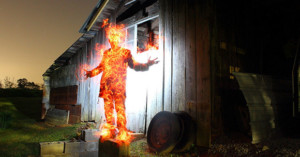
Here's an interesting video tutorial by Destin of Smarter Every Day that shows how you can capture amazing photos of guns being fired and their muzzle flashes. Here's the "basic" idea: he uses a piezoelectric transducer to convert acoustical energy into an electrical pulse, which he sends through a pulse generator. The pulse from the pulse generator is used to trigger a flash and an high-speed exposure. This allows him to photograph guns at the moment they're fired in the same way many people …

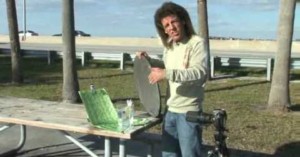
How to Shoot Sound Painting Photos with Paint and a Speaker

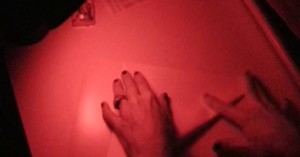
Last week we featured some "sound painting" photographs by Martin Klimas, captured by using a speaker to vibrate paint. Here's a video tutorial by some Arizona State University Polytechnic students demonstrating how you can do your own "sound painting" photos. They use a thrift store speaker covered with a garbage bag and some Crayola poster paint.

Make Personalized Bookmarks Using 35mm Film Strips

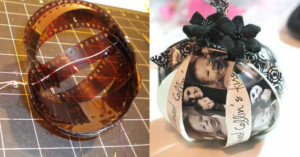
If you have some unwanted 35mm negatives lying around and need a simple gift idea, you can try your hand at turning them into one-of-a-kind bookmarks. Simply cut out the actual frames from the film strip and replace them with actual photographs to create film strips that you don't need to hold up to the light to enjoy.
Shoot Sharper Handheld Photos by Using Marksmanship Techniques

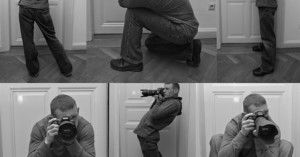
If you've ever tried shooting in a dark location without using flash or a tripod, you probably know how difficult it can be to remove camera shake from your photos. Alex Jansen -- a photography enthusiast who's an officer in the US Army -- has written up an awesome tutorial on how you can apply some of the tricks used by rifle shooters to shooting with a camera: …
A Simple Explanation of How ISO Works in Digital Photography

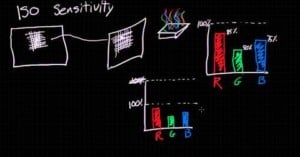
If you're a fan of learning things through Khan Academy, then you might enjoy learning about how ISO works in this similar-styled tutorial by Dylan Bennett. Bennett might not have Salman Khan's soothing voice, but he does his best to break down the magic of digital camera sensors into easy to understand ideas. For a more detailed and comprehensive understanding of how things work, check out Cambridge in Colour's excellent tutorials.

How to Accentuate the Jawline in Portraits

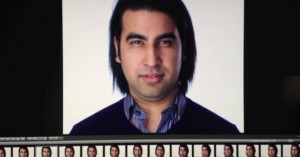
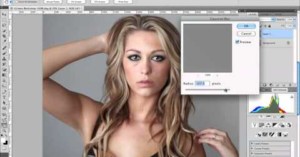
Here's an excellent video tutorial by photographer Peter Hurley on how to improve your portrait photographs by focusing on the jawline of your subject. It's a simple technique that can drastically improve the quality of your images.

Turn a Polaroid Picture into a DIY Scratch-Off Card

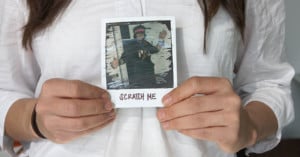
Here's a sweet DIY project idea by Brittany Morin that's perfect for that special day that's right around the corner: scratch-off cards made from Polaroid pictures! Basically all you need is some acrylic paint and some dish soap. Mix the two together with a ratio of one part soap for every two parts paint and you'll have yourself some scratch-able paint!

How to Manually Create an HDR Photo in Photoshop

Here's a tutorial on how to do non-automated HDR for real estate photography using Photoshop CS5. The first thing you'll need is a sturdy tripod with a level. The closer you are to a leveled image, the less correction you'll have to do later.

Turn an Old GPS or Cell Phone Mount Into a Suction Cup Tripod

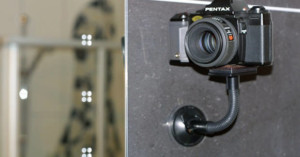
If you have an old mount for attaching a GPS or cell phone to your windshield, you can upcycle it into a suction cup tripod for your camera (just make sure it's not the flimsy kind that falls off on its own). What you'll need to do is flatten the mount surface and then install a tripod screw. Nano_Burger has a step-by-step tutorial on how he did this conversion over on Instructables. The resulting tripod allows you to fix your camera in locations that aren't accessible to tripods that don't …

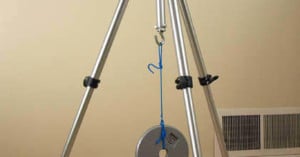
Give Your Tripod Some Extra Stability By Adding a Weight Hook

Heavier tripods are generally more stable than lighter ones -- wind doesn't affect them as much -- but hauling them around can be a pain. Instructables user Andrew Axley came up with the brilliant idea of making his simple tripod more stable by adding his own weight hook. The tripod is light when not in use and when you need extra stability you simply hang your camera bag onto the hook. All you need to do is figure out a way to attach a hook securely at the center -- Axley chose to drill a hole …

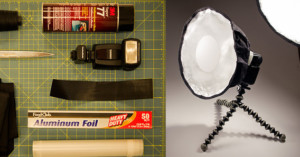
Make a DIY Collapsible Beauty Dish

Industrial design student Hunter Frerich came up with a simple and cheap DIY beauty dish that's created using fabric, foil, velcro, and glue. To make your own, simply download and print out the template and follow the step-by-step instructions.

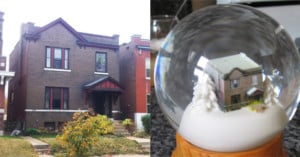
Make a Custom Snow Globe Using Photos of Your House

Here's a fantastic project/gift idea for those of you who are both tech-savvy and artsy: make a custom snow globe of your house. The process involves capturing photographs of the house from all sides, turning the images into a 3D model of the home using a 3D modeling program (e.g. Google Sketchup), turning the 3D model into a physical object using a 3D printing service (e.g. Shapeways), and then sticking the object into a custom snow globe kit. Qarl has published a step-by-step tutorial on the …

Turn a Roll of Film Into a Greeting “Card”

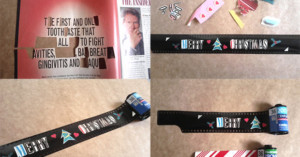
Accidentally expose an entire roll of film to light? Instead of throwing it away, you can turn it into a geeky greeting card! Lomographer brilliantgreen made a Christmas-themed one using small illustrations and letters cut out of a magazine, but you could do it for any occasion.

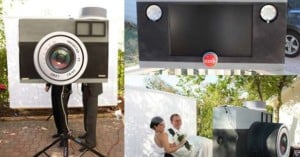
How to Make Gingerbread Cameras

If you're a photographer and not an architect, why settle for boring ol' gingerbread houses this holiday season? Gingerbread cameras are where it's at! They're not very difficult to build -- you just need to know the correct sizes and shapes to cut out. Photojojo has published a step-by-step tutorial on how you can make your own.

How to Fold an Origami Pinhole Camera Out of Photographic Paper

Here's a neat idea for photographic experimentation: create a pinhole camera out of photographic paper by folding it into an origami box with the light-sensitive side on the inside. The hole that is used to blow the box into its shape is also used to expose the inside to the outside world. After exposing it, simply unfold it and process it using standard developer and fix.

Turn Your Old Digital Photos into Faux Instax Prints

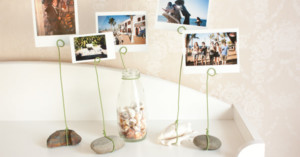
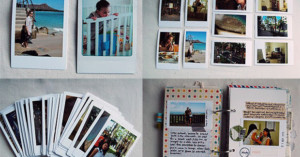
Eve Johnson of Evalicious wanted to turn some old digital photographs into Instax-style prints for a travel journal, so she decided to make some fake ones. She arranged two photos on each template, saved them as 4x6 prints, had them made at a local print shop, and then cut them out in Instax dimensions. You can find the low down over on her blog.

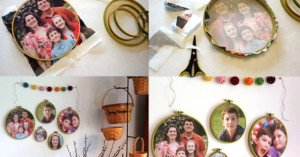
Make Christmas Ornaments Out of Film and Photographs

Wanna add some photo-geekery to your Christmas tree this year? Try making custom Christmas ornaments out of strips of film or printed photographs! twinklecat has written up a film ornament tutorial over at Lomography, and Shelley Haganman has an easy-to-follow photo ornament tutorial over at scrappergirl.

Turn a Sunstar Soft-Picks Case into a DIY SD Card Holder

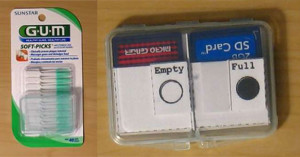
Wanting a cheap and compact way to carry, protect, and manage his SD cards, Instructables member FrankenPaper discovered that the plastic cases that come with Sunstar GUM Soft-Picks are the perfect size for holding 2 cards. To keep the cards from jostling around and to track whether they're full or empty, he created an insert that you can print, cut, and fold yourself (download the PDF here).

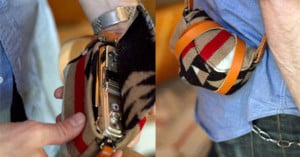
How to Make a Silk Scarf Camera Strap

If you have an unwanted silk scarf lying around, you can combine it with some key rings to turn it into a stylish camera strap. All you need are some key rings and a sewing machine (and some leather if you want extra style points). Stacie over at Scarves.net has written a step-by-step tutorial on how you can make your own.

Use a Scanner to Turn Your Small Phone Photos into Giant Prints

Want to made giant prints of your tiny phone photos? Instead of doing the enlargement purely with Photoshop, Photojojo suggests using a scanner for high-quality enlarging. Simply resample the small photo at 360dpi, print it out on high quality matte paper, and then re-digitize it using a scanner at 360dpi and the print size you want. It'd be interesting to see a side-by-side comparison of this technique versus simply resizing in Photoshop and printing that image directly.

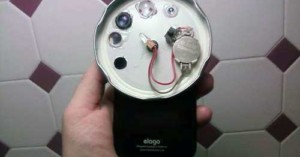
Make a DIY Lens Carousel for Your Phone Using a Jar Lid

In the past week, two different lens dial camera cases have been announced for iPhoneographers: a Holga toy camera case and a more serious lens dial case. If you don't want to shell out cash to add a lens dial to your phone (and don't mind it looking ridiculous), you can make a do-it-yourself lens dial using a jar lid and random lenses scavenged from various devices. The dial is attached to the back of your phone using a suction cup, and can give you magnification on-the-go.

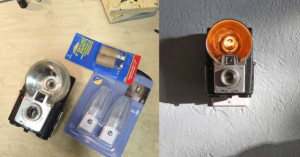
How to Make Your Own Vintage Camera Nightlight

Last week we featured Jason Hull's awesome nightlights created out of old (and cheap) vintage cameras. If you've been dying to learn how you can make one yourself, today's your lucky day: Hull has written up a step-by-step tutorial showing how the conversion is done. If you do attempt this project, try to find a broken camera -- working ones are happiest when they're used for photo-making! …

Make a Stylish Wool Camera Wrap

Haven't found a small camera case that's stylish enough for your taste? Matt over at Wood&Faulk has written up a tutorial on how you can make your own protective camera wrap using some heavy wool fabric and a leather or canvas strap: …

How to Unlock the Hidden Panorama Mode in iOS 5 Without Jailbreaking

A couple days ago it was discovered that iPhones, iPods, and iPads running iOS 5 have a secret panorama mode that's hidden in the operating system. The feature can be enabled, but featured either a jailbroken device or knowledge in how to edit a particular iOS 5 preference file. Luckily for non-hackers, Redmond Pie has discovered an easy way to do this by taking advantage of iTune's backup feature. This tutorial will teach you how to get the panorama feature unlocked in 5-10 minutes.

How to Avoid Flash Reflections in Glasses

Here's a helpful tutorial on how to adjust the angle of your light sources to avoid the nasty reflections that show up in eyeglasses. It has to do with understanding and harnessing the "angle of incidence" and "angle of reflection" of your light.

How to Make a Wooden AC Adapter for a Battery-Only Digital Camera

Many digital cameras are battery-only, and can't be directly connected to an outlet for an infinite source of power. That's ordinarily not a problem, but can become an issue if you attempt to do things like time-lapse imagery, for which the camera needs to stay powered and perfectly stationary for extended periods of time. That was the problem faced by Instructables member txoof with his Olympus E520. Handy with electronics and woodworking, he decided to build his own AC/DC interface for the …