Street Photography Do’s and Don’ts
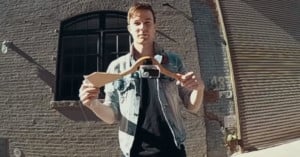
Kai of DigitalRev shares some tips — both serious and humorous — on the art of street photography.
(via ISO 1200)
Kai of DigitalRev shares some tips — both serious and humorous — on the art of street photography.
(via ISO 1200)
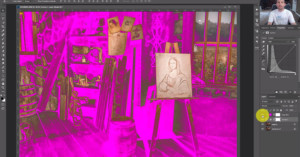
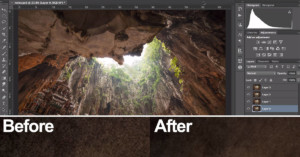
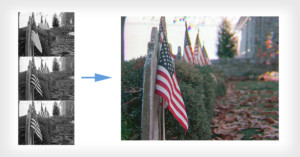
Here’s a brief video in which Los Angeles-based photographer Mike Kelley shares his technique for lighting large architectural spaces using small flash units. Kelley captures hundreds of photographs of each scene and the combines them afterwards in Photoshop. Back in September we shared an interesting time-lapse walkthrough by Kelley showing how he shoots home exteriors with the same technique.
(via Fstoppers)
![]()
Wondering whether or not the shutter speeds on your camera are accurate? Instead of taking it to a shop or buying expensive testing equipment, you can use an old television or CRT monitor as a simple shutter speed tester! Camera enthusiast Rick Oleson has an easy to understand diagram showing what you can expect to see from the screen at different shutter speeds. For a more technical explanation and tutorial, check out this article that appeared in a 1967 issue of Popular Science.

You already own a shutter speed tester [Rick Oleson]
![]()
Here’s a quick tip for if you ever have a hard time removing a lens filter from a lens (e.g. when it’s damaged): use a shoe. Simply take any shoe with a grippy flat bottom, press it firmly against the filter, and then turn it. It’s a super simple technique that should work every time unless the threads on the lens itself are badly damaged.
Thanks for the tip, Luke!
![]()
You probably know that stopping down (i.e. increasing your f-stop number) can increase the sharpness of your subject, but how much should you stop down to boost resolution without losing that nice, creamy bokeh? Roger Cicala did some research on this question and writes:
For those lenses that do benefit, stopping down just to f/2.0 provides the majority of resolution improvement. The difference between wide open and f/2.0 is generally much greater than the difference between f/2.0 and the maximum resolution.
Getting the edges and corners sharp requires stopping down to at least f/4 for most wide-aperture primes, and some really need f/5.6. Stopping down to f/2.8 may maximize center sharpness but often makes only a slight difference in the corners, at least on a full-frame camera.
None of the lenses performed any better after f/5.6 (for the center) or f/8 for the corners. Most were clearly getting softer at f/11.
If you’re using a wide-aperture lens, stopping down to just f/2.0 will reap big gains in sharpness while still keeping the depth-of-field narrow. Furthermore, for some lenses you don’t really even need to worry about stopping down for sharpness, since it hasn’t a relatively negligible effect on the outcome.
Stop It Down. Just A Bit. [LensRentals]
Image credit: Margaritas a la bokeh by ganso.org
![]()
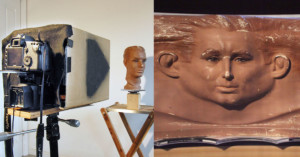
The photographs in artist Max de Esteban’s Proposition One project might look like X-Ray images, but they were actually captured with an ordinary camera. They were created by carefully deconstructing old gadgets, photographing them in “layers”, then “reassembling” the gadgets digitally. You can see them on display through December 9th at Klompching Gallery in NYC
Read more…
![]()
Here’s an interesting factoid: to make the Star Wars scenes containing AT-AT walkers and tauntauns more realistic, a new stop motion technique called “go motion” was created:
Stop motion animation can create a disorienting, and distinctive, staccato effect, because the animated object is perfectly sharp in every frame, since each frame of the animation was actually shot when the object was perfectly still. Real moving objects in similar scenes of the same movie will have motion blur, because they moved while the shutter of the camera was open.
Go motion was designed to prevent this, by moving the animated model slightly during the exposure of each film frame, producing a realistic motion blur. The main difference is that while the frames in stop motion are made up by images of stills taken between the small movements of the object, the frames in go motion are images of the object taken while it is moving.
So how did they go about adding motion blur to still photographs of inanimate objects? Well, their methods included smearing vaseline on the camera lens and bumping the puppet or table while the exposure was being made.
Here’s an illuminating (pun intended) video walkthrough by photographer Eric Curry, showing how he went about creating a photo of a B-25 bomber. His technique for lighting the plane is similar to the real estate photography walkthrough that we featured last weekend, and involves lighting the scene a bazillion times from different angles, and then combining the different parts of the photo in Photoshop.
As he says in the video, it’s a useful technique that can be done by “anyone with a digital camera and a tremendous amount of patience.”
(via fotografia)
![]()
If printing your film photos with the usual chemicals isn’t old school enough for your taste, you should try your hand at making a salt print. Photographer Andrew B. Myers made the above print using the technique, and explains,
Salt printing is one of the oldest processes photography has employed, pioneered by Henry Fox Talbot back in 1839. The process hasn’t changed much since then. Basically, you start by coating paper in a solution of water and sodium chloride (I ended up using table salt) and letting it dry. Next, in a darkroom environment, a silver nitrate solution is applied to the salted paper, creating a light sensitive emulsion. Let it dry. At this point, a contact print can be made by sandwiching a film negative or some sort of transparency and letting the paper sit in the sun. In my case, I had access to a powerful UV light with a timer, which worked in a similar fashion, and allowed me to work at night in the winter. It’s quite neat seeing the image once it’s been exposed, and after washing and fixing, you’re done. [#]
You can find a more in-depth tutorial over at Dulce Photography, or browse some more sample salt prints in this Flickr group.
(via Photojojo)
Image credit: Photograph by Andrew B. Myers and used with permission
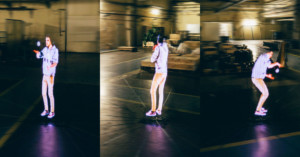
Here’s a fun and creative idea that requires brains rather than a big budget: using an ordinary video-capable camera and some basic editing software, you can show a person walking forward through a world that’s traveling backward. For even crazier examples of this same technique, check out the music videos for The Scientist by Coldplay, Typical by Mutemath, and Drop by The Pharcyde.
(via Reddit)