Software

Take a Tour of the New Menu System in the Sony a7S III

Moments ago, Ted Forbes over at The Art of Photography uploaded a video that you probably saw coming: a deep-dive on the brand new menu system that Sony debuted with the Sony a7S III. If you're wondering how the menus have changed, and what Sony did (and didn't) address, this is a great resource.

Adobe Adds ‘Refine Edge’ Brush to Photoshop on the iPad

Adobe continues to update and improve Photoshop on the iPad. The December update brought Subject Select, February was Object Select, May brought Curves and Pen Pressure Sensitivity, and today's update adds another very important selection tool: the Refine Edge brush.

Adobe Supercharged ‘Select Subject’ in the Latest Photoshop Update

Unmesh Dinda over at PiXImperfect recently took the latest update of Photoshop for a spin, and he was blown away by the improvement to 'Select Subject.' This AI-powered selection tool was always okay as a baseline, but now it's gotten so good that Dinda isn't sure he'll be using the Pen tool at all anymore.

Instagram Tests ‘Personal Fundraiser’ Feature Similar to GoFundMe

Earlier today, Instagram announced that it would be testing a new "personal fundraiser" feature that will let users raise money for a personal cause directly through the photo sharing app. That includes things like raising money for "personal emergencies," like having your gear stolen, or even raising money to fund your "hobbies."

You Can Now Use Fujifilm X and GFX Cameras as Webcams on Mac

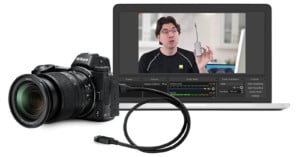
Following in Canon's footsteps, Fujifilm has just released a Mac version of its Fujifilm X Webcam software. The original version of the software—which allows you to use various X-Series and GFX cameras as webcams for streaming and video conferencing over USB, without the need for a capture card—was only available for Windows 10.

3 Basic Lightroom Editing Shortcuts for Cropping Photos

Cropping is the one editing function that we pretty much apply to almost every photograph that passes through Lightroom. Effective cropping is critically important for composition, setting the mood, and even optimizing photos for sharing on social media.

Olympus Unveils Webcam Software for OM-D Cameras, New Lens Roadmap

Recent industry-shaking news aside, Olympus isn't going anywhere just yet. In fact, earlier today, the company revealed an updated lens roadmap and released OM-D Webcam Beta Software: a Windows-only program that turns several of the most popular OM-D cameras into webcams for livestreaming and video conferencing.

How the Syrian Refugee Crisis Inspired the Photo Editing App Darkroom

Earlier this week, Apple announced the winners of its annual 'Design Awards,' and as usual, one of the honorees was a photo editing app. This year, that app was Darkroom, and while the photo and video editor for iOS is impressive in its own right, the most interesting thing about Darkroom might be the story behind how it came to be.

Testing Every New Feature Adobe Just Added to Photoshop and Lightroom

Earlier this week, Adobe released major updates for Photoshop, Lightroom, and Camera RAW, with new and improved features across the board. But if the announcement was a bit overwhelming, don't worry: Colin Smith at PhotoshopCAFE has put together a demo of every new feature that Adobe just added to these products.

A Deep Dive on JPEG Quality and What Export Settings You Should Use

Photographer Jamie Gillies recently went down the deep, dark rabbit hole known as "JPEG quality." Now that he's emerged on the other side, he's sharing the knowledge that h'se gained so that you too can understand how JPEG quality works, and what export settings to use for the best possible results.

DxO Unveils Nik Collection 3 with New Plugin, Non-Destructive Editing, and More

Since acquiring the popular Nik Collection of photo editing plugins from Google back in 2017, DxO has released several minor updates. Now, nearly three years later, they've finally debuted a major refresh. Nik Collection 3 comes with a new plugin launcher, a brand new perspective plugin called Perspective Efex, and more.

Adobe Launches New Video Series of 60-Second Lightroom Tutorials

If you're looking to hone your Lightroom CC and Lightroom Mobile skills, Adobe has launched a new series of bite-sized video tutorials that you might be interested in. The series is called "In a Lightroom Minute," and it's made up of 60-second (give or take) tutorials that cover a wide variety of topics.

Canon Unveils Free Webcam Software for Mac Users

Canon was rightly praised when it unveiled its EOS Webcam Utility last month, allowing users to turn many of the company's most popular DSLRs and mirrorless cameras into webcams without using a capture card. There was just one issue: the Beta was Windows only. Well, not anymore.

How to Rebuild Lightroom Previews to Optimize Speed, Space, and Integrity

Over time, Lightroom may become slow to render thumbnails and scroll through images. Rebuilding all previews may significantly improve performance. It may also significantly reduce the size of your Lightroom catalog. Rebuilding previews also serves as a file integrity check. So what are you waiting for?

Lightroom Tip: How to ‘Stack’ as Many Spot Removal Points as You Want

The spot removal tool in Lightroom is a fast and simple method to touch up a photo and cleanup imperfections. While not as accurate or full-featured as the various touchup tools in Photoshop, sometimes you only need a simple and fast way to perform a touchup directly from Lightroom.

An Elevator Pitch for digiKam, the Free RAW Processor and Photo Manager

Whenever a discussion touches on the subject of RAW processing and photo management applications, digiKam rarely comes up. Even when talking about open source photography software, RawTherapee and darktable are often the only names that are thrown around. So let me give you an elevator pitch that makes a case for digiKam.

Fuji X100V Update Lets You Push the Camera to Higher Temps Before it Overheats

Fujifilm has released an interesting update for the fixed-lens X100V. After users complained that the new camera was unexpectedly shutting off due to overheating issues, the company has added an "Auto Power Off Temp" option in the menu that actually lets you set the temperature level at which your camera will overheat and turn off.