Posts Tagged ‘prints’

Pinhole Camera Made From iPhone Box

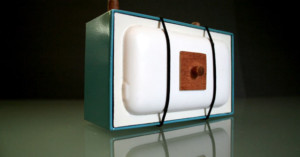
Pinhole Camera Made From iPhone Box il fullxfull.155403823 1

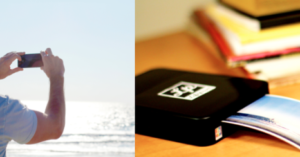
There’s no app for this: Etsy seller Erin Paysse designed this pinhole camera out of an iPhone box. It’s been done before with an iPod box, but Paysse added a clean, retro touch to the camera. She’s selling the camera for $80, as well as some prints produced by the camera for $25.

Check out her store to see more creative pinhole cameras made out of  boxes and books.

(via Boing Boing)

Picwing Takes the Pain Out of Mailing Photos to Family

Picwing Takes the Pain Out of Mailing Photos to Family picwingY Combinator-funded photo startup Picwing started out in 2008 as a typical photo-sharing service that also beamed your photos to a fancy, $249 digital picture frame that you could use to easily share photos (i.e. baby pictures with your parents). Turns out people weren’t willing to drop that much cash on a digital frame when similar products were bigger, cheaper, and similar in functionality.

Picwing then decided to focus on printing photographs, and realized that many people would like to share more physical prints than they actually do. For example, people might want to share photos of their young children with relatives, but don’t have the time to have photos printed and mailed.

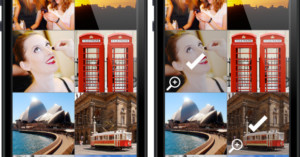
Using the Picwing app for iPhone application or Android, you can send full-res photos directly to the service from your phone. Picwing then automatically prints and mails the photos to up to 6 recipients for a subscription fee starting at around $5 a month for each recipient. Photos can also be added to accounts from your computer or through email, and you can choose to have 15 photos mailed up to twice a month (for a slightly higher fee).

We like the business model, and think there’s definitely a need that Picwing meets. Is this a service you would use?

(via TechCrunch)

Doxie Scans Photo Prints Directly to Flickr

Doxie Scans Photo Prints Directly to Flickr doxie

Doxie is a portable, USB-powered scanner for scanning things on the go. It scans documents and photographs at 600dpi in JPEG or PNG, and has the ability to scan directly to the cloud, sending your files to a large number of web apps. What’s neat is that in addition to documents, photographers can use it to easily scan and then share their prints online:

Scan and share your photos in brilliant color. Doxie automatically straightens and crops your paper photos, then drops them right into iPhoto, Picasa, or Lightroom – just like a digital camera. Put in your favorite photos – Doxie keeps up with fast, stunningly crisp scanning. And Doxie can post your photos directly to Flickr and Picnik, for instant sharing and easy editing.

Weighing in at about half a pound, it’s light enough to be carried around with your laptop if scanning is something you need to do often. Doxie costs $129, and can be ordered directly from the official website.

(via Wired)

Images Without Borders Sells Prints to Support Doctors Without Borders (MSF)

Images Without Borders Sells Prints to Support Doctors Without Borders (MSF) MSFThe humanitarian organization, Doctors Without Borders (MSF), recently started a supplemental site, Images Without Borders, in the wake of the earthquake in Haiti:

Images Without Borders features and sells donated images by international photographers and artists to benefit Doctors Without Borders:

Each print is offered from Images without Borders at a limit of ten before being pulled from the collection and returned to the artist. This long-term project aids Doctors without Borders in their efforts on the ground in Haiti and the world.

Prints can be purchased for $50-$100, and iPhone prints are $32.

Doctors Without Borders, which was founded by doctors and journalists, has a track record of recognizing the value of photography in spreading and supporting their international cause to provide free medical attention to countries in need.

Last year, Doctors Without Borders published a collaborative graphic novel, The Photographer, featuring the work of the late photographer Didier Lefèvre.

Images Without Borders Sells Prints to Support Doctors Without Borders (MSF) ThePhotographer Cover

The book combines art with photography gives a unique narrative about the work of the organization since 1986.

Images Without Borders Sells Prints to Support Doctors Without Borders (MSF) Photographer page74

Here’s a recent panel talk about The Photographer:

Instant Prints with Your Digital Camera

Instant Prints with Your Digital Camera pandigital

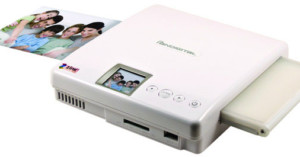
Can’t wait for Polaroid to make its grand comeback this year? You can use your current camera like a digital Polaroid camera with the Portable Photo Printer by Pandigital, announced at the end of last year. It uses Zero Ink (ZINK) technology for ink-less, instant 4×6 printing, and is the first ZINK printer at this print size. The ZINK paper used by the printer has dye crystals embedded inside the paper itself, and is activated by the printer using heat.

You won’t need a computer to use the printer, as the memory card slots, LCD screen, USB ports, and controls are all located on the printer itself. The printer has an MSRP of $149.99, but is usually found online bundled with paper packs for less.

(via Trend Hunter)

Inspired Personalized Photo Gifts

Personalized mugs with your mug on it, photo blankets, and good ol’ fashioned framed pictures are all fine and dandy, but they can get old fast.

We posted a few personalized photo gifts in yesterday’s PetaPixel Photography Gift Guide 2009, but here are a few more ideas to get out the old and in with the inspired:

The Old Gift: Framed Photos

Inspired Personalized Photo Gifts 388659524 2a4c986b01

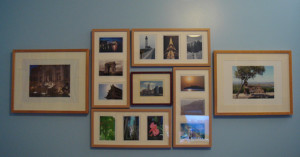
I have a few wonderful friends who have gifted me with a growing number of framed photos, but quite frankly, I have no place to put them anymore! And some of the photos are so outdated (visualize: awkward age) that they’re a tad embarrassing to have out in the open.

The Inspired Gift: The DIY Photo Book

Inspired Personalized Photo Gifts 3234845187 aa9f3dd129

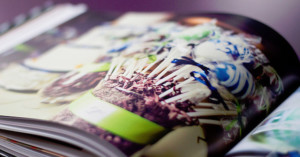
Self-published photo books are a modern twist on the photo album, and have a classy look and feel. Even better, they can be stored easily on a bookshelf!

There are a lot of great photo book sites and software out there, and especially around this time of the year, most of the sites have some sort of discount.

These are just a few to check out:

The Old Gift: Giant Photo Print

Inspired Personalized Photo Gifts 4179880741 175bc820ed

Sure, mounted 11X17 prints are pretty epic, but over time, most digital prints can deteriorate.

The Inspired Gift: Canvas Print

Inspired Personalized Photo Gifts 11498621LL v1

Showcase your masterpiece on canvas! It’s pricier, but even more epic. Costco offers photos printed on canvas starting at $29.99 for an 8X10 print.

But remember, if you give the gift of a photograph, pick something that is timeless, iconic, or extremely significant. Instead of framing a posed, toothy photo of your buddy and you, pick a candid photo or one that captures a special moment in your friendship. Or better yet, use one of your favorite still life, landscape, or street scene photos as a gift. Let your photography shine!

The Old Gift: Digital Picture Frame

Inspired Personalized Photo Gifts 655892

Digital picture frames are so 2008, but they still make fresh gifts if you spruce it up a little!

The Inspired Gift: Digital Picture Frame — with your own photo project!

Instead of gifting an empty frame, or generic photos, try something unique utilizing the frame’s display. Make a stop-motion film that will loop with the playback feature of the frame.  Use the frame to share a photo story or take photos with a certain theme and make the gift-receiver guess the theme.


If you’ve got a great DIY photo gift project or idea you’d like to share, leave a comment!


Image Credits: Photo Arrangement by palindrome6996, Maine spread in Blurb Book by Kelly Gifford, Grandeur by Johnath

Fotomoto Takes the Pain Out of Selling Prints

Fotomoto Takes the Pain Out of Selling Prints fotomotoRecently I’ve been working with Fotomoto co-founder Ahmad Kiarostami towards getting their service integrated into Photoblog. They’re a relatively new company offering a pretty interesting service, so I thought I’d share some thoughts on what I’ve seen so far with you.

Fotomoto is a service that helps you sell prints (and cards) of your photographs through your website or photoblog. I don’t have any personal experience with anything past getting the service set up, but the functionality and print quality probably isn’t very shabby, since some pretty notable photobloggers have begun selling their prints exclusively through Fotomoto (i.e. David Nightingale of Chromasia and Sam Javanrouh of daily dose of imagery).

When Ahmad first told me that the service required adding only two lines of code, I figured he meant two lines for each image you intend to sell. Turns out, you literally add two lines of javascript to the footer of your page, and the service “magically” figures out which images you’re trying to sell based on image dimensions.

Here’s what the code you add looks like:

<script type=’text/javascript’ src=’http://widget.fotomoto.com/stores/script/63ca5507bcee031e7976a1c4ca03be349b491033.js’></script>
<noscript>If Javascript is disabled browser, to place orders please visit the page where I <a href=’http://www.fotomoto.com/store/63ca5507bcee031e7976a1c4ca03be349b491033′ target=’_blank’>sell my photos</a>, powered by <a href=’http://www.fotomoto.com’ target=’_blank’>Fotomoto</a>.</noscript>

Basically it’s just a single line of javascript. The second line shows a message to people who don’t have javascript enabled. The long, random string of letters and numbers is my personal Site Key. It’s of no use to you, since you’re also required to enter the URL of each site the Fotomoto code will appear on to activate those URLs.

Does this installation process remind you of anything?

If you’ve ever installed Google Analytics on a website, then you’ll find the Fotomoto installation process to be nearly identical. Once you have it installed, it automatically adds a text toolbar under your photographs. Here’s what it looks like on Sam’s photoblog:

Fotomoto Takes the Pain Out of Selling Prints fotomoto1

What it looks like on David’s (a little more customized):

Fotomoto Takes the Pain Out of Selling Prints fotomoto2

Clicking the link to buy a print brings up a Fotomoto widget that steps the buyer through the purchasing process.

Fotomoto Takes the Pain Out of Selling Prints fotomoto3

You don’t need high-resolution images available to Fotomoto at the time of the sale. Once you make a print sale, you’ll be asked to upload a high-resolution image with which the print will be made.

There’s a good amount of flexibility in the system, allowing you to set your own prices, manage which photos are for sale, etc… The service is free to sign up for and use, and you pay Fotomoto only when you sell prints (the cost to produce the print + 15% of the sale price). You get paid when your balance grows past $200.

Overall, I’ve been pretty impressed with what I’ve seen. I think it’s a service that many photographers will find useful, since it takes the pain and hassle out of selling prints, allowing you to focus on your photography. They’re in open beta now, so you can sign up without an invite code. Check it out!


I just asked David Nightingale about his experience with Fotomoto, since I don’t have any first-hand experience with their quality:

Before I started using Fotomoto I sent them one of my most difficult images to print: a deeply saturated shot, with a wide tonal range, that I couldn’t print myself – at least not well. Suffice to say that Fotomoto did a great job of it and I’ve been using them ever since.