I Tried a Starlapse (and Learned a Lot)
Ever since capturing my solar eclipse timelapse, I’ve wanted to explore and refine the technique. There were quite a few takeaways from that previous project in terms of settings and best practices, so I’m carrying those lessons into this next one.
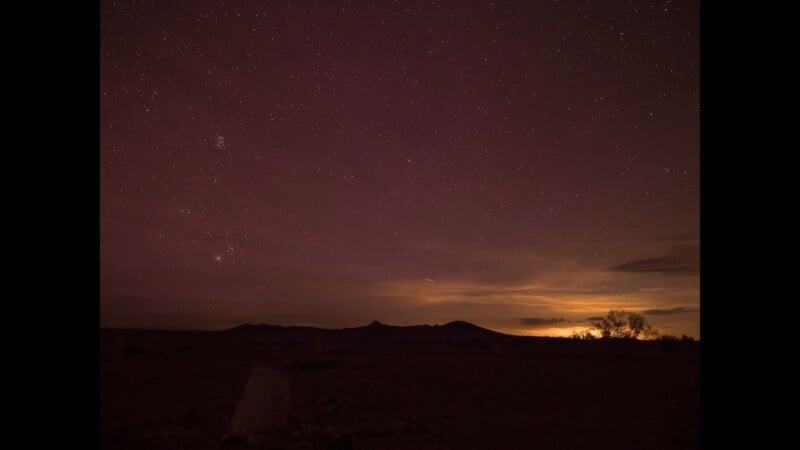
We were out in New Mexico on another project, and with an open sky, a new moon, and minimal light pollution, it seemed like the perfect chance to get some star timelapses under our belt. I also brought along the iOptron SkyTracker Pro, a gadget that tracks the rotation of the Earth, to see whether it earns a place in the workflow.
What a Star Timelapse Actually Takes
A daytime timelapse is fairly forgiving. You’ve got a foreground, a tripod, a camera with a built-in intervalometer, and you can see the image you’re capturing, predict the movement of the Sun and clouds, and plan around it. Pointing the camera at the sky in the middle of the night is where it starts to get complicated.
The solar eclipse taught me that the movement of celestial bodies is very noticeable, and you either account for it or find a way to track it. That’s why I brought a star tracker—in this case, the iOptron SkyTracker Pro. (This isn’t a sponsored piece on iOptron; I have heard many good reviews on this particular unit, and it was the only one I could fit alongside all my other gear.) It aligns your camera so it moves with the rotation of the Earth, which matters for exposure because during a long exposure the stars begin to smear across the frame. A little shutter smear can read as pleasing motion, but there’s also value in keeping things crisp and clean.
The Gear
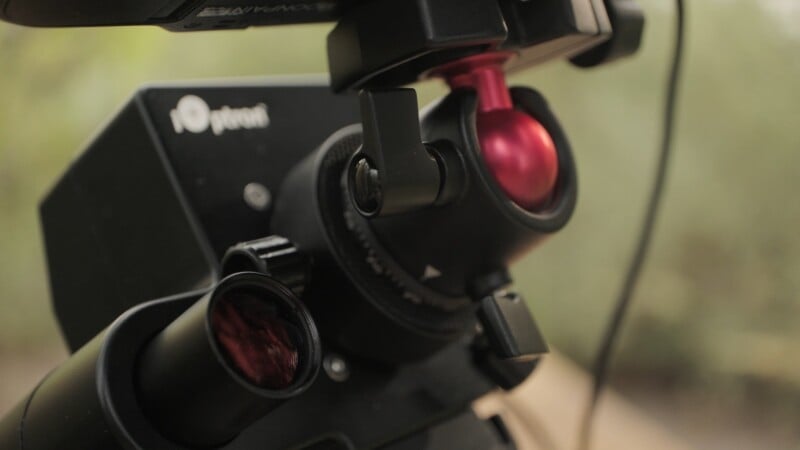
I set everything up while it was still light out, because once the new moon took over we wouldn’t see anything without a headlamp. The baseline is simple: camera, head, and tripod. If you want to try sky tracking, you add a unit that installs between the tripod and the camera and follows the Earth’s rotation to reduce smear.
I’d always pictured this being better for stills, since a 30-second or minute-long exposure is where star motion blur really shows up, so it helps you get a clean photograph. I wanted to test it for an actual timelapse too. With video, there’s always some blur; it’s unnatural for our eyes to see none at all. So I planned to run it both with and without the tracker and compare.
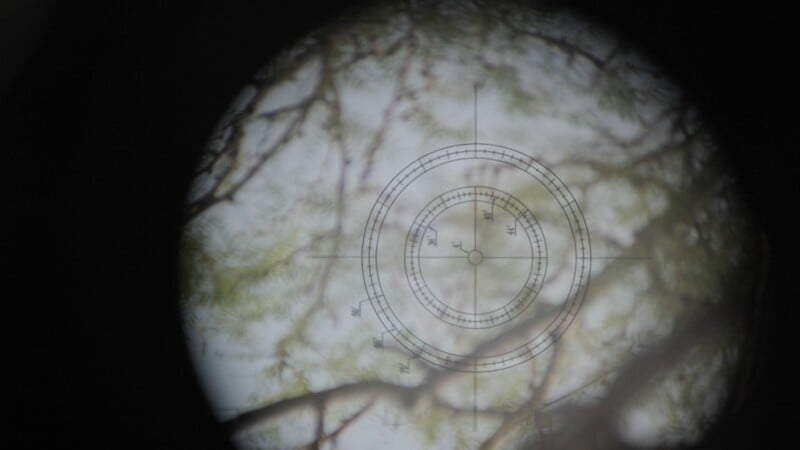
The way it works: there’s a scope you use to line up Polaris, and the companion app tells you exactly where in the scope’s circle to place the star so Polaris sits perfectly static. On the back there are a few modes. 1x spins at the exact speed of the Earth, giving you zero blur on the stars but blur on the foreground. Half-X splits the difference so both the sky and the foreground stay relatively clean. There are also dedicated Moon and Sun tracking modes, which I haven’t tried; the Sun mode probably would have helped on my eclipse video, but you live and learn. A switch sets N or S for your hemisphere, a slew button moves the motor quickly for big adjustments, and fine knobs handle pan and tilt once you’re close.
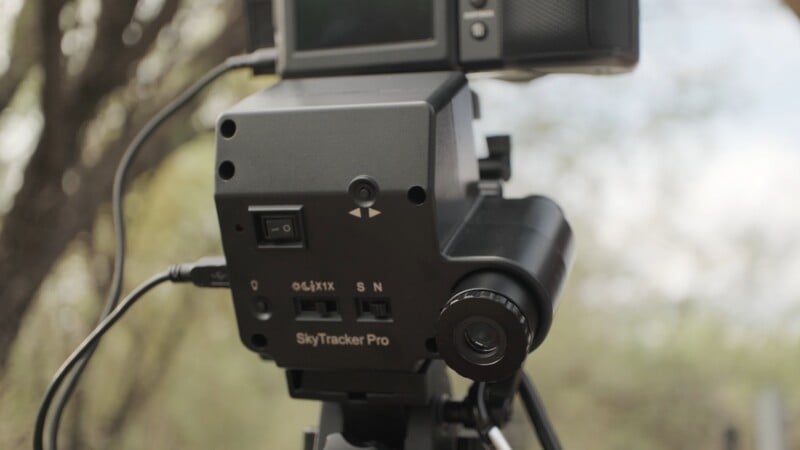
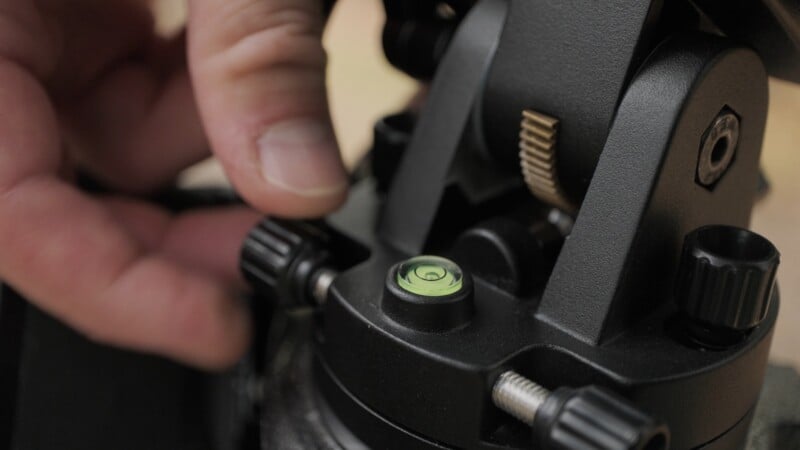
Once it’s lined up, you level the bubble, set Polaris in the scope per the app, and the camera goes on top via a ball head. You can frame any part of the sky you want, but you have to account for the camera twisting in the direction the motor points, so with these small units it’s best to aim the camera roughly the same way as the motor and scope. You can set it out in a field and walk away. Because of the long exposures, though, the camera drains fast, so I ran a SmallRig battery to keep it going.
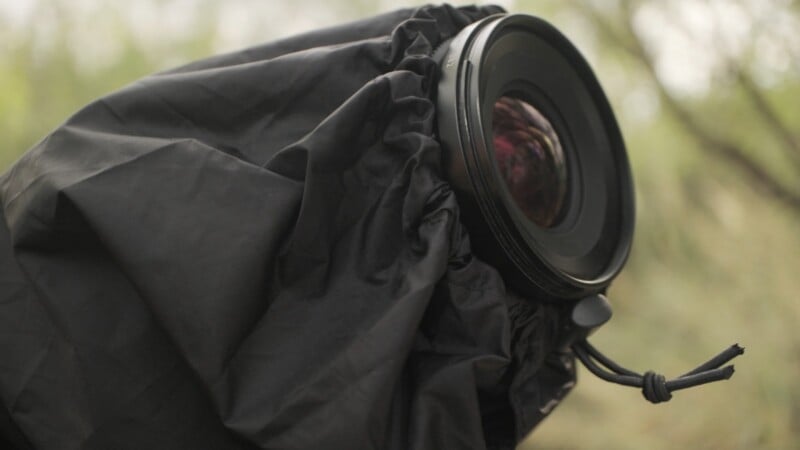
One last addition: with rain clouds moving through the area, I wrapped the camera in a rain cover, cinching it around the front so the lens, the battery, and the battery connections all stayed protected. Then it was time to climb up to our vantage point.
Finding the Right Spot
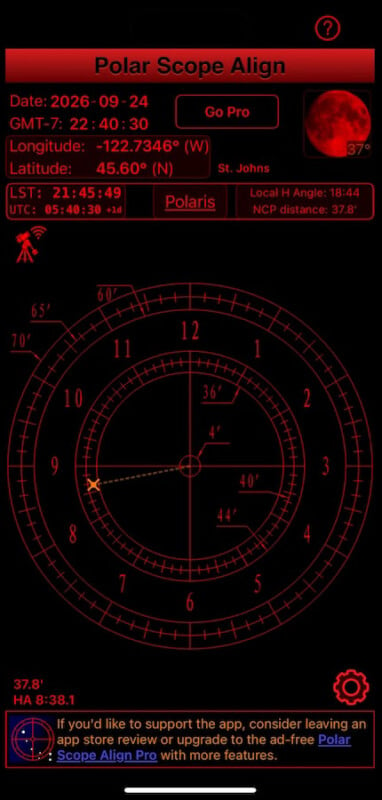
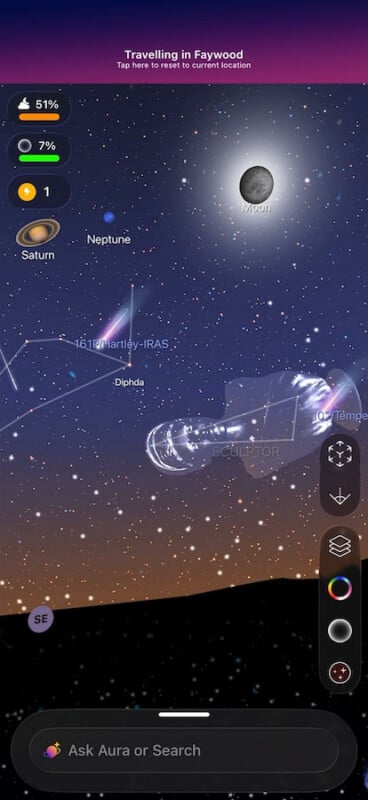
To pinpoint exactly where to aim the tracker, I used a couple of apps. The first comes from iOptron, the company that makes the tracker. It reads your location and time and gives you crosshairs showing precisely where to place Polaris so you lock onto the Earth’s rotation. The second is Night Sky, which lets you see the whole sky regardless of overcast; you can even point it down through the Earth to find constellations below the horizon. That made it easy to find Polaris, rough in my tripod, point the iOptron in the general direction, and then use the fine adjustments to place the star exactly where the app wanted it.
Processing in LRTimelapse
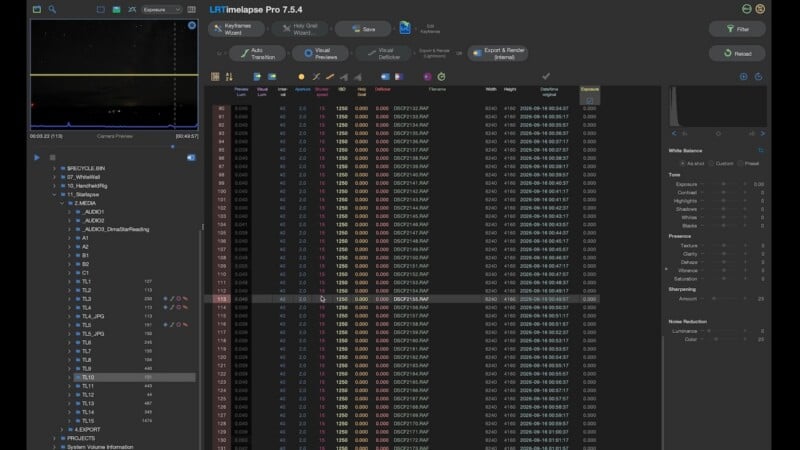
Back in the studio, I pulled the footage into LRTimelapse Pro, which is the only app I’d reach for on this kind of work. It does a great job of collecting data and telling you your settings and how they change in between shots. On this static sequence, the interval was around 40 seconds, aperture at f/2, shutter holding steady since I had it on fixed settings. The software then asks you to create keyframes, which let you adjust exposure or specific images gradually across the sequence. The Wizard option spaces them evenly and you can push it up to 20, but this sequence had even exposure throughout, so I barely needed any. First frame to last looked the same, so a single keyframe would do.
From there, you save the changes to XMP and drag the sequence into Lightroom Classic. One image imports with a four-star rating—that’s how LRTimelapse passes keyframe data to Lightroom. You filter by the LRT presets (full sequence shows everything, keyframes shows the four-star frames it flagged), then develop that keyframe. On this one, I nudged exposure and highlights, watched the shadows so the noise didn’t get out of hand, and added a touch of saturation, clarity, and Dehaze to make the stars pop.
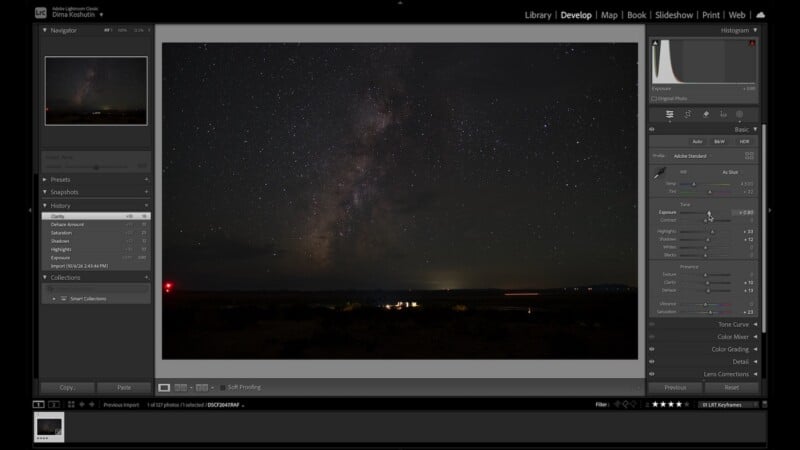
This particular sequence was the static one, no tracker, so punching into the stars revealed a little blur from the Earth’s motion. I saved those settings, let LRTimelapse read the keyframes back, ran auto transition, and it rendered the visual previews.
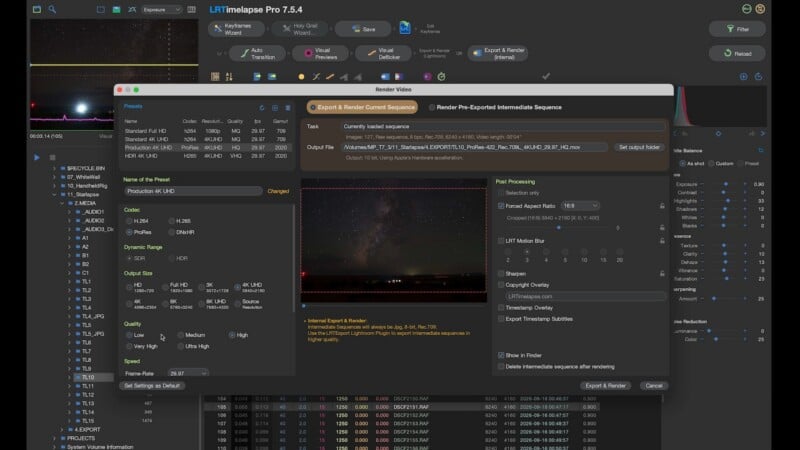
For export, I keep things in ProRes so I can grade in post, drop the frame rate to 23.98 to match the rest of the project, and set quality to very high. Because these were filmed on our GFX100 II cameras at 100 megapixels, I kept source resolution rather than letting 16:9 crop the top and bottom. That way I can reframe in post or even build a move, a tilt up or down, without losing any apparent resolution on a 4K delivery.
The Results (And Some Mishaps)
The static sequence looked great, even at only five seconds. And honestly, the slight blur on the moving stars replicates the motion blur our eyes expect from normal cinema at a 180-degree shutter, so I didn’t mind it at all. I can see how useful the tracker is for super crisp stills of the sky, but here the static look held up beautifully. (I was also hanging out next to these cameras for four or five hours grabbing different angles, surrounded by desert mice, various critters, and howling coyotes. Wild night.)
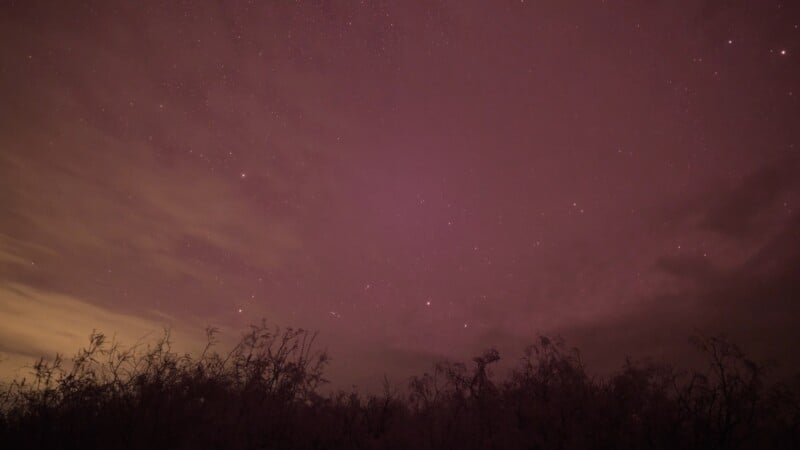
Then came the problem. As I reviewed the tracker footage, the image suddenly flipped. The ball head had been holding to the tracker mostly by friction with nothing truly locking it in place, and over the long run it loosened, swung down, and came to rest at the bottom. I didn’t catch it until post.
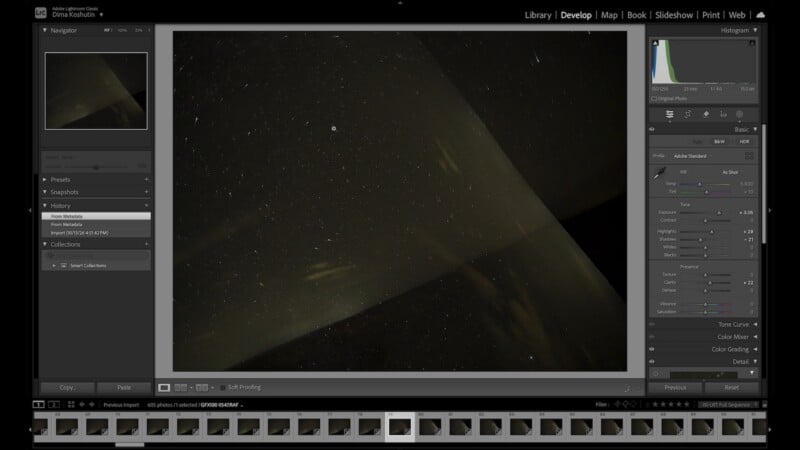
We did get some good frames of the tracker working, and punching into those, the stars weren’t smeared at all, confirming it was doing its job even at half-speed. But even after the head swung loose, the stars still looked crisp, because we were running a relatively fast 15-second shutter with a 40-second interval. The gimbal failure barely made a visible difference.
So is the tracker necessary? We didn’t gather enough clean tracker data to build a full comparison, but the takeaway is clear. For stills, especially long exposures, it’s a genuinely useful tool. For a timelapse at a 15-second shutter or faster, I don’t think you’d see much difference with it or without. And thanks to the GFX100 II’s 100 megapixels, even the static sequences let me reframe and level the horizon without noticing any resolution loss at a 4K delivery.
The Takeaway
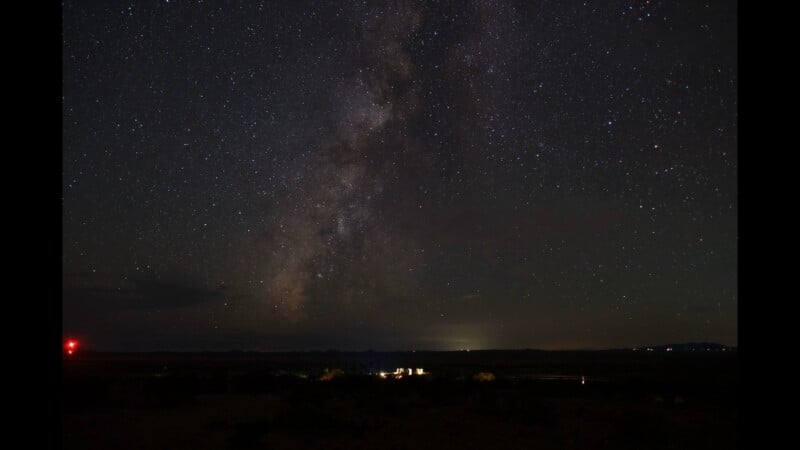
It took some coordinating and a lot of walking around in the dark, but it was worth it. The biggest lesson is that while a gadget tracking the Earth’s rotation is a neat thing to have, you can capture beautiful star timelapses with just a lens, a camera, an intervalometer, and a tripod. Get your shutter speed and interval right, and you’re most of the way there. There will be more timelapse experiments ahead, so stay tuned.
Affiliate Disclosure PetaPixel articles may include affiliate links; we may earn a commission if you buy through one.