
Samsung P9 SSD Review: Finally Best in Class
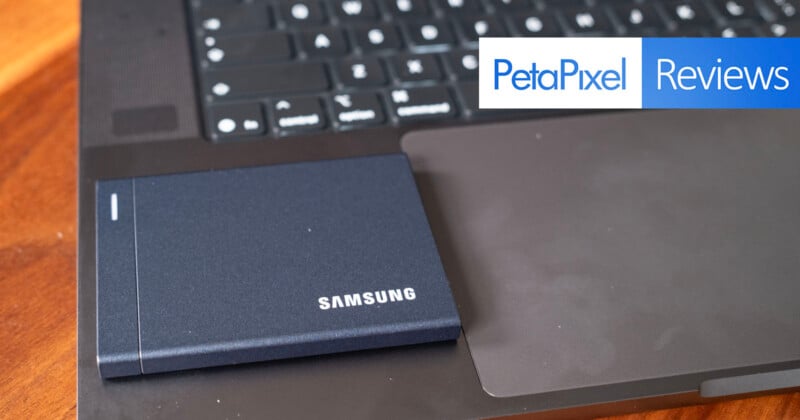
I have been very hard on Samsung SSDs over the last few years. The T-series SSDs have been hugely popular among photographers because of their compact size, but I have never liked them because of their atrocious transfer speeds. For what they cost, they just aren’t worth it. But Samsung finally has me changing my tune.


Samsung has finally produced a slim, fast, and cost-effective portable SSD that is the best in its class.
Pros
- Excellent transfer speeds
- Compact, thin, and lightweight design
- Silent operation with effective heat management
- Competitive pricing for the performance offered
Cons
- All-metal exterior scuffs easily
- Write performance dips when the drive is full
Prior to the P9, Samsung used USB 3.2 Gen 2×2, which can provide peak speeds of up to 2,000 MB/s… as long as you’re using the right connection. Gen 2×2 has always been badly supported on all computers, but it is particularly badly supported on Apple devices, where a single Apple computer in the last decade supported it on just one of its USB ports.
Gen 2×2 was always meant as a stopgap between USB 3.2 and USB4, but manufacturers kept using it because it was cheaper than paying for the higher USB4 components, while it also let them claim super-high transfer speeds on the box. This was, for a majority of users, effectively a lie: most would never see anywhere near those speed promises and would instead cap out at sub-800 MB/s peak read and write speeds.
I was willing to forgive this back when the T7, T8, and T9 SSDs cost under $100, but these days the MSRP of these SSDs has ballooned to around or over $260 for 1TB and $1,000 for 4TB. That’s an insane price for such low performance, especially given the alternatives.
What I can never fault Samsung for is its SSD design: small, thin, and light. The T series got this bang-on, and the new P9 really does a good job with carrying that forward.
Samsung P9 Review: Design and Build Quality
Samsung has slowly moved away from its rubber or silicone wrap that it put around the T7 as it evolved the series, and the latest T9 moved to a “carbon pattern” rubber that was significantly less thick. The P9 feels like the next logical step: fully moving away from that kind of a wrap and leaving the metal bare. This makes the design feel less rugged, but it is unlikely to make a major difference for most users in practice. Perhaps it won’t be quite as drop-resistant – and Samsung isn’t really talking about that at all, actually – but I personally prefer it. I just was not a fan of how the T series felt in hand.
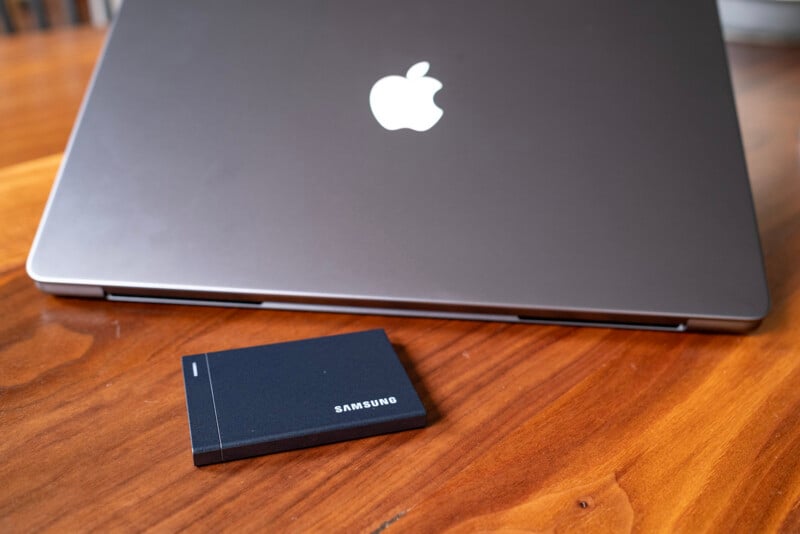
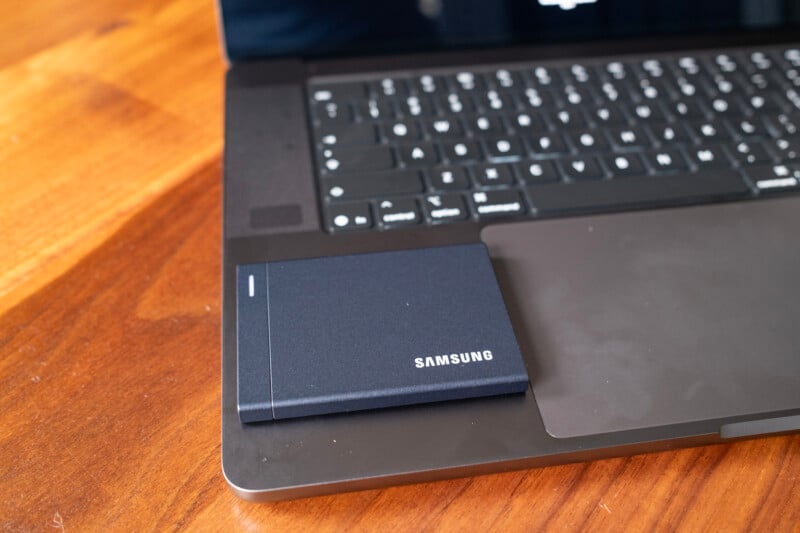
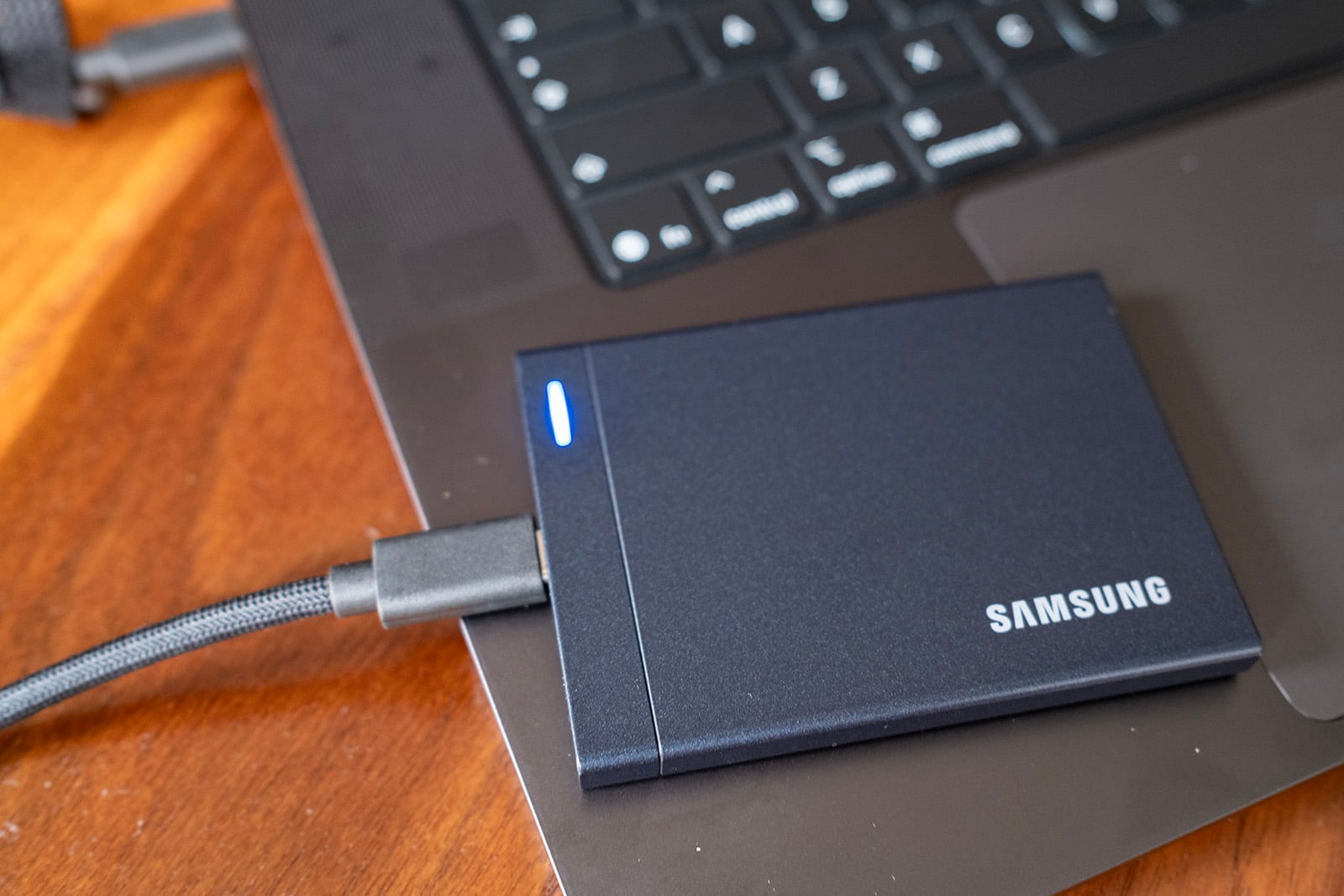
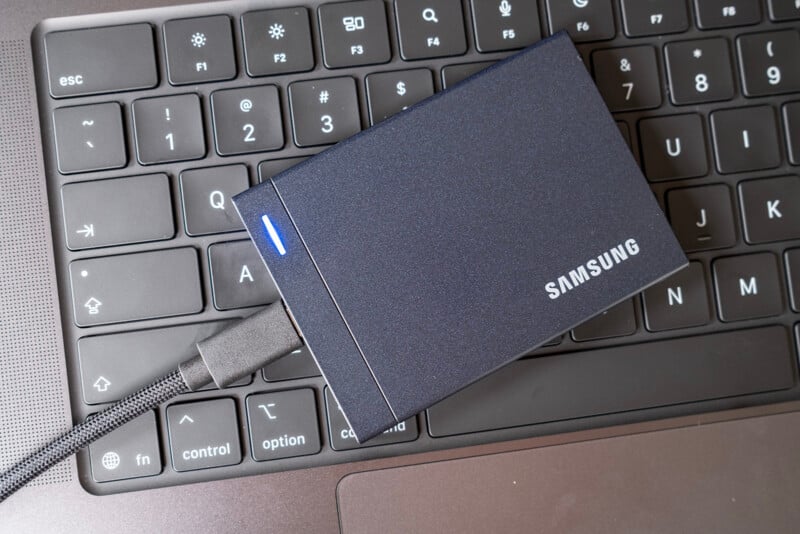
There is really not a lot else to talk about with the design of this little SSD. It has a single USB4 port, an indicator light, a little embossed line for design effect only, and Samsung’s logo. Simple, light, straightforward, and svelte.
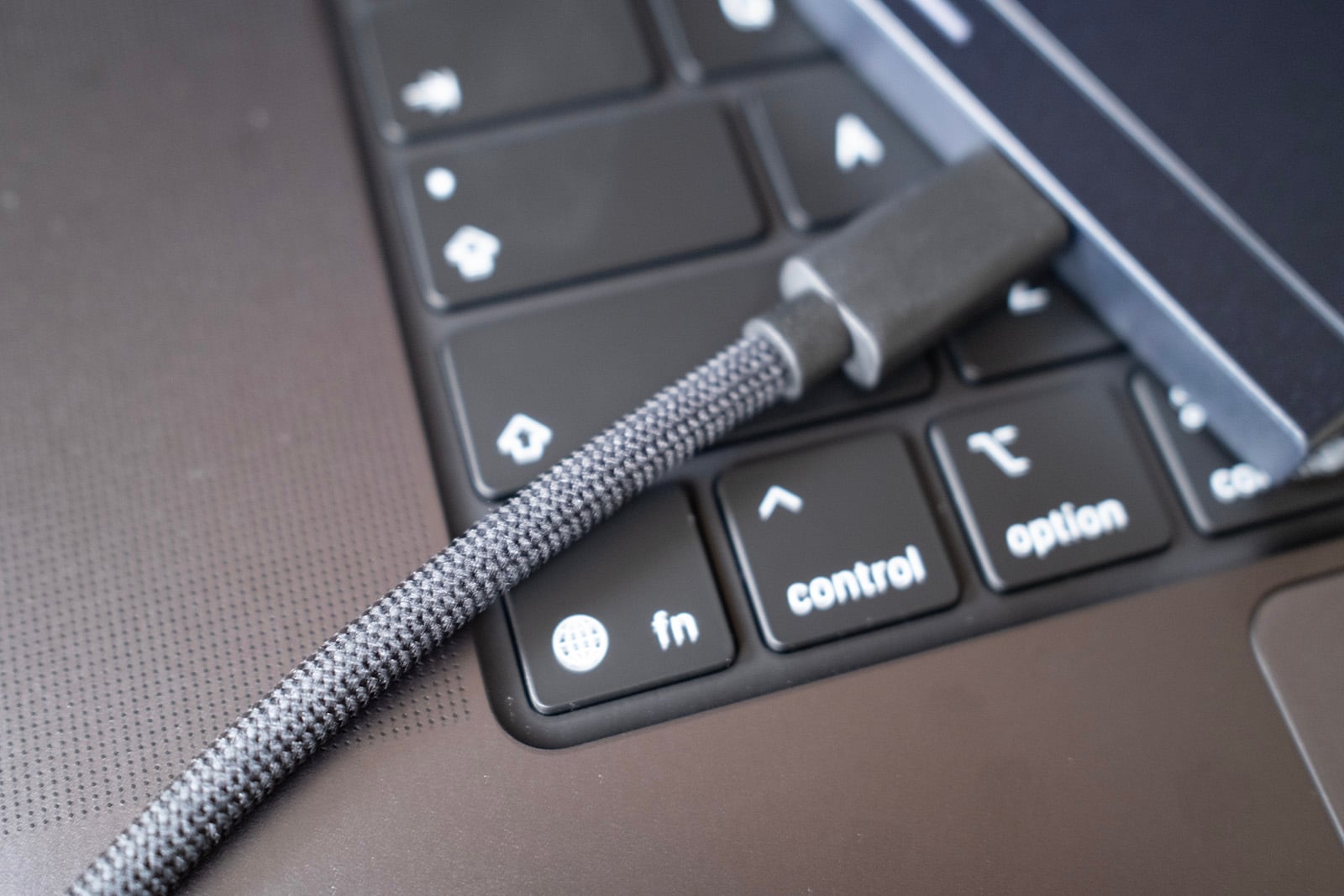
I will say that the corded USB cable that Samsung includes with the P9 is very nice and is a good length (about a foot long). It includes two Velcro cable ties to keep it organized in your tech bag, and it is wholly unbranded (which I also like).
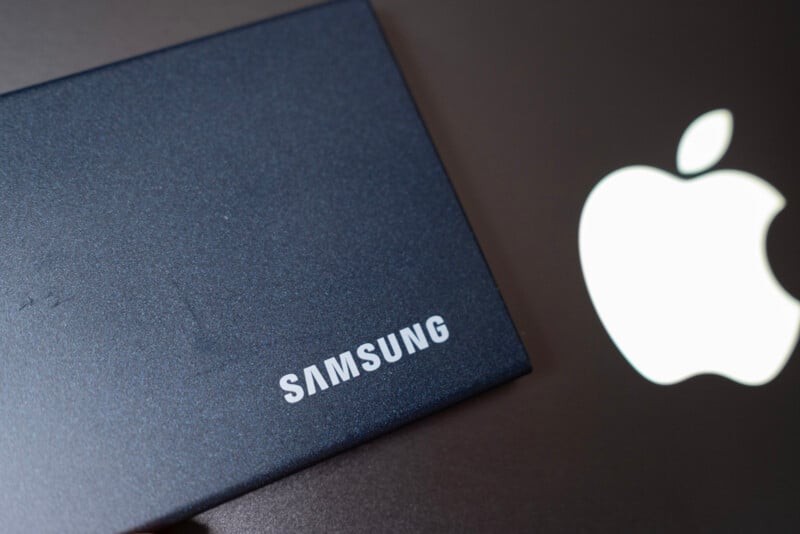
If I had one knock on the P9 design, it’s that the all-metal exterior scuffs very easily. I put this P9 in my bag for one quick trip to Los Angeles earlier this month, and it has a pretty noticeable blemish now. People tend not to care about this too much, but if you’re someone who likes to keep their tech neat and clean, that might be hard with the P9.
Samsung P9 Review: Performance
As I said before, Samsung SSDs have always had a nice design, but the performance was woefully lacking. That finally changes with the P9.
As a recap, PetaPixel‘s storage testing involves speed testing SSDs brand-new out of the box, filling the SSD to capacity and testing again, and then emptying the SSD and testing a third time. We also have recently added Amorphous DiskMark to our Blackmagic Speed Test bench, but we continue to use the Blackmagic numbers in our historical chart for the sake of consistency.
The SSD I tested is Samsung’s 2TB capacity option.
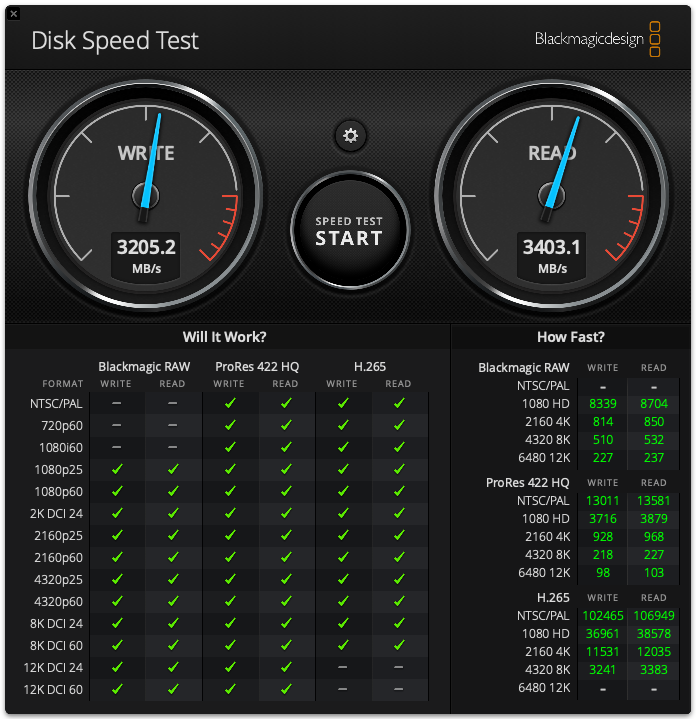
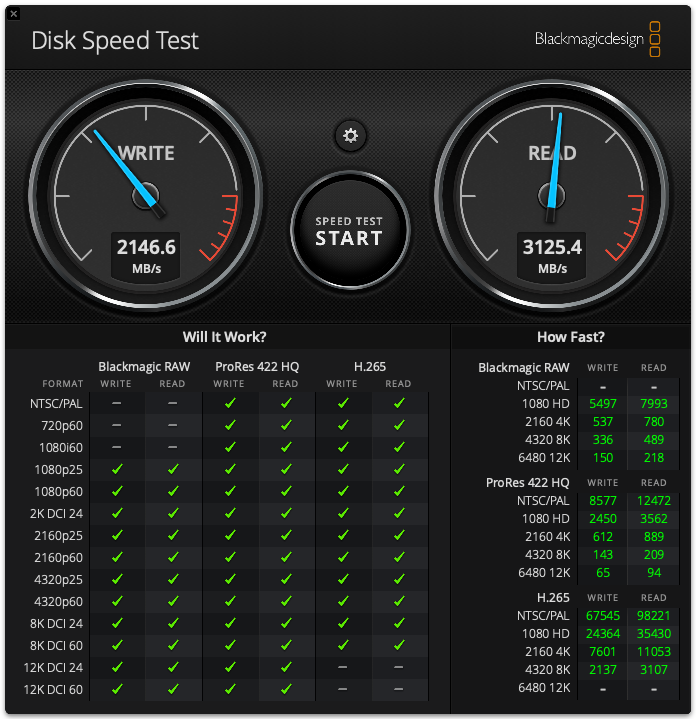
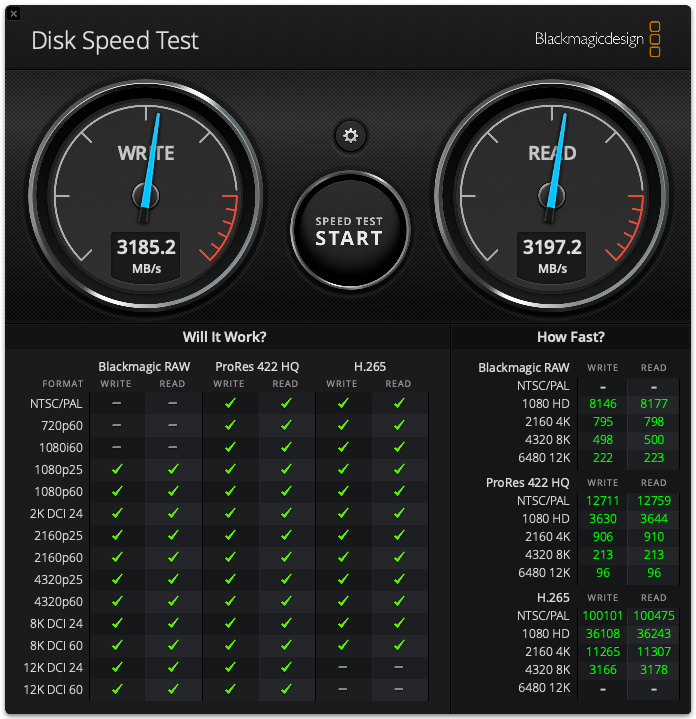
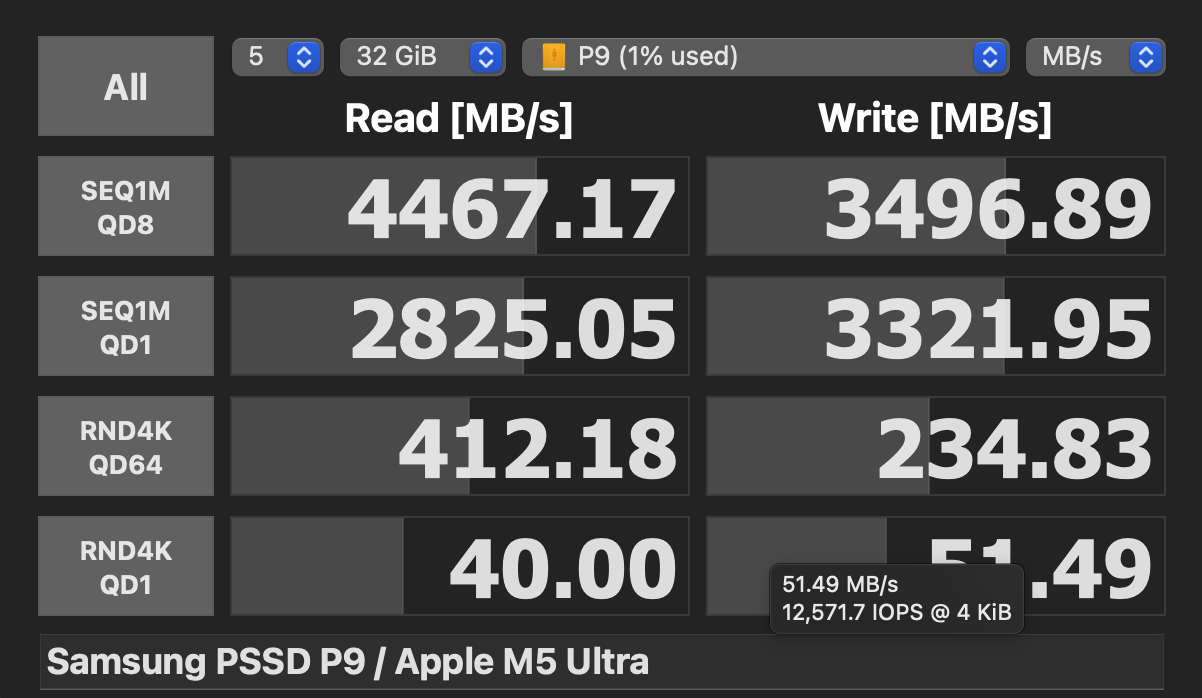
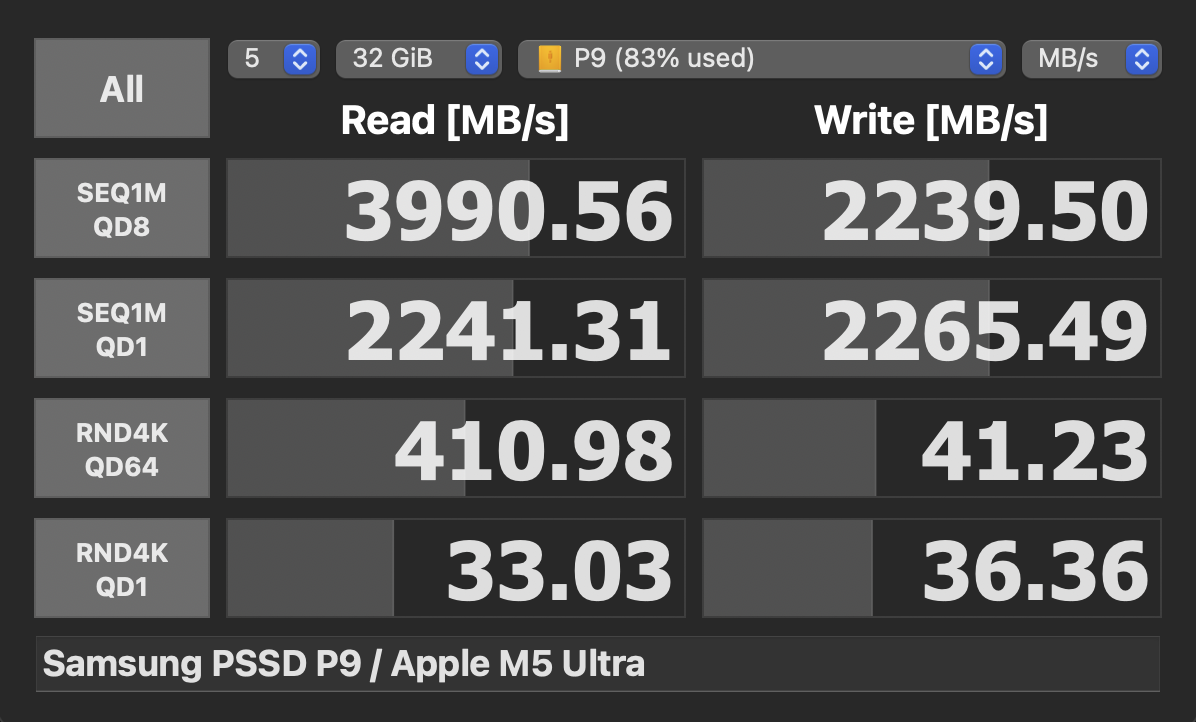
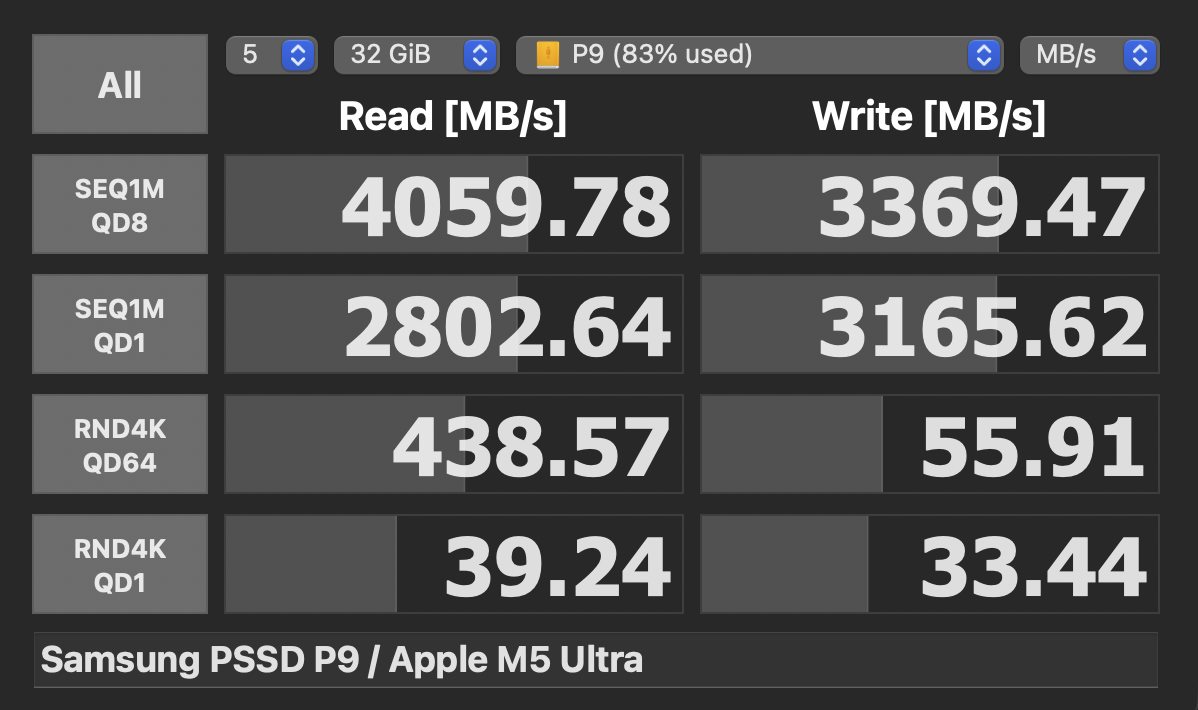
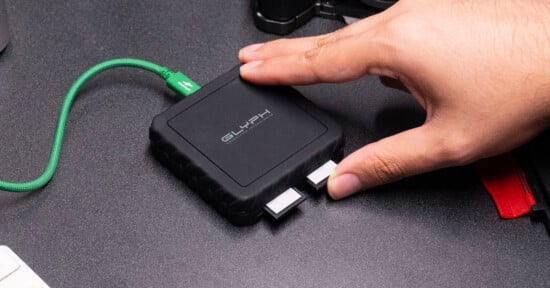
These are great numbers, especially compared to Samsung’s previously woeful performance with USB 3.2 Gen 2×2. They are not close to the best we’ve seen out of other USB4 SSDs or Thunderbolt 5, but they’re very good. The P9 has support for first-gen USB4, so it caps out at 40 Gbps and won’t match the speeds of the Oyen U35 Bolt+ or the Glyph EX80, but it does compete well against the ProGrade PG10 and the Glyph EX40.
There is a dip in write performance when the SSD fills, which is worth noting, but its peaks are higher than both Glyph and ProGrade USB4 Gen 1 options. I think this matters even more when you consider the size and weight of the Samsung P9: it’s significantly smaller and lighter than other options in its tier. I could carry three P9s for around the same size and bulk as a single Glyph EX40, for example.
In use, the Samsung P9 is completely silent, which is expected given it has no moving parts, but it is also surprisingly good at sinking heat despite its thin and small chassis. It does get warm when under load, but that warmth doesn’t last for long and quickly returns to below body temperature and feels cold to the touch. I didn’t see any evidence of thermal throttling either. Overall, fantastic performance.
The Samsung P9 Deserves Its Laurels
As often as I am hard on brands, I am willing to give praise when it is earned: Samsung has created an SSD that maintains all of the benefits of the T series while finally backing that up with performance. This is a fantastic little SSD that performs well. Somewhat surprisingly, it’s not crazy expensive either: $340 for 1TB. Compared to the $290 retail price of the Samsung T9 for the same capacity, it’s well worth it to jump over to USB4 for the $50 upcharge, as you’re getting way, way better speeds with the P9 versus the T9 (or T8 or T7).
This is still a worthwhile purchase even if you don’t have a USB4-compatible computer, since it’s better to invest in products that can grow with you rather than hold you back. The next time you get a computer, it’s more likely than not going to come equipped with USB4 support, and you will want to be able to take advantage of that instead of being left behind on USB 3.2.
Are There Alternatives?
As mentioned, the Samsung T series (most recently the T9) is going to be the most obvious direct competitor. It’s cheaper, but not by much and certainly not by enough to accept the huge dip in performance. The P9 is nearly five times faster than the T9 for an extra $50. To me, that’s a no-brainer.
The aforementioned Glyph EX40 is a direct USB4 (generation one) competitor, and it is significantly heavier and bigger and has worse performance in most circumstances. It is more consistent under heavy load, but many will see the much smaller P9 as a better choice to shed some weight. Additionally, the P9 is $100 cheaper than Glyph at the 1TB capacity. Both the EX40 and the P9 offer 2TB, 4TB, and 8TB options, and as the capacity goes up, Glyph’s price gets more competitive until it is actually cheaper at 8TB ($2,450 versus $2,700).
The ProGrade PG10 is in a class of its own since it is only available in the 16TB configuration right now, and if you need that much capacity, it is a more cost-effective option at $4,200 versus the $5,400 it would cost to buy two 8TB Samsung P9 SSDs. ProGrade’s PG10 is also slower, especially the 16TB version, which tested worse than ProGrade’s lower capacities it once offered.
Should You Buy It?
Yes. Samsung has finally produced a slim, fast, and cost-effective portable SSD that is the best in its class.
Affiliate Disclosure PetaPixel articles may include affiliate links; we may earn a commission if you buy through one.