

Canon Adds Flash Support to the R6 V With New Firmware
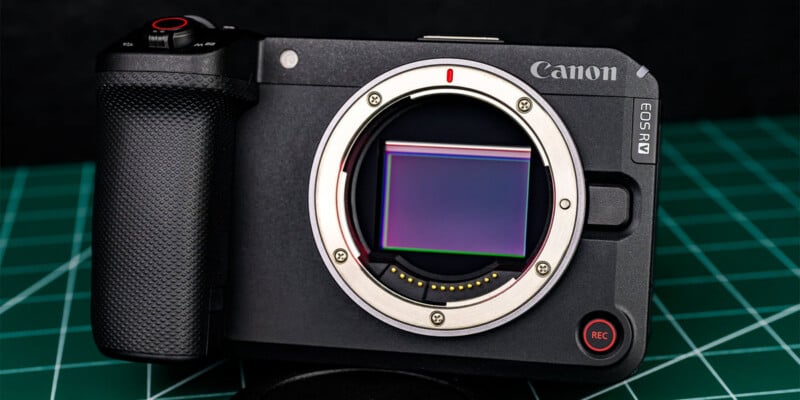
Canon released new firmware updates for the EOS R6 Mark III and EOS R6 V cameras this week. Arguably the biggest addition of all is the ability to shoot with flash on the R6 V.
While the Canon EOS R6 V is undoubtedly better suited to video than photography, the camera does have many of the same still photography capabilities as the R6 III, albeit without that camera’s mechanical shutter.
It was this lack of a shutter that presumably led to the R6 V shipping a couple of months ago without the ability to use flash. The R6 III, for example, is not compatible with flash when set to its electronic shutter option.
For that matter, the R6 V is still very limited with flash. Although Canon doesn’t offer specifics on its R6 V firmware page, DPReview notes that flash on the R6 V is limited to a maximum sync speed of just 1/60s, which is very slow.
It is also worth recalling that the R6 V lacks a traditional five-pin hotshoe. It works with Canon’s Multi-Interface-equipped Speedlite units, but not traditional flashes.
Nonetheless, it’s nice to have the option to use flash on the R6 V, as that was a rather notable omission for hybrid shooters.
Other improvements introduced in firmware 1.1.0 include support for Canon’s new BR-E2 Wireless Remote Controller, support for Canon’s SDK, bug fixes, and improved “operational stability,” the most popular update in firmware history.
The Canon EOS R6 III is also now at version 1.1.0. Compatibility with the BR-E2 has been added, and Canon has introduced SDK support for the R6 III, too.
Canon has also added the option to set autofocus for close-up demos to the camera’s menus and the option to set a grid display during movie recording, features that were already available in the R6 V.
Canon also addressed some potentially frustrating bugs, like FTP errors, an issue with interval shooting, and a USB problem. And, as always, operational stability is better now.
Firmware 1.1.0 for the Canon EOS R6 V and the EOS R6 III is available to download now.
Image creditsProduct photo by Erin Thomson for PetaPixel
Affiliate Disclosure PetaPixel articles may include affiliate links; we may earn a commission if you buy through one.