Posts Tagged ‘printer’

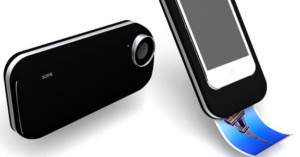
Concept Printer Case Turns iPhone into Pocket Polaroid Camera

Concept Printer Case Turns iPhone into Pocket Polaroid Camera sofie

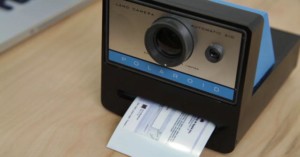
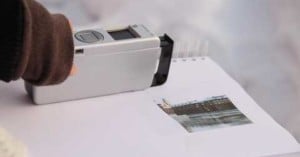
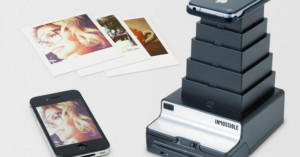
Rather than using traditional instant film that develops on the spot, newer instant cameras are using a special ZINK technology that prints digital photos rather than exposing special paper. As more and more consumers rely solely on their mobile phones for shooting casual snapshots, perhaps the Sophie concept iPhone case is the next step in instant film’s evolution: it’s a case with a built-in printer that turns your iPhone into a Polaroid-style instant camera. What do you think of the idea?

(via Yanko Design)

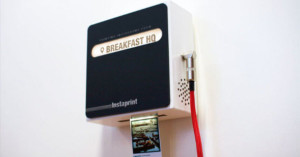
Wall Mounted Box Prints Polaroid-style Instagr.am Photos Remotely

Wall Mounted Box Prints Polaroid style Instagr.am Photos Remotely instaprint1

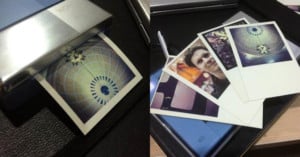
Instaprint is a neat wall-mounted printer that fuses old-school Polaroid-style instant photos with social media (namely Instagr.am). Basically it’s a box you rent for events that contains a modified, Internet-connected Zink printer. It uses the Instagr.am API to constantly scan for a specific location or hashtag, and when new photos are found they’re automatically printed and pushed out the bottom.
Read more…

Calculate Whether to Make Prints at Home or Through a Printing Service

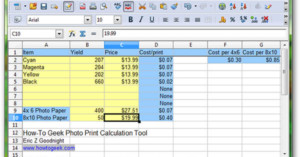
Calculate Whether to Make Prints at Home or Through a Printing Service spreadsheet

If you think making prints at home with your photo printer saves you money over having the prints made through a service, you might be wrong. How-To Geek has a neat tutorial and XLS spreadsheet you can use to calculate the cheapest method depending on your printer expenses. Simply download the file, fill out the boxes according to the instructions, and you’ll learn how much you’re actually paying per-print with your home printer.

Is Your Desktop Printer More Expensive Than Printing Services? (via Lifehacker)

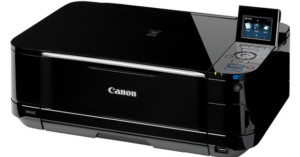
New Canon Printers to Print HD Movie Stills

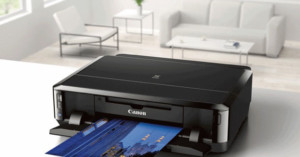
New Canon Printers to Print HD Movie Stills canonpixmaCanon announced today that five upcoming models of the Canon PIXMA printers will feature a “full HD movie print” feature that allows users to print individual frames from their HD movies. The big catch is that the HD movie files have to be .MOV file format created by certain Canon cameras only. The company has yet to release sample prints using the feature.

Other notable features on some of these models include their Wi-Fi capabilities, allowing the printers to access both the Internet and local networks. Also with the Wi-Fi models, Android OS, iPhone, iPad and iPod users can usethe Canon Easy-PhotoPrint app to print camera photos directly from their phones. The wireless models start at $80.

Most of the new printers will also include access to exclusive content on Canon’s CREATIVE PARK, which is a nifty creative site with project ideas, templates, and cards, as well as cool 3D paper craft projects.

Photo Printer and Metallic Paper Giveaway

Update: This giveaway is now over. The winner was selected and announced below.


Photo Printer and Metallic Paper Giveaway redrivergiveaway

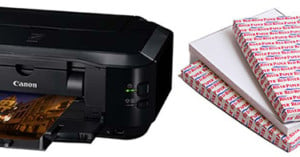
Howdy friends. It’s time for another PetaPixel giveaway. This week we’re giving away a printing set with the following items: a Canon PIXMA iP4700 inkjet printer, 50 sheets of Silver Metallic paper by Red River Paper, and a $100 gift certificate to Red River Paper! The combined value of these prizes is about $250.

To enter, all you need to do is:

Tell us your favorite joke or one-liner

There are two ways to enter, and doing both methods will give you 2 entries in the contest, and thus double the chance the win!

  1. Leave your response as a comment
  2. Tweet your response, and include the following link to this post anywhere in the tweet: http://j.mp/ppxlrrp

    As long as the link appears in the post, you’ll be automatically entered in the contest.

This contest will end Friday May 21st, 2010. We’ll randomly pick a winner using random.org and update this post. Good luck!


Update: This giveaway has ended. We received 184 comments and 98 tweets. Though we’ll count all the comments as entries, we will verify that the winner followed the rules and did not have an unfair advantage.

The randomly selected winner of the printer, paper, and gift certificate is…

#34: atom714

Two guys walk into a bar, the third guy ducks.

Congratulations! Please email editor@petapixel.com to claim your prize.

Thanks to everyone who entered and shared your hilarious jokes with us!


A big thanks to Red River Paper for providing the prizes for this giveaway!

Instant Prints with Your Digital Camera

Instant Prints with Your Digital Camera pandigital

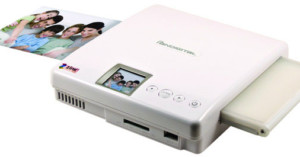
Can’t wait for Polaroid to make its grand comeback this year? You can use your current camera like a digital Polaroid camera with the Portable Photo Printer by Pandigital, announced at the end of last year. It uses Zero Ink (ZINK) technology for ink-less, instant 4×6 printing, and is the first ZINK printer at this print size. The ZINK paper used by the printer has dye crystals embedded inside the paper itself, and is activated by the printer using heat.

You won’t need a computer to use the printer, as the memory card slots, LCD screen, USB ports, and controls are all located on the printer itself. The printer has an MSRP of $149.99, but is usually found online bundled with paper packs for less.

(via Trend Hunter)

Epson’s PictureMate Show Needs Better Design

Epsons PictureMate Show Needs Better Design picturemateshow

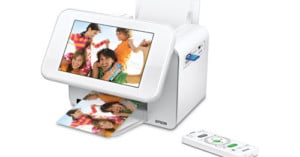
On December 3rd, Epson announced the PictureMate Show, the “Ultimate Two-in-One Digital Frame and Compact Photo Printer”.

I’m not sure how the print quality stacks up against competitors, but Epson really needs to dream up a better design if the PictureMate Show wants to compete in the printer/frame hybrid game.

What’s the problem? It’s way too obvious that the PictureMate show is a printer, making it much less useful as a picture frame. To see what we mean, check out a couple of PictureMate’s competitors:

Epsons PictureMate Show Needs Better Design competitiors

On the left is the iMo Foto Frame Printer, and on the right is the Sony DPP-F700, which will be released in 2010. As you can see, both these products do a much better job at hiding the fact that the picture frame is also a printer, making it much more useful as a picture frame. Again, we’re not talking about print quality or pricing at all. If you’re very concerned about print quality, then these hybrids aren’t the product for you anyway, and the prices are roughly in the same range ($200-$300).

Now lets take a quick look at why the PictureMate Show doesn’t work very well as a frame. Here are two official product photographs from Epson promoting the PictureMate Show:

Epsons PictureMate Show Needs Better Design pms1

Hey printer, I see you!

Epsons PictureMate Show Needs Better Design pms2

I’m not sure about you, but I wouldn’t choose to display photographs in my kitchen or living room for the price of having a printer in the same location.

I really like the concept that concept that Epson is striving towards in its PictureMate show. It just needs to be designed in a more visually appealing way. After all, framing photographs is for the purpose of nice presentation.

What are your thoughts on the PictureMate Show?


Image credits: PictureMate Show photographs by Epson, iMo Foto Frame Printer by Mimo Monitors, DPP-F700 by Sony.