

iMac With M6 Review: The Best All-in-One Computer for Photographers
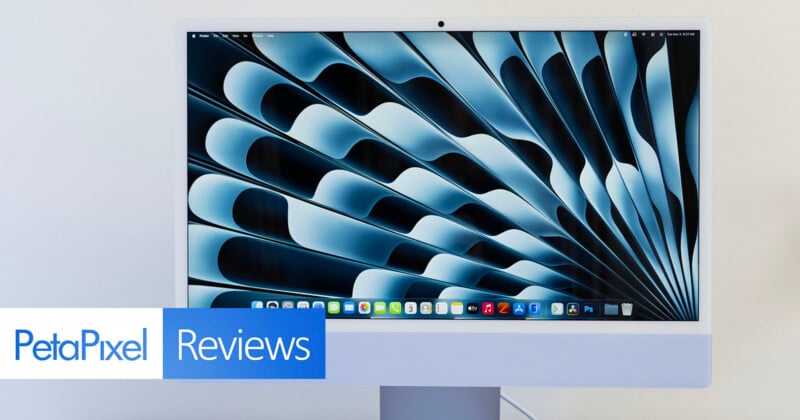
The updated iMac with M6 may not bring a new design, display, or major new features, but it is still a competent, straightforward Mac with a lot to offer.
It does its job, looks good doing it, and is about as fuss-free as any computer can be.
Pros
- Practical and stylish design
- Good built-in screen for photography
- Powerful enough for photo editing and some video editing
- Color-matched accessories
Cons
- No Thunderbolt 5 or SD card slot
- Screen isn't very bright
The first Mac I ever used was an iMac. It wasn’t just just any iMac, either; it was the very first iMac model ever, a graphite iMac G3 with its matching “hockey puck” mouse. At the time, it was running Mac OS 8, I was about eight years old, and I had no idea how computers worked. But importantly, I was hooked. I’ve had Macs ever since.
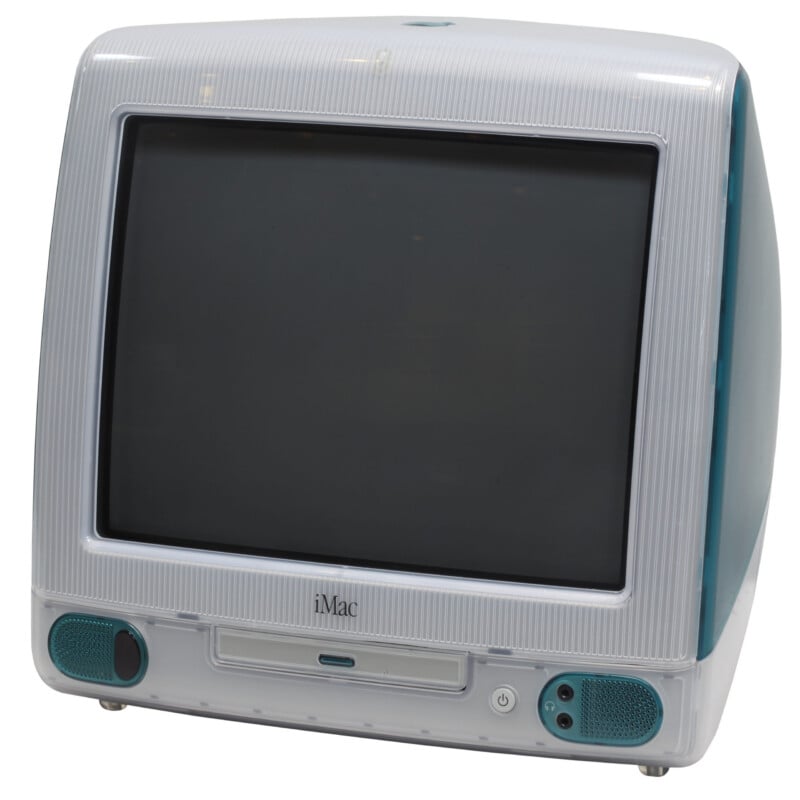
When it was finally time for me to get my own computer, rather than bogart my older brother’s machine to play games (yes, Macs can play games) and browse the very early web, I ultimately went for a Power Mac and didn’t have any more iMac experience until my parents bought an Intel-powered 21.5-inch unibody iMac over a decade ago. I helped set it up, but that was about it.
Much has changed about the iMac since I puttered around frankly dangerous message boards and forums on the iMac G3 and handled IT on an Intel iMac in the 2010s. In many ways, I think the iMac has lost most of its prominence in the Mac lineup. Older iMac computers were iconic, in homes and school computer labs everywhere. But consumer preferences shift. A lot of people go for laptops now, and I understand why. Professionals and power users might go for a desktop, but typically something like a Mac Studio.
I’m here to tell you that while the iMac may never reclaim its elevated position on the Mac totem pole, people should definitely take a good, long look at the newest M6-powered iMac. It’s relatively affordable and powerful, gorgeous to look at, and very convenient. What’s not to like?
Speaking of “affordable,” while the iMac with M6 starts at $1,499 with two Thunderbolt/USB 4 ports, that’s not the machine I have here for testing. I’m using the iMac with four Thunderbolt 4 ports, which starts at $1,699. The move to more ports also means going from the 10-core CPU and 10-core GPU M6 chip to the M6 with 12 CPU and 12 GPU cores.
It still starts with 16GB of unified memory and a 256GB SSD either way, but the four-port iMac also supports up to 32GB of RAM instead of 24GB and up to a 2TB SSD instead of 1TB. The higher-end starting iMac also has 2.5Gb Ethernet on its power brick.
The exact configuration I’m testing is the four-port iMac with M6, 16GB of unified memory, and a 512GB SSD. It has a beautiful blue finish. It is $1,899.
Apple iMac With M6: Design and Build
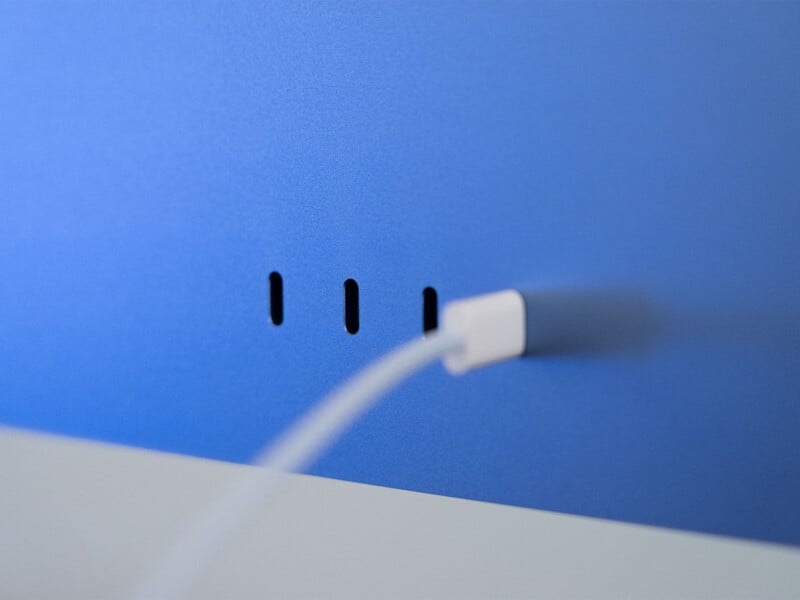
As mentioned, the iMac can come with either two or four rear Thunderbolt 4 ports. Unfortunately, there’s no Thunderbolt 5 here. While I admit Thunderbolt 5 ports are probably overkill for many prospective iMac buyers, it would be nice to have at least a couple on the higher-spec machine.
If I had to keep levying complaints against the iMac, I might also say that it’d be nice to have a built-in SD card slot somewhere, as we get on the MacBook Pro and Mac Studio. It’d also be nice to have a couple of USB-A slots for older accessories. That’s about where the knocks stop.
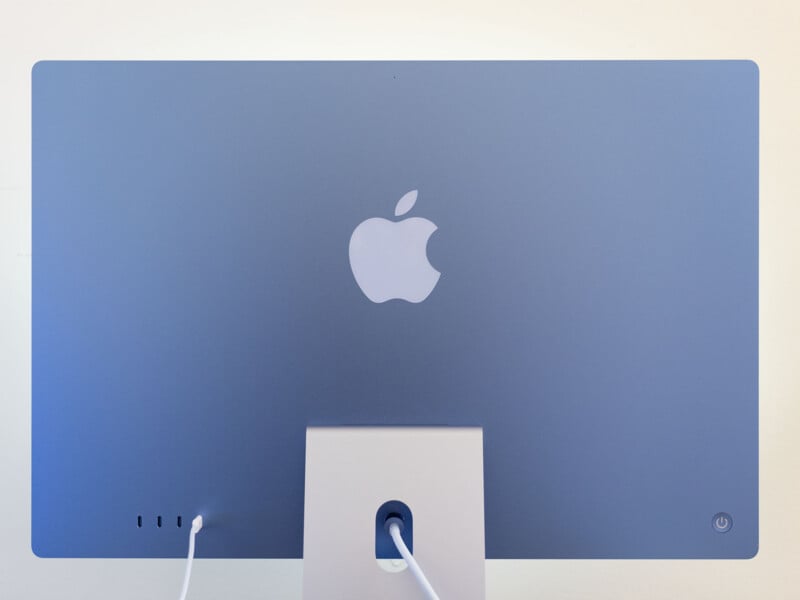
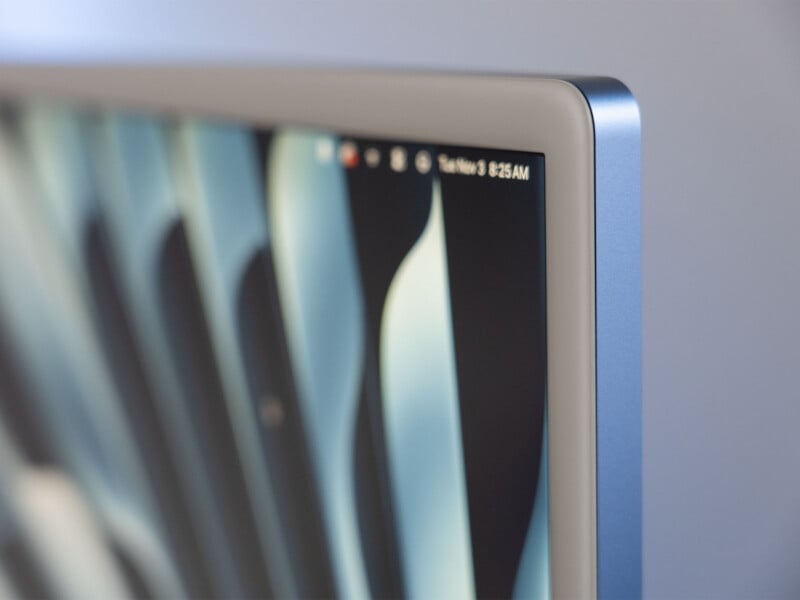
There’s a lot going for the iMac, not least of which is that it is pretty pretty to look at. It comes in six different bright colors and a seventh silver option for those who hate fun. In all seriousness, all seven colorways look great. I think the blue version that Apple sent for review is among the best options.
The front has a soft blue finish with a color-matched Touch ID Magic Keyboard (without a number pad) and a blue Magic Mouse. You can also get a color-matched Magic Trackpad instead for an extra $50. I’m generally a Trackpad man, but I wanted to use the blue Magic Mouse to feel fashionable. There’s also an optional color-matched keyboard with the number pad. It’s an extra $30.
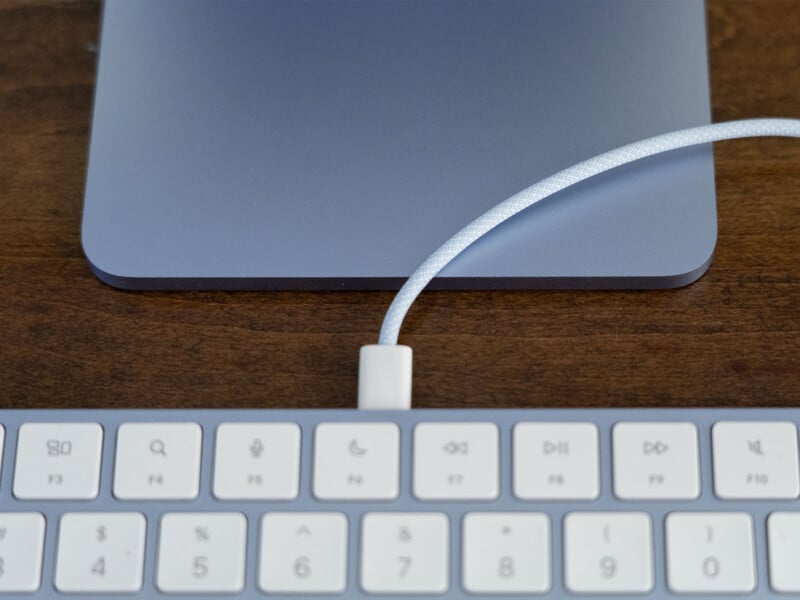
The side and rear of the main chassis are a much darker blue, creating a lovely contrasting two-tone look. It even ships with a light blue USB-C cable for charging the keyboard and mouse and a color-matched power cord that connects to the big ol’ power brick.
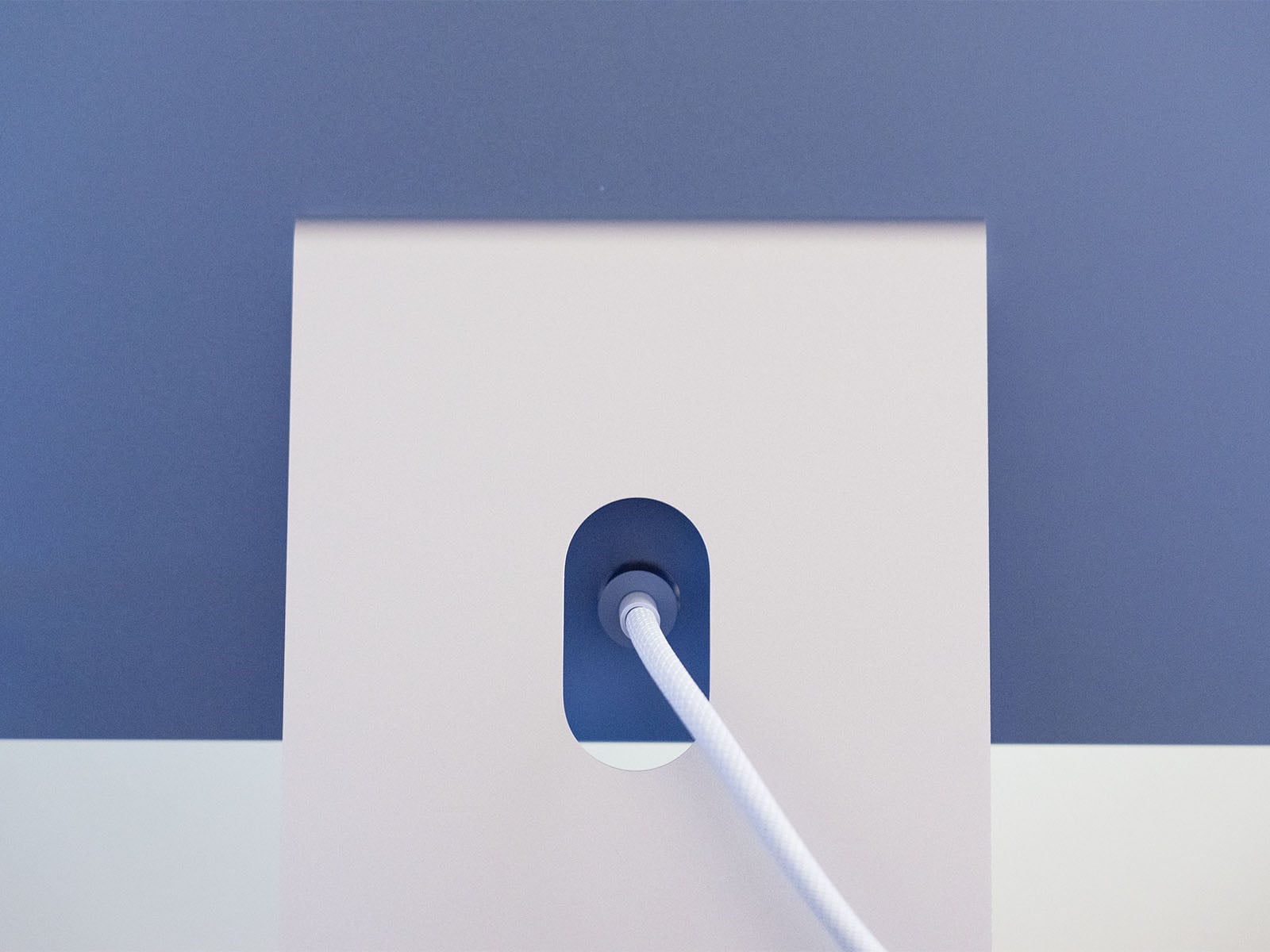
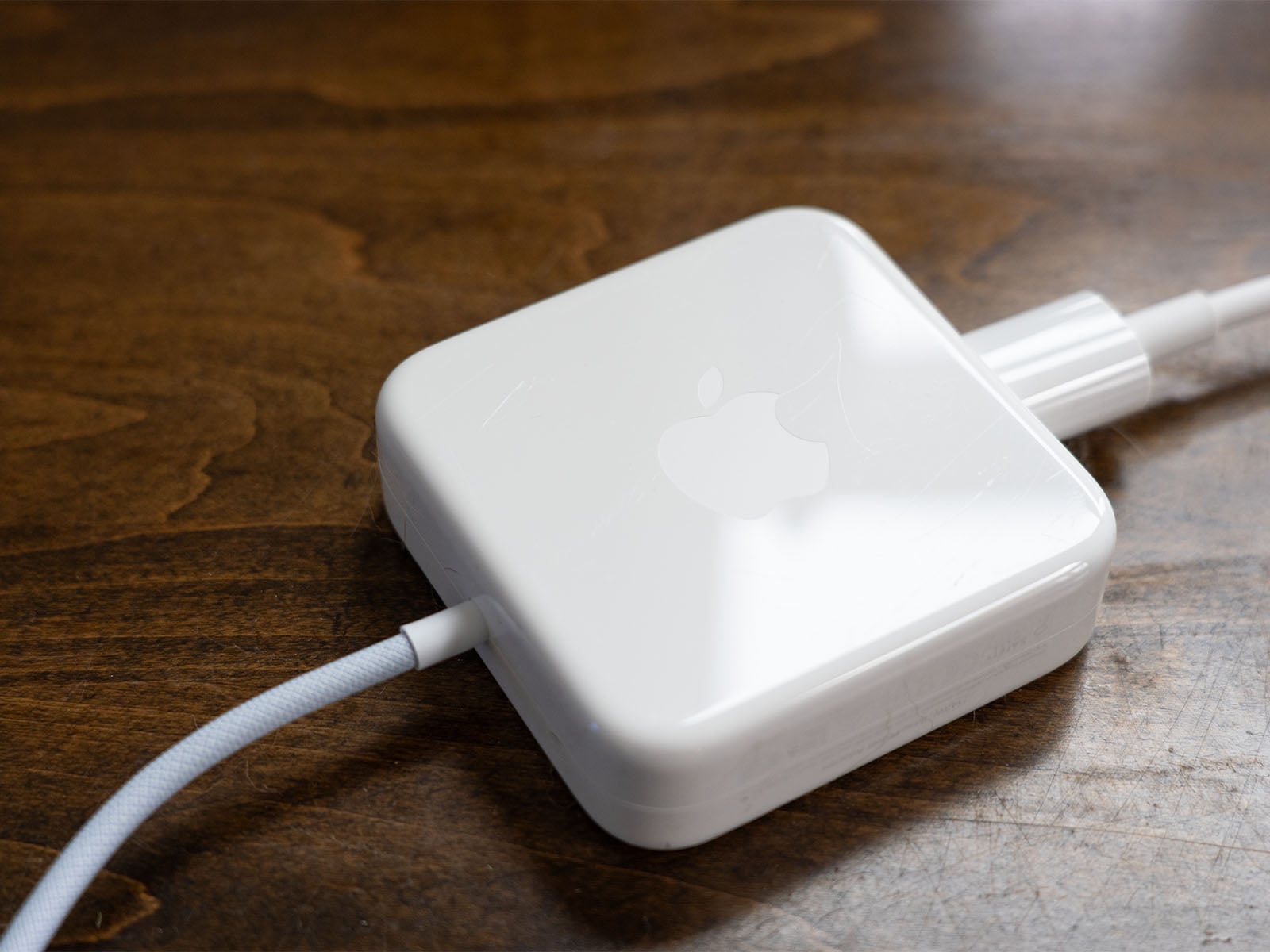
I suppose I also don’t like that there’s a separate power brick. It houses the 2.5GbE port and is the classic glossy white plastic Apple uses for its bricks. I put the brick on the floor, as I suspect many people will, and it got very scratched almost immediately. Oh well. The cord that connects the iMac to the brick attaches to the computer via magnets, which delivers a super satisfying snap. I thought that might mean the cord would quickly release if I stumbled over the power cable, but it’s too strong a magnet for that. Don’t think of it like MagSafe on a MacBook; it’s not that.
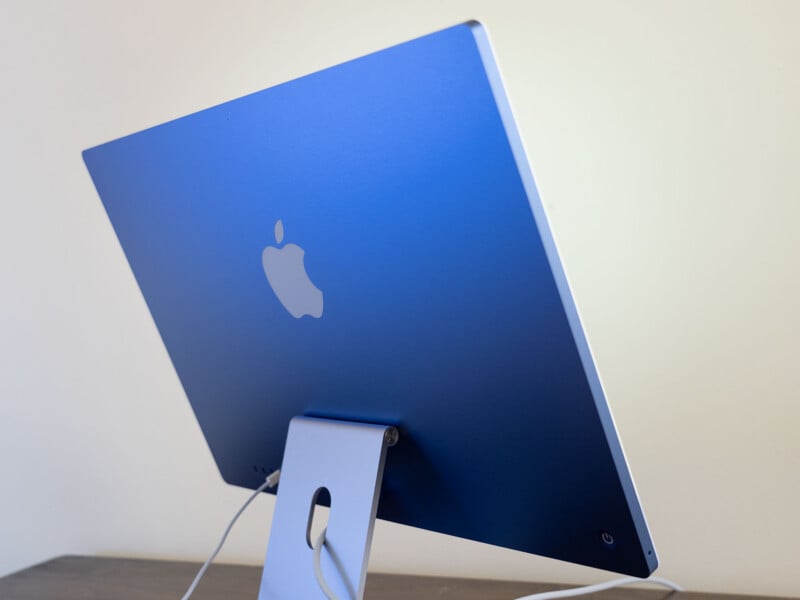
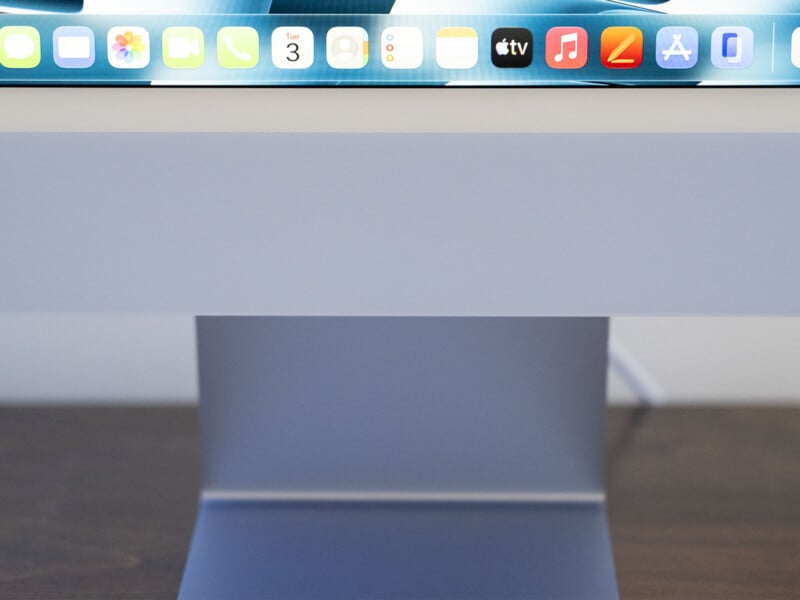
The baby blue stand is well made. It’s very easy to tilt without ever feeling loose or wobbly. Unfortunately, the stand doesn’t have any height adjustment, which some users may find limiting. You can buy the iMac with a VESA Mount Adapter at no additional charge, but that means you don’t get the stand at all.
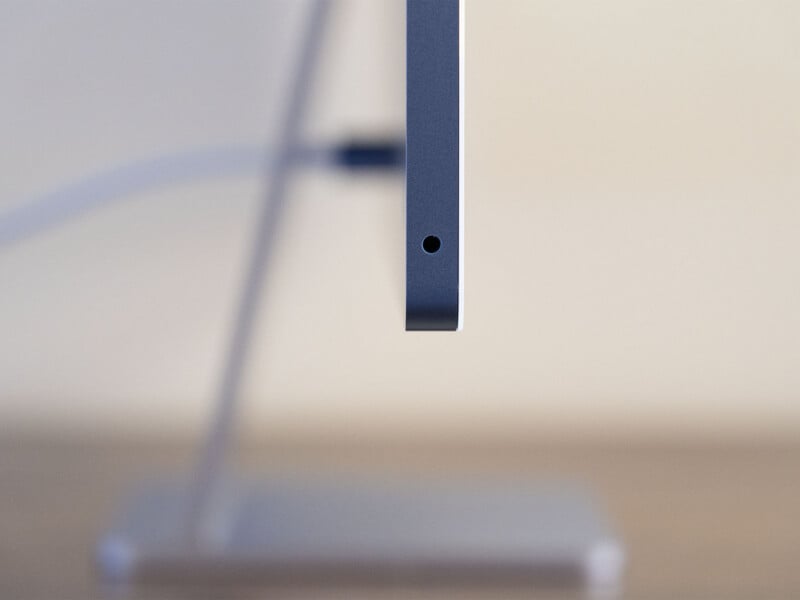
The iMac has a six-speaker sound system with force-canceling woofers. While not my area of expertise or focus, I find the overall sound quality good, though a bit lacking in the lows. There’s not a lot of bass here, if that’s something you’re into. Fortunately for me, I don’t like bass-forward speakers or sound profiles, so I really enjoyed listening to music on the iMac while working. The speakers don’t sound quite as nice as the ones on the Pro Display XDR I use primarily, but that’s a reasonably high, expensive bar to clear. The iMac’s speakers can also get impressively loud, if that’s what you’re into. The iMac also has a standard 3.5mm headphone jack with high-impedance headphone support on the side.
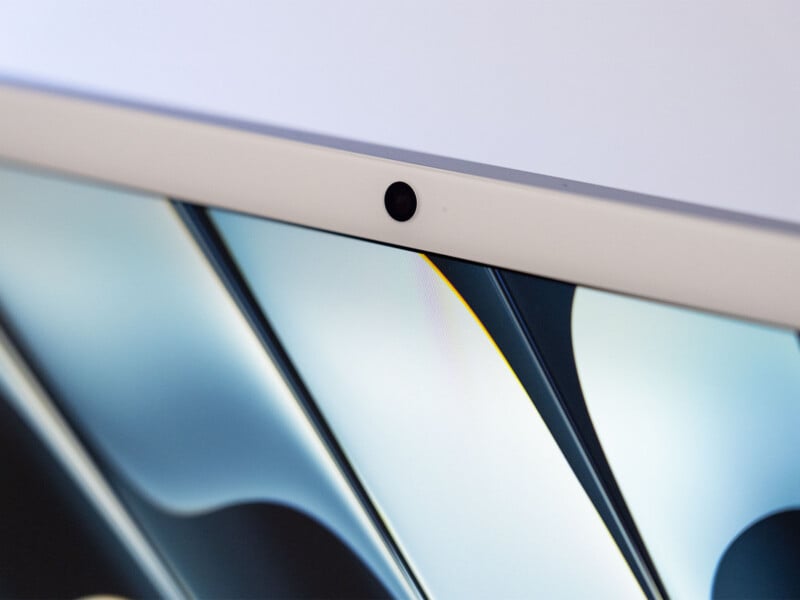
The iMac has Apple’s fairly standard 12MP Center Stage camera with Desk View and 1080p resolution. I’ve used this camera quite a bit over the years, and it’s serviceable enough for FaceTime and meetings. The same goes for the “studio-quality” three-mic array on the iMac. I’m not sure what “studio-quality” really means, but the mic quality is fine for typical daily use cases. If you want to make high-quality podcasts or videos, you’ll likely want a dedicated external camera and mic setup.
Now to the display. That’s a huge part of why you get an iMac, right? A Mac mini can certainly deliver better value, but you need to get all the accessories and screen. The iMac simplifies things greatly. You unpack it you’re off and running. Baby, you’ve got a stew going.
The iMac has the same 24-inch 4.5K Retina display as before. It has 4480 x 2520 resolution, an LED backlight, 500 nits of maximum brightness, and Wide color (P3) color gamut. This is where the iMac can either win someone over or arguably lose some people.
For me, a photographer, 500 nits of brightness is plenty. Arguably, for those who like to print, like me, even that is way too bright. Something I hoped to be able to do with the iMac is set it to a specific nits brightness, say 120 nits, a good value for printing workflows. However, while you can customize the white point, you cannot set a specific brightness. You can obviously just adjust the screen’s brightness until it seems right or calibrate it with an external device, but with some Mac displays, you can just pick a value and go.
For video editors, especially those working with HDR content, the iMac will prove insufficiently luminous. This is not one of Apple’s high-end panels in terms of brightness.
It’s also not a high-end panel in terms of color rendering, but it’s a genuinely good built-in screen. Black levels leave a bit to be desired compared to a higher-end MiniLED screen or especially an OLED, but the iMac’s Retina display looks good. It’s sharp, vivid, and you can absolutely enjoy looking at photos and watching movies on it.
If you are very serious about photography, I would recommend a dedicated calibration device to really dial things in, but otherwise I’ve had no issues.
By the way, while I don’t mind Apple’s glossy displays in controlled environments like my office, if you do want a nano-texture glass display instead, that’s available on configurations with at least 24GB of unified memory for an extra $200.
Overall, the iMac with M6 looks and feels great. While there are some areas where I think Apple could improve the iMac’s usability, I have zero issues with its aesthetics. Ultimately, style matters, and Apple hits all the high notes there.
Apple iMac with M6: Performance
Ultimately, the only real upgrade here with the newest-generation iMac is what’s inside. The design and display match the M4 version released in 2024, but the M6 chip is new. I’ve already discussed the M6 quite a bit in my recent Mac mini review, but the gist is that the M6 has Apple’s fastest CPU cores to date and improved performance for AI tasks.
That’s generally great news for photographers because many tasks in industry-standard software like Adobe Lightroom Classic and Photoshop are CPU-reliant and increasingly use AI. Win-win, right?
Generally, yes. Overall, Adobe Lightroom performance is good, about 10% better than the M5 MacBook Pro I tested last year. What’s notable here is that the MacBook Pro in question has twice as much unified memory as this iMac, which does matter. It’s not an entirely fair fight, and yet the M6 chip comes out on top by a healthy margin.
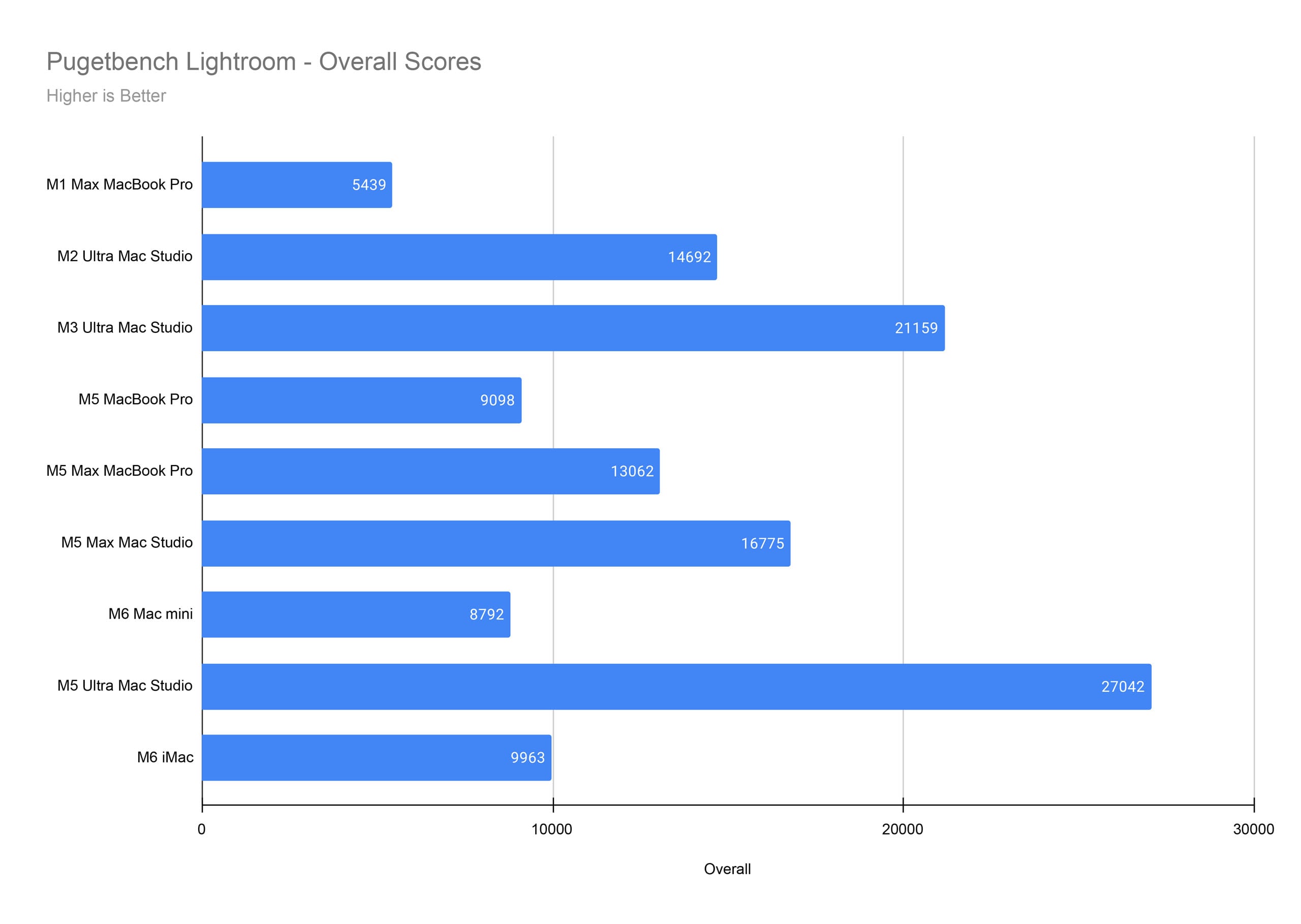
Looking at the category breakdown, we also see something interesting compared to the M6 Mac mini. Whatever was going on with that computer and JPEG exporting is not an issue here on the M6 iMac. To make the charts easier to read, I’ve included one in the gallery below with the Mac mini outlier result removed.
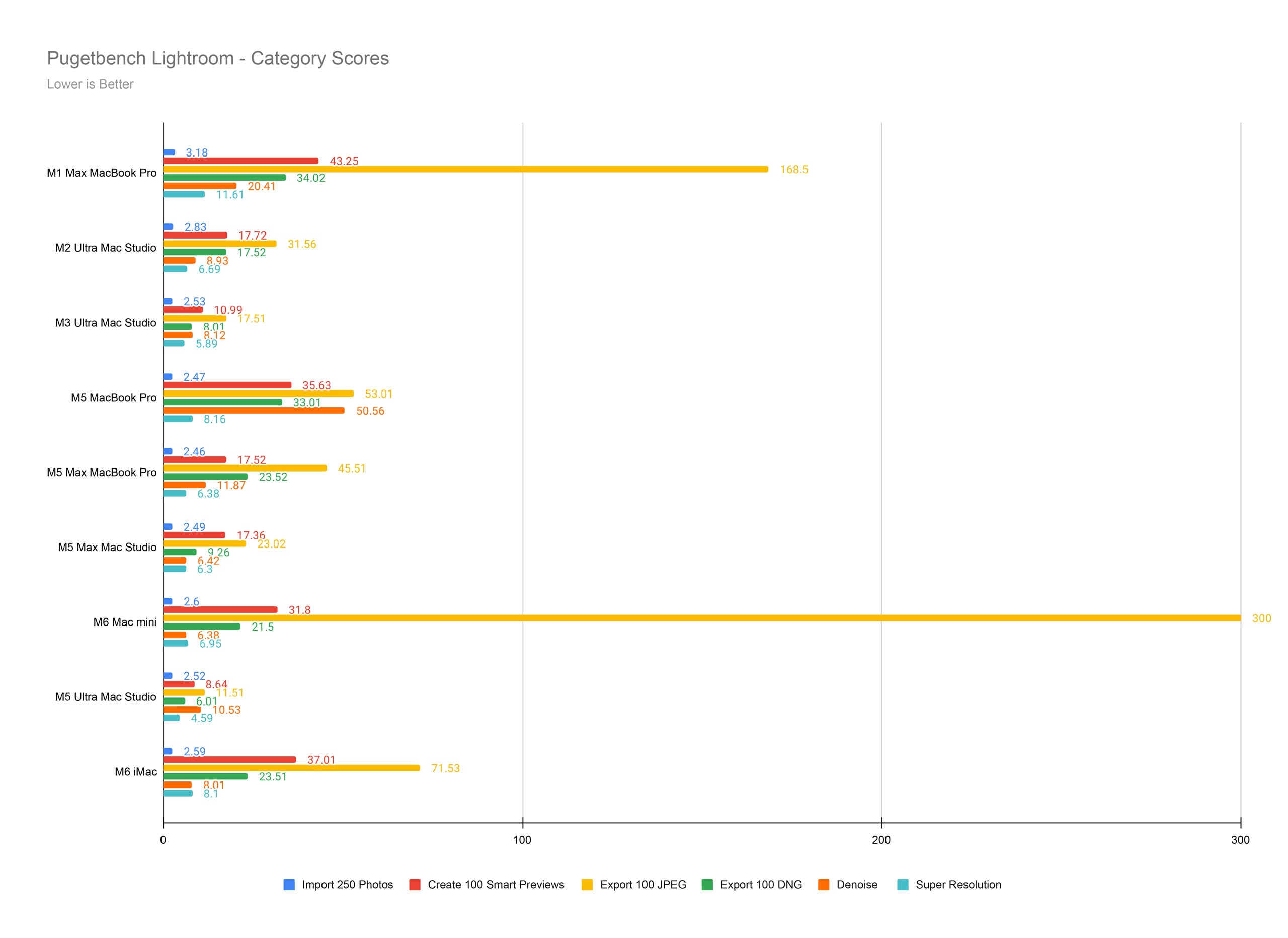
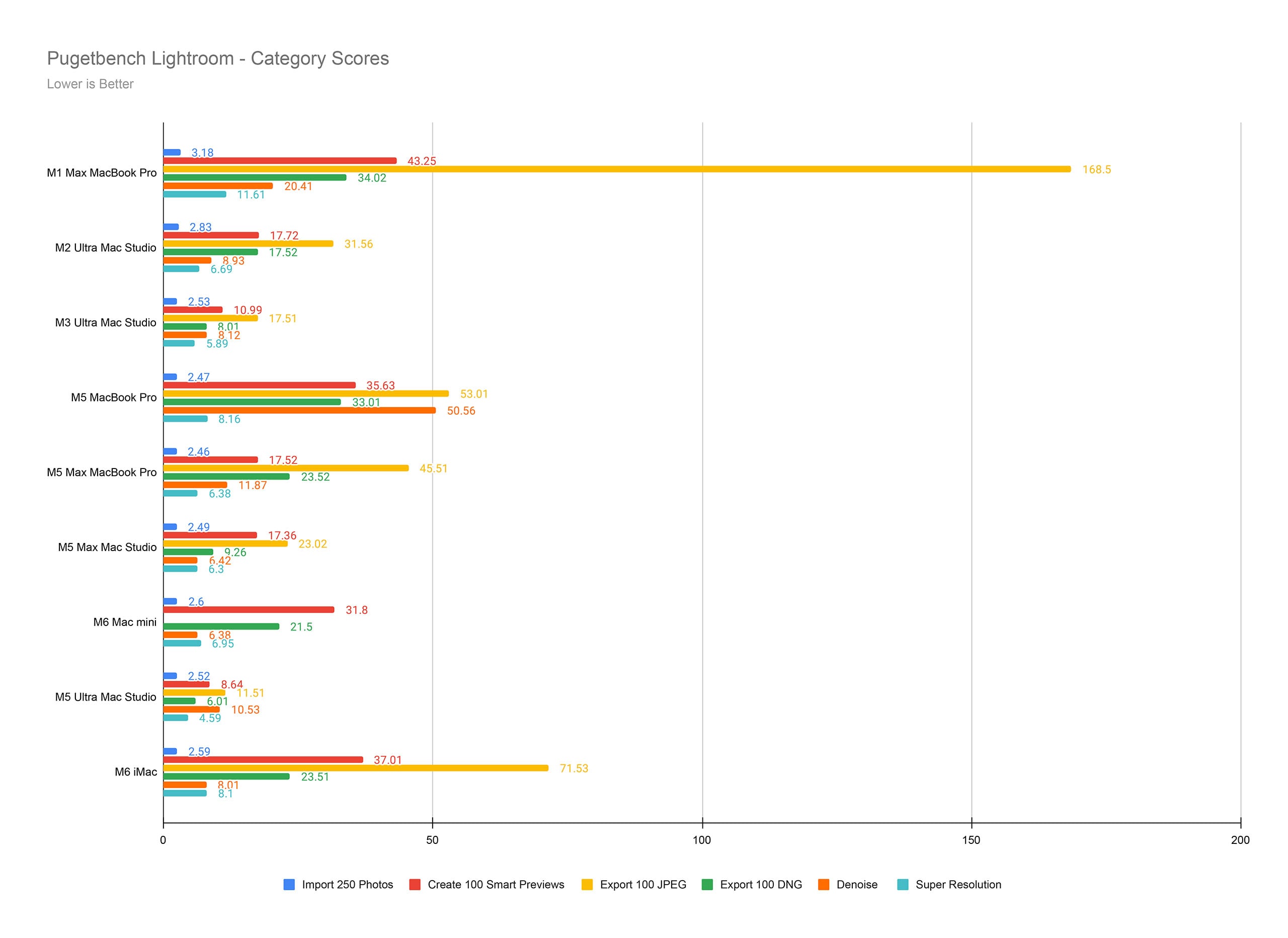
Ultimately, the M6 iMac is really good in Lightroom. It doesn’t export quite as fast as Apple’s higher-end Pro- and Max-series chips, but it barely trails elsewhere. Real-world use feels snappy across the board, too.
Over in Adobe Photoshop, the story remains good. The iMac with M6 is even a bit better than the Mac mini with M6, although not by a huge margin. It’s hard to say whether the iMac’s thermal design is just a bit more efficient under extreme stress than the ultra-compact Mac mini, or whether software is just a little more optimized now than when the Mac mini launched. After all, that was the first M6-powered Mac, and I tested it before public launch. That’s just speculation, though.
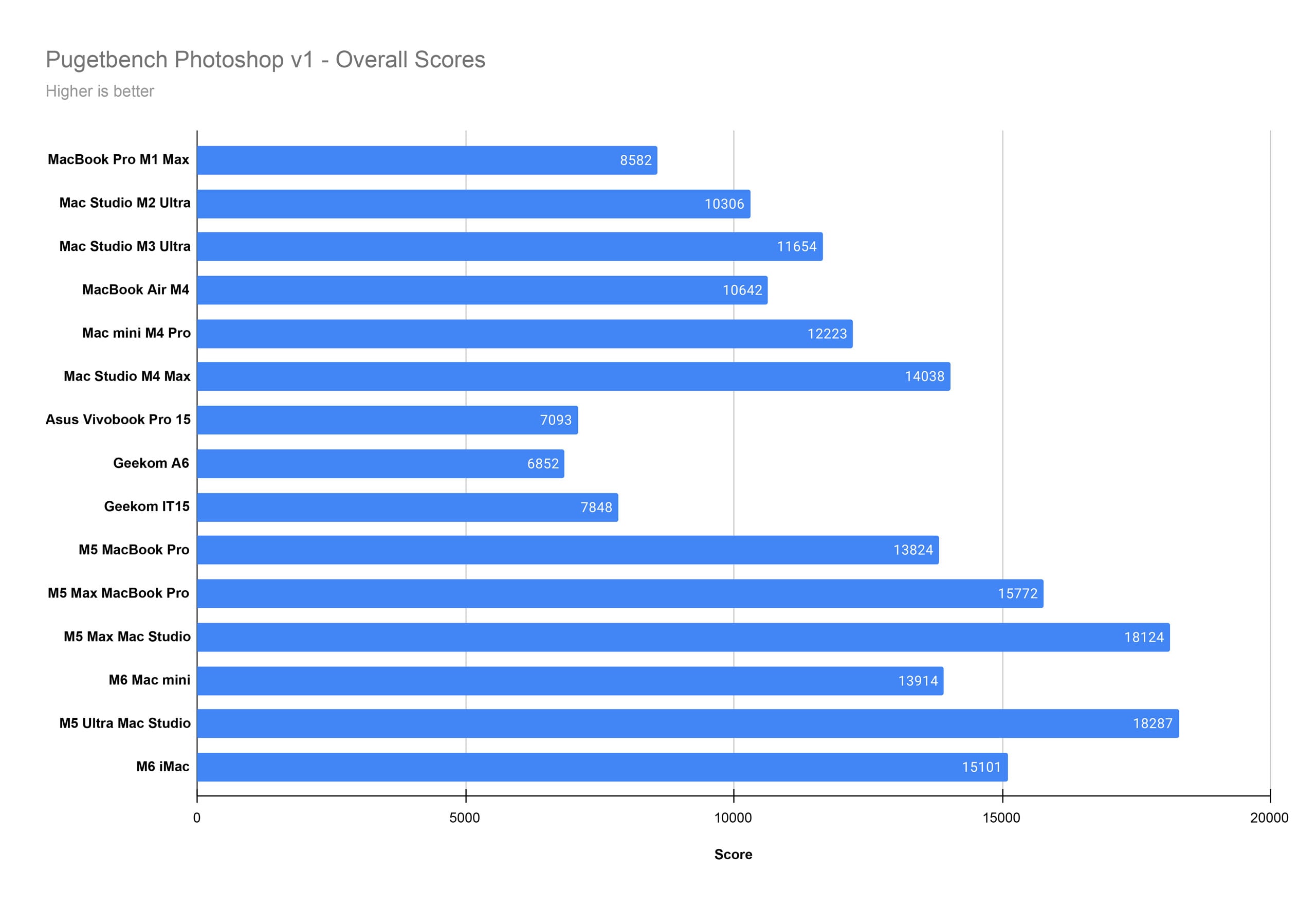
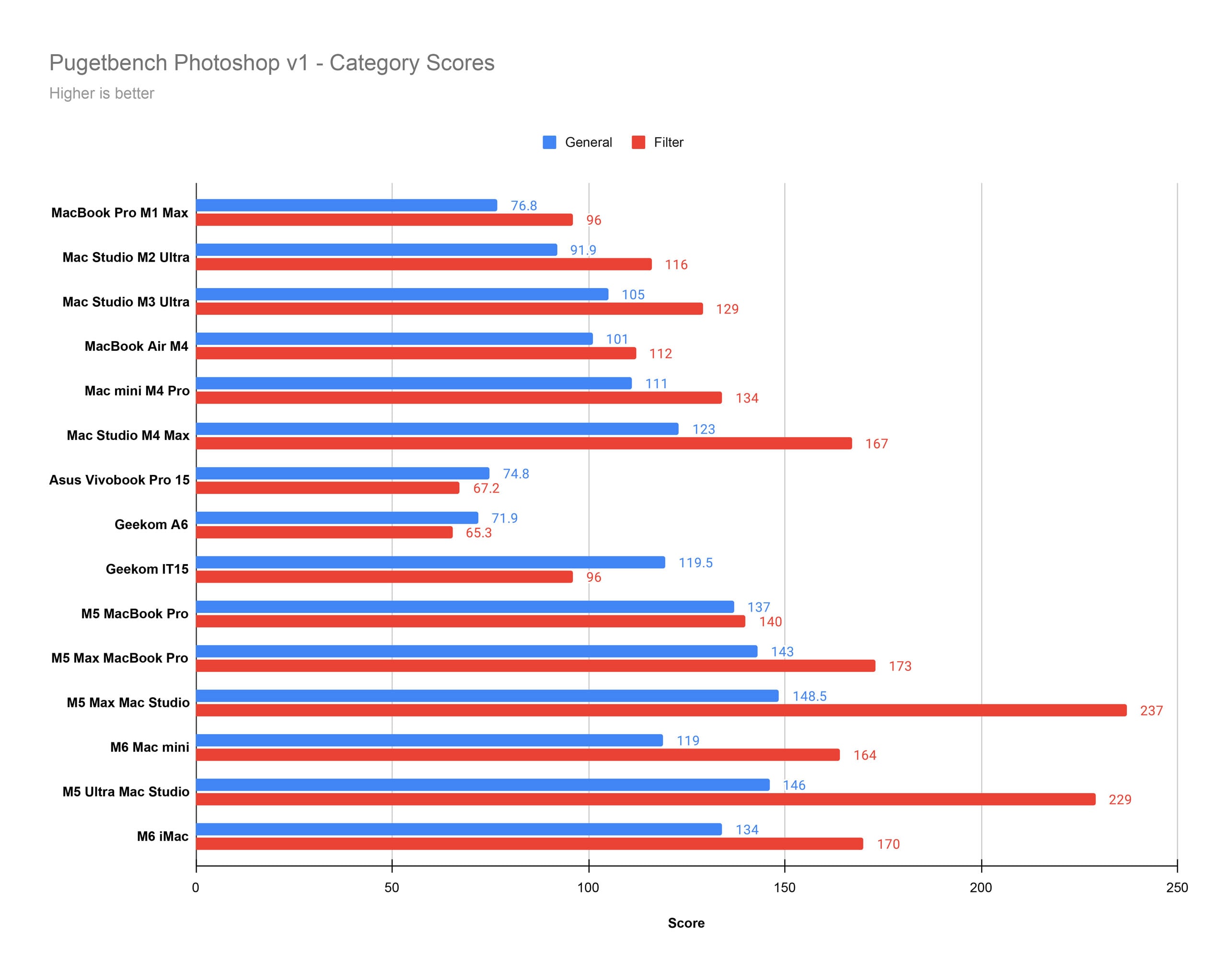
What’s not speculative is that the iMac is testing better than the Mac mini in some applications. That’s still true in Premiere, although only barely, and by such a small margin that it falls healthily within the margin of error.
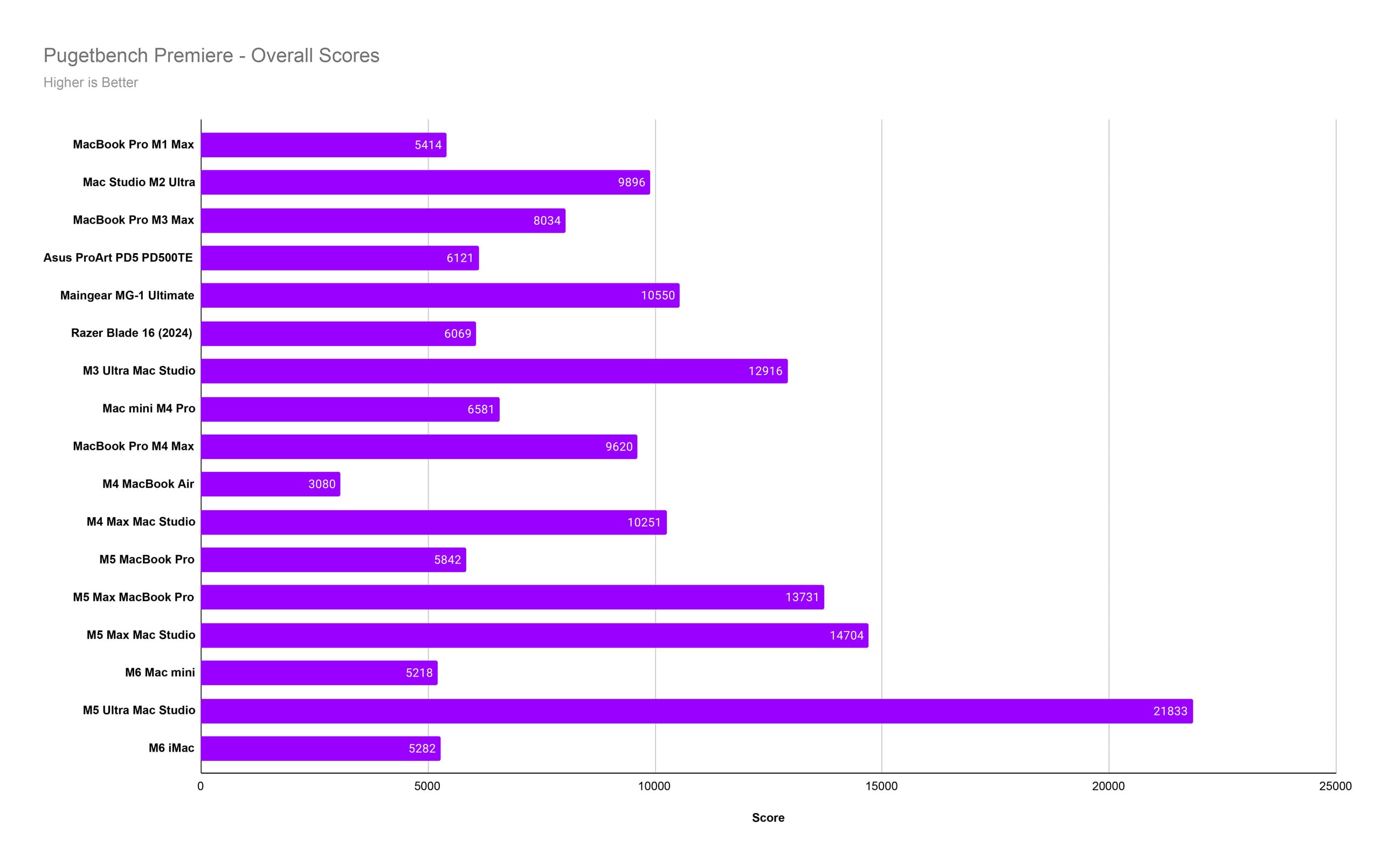
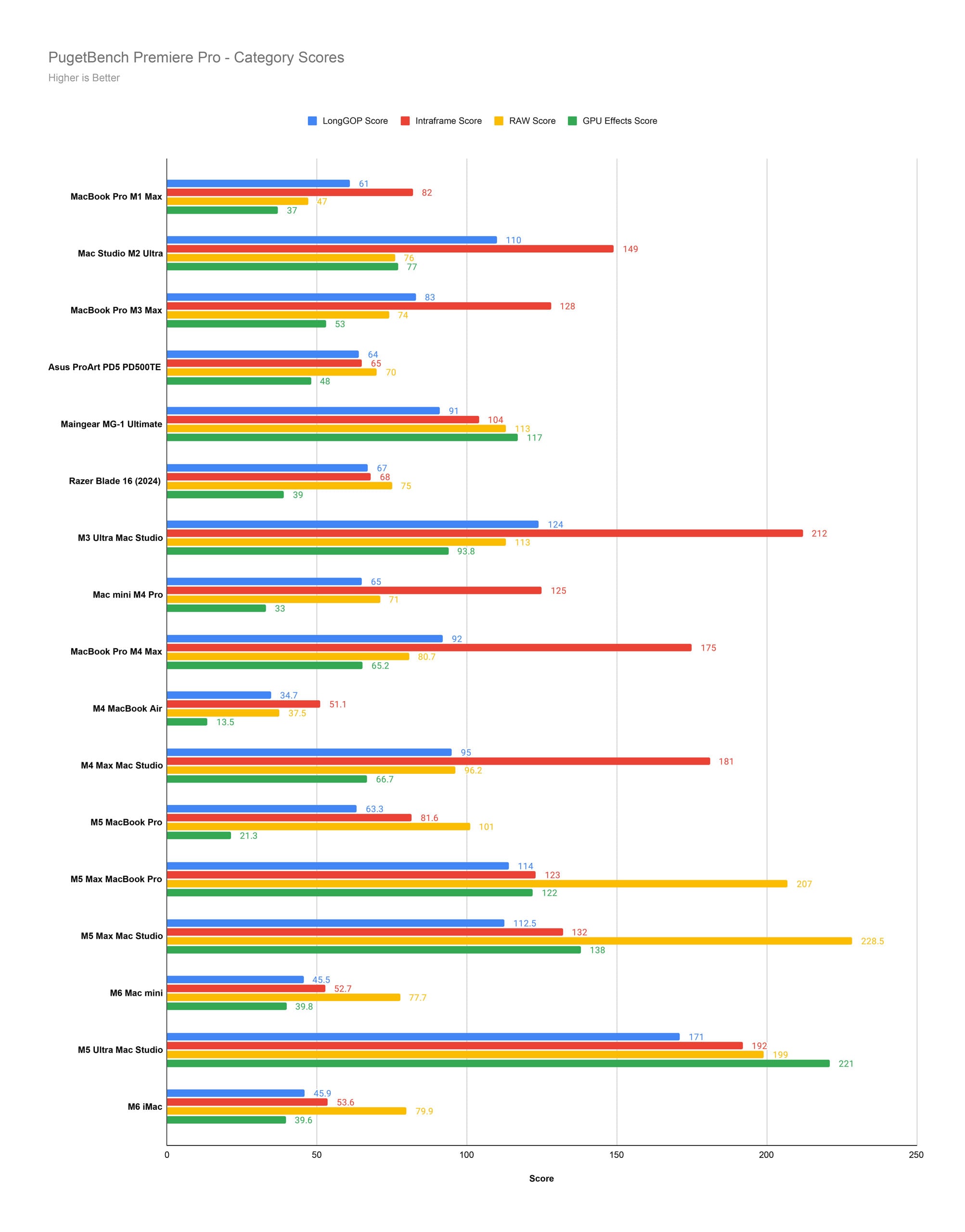
The M6 is a better chip than the M5, all else equal, so you can really see the difference memory can make here, given that the M5 MacBook Pro with 32GB of RAM outperforms the M6 with 16GB in Premiere. If you’re serious about video editing and use Premiere a lot, it is worth considering upgrading to 24GB or 32GB of unified memory.
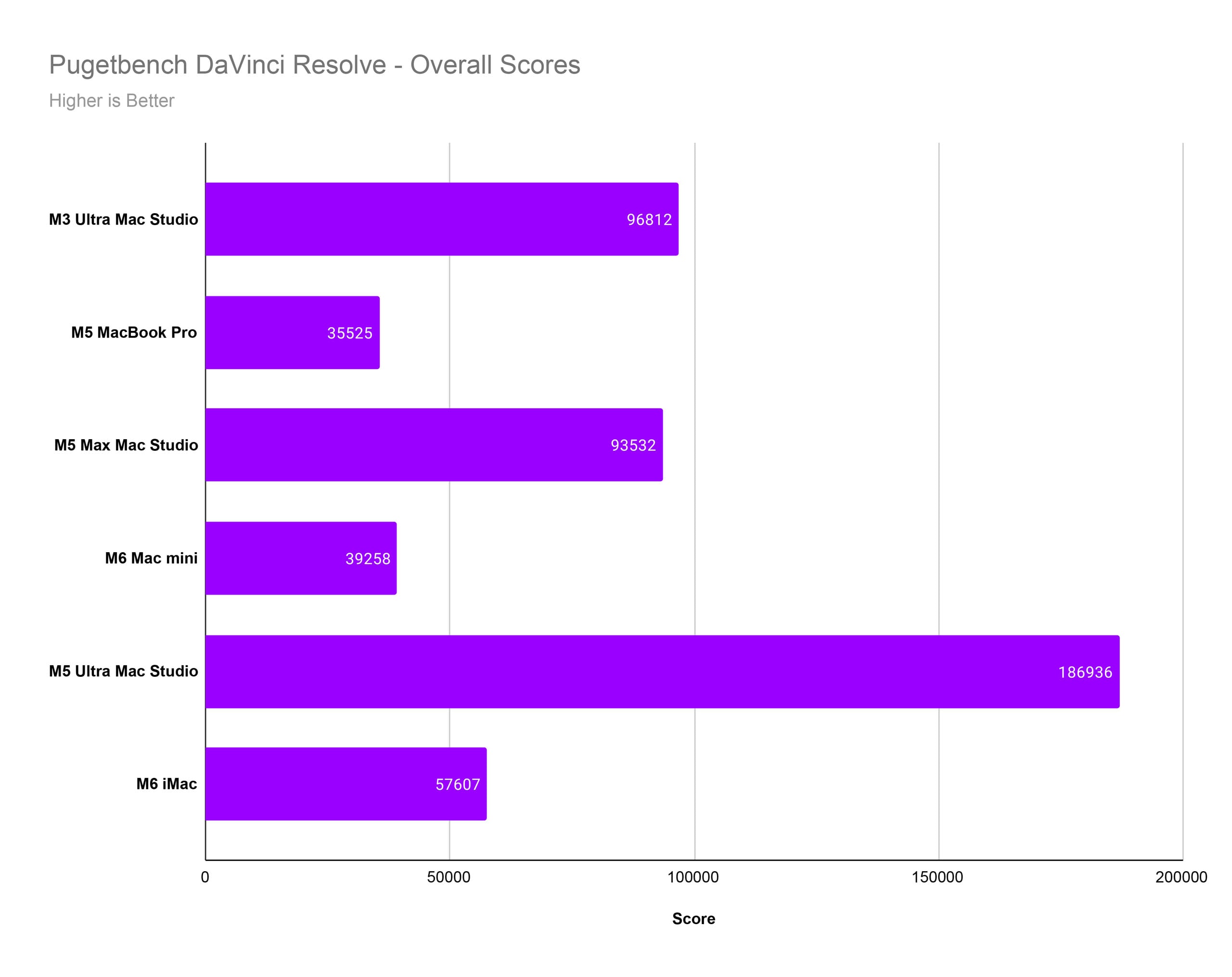
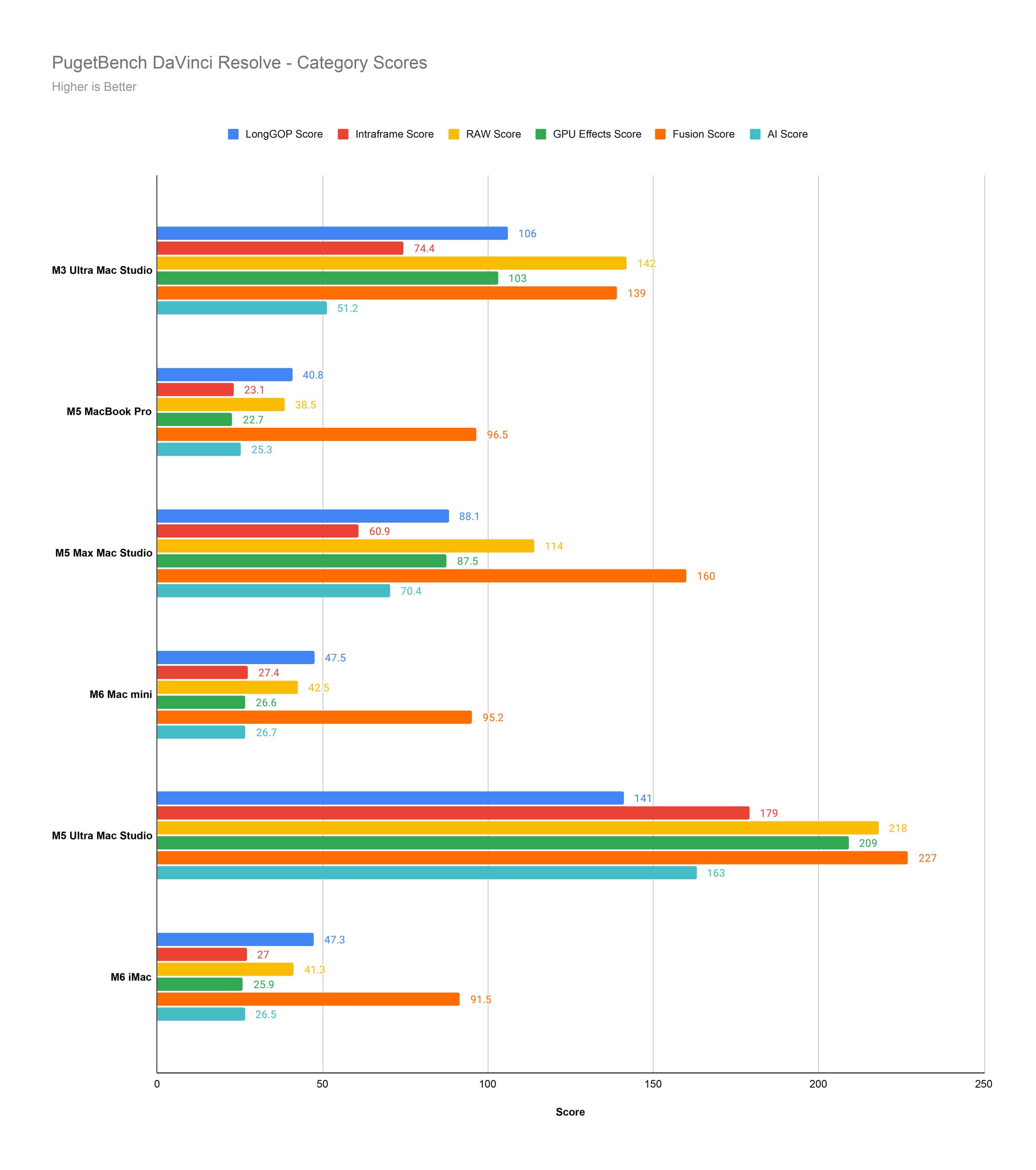
In our last benchmark, DaVinci Resolve, the M6 iMac really struts its stuff. Again, this could be optimization-related, because Blackmagic Design has updated Resolve since the Mac mini launched, and there’s no big reason the results should be this much better. But hey, don’t stare a gift horse in the mouth, right? These results are impressive.
Apple iMac with M6: Performance Takeaways
During all my normal tasks, like importing and editing photos, the iMac stayed entirely silent. The fan never kicked on. It only ever spun up during Premiere and Resolve benchmark tests, and only some of the time. Even then, it was pretty quiet.
The iMac just works. It performs well, handles a wide variety of tasks, and never causes friction. Is it the most performant Mac ever? No, definitely not. I mean, look at the M5 Ultra Mac Studio. Holy cow. But that costs many times more than an iMac, and very few users will ever realize any of the benefits.
The iMac with M6 arrives with everything you need in a single, unified, sleek package. It performs well enough for most photographers, and I suspect many video users, too. It’s not a “professional” Mac, but most of us aren’t professionals with exacting demands at the very cutting edge of computing.
The iMac With M6 Embodies the Mac Ecosystem Itself
The new Apple iMac with M6 is a quintessential Mac. You unbox it, plug it in, and it works. It does its job, looks good doing it, and is about as fuss-free as any computer can be.
Nearly 30 years ago, when I used my first Macintosh computer, I entered the world of computers as a woefully ignorant child. But the iMac welcomed me in with its friendly, bulbous face, colorful design, and straightforward operating system. It won me over.
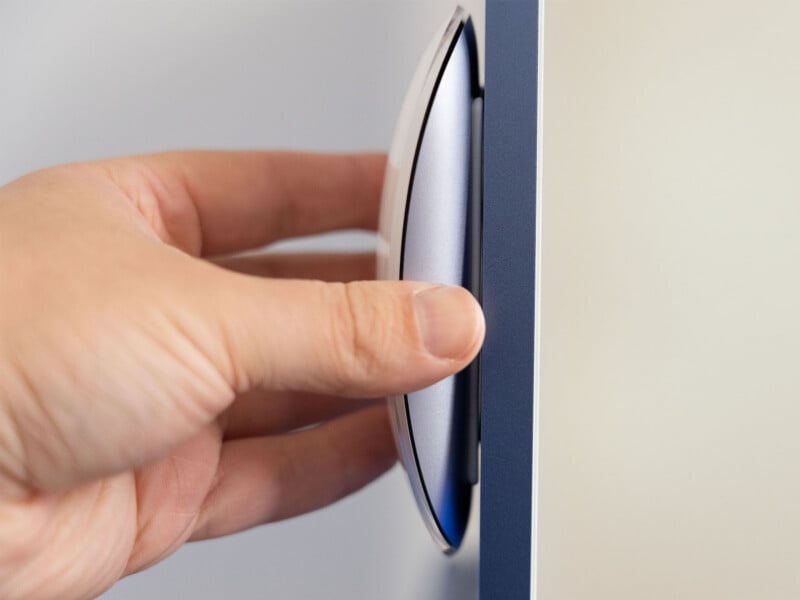
And while I eventually graduated beyond the iMac lineup, I truly enjoyed my time with the iMac with M6. It was like sitting down for a coffee with an old friend. We’ve both gone our separate ways, lived our lives, and yet found it so easy to pick up right where we left off.
At their best, Macs always feel accessible and familiar. The iMac certainly does.
Are There Alternatives?
While I have zero doubt whatsoever that the iMac is the best all-in-one computer on the market, and certainly the best for photographers, the big PC makers do have some options out there.
HP’s OmniStudio lineup is well respected and offers bigger screens than the iMac. Those are definitely great choices for those who enjoy Windows. Some are extremely cheap but have really subpar processors, so be wary.
Dell makes some that frankly kind of look like knock-off iMac computers. That’s not necessarily a bad thing, and Dell certainly has a wide range of models available at different price points. They are all called “All-in-One Desktop” computers, so you need to carefully look at exactly which model you’re considering.
Other manufacturers, including Acer and Lenovo, are in on the game, too.
Should You Buy It?
Yes. The iMac with M6 is a great all-in-one for people who greatly value simplicity and performance.
Affiliate Disclosure PetaPixel articles may include affiliate links; we may earn a commission if you buy through one.