
A Snap on The Reel
Here’s a Great Tip for Canon R1 and R5 II Owners
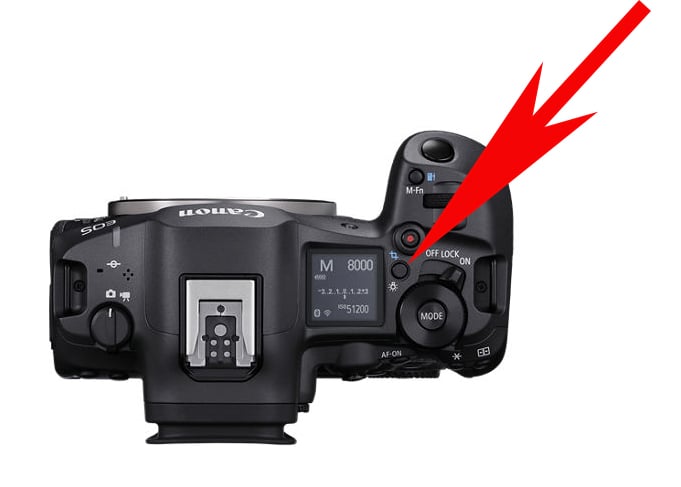
Photographer Jeff Cable has a great idea about how to take full advantage of Pre-continuous shooting on the Canon R1 and R5 II. Recent R1 and R5 II firmware updates have made it possible for photographers to assign Pre-continuous shooting to a customizable function button. Cable suggests that photographers assign Pre-continuous shooting to the illumination button on top of their camera. It’s conveniently located, rarely used for its primary function, and makes Pre-continuous shooting easy to turn on when it’s needed, like when doing sports or wildlife photography.
“The feature is incredibly powerful and now more accessible then ever,” Cable concludes.