DaVinci Resolve 21 Officially Released With New Photo Editing, AI Tools, and Much More
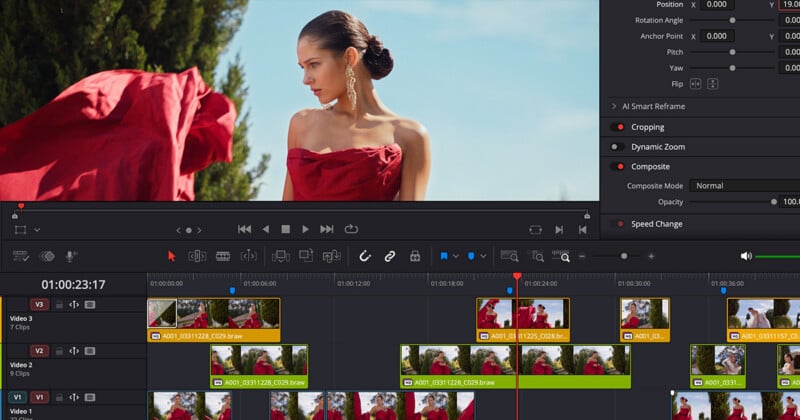
Blackmagic Design has officially released the final version of DaVinci Resolve 21, delivering one of the largest updates in the software’s history. The release introduces a completely new Photo page for still-image editing, a range of AI-powered tools, major workflow enhancements across editing, color grading, audio, and visual effects, and support for additional camera formats and codecs.
The DaVinci Resolve 21 update follows an extensive public beta period and brings hundreds of new features to both the free and Studio versions of DaVinci Resolve. While video editors will find significant improvements throughout the application, one of the most notable additions is Blackmagic’s push into professional photo editing, allowing photographers to use the same node-based color tools traditionally reserved for high-end film and television productions.
A New Photo Page Brings Resolve’s Color Tools to Photographers
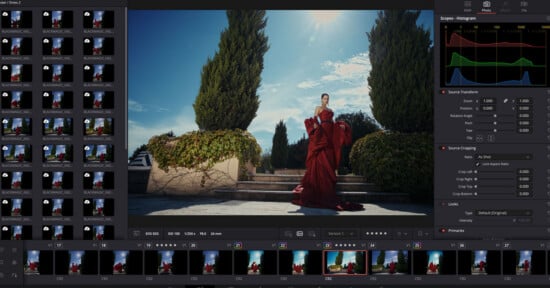
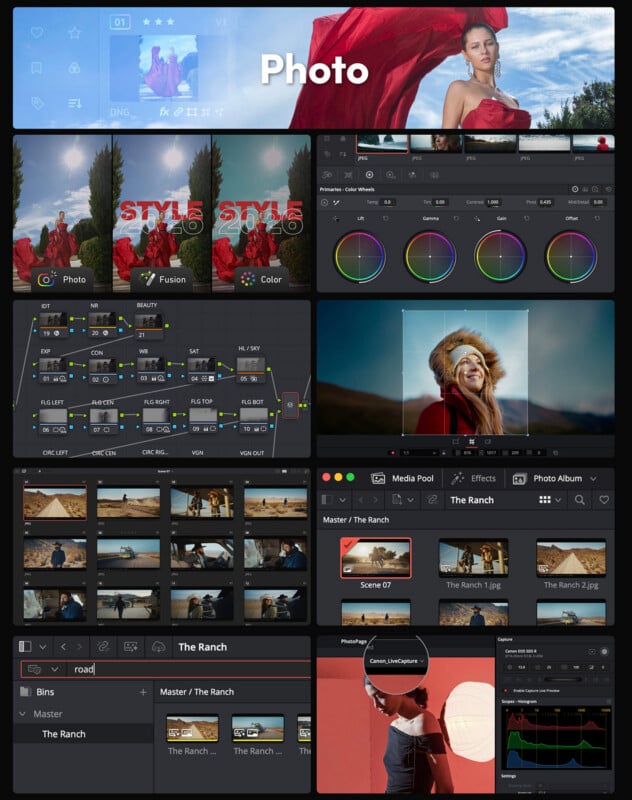
As PetaPixel covered back in April during the software’s public beta, the headline feature in DaVinci Resolve 21 is the introduction of the new Photo page, which expands the software beyond video production into still image workflows.
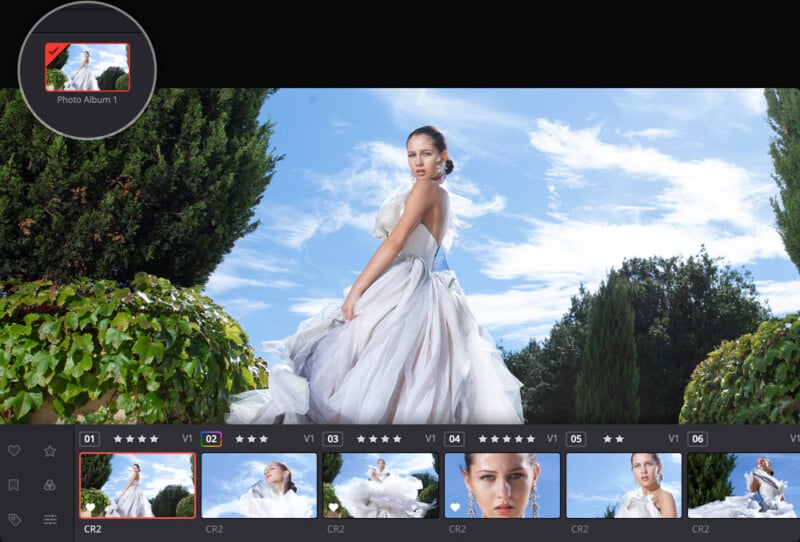
Photographers can now import, organize, edit, and export photographs directly in Resolve, leveraging the same professional color-grading tools used on Hollywood productions. The Photo page includes album management, ratings, favorites, tagging, and collection support, creating a dedicated environment for image editing without requiring a separate application.
Blackmagic has also included native RAW support for major camera manufacturers, Lightroom catalog importing, Apple Photos integration on macOS, and GPU-accelerated batch exports.
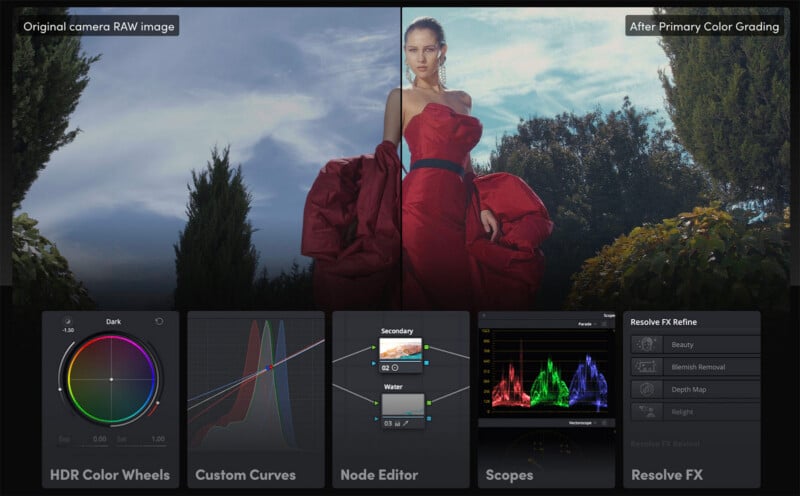
Perhaps most interesting for photographers is the ability to apply Resolve’s full node-based grading workflow to still images. Users can work with curves, qualifiers, power windows, LUTs, ResolveFX effects, and grading panels to make highly targeted adjustments that would traditionally require specialized photo editing software.
New AI Tools Expand Creative Possibilities
DaVinci Resolve 21 also introduces several new AI-powered features designed to streamline workflows and automate common tasks.
Among the most notable additions is IntelliSearch, which allows users to quickly locate clips and content within projects using intelligent search capabilities. Blackmagic has also added CineFocus, an AI-assisted tool that enables users to adjust focal emphasis after footage has been captured.
Additional AI enhancements focus on facial refinement and portrait adjustments, giving creators more sophisticated tools for improving subjects without relying on external applications.
These features continue Blackmagic’s recent trend of integrating machine learning tools directly into editing and grading workflows rather than requiring third-party plugins.
Major Improvements for Editors
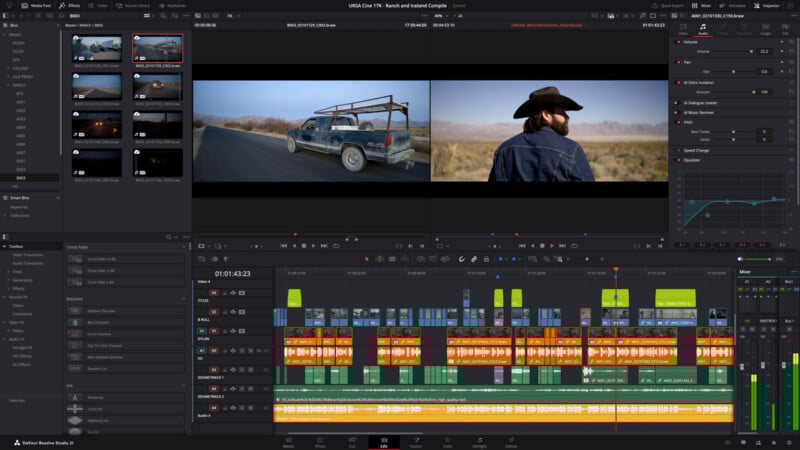
Editors receive a substantial number of workflow enhancements throughout the Cut and Edit pages.
The keyframing system has been significantly expanded with four-point Bézier controls, advanced easing options, looping functions, reverse animation capabilities, and support for multiple clip selections. Users can now keyframe effects, text elements, generators, and Fusion compositions directly from the editing interface.
Support for native Lottie animations and OGraf HTML graphics also broadens motion graphics capabilities, while new font-browsing tools, live font previews, spell-checking, emoji support, and color fonts make text creation considerably more flexible.
Other notable additions include multicam workflow improvements, timeline comparison tools, enhanced subtitle management, improved track visibility controls, and expanded replay functionality for live production environments.
Fusion Gets a Massive Motion Graphics Upgrade
The Fusion page receives one of its largest updates in recent years with the addition of the Krokodove toolset.
More than 100 new motion graphics effects and tools have been added, including over 70 Krokodove graphics designed to simplify the creation of complex animations and visual effects.
A new Macro Editor makes it easier to create reusable tools and publish them directly to the Edit page, while improved MultiText controls, enhanced USD support, native relief map creation, and audio-driven animation capabilities further expand Fusion’s feature set.
The update also introduces native support for Lottie animations and OGraf HTML graphics, helping motion designers move assets between platforms more efficiently.
Color and Fairlight Workflows Continue to Evolve
Colorists receive several notable improvements in Resolve 21, including layer-list node graph views, support for up to eight-layer node stacks, improved ACES workflows, Adobe RGB color space support, and enhanced HDR monitoring controls.
Group grading workflows have also been expanded with support for grade versions, making collaborative color work easier to manage.
On the audio side, Fairlight introduces folder tracks, enabling more efficient organization of complex projects. Audio teams can now collapse and expand groups of tracks, making large mixes significantly easier to navigate.
Expanded Camera and RAW Format Support
Blackmagic continues to broaden Resolve’s compatibility with additional camera systems and image formats.
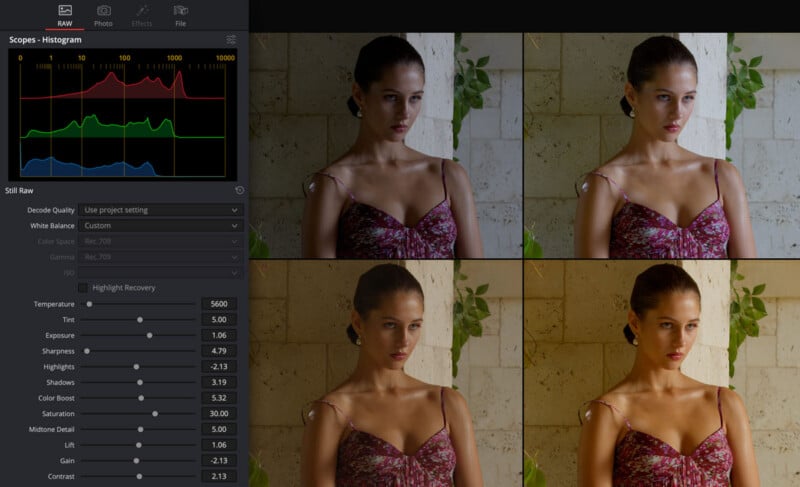
DaVinci Resolve 21 adds native decoding support for Canon CR3, Panasonic Lumix RW2, Fujifilm RAF, and Apple ProRAW files, and introduces support for compressed Sony ARW files from the Sony a7 V and newer cameras.
The update also improves Nikon NEF handling, expands HDR image support for common still-image formats, and adds compatibility for Sony Burano Version 3 footage.
For photographers and hybrid shooters, the expanded support for still-image formats is particularly significant, given the new Photo page’s emphasis on integrated photo-editing workflows.
Performance and Collaboration Improvements
Beyond the headline features, Blackmagic has focused heavily on workflow efficiency.
Project settings and preferences can now be searched directly; media pools gain tabbed layouts and improved metadata handling; and Blackmagic Cloud synchronization performance is reportedly up to three times faster than in previous versions.
Multi-user projects now support dynamic project switching, and users can import and export Final Cut Pro 12 XML files for improved interoperability with other editing environments.
The final release follows months of public beta testing and introduces hundreds of new features spanning photo editing, video production, color grading, visual effects, audio post-production, collaboration, and AI-assisted workflows, making it one of the most ambitious updates in the software’s history. Combined with numerous stability improvements and bug fixes, the release represents one of the most comprehensive updates DaVinci Resolve has received to date.
Pricing and Availability
DaVinci Resolve 21 is available now as a free download from Blackmagic Design. DaVinci Resolve 21 Studio, which includes additional AI features, editing beyond 4K resolution, and full-res photo exports, costs $295.
Image creditsBlackmagic Design
Affiliate Disclosure PetaPixel articles may include affiliate links; we may earn a commission if you buy through one.