The DaVinci Resolve 21 Photo Editing Tools Show Promise but Are Imperfect
Blackmagic Design unveiled DaVinci Resolve 21 this week and alongside the expected types of improvements, like more AI-powered video editing features, Blackmagic shocked the creative world by adding RAW photo editing and organization features to Resolve 21. I’ve been trying Resolve 21’s new photo editing features since it arrived on Monday, and there’s a lot to like. There’s also quite a bit that isn’t quite up to snuff, is just a bit too different for my tastes, or is outright confusing.
Among the Best Color Editing Tools on the Market
One of Resolve’s core strengths for video editors, its outstanding color editing and grading tools, remain fully intact for its new photography workflow. Resolve’s color tools were a significant driver for the photo editing tools being developed at all.
“User feedback often helps drive our products forward, and we found that many people wanted to use DaVinci Resolve’s color tools for photography as they are some of the most advanced color tools available,” Bob Caniglia, Director of Sales Operations, North America, Blackmagic Design, tells PetaPixel.
DaVinci Resolve 21 is available now as a beta, with full public release coming later this year. At launch, Resolve 21’s Photo editing tools support native RAW files from Canon, Fujifilm, Nikon, and Sony cameras, as well as Apple iPhone ProRAW.
“For photographers, the Photo page offers a familiar set of tools. All image processing takes place at source resolution up to 32K, or over 400 megapixels, so they’re not limited to project resolution,” Caniglia explains.
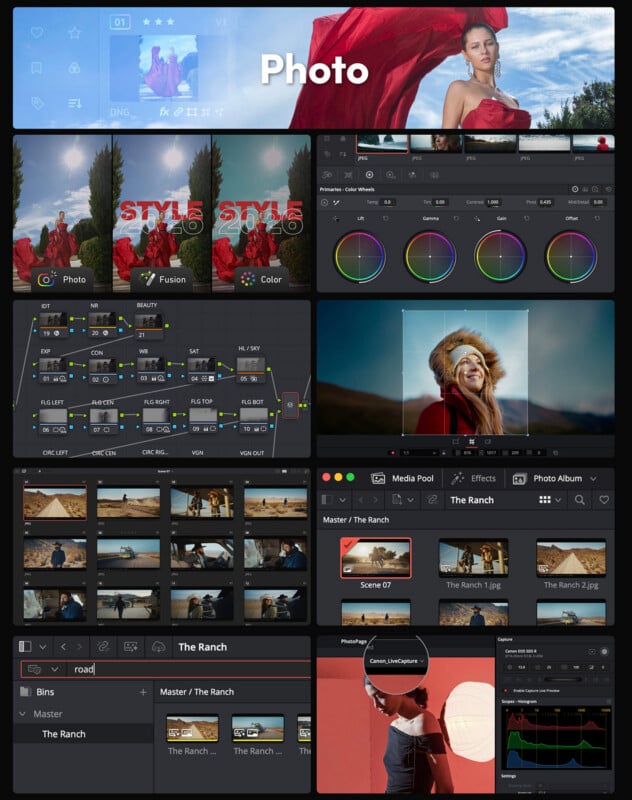
Many Familiar Photo Editing Tools, Although Not Always in Expected Places
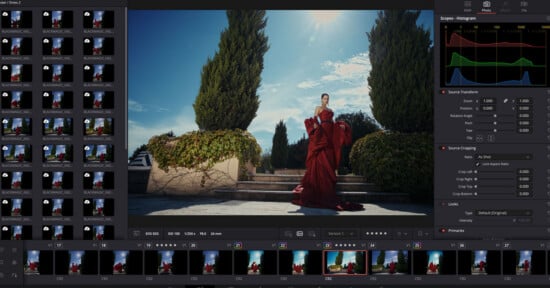
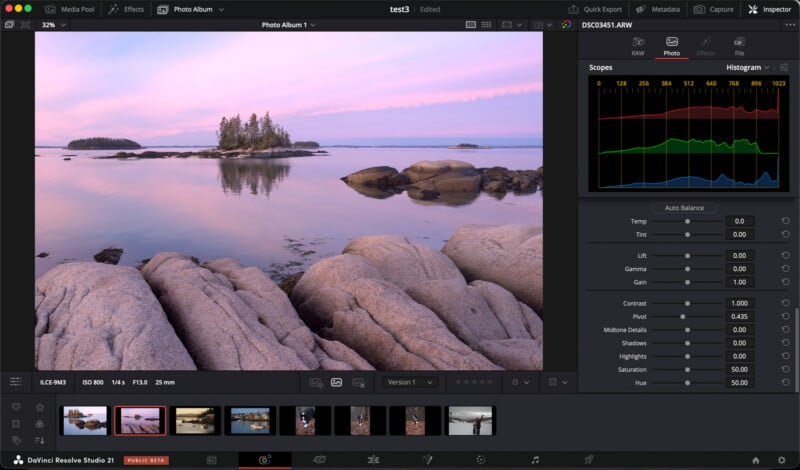
On the new Photo page itself, you’ll find many of the usual tools, and they generally work in the expected ways. There are some different ones, like “Lift” and “Pivot,” but they quickly prove to be intuitive ways to adjust the look of your photos.
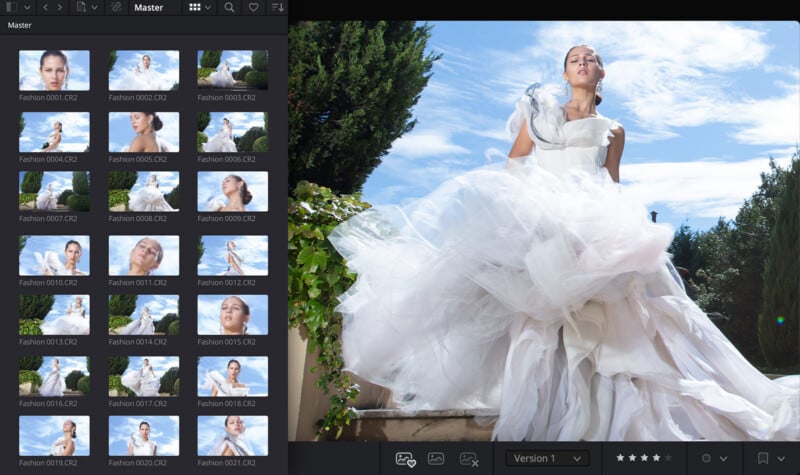
Lightroom is an apt comparison point for Resolve 21 and its new photo editing tools. Users can import their Lightroom catalog directly into Resolve 21, for starters. Resolve 21 also includes fairly standard import, album, and export tools, as well as batch editing. It is not just a photo editor, it is an asset manager, and a workflow tool for photographers.
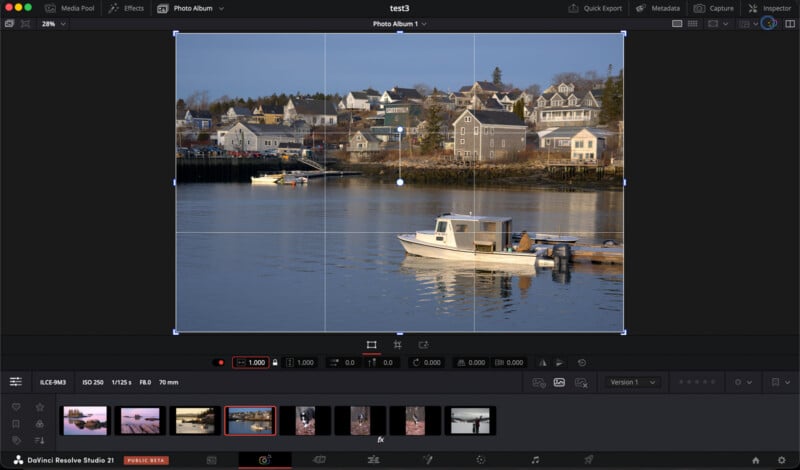
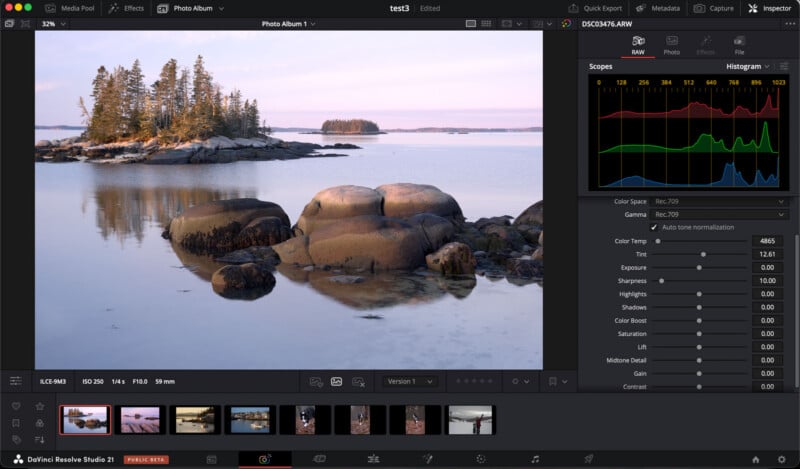
As for Resolve 21’s most advanced tools, like the aforementioned robust color editing tools, these are, somewhat bizarrely, not included in the new Photo page. Instead, users must navigate over to the Color tab, where they can tweak all sorts of things to their heart’s content. This is arguably Resolve 21’s greatest strength, but also its steepest learning curve.
The basic sliders in the Photos section are easy to use and understand. Resolve’s color grading tools, on the other hand, can be overwhelming at first. Even after a few days, I have only scratched the surface of all that Resolve 21 can do. They are extremely customizable and, when paired with Resolve 21’s masking tools, AI-powered and manual alike, even more powerful.
It is not that an application like Lightroom can’t locally edit color across a wide range of parameters, because it can. However, there is a reason that Resolve’s color science and tools are celebrated. Heck, photographers have been finding workarounds to edit their photos in prior versions of Resolve for years because the color editing is just that good.
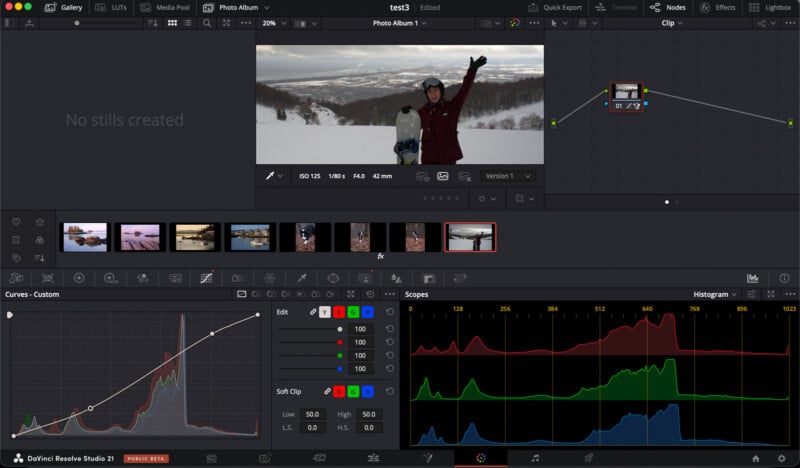
Now, with Resolve 21, its color editing tools are much easier to apply to still photography, and there’s a lot more photographers can do with them. There is an actual, coherent RAW image processing pipeline, for example, plus organization, cropping, and exporting tools. Basically, no more “hacks” or “workarounds” are required.
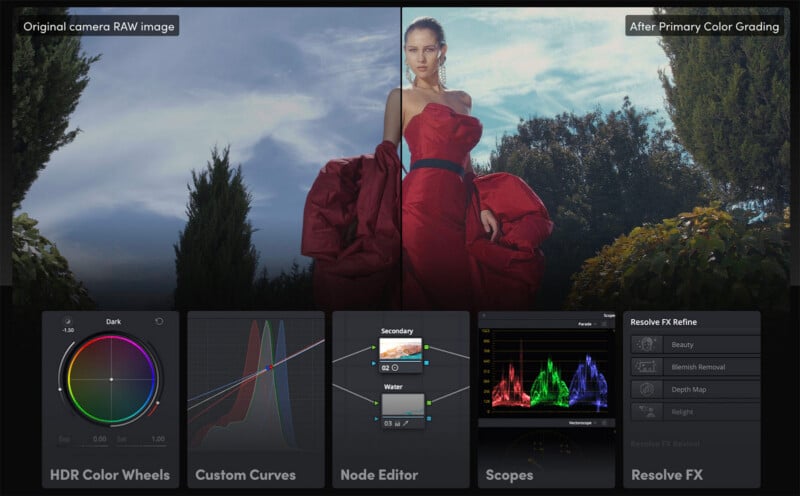
“After starting with familiar photo tools, photographers can then switch to the Color page for access to the full DaVinci color grading toolset,” Caniglia says. “They can take advantage of color grading controls, including primary color correction, curves, qualifiers and Power Windows, and they can build complex grades in a node-based workflow that goes beyond the layer-based approach of some photo applications.”
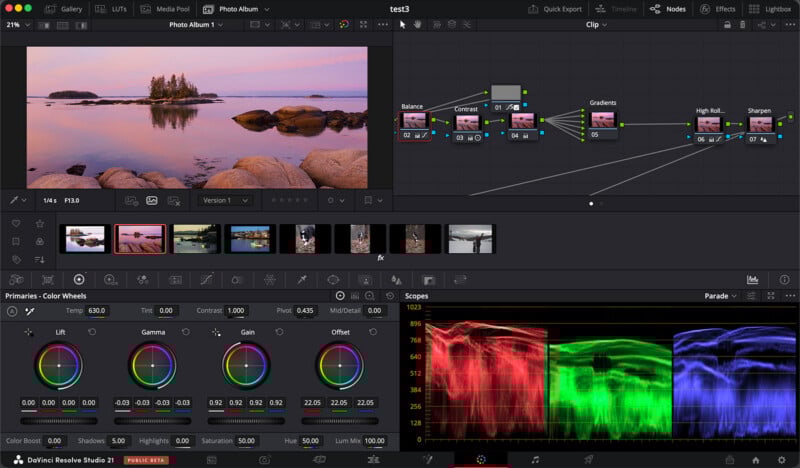
Resolve 21 includes its expected range of professional scopes, including a familiar histogram that most photographers are very familiar with, plus parade, waveform, and vectorscopes. There are a bunch of Resolve FX and AI tools designed for video that also work for photos, like the new CineFocus blur engine, plus artificial bokeh simulations, light rays, film effects built on actual motion picture film stocks, dehaze, halation, and so on.
There are also a bunch of tools specifically for changing people’s looks, like face relighting, blemish removal, and more.
Blackmagic Design’s collaborative cloud-based tools are also available in Resolve 21 for photo editing, including shared albums.
It is important to consider that, until you learn all the ins and outs of Resolve 21, it will very likely be slower and more complicated to use than your preferred photo editing application. It is not at all as simple as using Resolve 21 like a traditional photo editor and also getting access to better color editing. That is not the situation here. It is a significant workflow adjustment.
The question is whether the initial hurdle is worth clearing. The answer will depend on the person.
Perfect for Some Photographers, but Not All
As it currently stands, DaVinci Resolve 21 has a lot to offer photographers, but it’s not quite as versatile or useful for everyone as tried-and-true alternatives like Adobe Lightroom. One of the biggest limitations of Resolve 21 for photo editing is that, for most photographers, it’s totally foreign, and it has a steep learning curve, as I found out firsthand. But it also only supports certain RAW files right now, which will prevent some photographers from even being able to give it a go. However, Resolve 21 does support DNG files, which opens things up for Leica and Sigma owners, as these companies support DNG capture across their camera models. With the recent news that DNG is now an official, internationally recognized RAW image standard, hopefully more manufacturers will offer DNG capture in-camera.
But on the other hand, Resolve 21’s extremely powerful color editing tools are beloved for good reason, and now (many) photographers can easily use them. Better yet, these color editing tools, plus all other basic photo editing functions, are available in the free version of Resolve 21. The $295 DaVinci Resolve 21 Studio adds AI masking, higher-res video editing, and more, all things photographers might not necessarily need right out of the gate.
Blackmagic Design envisions Resolve 21’s new photo editing features working well for professional colorists and photographers seeking more color editing tools than their go-to photo editing app provides.
“While we anticipate a professional colorist might look to apply their skills to a fashion shoot or a wedding, and a photographer might want access to tools beyond traditional photo applications, the Photo page brings DaVinci Resolve’s advanced color tools to still photography for the first time, so, again, it will be interesting to see how people use it,” Caniglia explains.
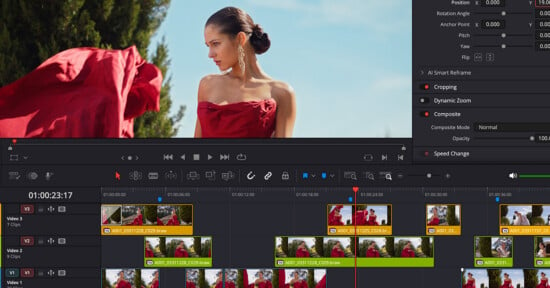
A potential use case for Resolve 21’s new photo editing features is the growing number of hybrid creators who already use, or would use, Resolve for editing video content. They can now apply many of these same tools to their RAW photos, at least in most cases, and that means more consistency and fewer apps in a workflow.
“For us, it’s about empowering the end user with flexible solutions and creative freedom, while also delivering on customer feedback,” Caniglia concludes.
As Emmy-award winning visual journalist and Professor of Practice at Michigan State University, Jarrad Henderson wrote today on his LinkedIn page, Resolve 21 has some other limitations that could prevent it from being useful for some professionals.
“As an educator committed to digital equity, I prioritize high-quality, open-access tools for my visual journalism students. Resolve is my go-to recommendation for anyone seeking professional-grade video editing without the barrier of a subscription fee. I was all in on day one! Still, I’m hesitant to agree that the new Photo panel will replace an entire software aimed at photo management, organization, and editing images,” Henderson writes. He sees three main problems with the software for professional photographers, as it stands right now: missing metadata fields, a confusing interface, and troublesome tethering.
While I was able to successfully use tethering with a Sony a7 IV camera in Resolve 21, and it worked perfectly well, at the same time, his other two complaints ring true for me, too.

While I don’t think that Resolve 21 will become my go-to photo editing application, at least not until I fully come to grips with everything it can do, I can very easily see why some photographers, especially those who also edit videos or love Resolve’s color editing tools, will enthusiastically embrace Resolve 21’s new photo editing capabilities. It has some room to grow, and aspects of its workflow seem quite foreign to a photo-first user like myself. But it is easy to see the potential and the power that Resolve 21 offers.
Perhaps just as importantly as what Resolve 21 directly offers photographers is what it represents. Blackmagic Design received feedback from photographers and photo editors, saw how people were using older versions of Resolve to edit photos, and then built something new and exciting in response. That is not just laudable on its own, but it signals to the rest of the photo software landscape that there’s a new competitor in town, one that takes color editing extremely seriously.
More competition is almost always a good thing, and I am very interested to see how Resolve evolves for photographers in the months and years to come, and just as interested in how other developers react.
Affiliate Disclosure PetaPixel articles may include affiliate links; we may earn a commission if you buy through one.