You Can Edit Photos in Resolve… But Should You?
While video professionals have grown used to seeing a major update of Blackmagic’s DaVinci Resolve editing software every April, this year’s update caught the attention of photographers everywhere with the debut of a new “Photo” tool. Headlines popped up instantly proclaiming that photo editing programs Lightroom and Capture One had new competition. But do they? I spent some time with the latest beta of Davinci Resolve 21, and I have some thoughts.
Can DaVinci Resolve Replace Lightroom?: A Little History
First, let’s do a quick history lesson about Resolve. Originally just an industry-leading color grading program, it has expanded rapidly in the last decade into a full-featured video editing platform. Importantly, Resolve saw enormous adoption as most of its powerful tools were available in the free version of the software.
The paid Studio version allowed high-resolution exports and access to a variety of AI-based tools, but most jobs, even professional ones, could be completed with the free version. I use Resolve quite often for raw video processing and advanced motion tracking, but I also talked to PetaPixel editor Jeremy Gray — who also has opinions on this subject — to get a photographer’s take on the new tools. He has an article of initial impressions you should check out, but he also corroborated some of my findings.
Can DaVinci Resolve Replace Lightroom?: A New Set of Tools
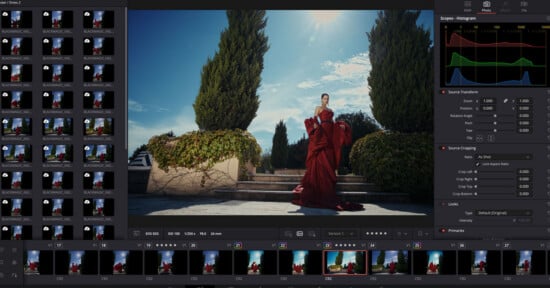
So now in version 21, which is currently in its second beta release, there is a new tab called “Photos.” This section will allow you to import, organize and process raw files from Canon, Nikon, Sony, Fujifilm and Apple, as well as industry-standard Adobe DNGs. Files from other cameras, like Panasonic Lumix and OM System, simply will not import but, hopefully, we will see support soon.
Interestingly, the imported files had varying levels of lens correction applied. Sony files shot with the Sigma 35mm f/1.4 Art II showed up with proper corrections applied, whereas Canon R5 II files shot on the RF 14mm f/1.4 imported without any corrections. These can certainly be manually corrected, but it’s always alarming to import files and be greeted with heavy distortion and vignetting, and the inconsistency is odd.
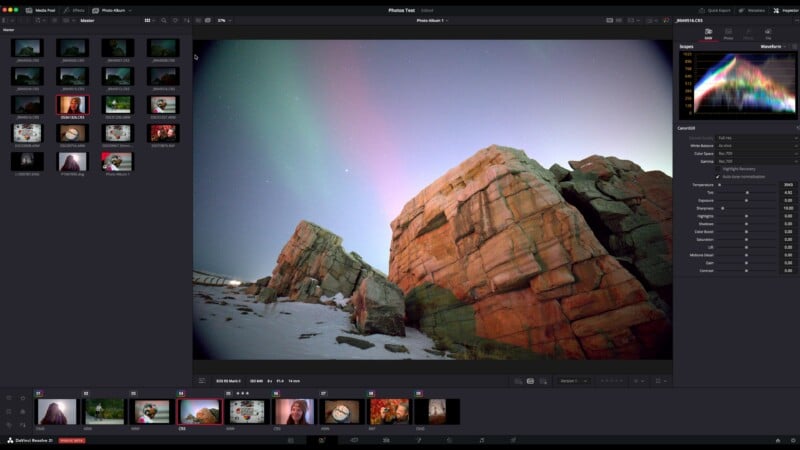
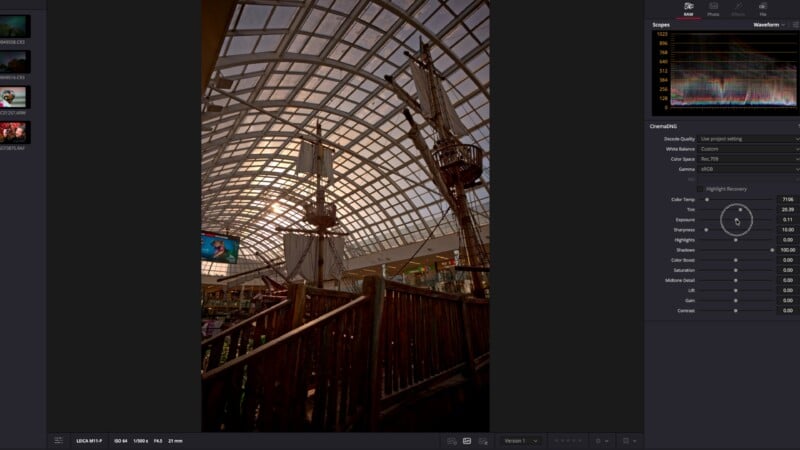
Once photos have been imported to this tab, you will see a familiar set of tools that would normally be the first step when editing. These sliders allow quick adjustments of cropping, horizons, exposure, contrast, white balance and tint. These adjustments are very quick to respond, even when working with high-resolution RAWs. If these basic corrections are all you need, you can also export the photos directly from this tab.
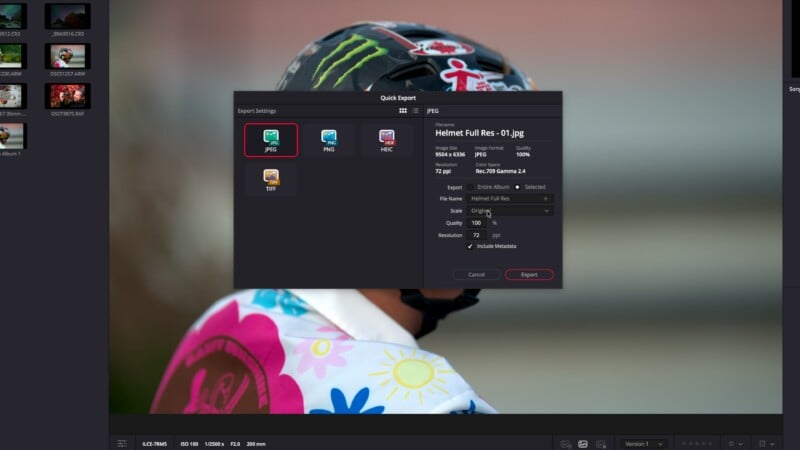
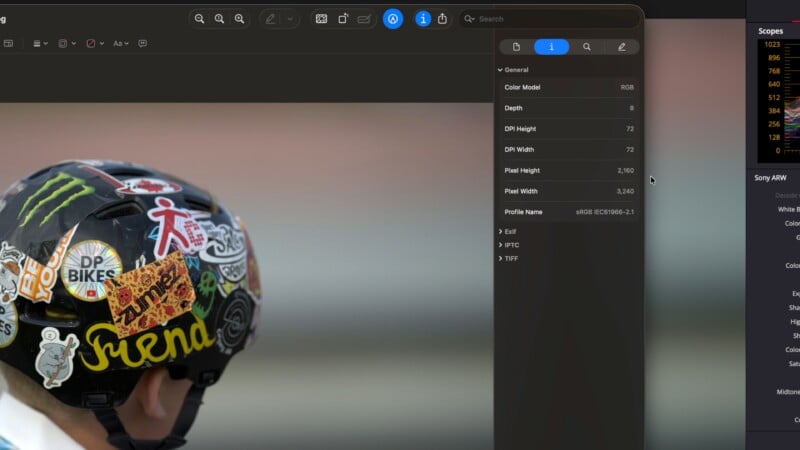
The topic of exporting brings me to a huge limitation with the free version of Resolve 21. Whether you export in the dedicated “Photos” tab or with the “Deliver” tab used when exporting video projects, the free version restricts exports to 4K resolution or below. For photographers, this means around 8 megapixels for your maximum export size.
The paid “Studio” version of the software does not have this limitation, but it’s a serious enough limitation that, unlike with video editing, the free version will not be useful for photographers looking for anything more substantial than social media optimized files. We have confirmed these findings with Blackmagic, and I feel like this limitation is very under-reported right now.
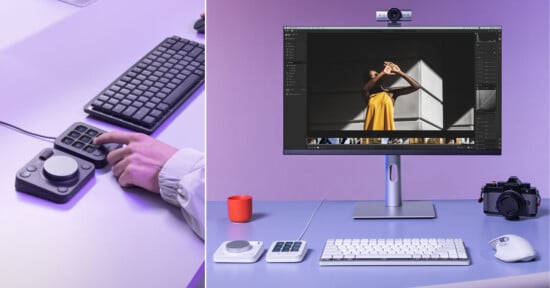
There are other limitations to the free version that will impact photographers. Tethering for Sony and Canon cameras is only in the Studio version. The same goes for AI-based color and masking tools. Performance will also be improved in the paid version, as it will utilize your GPU to improve export times.
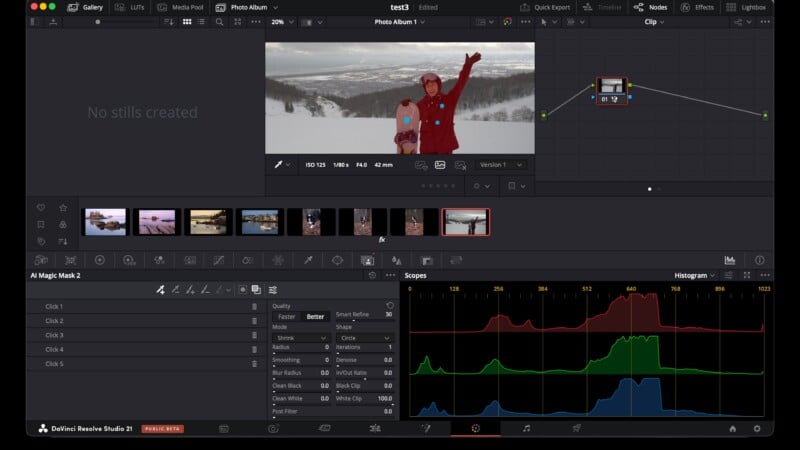
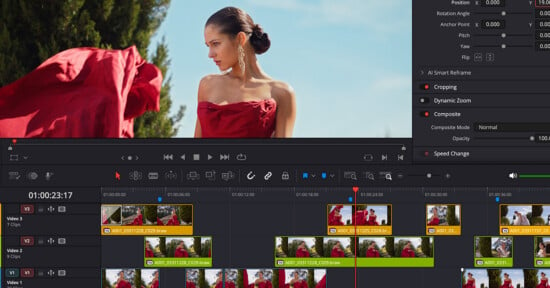
One of the reasons Resolve is so popular with video and film professionals is the expansive toolset found under the “Color” tab. These tools can all be applied to your photos as well, allowing access to nodes, excellent masking and selective edits. It may seem odd to photographers to make initial tweaks with the “Photos” tab and then make more advanced edits under the “Color” tab, but this workflow is standard for working with RAW video footage, so it makes sense to maintain it here. While this aspect of Resolve might look intimidating initially, there is a mountain of tutorials online, and there is a good reason that every professional colorist I’ve met uses Resolve as their primary tool.
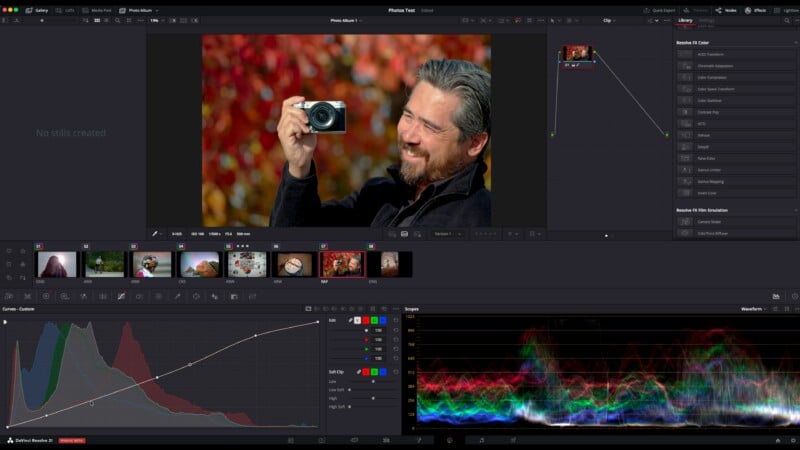
Can DaVinci Resolve Replace Lightroom?: The Final Verdict
This brings me to the main reason for this piece: Is Resolve a replacement for Lightroom or Capture One? Not yet. Firstly, if you’re looking for free software, the export size restrictions of the free version of Resolve make it a non-starter. I would look at Affinity as a free program for processing RAW images. But even with Studio, the lack of support for some RAW file types, inconsistency with lens corrections and learning curve for software designed initially for moving images means it’s hard for me to suggest Resolve as a dedicated photo editing platform.
However, for users like me who often combine photos and video, this update is incredibly valuable. I process my photos in a separate app and then import the JPEGs into my video editing software. If major changes need to be made outside of what a JPEG will permit, that means re-exporting the photo using photo software. That’s a very inefficient workflow. Using Resolve, photo corrections can be made in the same app, and the same corrections can be applied to the video and stills, making for a perfect match of color and contrast. As well, the limitations on export sizes don’t matter as much if the photos will simply be included in a 4K video project.
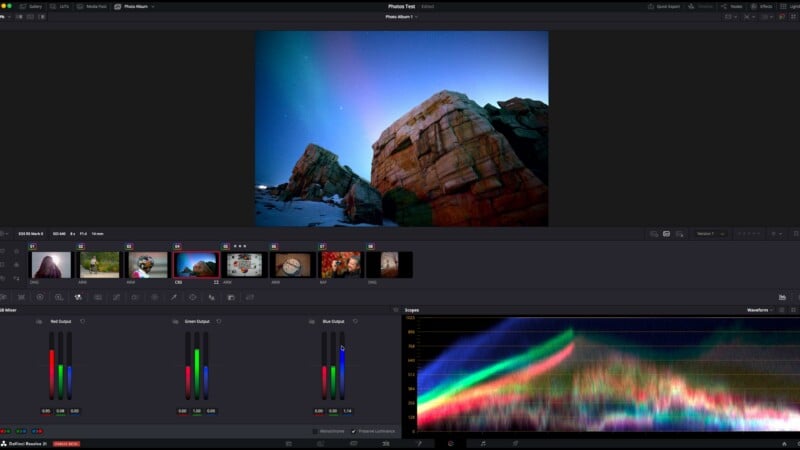
Furthermore, now professional video editors and colonists will be able to apply their extensive knowledge and toolsets to RAW photos, without requiring the use of a photo editor they are unlikely to be as familiar with as Resolve. This is a big deal, as often photos are edited before they get into a documentary, and do not match the look of the rest of the footage at all.
So I think many places got the headline wrong when Resolve 21 was announced. This is not free software that will compete with Lightroom and Capture One. However, if you are a video editor or colorist who regularly includes still photos in your projects, the updates in Resolve 21 might just change the way you work forever!