Panasonic Lumix L10 Review: Compact, Stylish, and Capable
Panasonic is celebrating 25 years in the camera game under its illustrious Lumix brand name. Jaron Schneider and I were invited to attend this celebration in Osaka, Japan, and there was an incredible surprise in store for us: the Lumix L10.
If you are in the market for a stylish and versatile camera that has more muscle than a basic point and shoot camera, the Lumix L10 will blow you away.
Pros
- Versatile 24-75mm equivalent zoom lens
- Excellent image quality and dynamic range
- Highly customizable control scheme
- Compact and stylish design
- Effective phase-detect hybrid autofocus
Cons
- Slow power-zoom lens operation
- Poor subject tracking autofocus
- Lacks in-body image stabilization
- No headphone jack for audio monitoring
- High price point
I have been straight-up demanding a compact Micro Four Thirds camera from Panasonic for years now. I know that I am not alone.
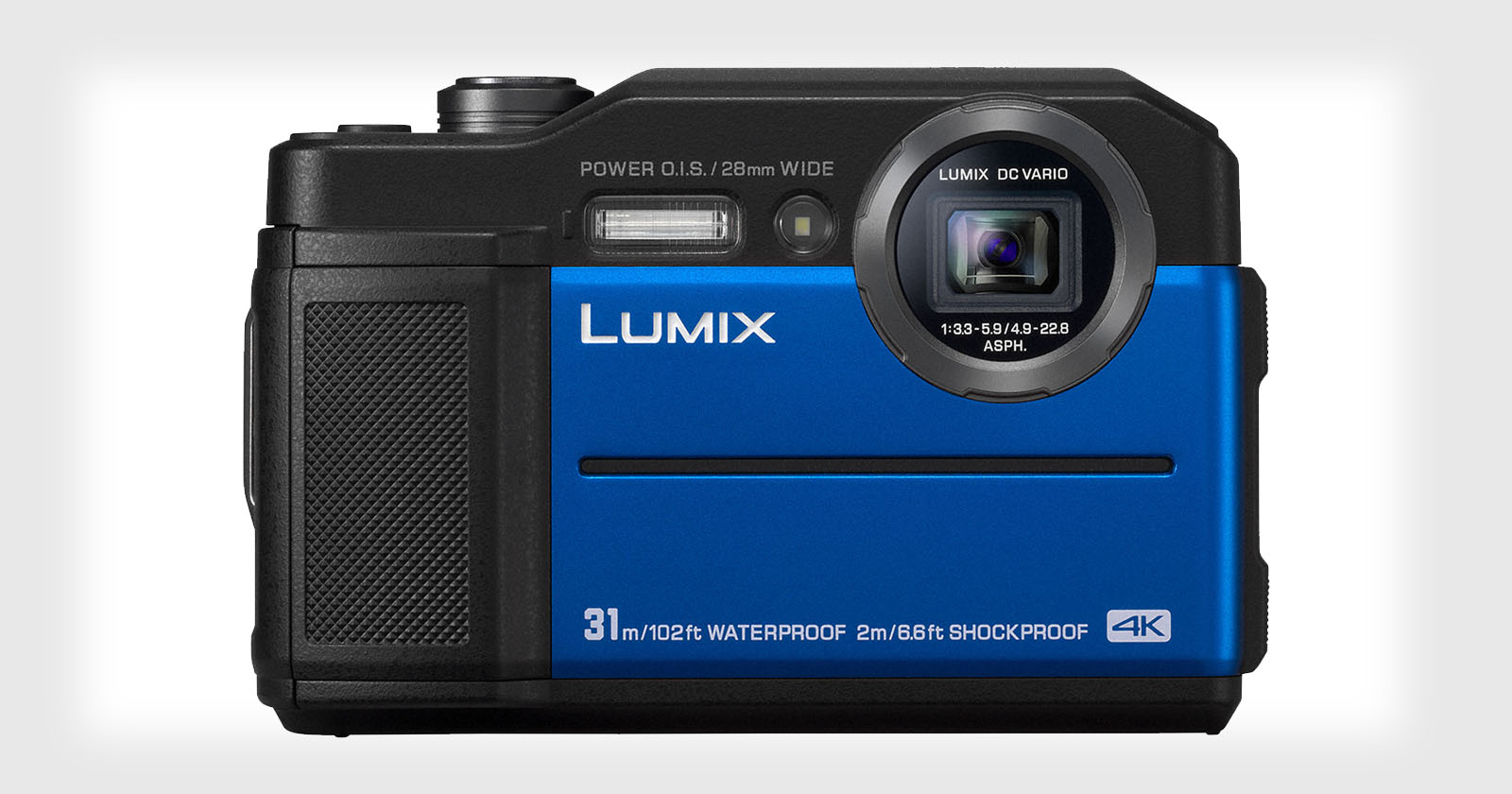
The answer to this worldwide demand turns out to be a successor to the Panasonic LX100 series of cameras, which is technically a Micro Four Thirds camera. However, Panasonic has chosen not to continue the name, but rather to borrow heavily from the older concept, while creating a new kind of camera altogether in some ways.
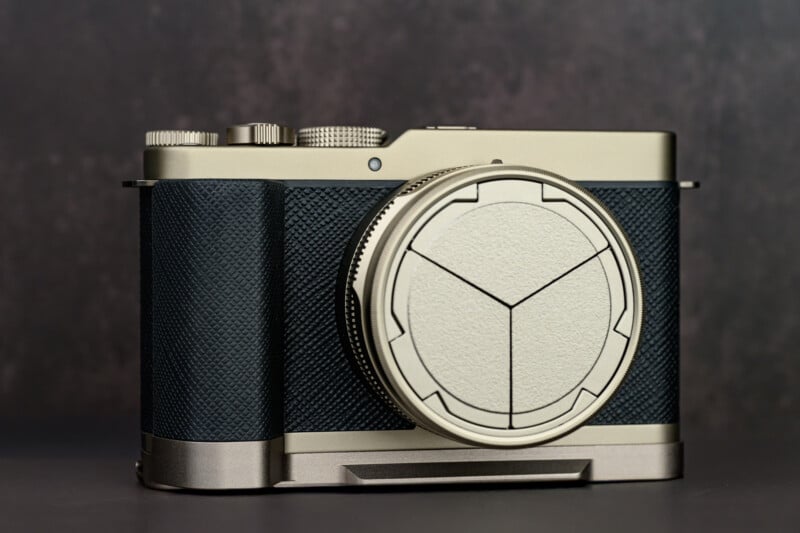
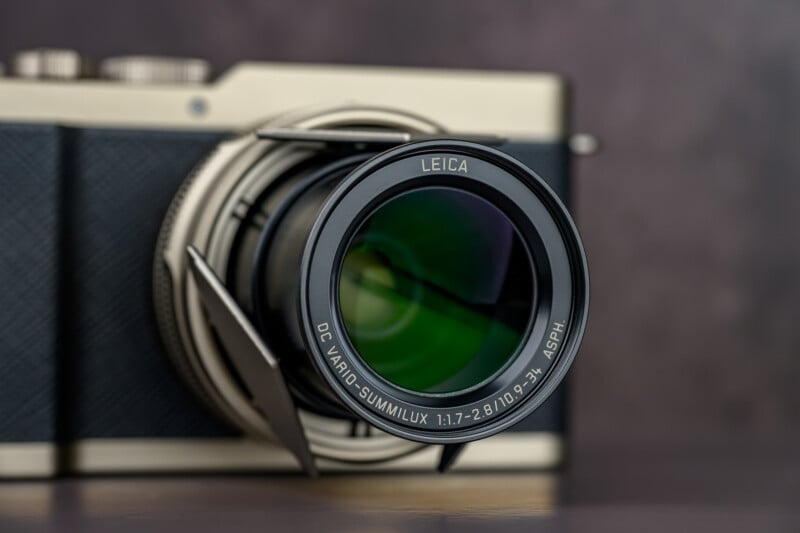
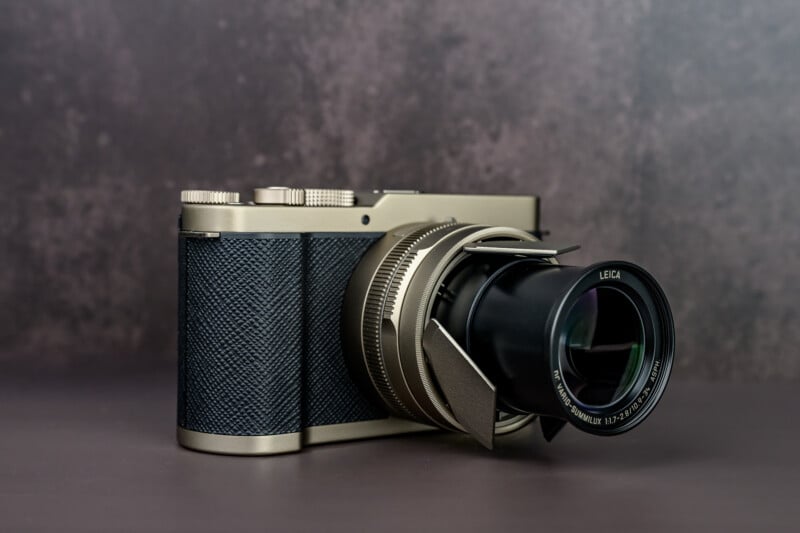
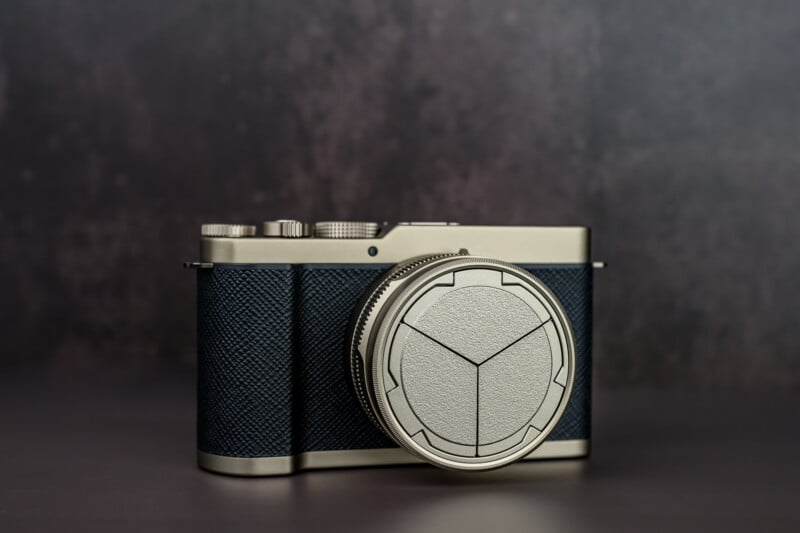
The $1499 Lumix L10 is noticeably larger than the LX100 cameras; however, it is still what I would consider compact. Weighing in at just under 18 ounces (500 grams), the L10 feels very similar in size and weight to a Fujifilm X100 or Panasonic S9 camera. At the front of the camera, there is a lens assembly that looks remarkably similar to the LX100 lenses. This power-zooming Leica 24-75mm full-frame equivalent f/1.7-2.8 lens crops into the Micro Four Thirds sensor slightly in much the same way as the LX100 cameras did.
Panasonic L10 Review: How It Feels
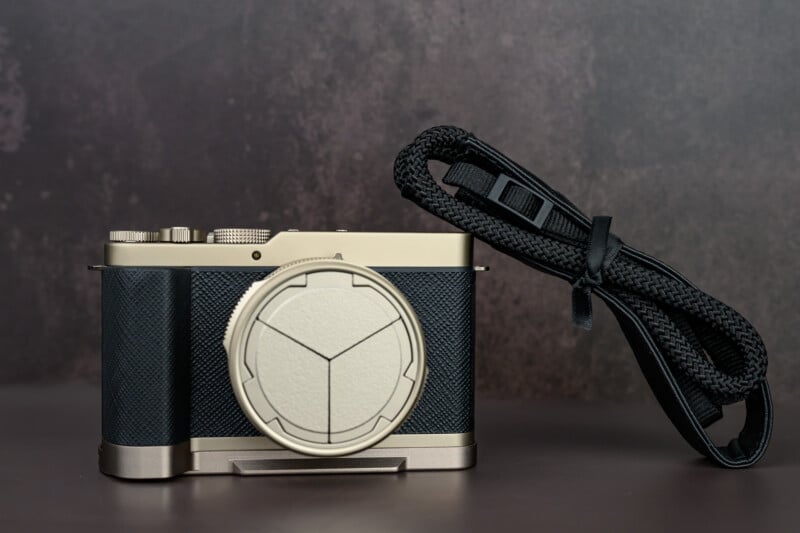
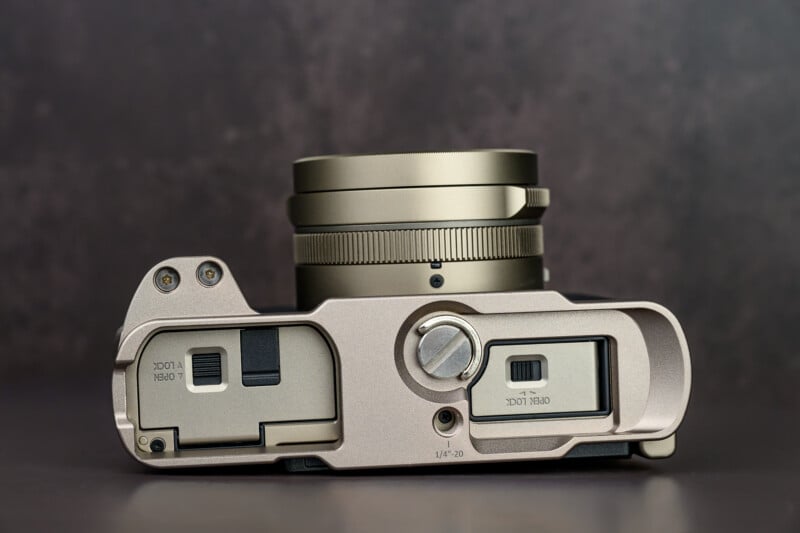
I had a chance to review the special Titanium Gold edition of the L10, which will probably only be available for purchase directly from Panasonic. For a 100 dollar premium, you get a champagne gold colorway with a matching auto lens cap, premium camera strap, lens cloth, and threaded shutter button. This shutter sadly does not support a cable release, but does allow for the use of trendy soft releases to be screwed on. SmallRig also makes a thumb rest and enhanced grip for the L10 if you feel so inclined. Considering that the package is so visually striking and that the extra bonuses justify an extra $100, I expect this kit to be high in demand.
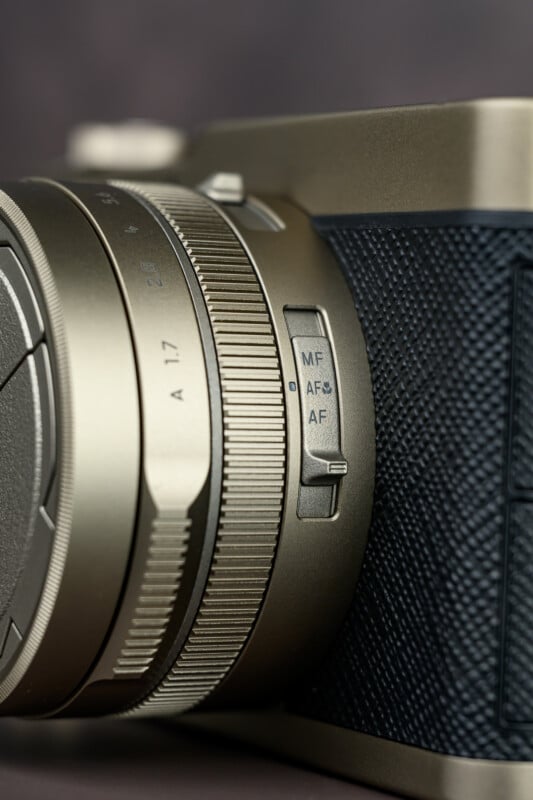
There is a manual focus ring as well as an aperture control, which work almost identically to the original LX100 cameras. You’ll also find a switch to adjust focus modes or go into macro mode, as well as a selector switch to set your aspect ratios. The L10 is set up to shoot 4:3, 3:2, 16:9, or even 1:1 images by simply cropping into the sensor. This does cost some resolution, but at least with the new 26-megapixel chip, most aspect ratios still maintain 20 megapixels of detail.
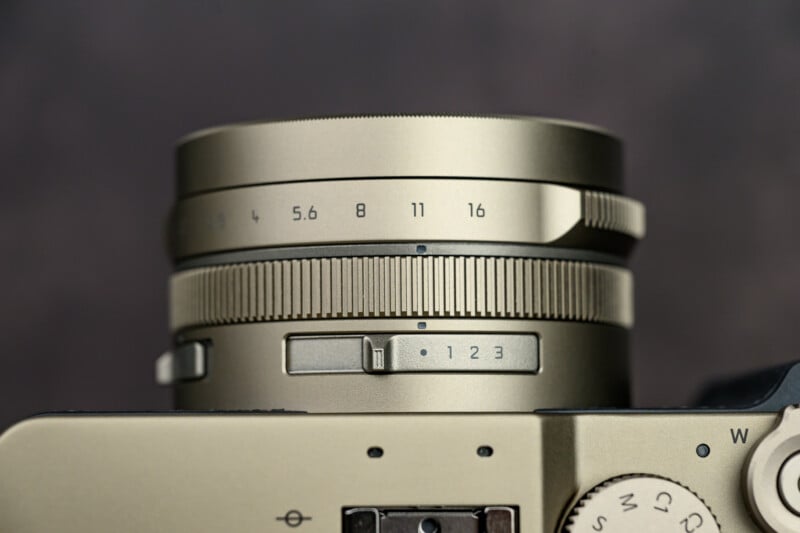
Panasonic has updated the lens unit to be better-sealed against dust and has upgraded it to handle the higher-resolution 26-megapixel sensor from the GH7. This better lens, coupled with a sensor that can still maintain roughly 20 megapixels, including the crop factor, takes noticeably better photos than its predecessors. This is still not going to directly compete with similar contemporaries like the Ricoh GR IV or the Fujifilm X100 VI, but the images I got from the camera still had excellent dynamic range and overall performance.


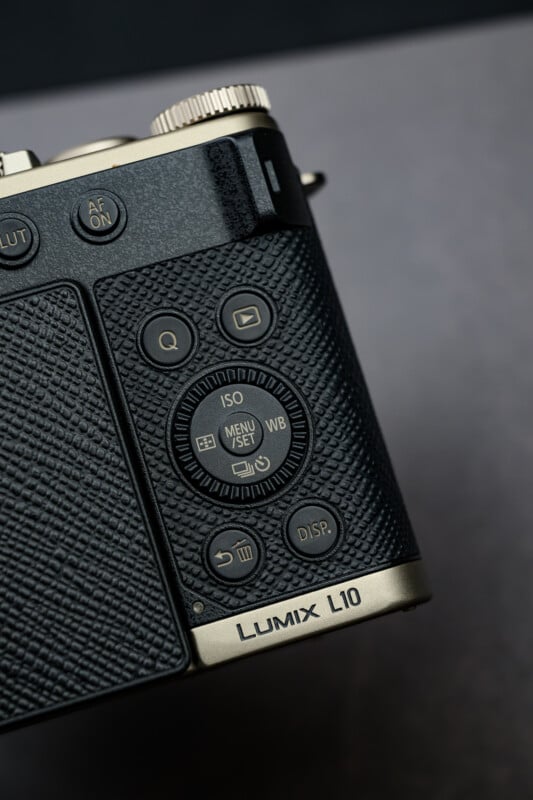
There is a noticeable change to the control scheme from the LX100 series: the omission of an exposure compensation dial and a mode dial, where the shutter speed dial used to be. This is going to upset a lot of potential users, and at first, I was upset too. I hate when features are taken away for the sake of simplicity at the cost of utility. The thumb dial on the back of the camera also provides a way to change manual controls, but I always find these a little fiddly to use.
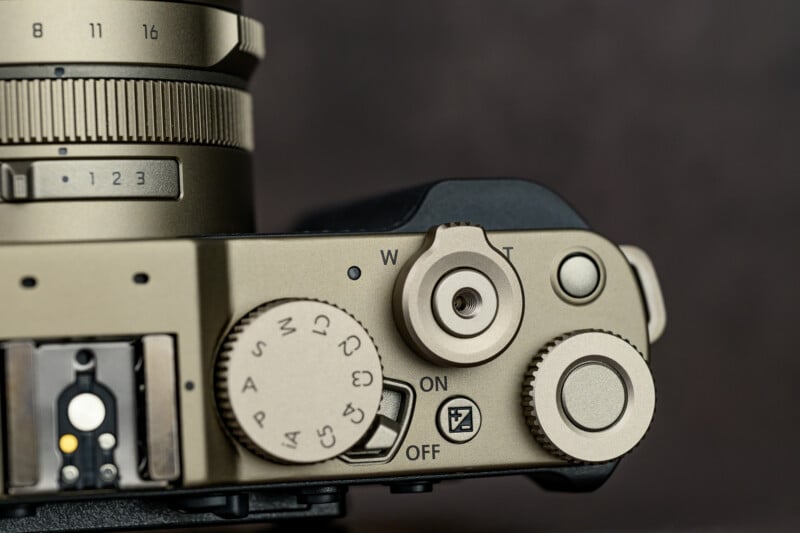
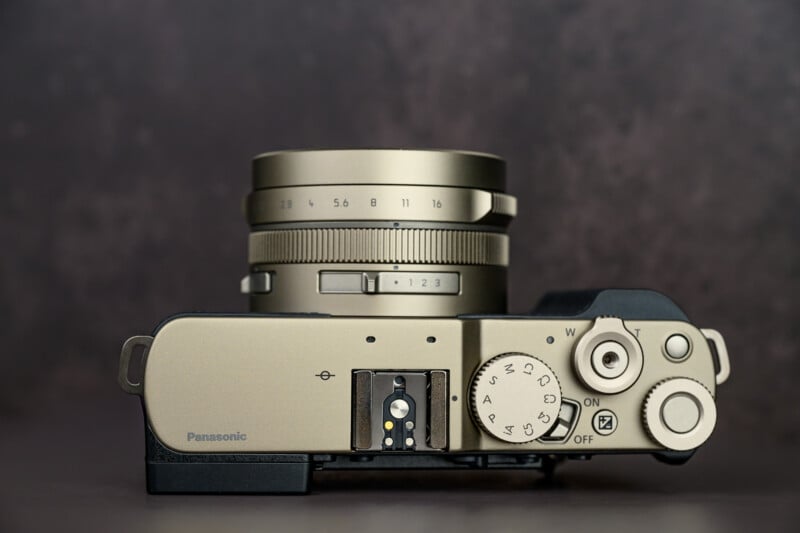
However, I have to admit that due to the L10 having tons of customization options and features like auto ISO with a minimum shutter speed option, I could use the L10 the way that I like, and didn’t feel like I was struggling with a lack of controls.
For example, using aperture priority mode, I could set up the command dial to be an exposure compensation dial by simply pressing the button within the dial first. Otherwise, it would function as my main control for adjusting ISO or shutter speed when appropriate. I could customize the other buttons on the camera to bring up my color styles or different autofocus detection modes. I also found myself seldom using the aspect ratio options but you can now customize that selector switch to do other things, like fixed zoom positions or specific color styles. I really felt that I was able to make the camera perform just the way I liked.
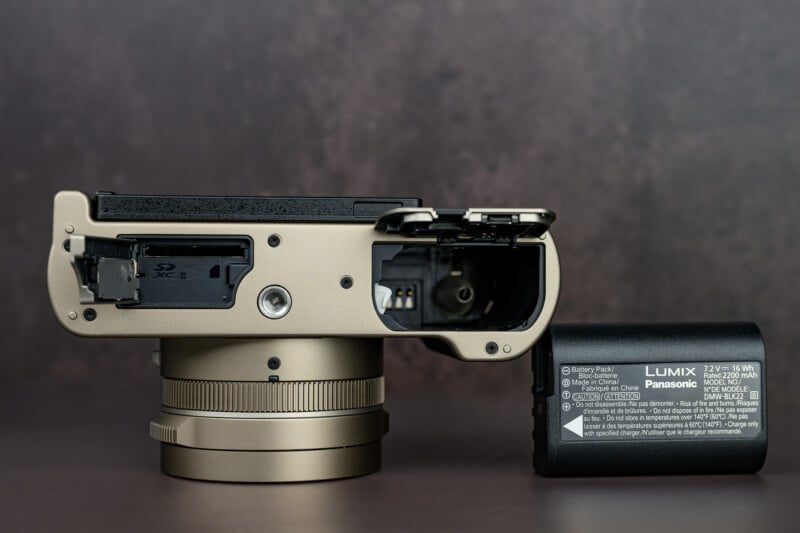
The L10 does have higher power requirements due to the updated sensor and processor, but the larger chassis now also allows for the BLK-22 battery, which is found in the latest Lumix mirrorless cameras. Battery life is excellent and should deliver at least 400 shots on a full charge. In a separate door on the bottom plate is a single UHS-II SD card slot. It’s important to note that the Panasonic L10 is not truly weather-sealed, though.
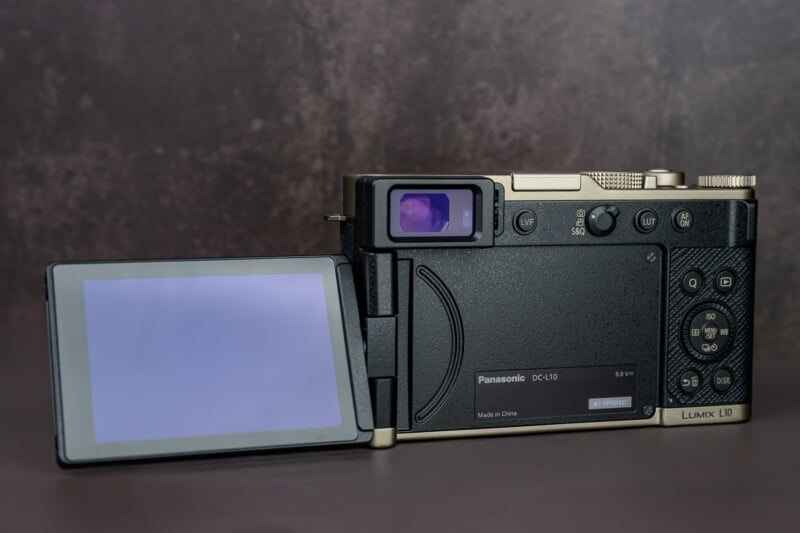
With recent cameras like the Panasonic ZS300 losing the EVF altogether, I was worried that the same would happen with the L10. Luckily, we have a 2.36-million dot viewfinder, which isn’t exactly astounding resolution, but does replace the awful field-sequential viewfinders in the LX100 cameras. The back panel is a decent 1.84-million-dot panel that fully articulates. There is no autofocus joystick, though, so you will be relying on the touchscreen to move your AF point around.
Panasonic Lumix L10 Review: How It Shoots
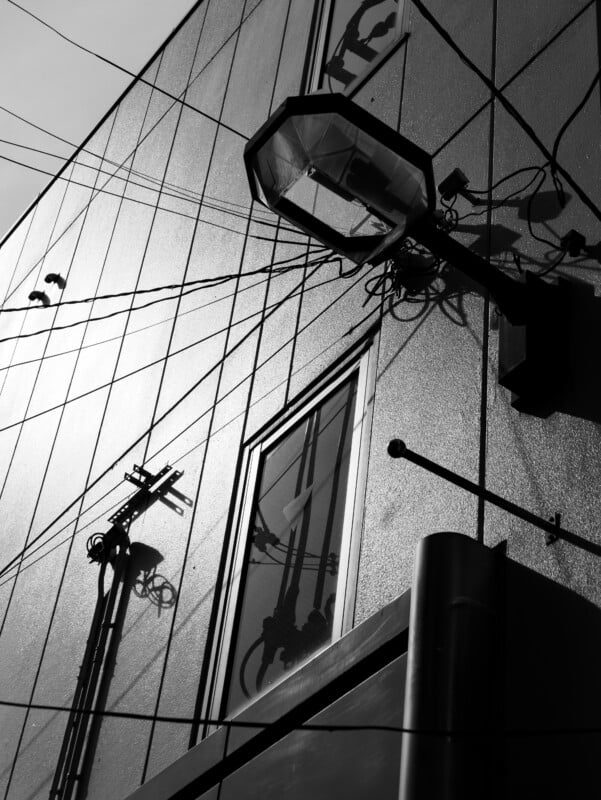
When the LX100 was first released, it could be argued that Panasonic had aggressive noise reduction and uninspiring color profiles. We have to appreciate that this is no longer the case. The L10 works with the Lumix Lab app, and you can now download any color recipes that you make to the camera. The L10 also adds an L Classic Gold profile, which I particularly liked for its warmth, as well as a more neutral L Classic mode, and the Leica Monochrome profiles.




Another big change from the LX100 design is the benefit of more modern phase-detect hybrid autofocus. We get all the modern subject detection from the latest cameras, too. The L10 should essentially focus the same as a G9 II or S1 II. In practice, I found the autofocus very effective for general-purpose photography with good face detection hit rates and the usual ability to customize zones and points of focus. You can also switch to a macro focusing mode which works best at the 24mm mark. You can achieve 1:1 life-size reproduction but you have to be only 3cm away, which will cause all sorts of issues with shadows and proximity.




However, I did also find the camera to struggle in low-light situations, where it would just need a few attempts to really confirm focus lock. Also, the tracking AF is still poor, which means that the tracking box will often leave your subject or jump to something else at random. I like that I have an AFON button to use for focusing, but I still can’t rely on placing the focus point on an inanimate object and expecting the tracking box to stay locked. I get that there isn’t much space for a joystick, but Fujifilm manage to make a compact design, and that would have been awesome to have on the L10.



The L10 uses a leaf shutter mechanism, which maxes out at 1/2000 of a second. This shutter will allow flashes to sync at any speed, and I also found it to be very stable when handheld. Coupled with the image stabilization in the L10, you can confidently shoot at slower shutter speeds. There is also a hot shoe on top of the camera, but you’ll need external flashes because there is nothing built into the body.




The delay when turning the camera on does require some patience, and the zoom speed of the lens is very reminiscent of the L10 predecessors. In casual scenarios, the slower pace is acceptable, but the power zoom design feels like such a basic point-and-shoot issue on an otherwise sophisticated camera. You can leave the camera on and extend the time before it powers off to avoid the startup delay, but this wastes battery power and exposes delicate lens barrels while wandering around.




Video Performance
Panasonic was very clear: this is not a video camera. However, because it uses the GH7 sensor and processor, it does happen to capture video rather adeptly. You will find MP4, MP4 (Lite), and MOV capture options with the long, laundry list of aspect ratios, frame rates, bitrates, and bit depths that you would expect on a modern Panasonic camera — it even has open gate. It also features waveform and V-Log. Besides the lack of shutter angle, the L10 at first feels like a robust video capture tool.
However, there are some limitations and I do think you should listen to Panasonic when it says the L10 isn’t a video camera. It doesn’t have a headphone jack, so you can’t monitor audio, and the aforementioned lack of a rear joystick means moving the autofocus point is irritating, especially if you’re using the EVF. While the L10 does have lens stabilization, the camera does not have IBIS, which is particularly noticeable when capturing video.
What’s nice about the L10 is that, if you’re in a pinch, you can capture great footage that will grade well and match perfectly with other Panasonic cameras. It’s best suited to being a B-roll capture camera, but those who try and rely on it for A-roll are going to very quickly butt up against some frustrations. Luckily, I think that’s a perfectly fine place for this camera to end up. Those who take video more seriously are not going to be attracted to the L10 anyway, so it being just for supplemental short clip capture feels like a nice landing spot for it.
Panasonic Lumix L10 Review: A Worthy Successor
Ultimately, the L10 is providing a premium companion camera experience that takes beautiful pictures. It borrows everything that is cool about the LX100 and improves upon much of that experience. Unfortunately, it doesn’t improve everything, as the slow and ponderous point-and-shoot genes are still very much felt. This leaves us with a sexy, smooth-handling camera that will appeal to the GR IV and X100 crowd, but it may leave advanced photographers wanting for slightly more. The $1,499 price also approaches the level of these larger-sensor cameras, but it just barely feels like an appropriate cost in 2026. Losing a couple hundred dollars off that asking price would feel more appropriate.




I like having a zoom lens as opposed to a fixed prime lens, so this L10 appeals to me greatly. I wish the camera was a little faster and more capable when it came to demanding situations, but most users will find the L10 to be ideal. If you can work around the quirks, you will find a prestigious and capable camera for travel and everyday carry. Perhaps the L10 is also a positive omen of future developments, and we might yet see Panasonic release more compact cameras with style and substance.
Are There Alternatives?
It’s hard to find compact cameras with larger sensors and EVFs. The Ricoh GR IV and Fujifilm X100 VI are natural competitors but they don’t combine an EVF with a zoom lens.
The Fujifilm XE-5 would be a great alternative if you wanted higher-end image quality and interchangeable lenses. The price is definitely higher, though, and it might not quite be as stylish on the shoulder as some may hope for.
Should You Buy It?
Yes. If you are in the market for a stylish and versatile camera that has more muscle than a basic point and shoot camera, the Lumix L10 will blow you away.
Affiliate Disclosure PetaPixel articles may include affiliate links; we may earn a commission if you buy through one.