Fujifilm Instax Mini Evo Cinema Review: Wait, This Is Awesome
By now, everyone knows about the dominance that Fujifilm holds over the instant photography market. Instax is a huge part of its business and has become the de facto photography gift for birthdays, parties, and at the holidays.
The quick turnaround and charming analog prints are great fun to share at get-togethers and parties, but they are absolutely an analog print. So when I heard about the new $410 Fujifilm Mini Evo Cinema, the concept of a video camera seemed completely at odds with analog photography. How do you make videos while still capturing the charm of analog, and find a way to share them with people, without treading over ground covered by actual video cameras? This camera was confounding and brought up so many questions, but I found the answers even more surprising.

Fujifilm Instax Mini Evo Cinema Review: How It Feels
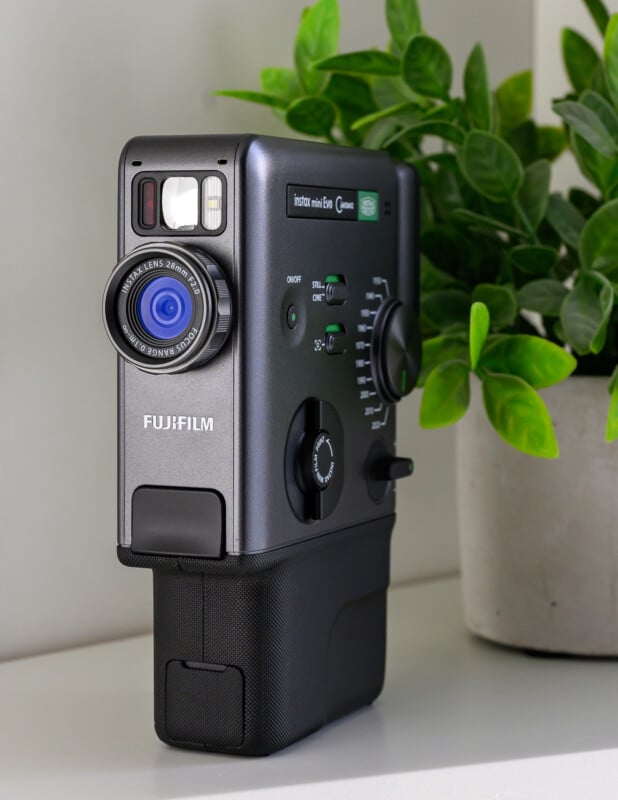
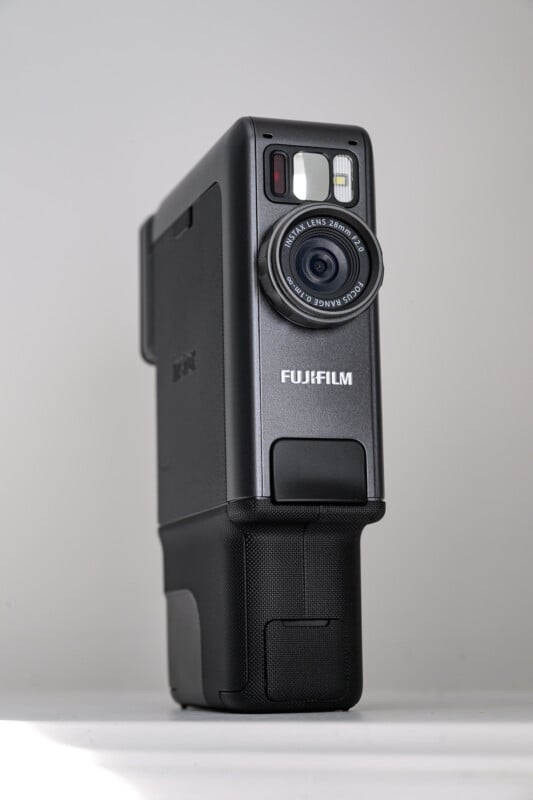
Before we even get to the creative side of things, we have to address the camera design itself. Much like the previous Fujifilm X half camera, the Mini Evo Cinema is an instant classic, which impresses anyone who beholds it upon first inspection. From the dark carbon-grey finish to the Fujifilm cine-themed green highlights, every aspect of the Evo Cinema is sophisticated and stunning.
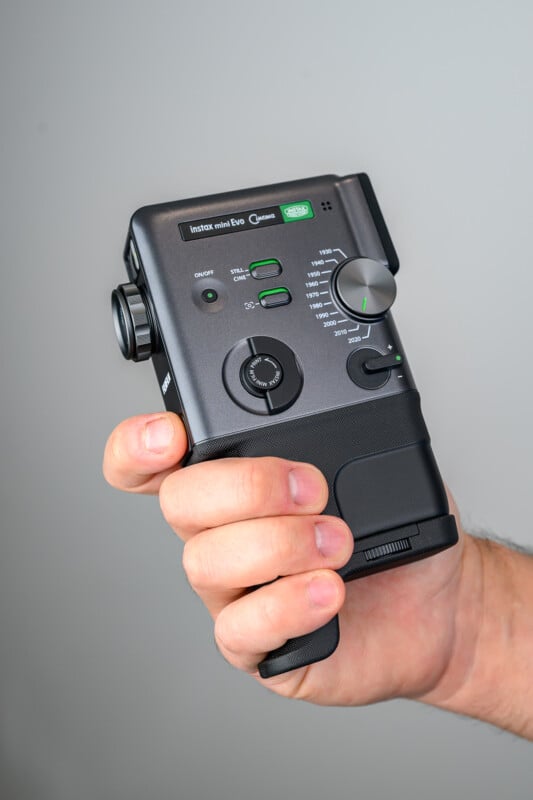
The dials are beautifully machined, and nothing feels cheap about the experience. The chassis weighs nine and a half ounces (270 grams) and feels solid with nice checkering along the grip. There is a much-needed grip that attaches to the bottom of the camera to allow an average hand a full grip on the camera. You can remove this when you want to use a tripod, but otherwise it will likely live on the camera most of the time.
The camera does possess some internal memory storage, but it only holds about 50 photos or 10 video clips. This is basically a way to ensure the functionality of the camera if it is given as a gift so that eager users can immediately test it out. You’ll want to acquire a microSD memory card in order to use the camera fully, though.
The battery is internal, which is unfortunate because I dislike the idea of a battery failure ruining the entire camera. Sadly, battery life isn’t amazing either, so plan on being diligent with regular charging even if the camera is being stored.
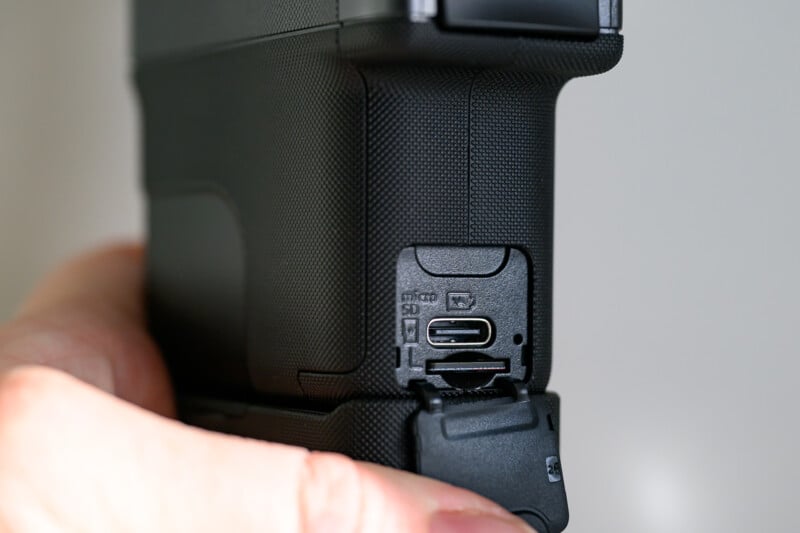
I would also say that the Evo Cinema is a little bulky. It is not pocketable by any stretch, and the grip is quite broad in order to accommodate the Instax film printer inside. This means that people with smaller hands will struggle to reach for the trigger on the front of the camera grip, and it can be a little uncomfortable to hold one-handed for longer periods. You can either hold down the trigger to record up to 15 seconds of video per clip, or you can press once to record and once again to end the clip — you can make that choice in the settings. I also appreciate that after each clip, you are prompted on whether to save your last clip or try again for a better result.
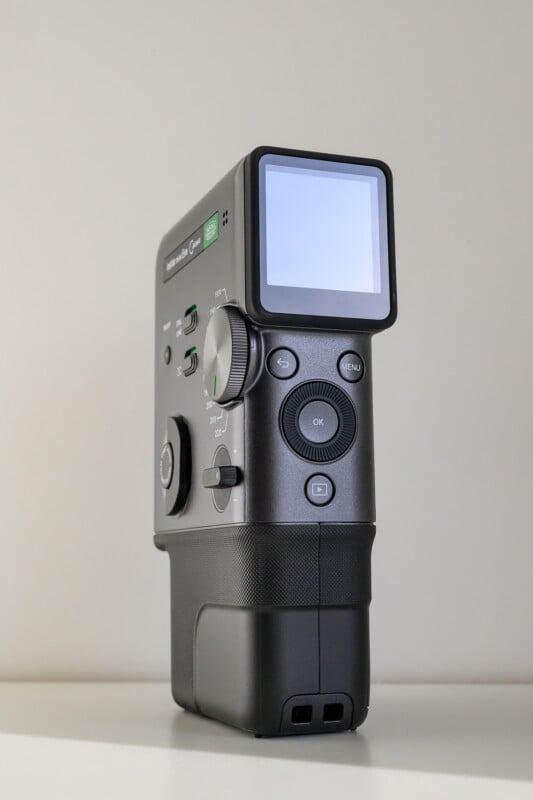
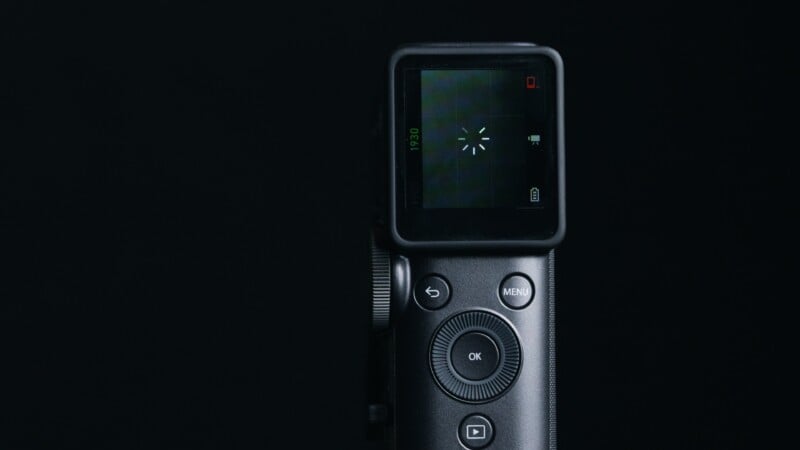
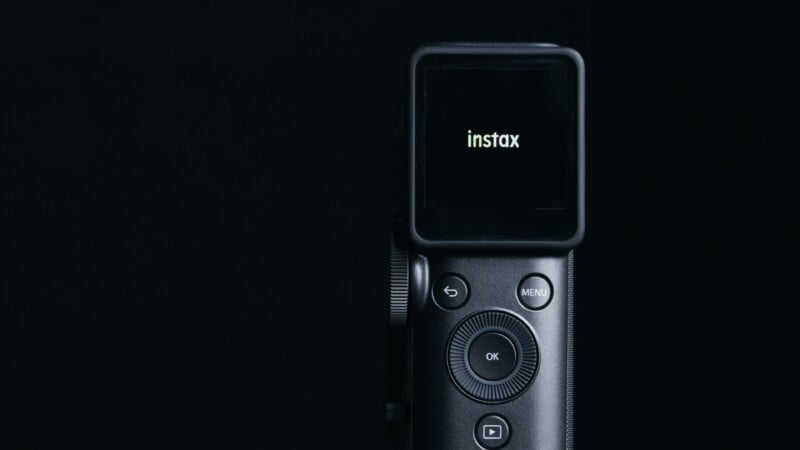
The back of the camera has the playback and menu controls, with a basic jog wheel and “OK” button interface to navigate with. You can also change your exposure compensation here, but I do find it a slow process to go into the menu, select exposure, and then adjust it with the wheel. You also have your only compositional aid in the form of a very low-resolution screen.
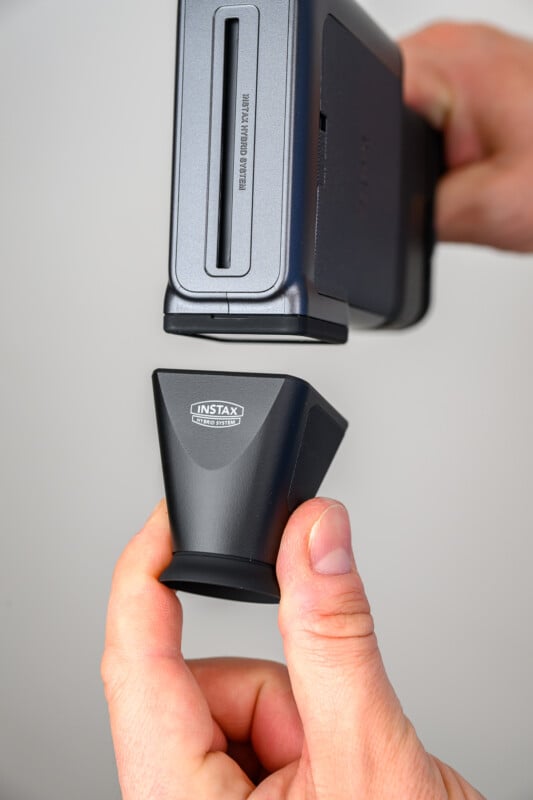
At a mere 170K dots, the tiny screen is quite difficult to use for aging eyes, and doesn’t hold up well in bright sunlight. Fujifilm has solved this dilemma by providing a slick eyecup that clicks in place with magnetic assistance. It shields the screen from sunlight, magnifies the screen with an optical eyepiece, and captures the vintage experience of holding a vertically-oriented camera up to your face.
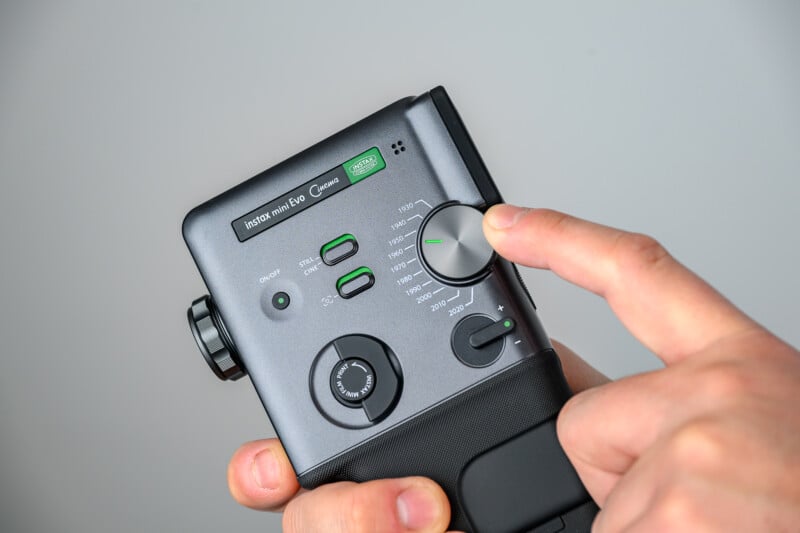
At the front of the camera is a compact lens providing a 28mm full-frame equivalent field of view with an f/2.0 aperture. Surrounding the lens is a knurled dial, which is used to adjust the strength of the camera’s filter effects. There is also a tally lamp, electronic flash, and selfie mirror in place right above the lens. On the side of the camera, you will find the on-off button, and two switches that let you choose between stills or video mode, as well as a switch to toggle a creative frame overlay on your pictures and video clips. You will also find a switch that is shaped like a classic video camera motor winder, which initiates your Instax mini-sized prints and a large dial that lets you select a decade from 1930 to 2020.
It is this “decade” Gen dial that is really at the heart of the camera. Across most of the world, this will be referred to as the Eras dial, but it will instead be called the Gen dial in North America. Apparently there was some concern over the word “Eras,” likely due to a certain popular singer.
By clicking between the different decades, the Evo Cinema will apply a filter effect to your photos or videos to a very sophisticated degree. By adjusting the dial at the front of the lens along with a chosen decade, you can set so many permutations of saturation levels, softness or sharpness, film grain levels, skipped frames, digital interference, and beyond. It would take hours to go through all the choices available, and it is a big part of what makes the Evo Cinema so fun to play with.
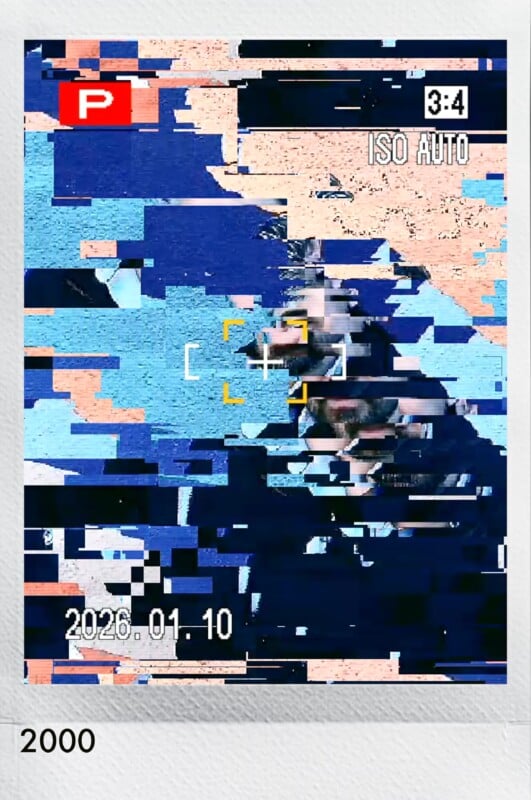
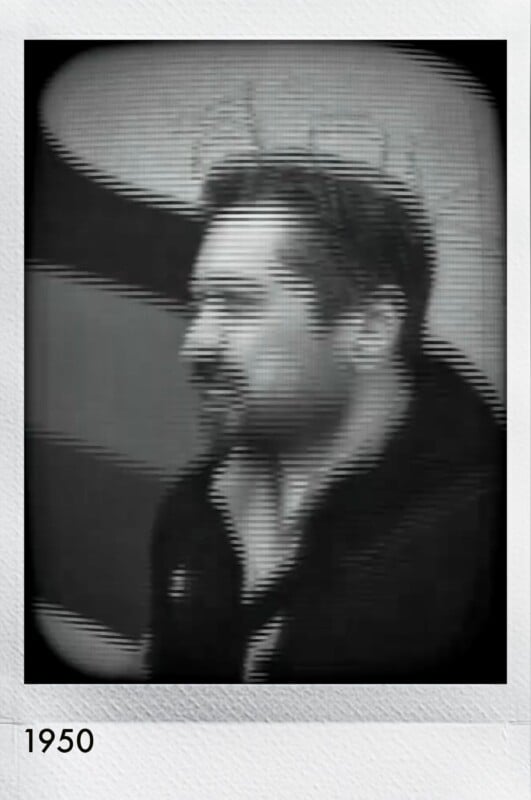
The 1930s setting, for example, will be fully black and white with a soft-looking aesthetic akin to films from the silver screen era. The 1950s mimics the look of the moon landings, complete with an optional overlay frame that gives a classic cathode-tube TV frame. Choose the 1990s, and you get a garbled digital effect whenever the camera is bumped, and an overlay that takes you right back to the days of mini-DV tape recording.
Essentially, by choosing a decade, toggling the strength of the effect, and then deciding on whether you want an additional overlay on the footage, you can explore an extremely faithful experience of each time frame with all of the charming nostalgia intact. Of course, you can also dial back the strength of each generation to a more reasonable level, which will instead largely provide an assortment of fun color filters that are merely inspired by a moment in time.



If all of this sounds complicated, it is! But the experience is easy to explore, and just complicated enough that it feels exciting to finally stumble upon a recipe that you want to use further. Adding various digital camera error effects whenever the actual camera is physically bumped or shaken adds a further tactile part of the creative process that really makes you marvel at just how deep the Fujifilm engineers wanted to take this experience. Regardless, unlike the X-Half experience, which I felt was too shallow to bring more than a moment of fleeting joy, the Evo Cinema captures just the right amount of Nostalgia, while also allowing you to reproduce some legitimately compelling short home movies. If you wanted to recreate an alien invasion straight out of a 1930s pulp magazine, or maybe capture your friend skateboarding with all the mini-DV tape grunge that the 90s can muster, you are going to fall in love with this camera.
Fujifilm Instax Mini Evo Cinema Review: How It Shoots
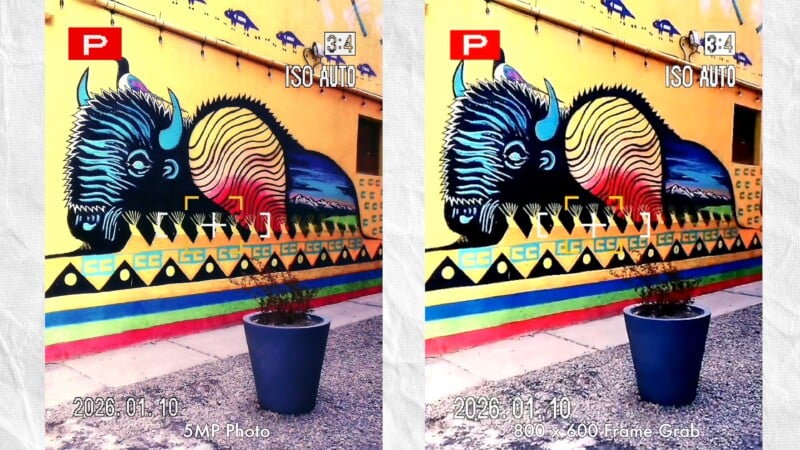
We have established that the camera is well-designed and fun to use, but is it a worthy creative tool or just a fancy toy camera? From an image quality standpoint, the Evo Cinema is not going to win any awards. Stills are limited to roughly five megapixels, although this is plenty of resolution for the Instax Mini format. The Evo models are digital cameras that you can then choose to print images from, if and when the desire strikes you. I far prefer this method of deciding on an image before committing expensive film to the shot. That all being said, I don’t think many users will click the still option on this camera very often, given that the cinema mode is where most of the fun lies.

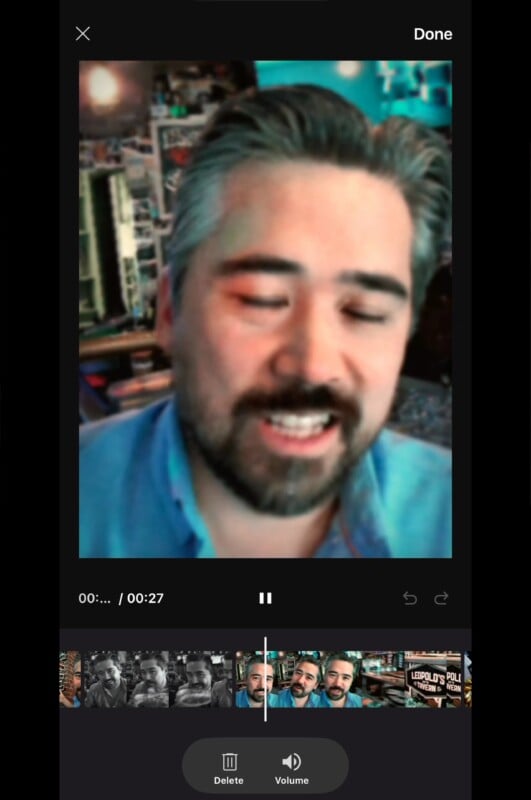
Video quality is going to be low; however, the image degradation out of the relatively tiny Type 1/5 inch sensor is largely masked by all the creative filter effects. The video resolution maxes out at 600×800 pixels, which limits video mostly to social media uses, although you can access 1440×1080 video using the 2020 decade only. Each clip is limited to 15 seconds as a maximum, and you can combine multiple videos together using the Fujifilm Evo phone app, creating up to 30-second-long short films.
You can also choose and print out any frame from the video you’ve captured and make an Instax Mini picture right out of the camera. Again, the low resolution of the images is largely covered up by the filter effects and the physically small Instax Mini format. Zooming the camera in tighter while recording doesn’t seem to have much of a quality effect on the video, either, so feel free to go change your frame.

All video is recorded at 24 frames per second, which will save space not only on the camera’s memory, but the Fujifilm servers as well. This is important because the full functionality of this camera is unlocked when you use the Evo Cinema in conjunction with your phone and the Instax app. A basic Bluetooth connection will automatically download video clips to your phone, and subsequently upload them to the Fujifilm servers when you are ready.
You can edit your clips, add fun intros and endings, and even make custom movie posters as a title card, and then upload these clips online. But the real fun becomes apparent when you want to share your creations. You can print out an Instax print with the title card chosen, or a thumbnail from the clip itself, and place a QR code on any of the four corners of the print.

Anyone who accesses this QR code will then be taken right to the finalized video held on the Fujifilm servers, and can download and share it further. This is a clever and inventive way to keep the fun sharing experience of Instax alive in a way that also incorporates video. I can see this being a fun way to share videos at house parties and weddings, or as a digital guest book if you stay at a resort or rental. Restaurants and companies will find ways to use this camera for fun promotional projects, and it will also be a clever way to leave messages for loved ones on the fridge. There are so many undiscovered uses for this new method of video sharing and I’m sure Fujifilm will expand this concept further as we go forward.

Audio is also handled in an interesting way. The decade chosen impacts the overall sound and quality of any audio captured by adding filter effects to the incoming sound, as well as adding period-specific camera noises. For example, the older decades will create a lower-quality, muffled audio representation of voices and sounds while also overlaying the whirring of camera motors and rolls of film passing through the camera. At more modern settings, the audio becomes gains clarity and the cameras become appropriately silent.
As fun and perhaps even accurate as this all is, I would say that the microphone on older settings can be frustratingly low in volume or clarity. The mics are very good at picking up ambient noise but I wish there was a way to change the mic orientation or separate the filter effects from recorded audio if desired. If there is a way to do this in camera, I haven’t discovered it yet.
Fujifilm Instax Mini Evo Cinema Review: A Unique Experience
I will admit I’m not a huge fan of the Instax experience in general — but I am a fan of this particular camera. It is designed masterfully and turns out to be quite versatile. I wouldn’t personally buy a separate Instax Mini camera but I would buy this camera because it does so much in one package. The $410 price is a little high for an Instax camera, but when you consider that this camera provides complexity and depth while also working as a classic Instax Mini photo camera, and an Instax printer as well, the value becomes apparent.
You get a stills camera that is at least as fun to use as any that have come before it, an Instax printer that can printout your pictures via the Evo app, and a unique video camera that has tons of fun in store and a novel way to share that fun with others.
Even though the Evo Cinema is mostly intended for short clips shared on social media platforms, you could absolutely string together longer home movies in other editing software and recreate the home videos that our parents and grandparents enjoyed. The Fujifilm Instax Evo Cinema might be three parts camera and seven parts nostalgia, but the end result is an experience unlike any we have seen so far.

Are There Alternatives?
Not really. The Evo Cinema is certainly more versatile than many of the existing Instax Mini cameras, and provides something which you can’t find on the market right now, and without breaking the bank either.
Should You Buy It?
Yes. This is what instant cameras should seek to deliver. The Evo Cinema goes beyond fun styling or gimmicky tools to deliver a unique shooting experience.