New Chrome Extension Brings Batch Editing to Google Photos
Google Photos has become one of the most popular photo platforms in the world, serving more than 1.5 billion monthly users and providing everything from cloud backups to AI-powered editing tools. Yet despite its extensive feature set, one capability has remained notably absent for years: batch editing.
A new Chrome extension called Batch for Google Photos aims to solve that problem by allowing users to apply edits across multiple images simultaneously, eliminating one of the most frequently requested workflow improvements among Google Photos users.
Closing a Long-Standing Google Photos Gap
While Google Photos has long supported bulk actions such as sharing, archiving, and deleting, editing multiple photos at once has never been possible through the platform itself. Users wanting to apply the same enhancement, filter, crop, rotation, or metadata change across dozens or even hundreds of images have traditionally been forced to edit each photo individually.
According to creator Yair Levin, the idea for Batch for Google Photos came from a familiar frustration after returning from a family trip with hundreds of smartphone photos that needed the same adjustments before being shared with relatives.
“I came back from a trip with 240 photos to send to the grandparents, clicking enhance, save, enhance, save like a robot. That’s when I started building this,” says Yair Levin, founder of Batch for Google Photos.
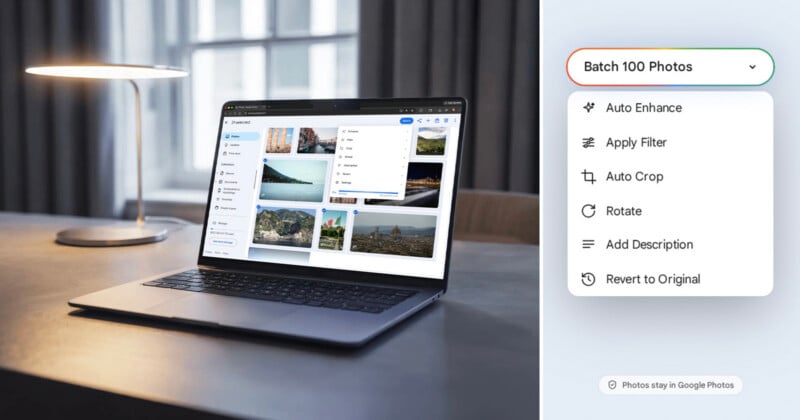
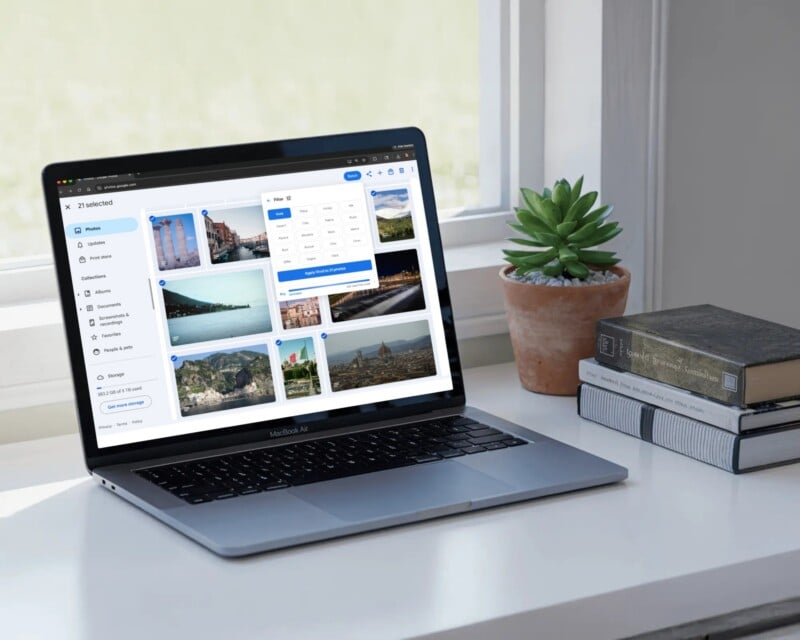
Rather than creating a separate photo management platform, Batch works directly inside Google Photos. Once installed, the extension adds a Batch button that lets users select multiple photos and apply Google Photos’ built-in editing tools to the entire selection.
Because edits occur directly within Google Photos, users do not need to export images, upload them to another service, or manage a secondary photo library.
Designed for High-Volume Photo Collections
The extension targets workflows where repetitive edits become time-consuming rather than technically difficult.
For example, wedding photographers may deliver a gallery containing thousands of images, along with a smaller collection of carefully retouched highlight photographs. Applying consistent enhancements across the larger gallery can help maintain a cohesive look without requiring individual adjustments to every image.
Real estate photographers can use batch cropping to standardize image dimensions across multiple property listings, while family historians digitizing old photographs may need to rotate hundreds of scanned images that were imported sideways.
The same workflow can also benefit everyday users returning from vacations, school events, family gatherings, or other occasions where large numbers of photos are captured and shared.
What Batch for Google Photos Can Do
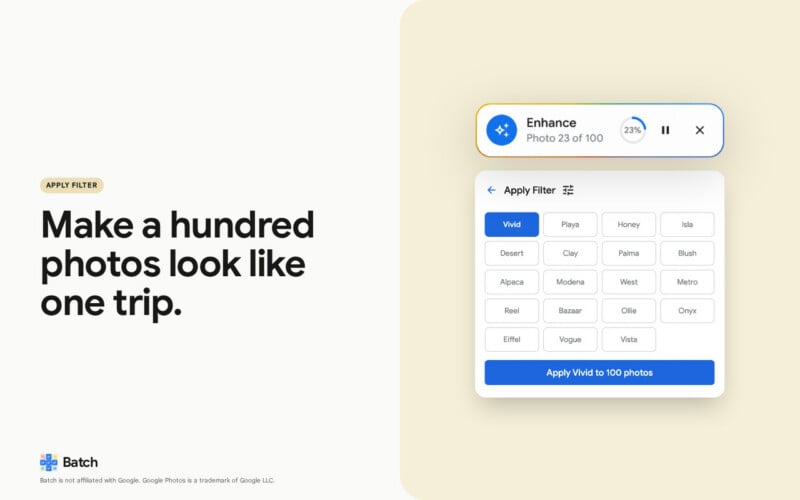
Batch currently supports six editing actions directly within Google Photos.
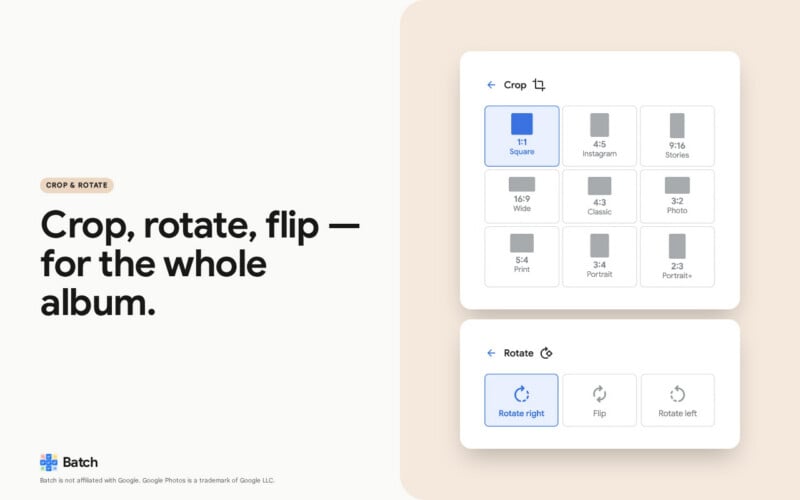
Users can run Google Photos’ Auto Enhance feature across an entire selection, apply any of the platform’s available filters, crop images to common aspect ratios, rotate or flip photos, add descriptions in bulk, and revert images to their original state.
The extension supports nine crop ratios, including square, 3:2, and 9:16 formats commonly used across social media platforms and digital publishing workflows.
For paid subscribers, the Pro plan also includes bulk access to Google’s Revert to Original feature, allowing you to undo previous edits across large collections of images.
Levin cites years of user requests in Google support forums and online communities as evidence of demand for batch editing functionality.
One Google Photos Help Community thread requesting batch date editing dates back to February 2019 and has accumulated hundreds of users reporting the same issue, before eventually being locked without a solution. Similar requests have appeared repeatedly across Reddit, Google’s support channels, and photography forums.
Batch positions itself as a practical solution to that long-standing gap by automating editing actions that already exist within Google Photos rather than introducing a separate editing environment.

Privacy and Workflow Considerations
One of the extension’s primary selling points is its privacy-focused approach.
According to the developer, photos never leave Google Photos and are not uploaded to external servers. The extension operates as an automation layer on top of Google’s existing interface, meaning users continue working entirely within their Google Photos library.
This approach may appeal to photographers and consumers who want batch editing capabilities without migrating their images to a separate photo management platform.
Pricing and Availability
Batch for Google Photos is available now via the Chrome Web Store, allowing desktop users to perform bulk edits directly within Google Photos using Chrome.
The free tier allows editing of up to 25 photos per month. The Plus plan costs $6.99 per month or $55 annually and supports up to 500 edited photos per month. The Pro plan costs $24.99 per month or $199 annually and includes unlimited usage along with bulk Revert to Original functionality.
Image creditsBatch for Google Photos
Affiliate Disclosure PetaPixel articles may include affiliate links; we may earn a commission if you buy through one.