Rebranded Adobe Premiere 26 Arrives With One-Click Object Tracking

The latest version of Adobe Premiere Pro has arrived, boasting a bevy of new AI-powered features, though it’s no longer called Premiere Pro. Adobe Premiere 26, sans the “Pro” in the name, is fundamentally still the same nonlinear video editing (NLE) app, albeit with a bunch of new tools.
“As filmmakers gather for the 2026 Sundance Film Festival — where 85 percent of premiering films were made using Adobe Creative Cloud — Adobe continues to power the workflows editors rely on to bring stories to screen,” Adobe writes. “Today’s updates to Premiere and After Effects build on that essential role, giving editors and motion designers faster, more intuitive ways to work while maintaining creative flow and intent.”

One of the most significant updates to Adobe Premiere is the new AI-powered Object Mask, previewed last October at Adobe MAX as a beta tool. The new Object Mask tool lets video editors hover and click on an object or subject to generate precise masks “in seconds.” The tool’s colored visual overlays and refinement tools ensure editors can quickly and easily make precise selections in their videos, similar to what Adobe’s Select Subject tools do for photographers in Photoshop and Lightroom.
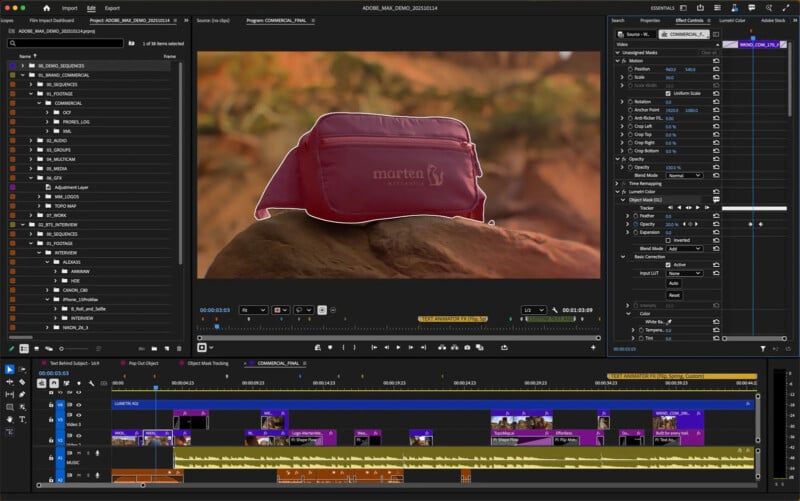
“From the toolbar, you can quickly create an Object Mask, allowing you to mask and track any person or object moving through your clip with ease,” Adobe writes. “As you hover across your frame, visual overlays snap into place, identifying the person or object you want to mask.”
That’s not the only change to tracking performance in Premiere. Adobe has given its Shape Masks “a serious glow-up.” Redesigned Ellipse, Rectangle, and Pen masks promise more creative control for selective edits. Adobe says tracking performance is up to 20x faster than in previous versions of Premiere, which is a significant performance gain.
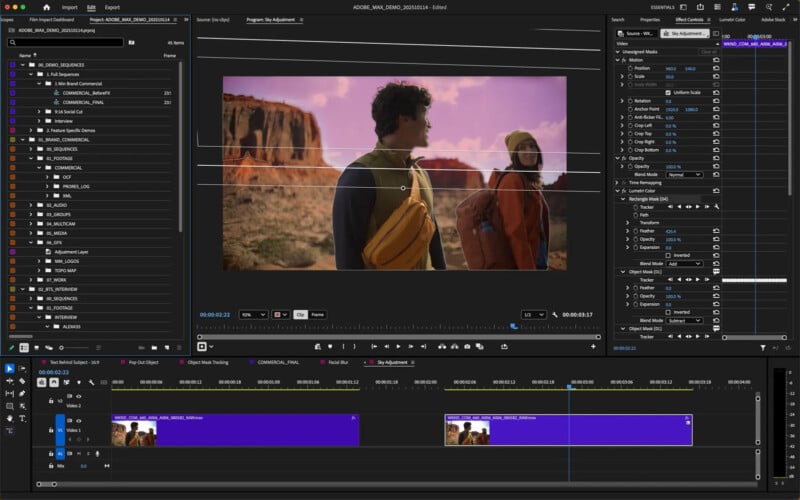
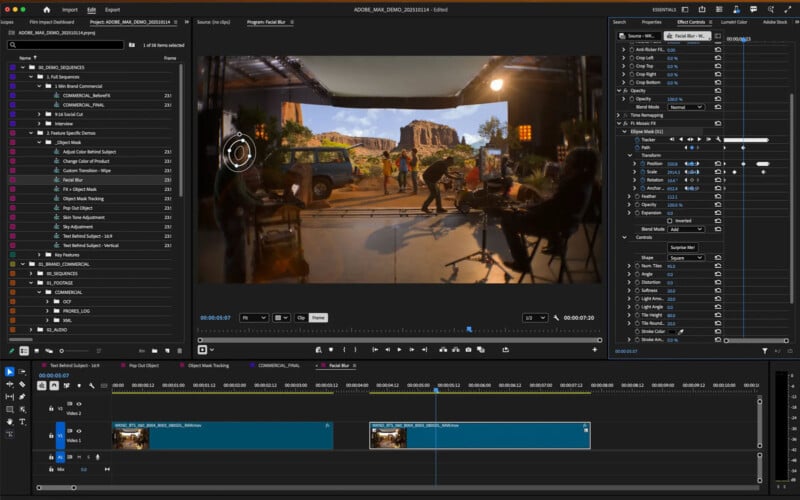
Further, just like the new Object Mask, the revamped Shape Masks are now accessible via Premiere’s top toolbar. Further, tracking now has live previews, answering a longtime user request.
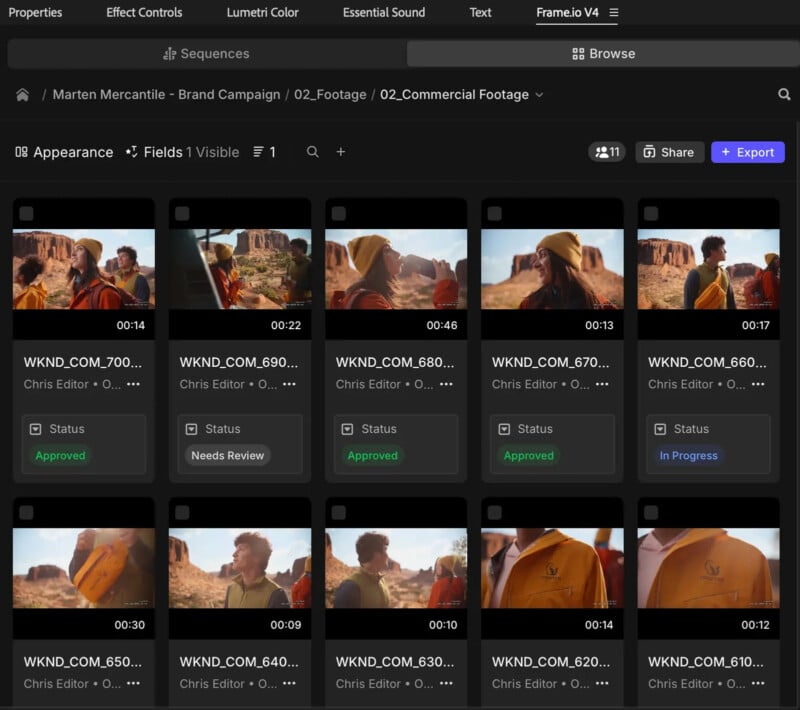
Adobe’s Frame.io service is a mainstay for professional video editors and creative teams, enabling remote collaboration from anywhere in the world. Adobe says collaboration has “got a serious upgrade” in Premiere 26. The video editor’s new Frame.io V4 panel is now available right inside Premiere, although the tool remains in beta.
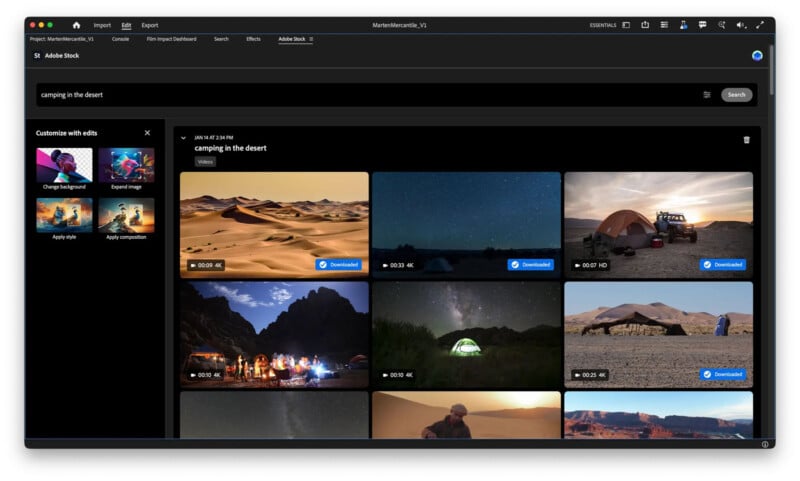
Adobe Stock is also now fully integrated into the new Premiere, providing direct access to over 52 million stock video clips, including nearly 100,000 free ones.
The new, rebranded Adobe Premiere is available now to Premiere and Creative Cloud subscribers.
Image credits: Adobe