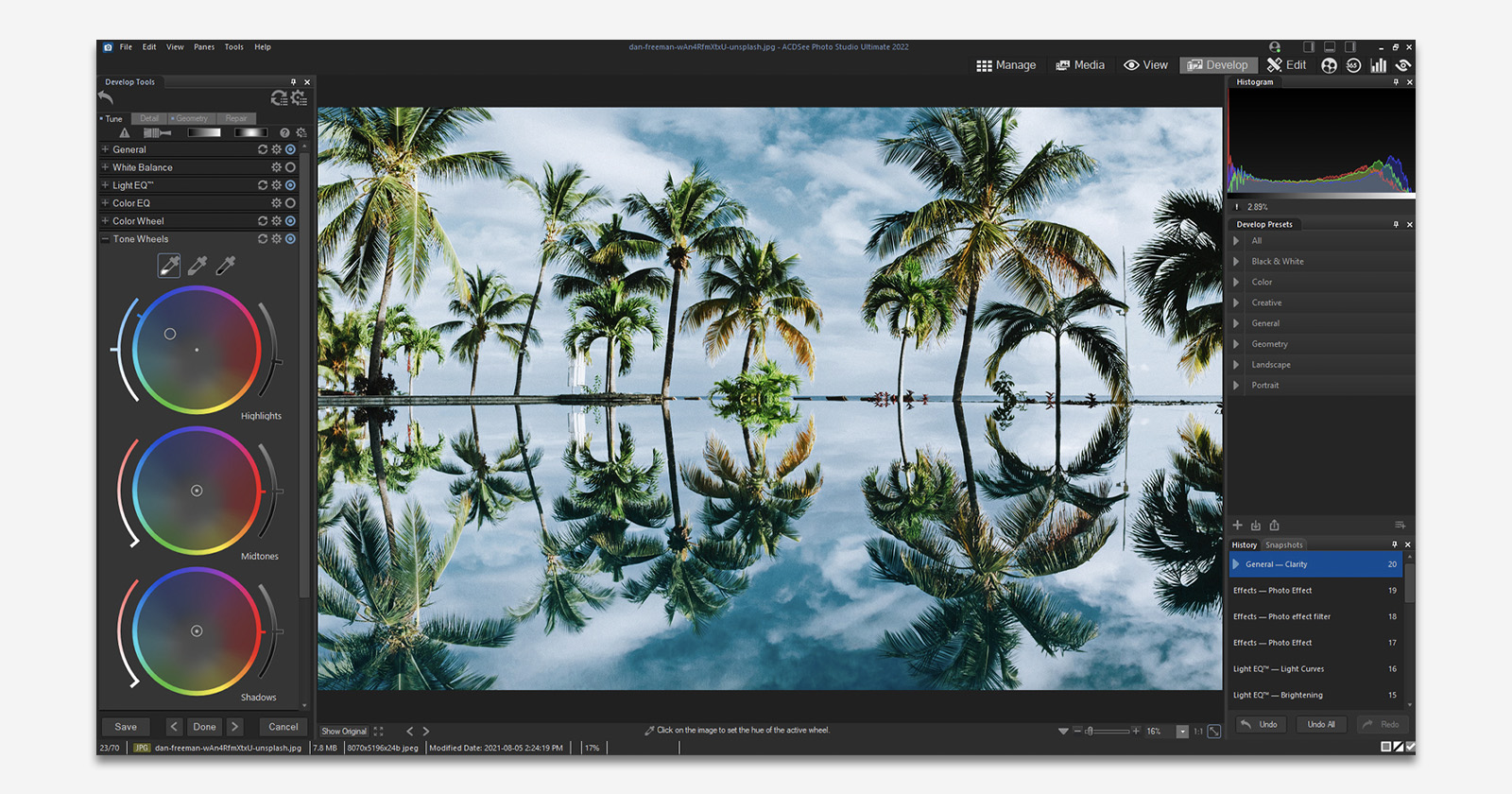
ACDSee Photo Studio for Mac 26 Takes Aim at Lightroom and Capture One with Faster, Smarter, Fully Local AI

ACDSee Photo Studio for Mac 26 has launched, offering a fully local, pay-once post-processing and digital asset management (DAM) tool with integrated AI capabilities, entering a space long dominated by subscription-based software. The release positions the software as an alternative for photographers seeking a different approach to organizing and editing their images.
For years, photographers on macOS have had to navigate between Adobe Lightroom’s subscription model and Capture One’s increasingly expensive ecosystem. Both present challenges, including slow imports, cloud-dependent AI features, and catalogs that grow heavier with each shoot, often slowing down the editing process.
With the release of ACDSee Photo Studio for Mac 26, the company introduces a fully local, pay-once workflow solution that aims to address some of these longstanding issues. The software integrates AI tools for tasks such as keywording, noise reduction, and batch editing, bringing key aspects of DAM and post-processing together in one platform.
Key AI Features
ACDSee has focused on using AI to streamline routine tasks rather than for flashy or cloud-based effects. The features in Mac 26 are designed to reduce repetitive work and improve efficiency for photographers.
“ACDSee Photo Studio for Mac 26 continues our commitment to empowering photographers to focus on creativity rather than routine tasks,” says Frank Lin, COO & CTO of ACD Systems. “By combining AI power with features like Denoise, Develop Presets, and Keywords, we’re providing users with a faster, smarter, and more intuitive workflow experience.”
AI Keywords
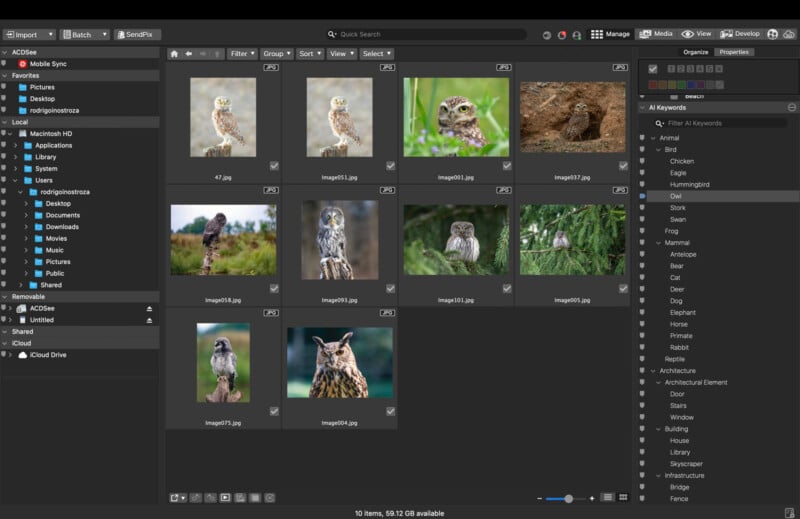
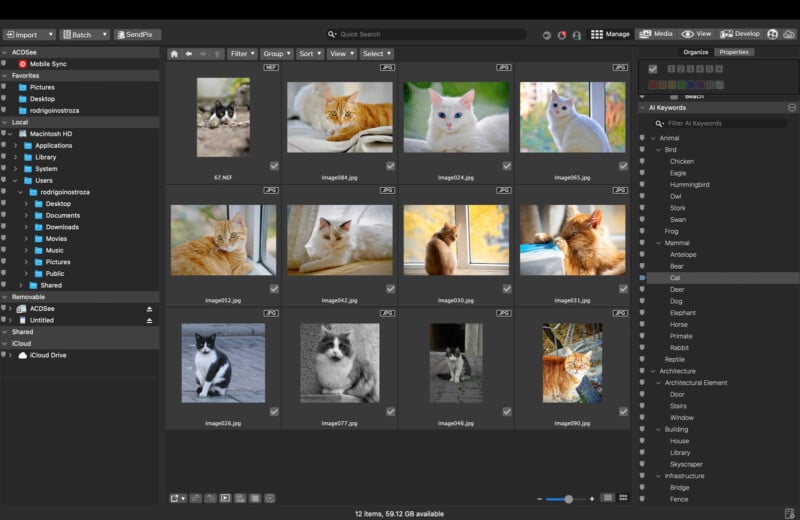
Keywording images manually can be time-consuming, and while Lightroom relies on tagging or cloud analysis, Capture One has not historically included AI keywording. ACDSee Mac 26 introduces AI Keywords, which scans the library locally and allows instant searching without tagging, syncing, or cloud interaction.
“Photographers want to find images quickly without worrying about complex catalogs or cloud uploads. AI Keywords gives them that control, entirely on their own machines,” Lin adds.
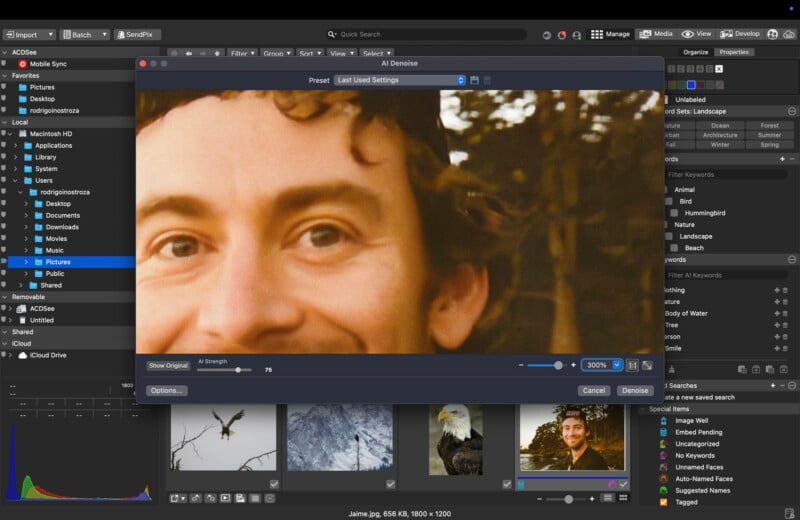
AI Denoise
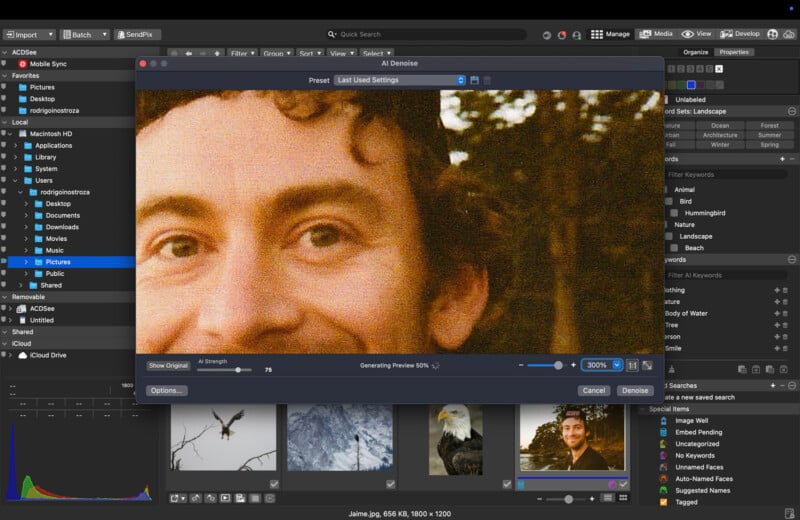
Noise reduction remains a critical area for image editing tools. ACDSee’s AI Denoise works locally, preserves detail in high-ISO images, and avoids the need for generating large intermediary files. According to the company, it processes faster than comparable tools in other software.
“Our goal was to make noise reduction not just effective, but fast and reliable on any Mac setup,” Lin notes. “Photographers shouldn’t have to compromise on quality or speed.”
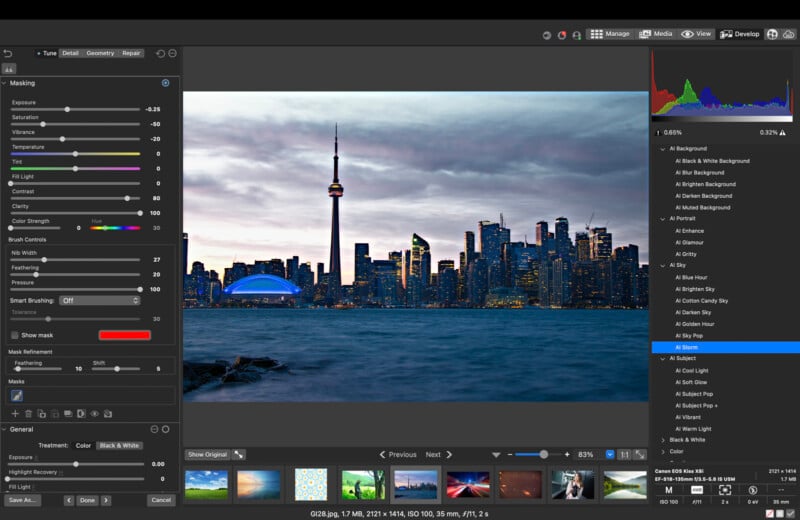
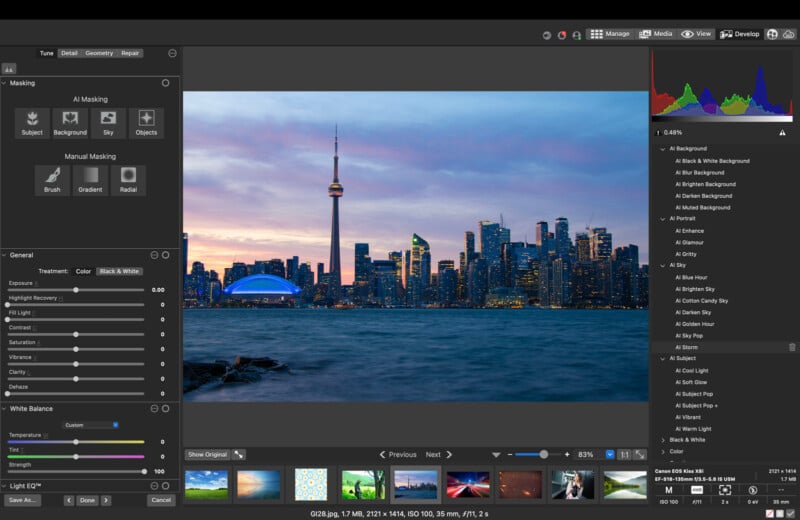
AI Presets
Batch editing can be cumbersome in many photo applications. ACDSee’s AI Presets evaluate each image individually and adjust edits based on content, allowing large sets of images to be processed efficiently without repetitive manual adjustments.
“Batch editing shouldn’t be a chore. AI Presets adapts to each image automatically, saving photographers hours of repetitive adjustments,” Lin explains.
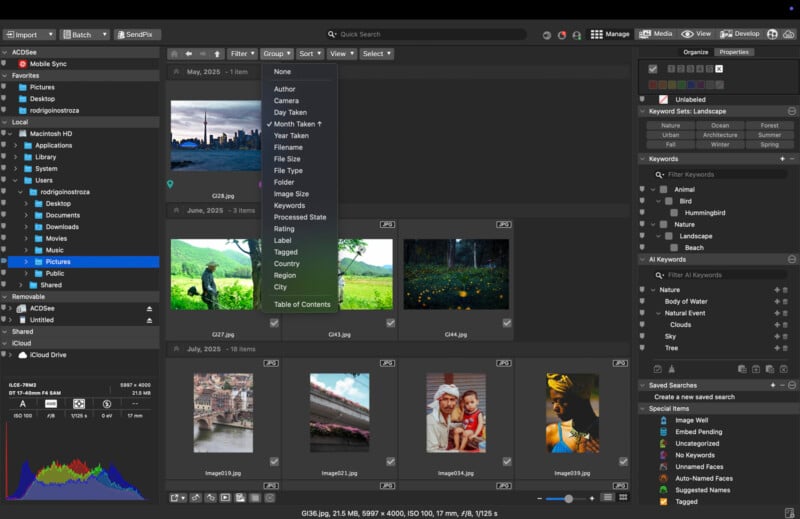
Direct-to-Drive Workflow: The Silent Lightroom Killer
Importing images can slow down workflows in other software. Lightroom Classic requires imports, Lightroom CC depends on cloud storage, and Capture One catalogs can degrade over time. ACDSee maintains direct-to-drive browsing, allowing users to open folders and start working immediately, bypassing the import process.
For photographers handling large volumes of RAW files, such as event or sports shooters, this can improve efficiency by eliminating delays related to catalog generation or cloud synchronization.
“Speed is critical for professional photographers. Waiting for imports or cloud sync is time that could be spent shooting or editing,” Lin says. “Mac 26 eliminates those bottlenecks entirely.”
Fully Local, Non-Subscription Ecosystem
Subscription fatigue is a factor in 2025. Adobe continues to push users into Creative Cloud, and Capture One has been moving toward phased subscription updates. In contrast, ACDSee offers a one-time purchase, local AI processing, and no forced ecosystem lock-in, which may appeal to photographers concerned about privacy and control over their work.
“We wanted to create a product that respects photographers’ time and their data,” Lin emphasizes. “Everything runs locally, with no cloud uploads, giving photographers complete control over their work.”
Non-Destructive Editing Tools You Actually Need
Mac 26 includes standard professional tools such as Light EQ™, Color Wheels, Tone Wheels, Clone & Heal, and selective adjustments. According to Lin, the software responds quickly even when working with high-resolution RAW files, which can mitigate performance issues seen in other platforms.
Additional features include AI Super Resolution, enhanced Facial Recognition, and filtering options for camera, file type, and date. The Manage → Develop workflow has been adjusted to make the process from culling to editing more straightforward.
“Photographers want software that keeps up with their vision, not the other way around,” Lin adds. “Mac 26 delivers professional-grade tools that respond instantly, so creativity flows uninterrupted.”
The Bottom Line
ACDSee Photo Studio for Mac 26 presents itself as a full-featured DAM and editing solution with local AI capabilities. Its focus is on efficiency, control, and a pay-once model rather than subscription-based services.
“For many photographers managing large libraries, this may finally be the moment to break free from the subscription treadmill,” Lin concludes.
Pricing & Availability
ACDSee Photo Studio for Mac 26 is available now for $79.95 USD as part of a limited-time promotion, down from the full price of $99.99 USD, a 20% savings that ends December 17th, 2025 at noon PT. Photographers can also try the software for free via the ACDSee website, and upgrades from previous versions qualify for exclusive discounts through acdID accounts.
Image credits: ACDSee Photo Studio