DxO PhotoLab 9 Is ‘Biggest Upgrade’ to the RAW Photo Editor in 20 Years

DxO announced PhotoLab 9, ushering in what DxO describes as a new era of photo editing. The RAW photo editing software features new AI masking, improved local adjustments, DeepPRIME denoising and sharpening, and much more.
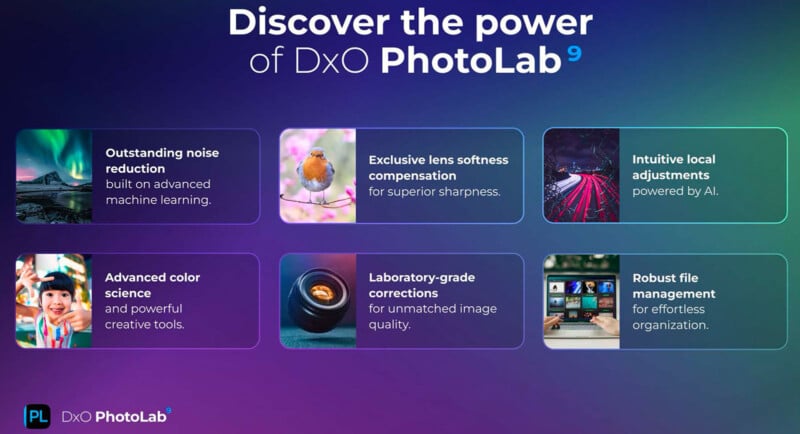
Paris-based DxO says PhotoLab 9 is “the world’s most advanced end-to-end RAW photo editing software.” Thanks to new improvements in Version 9, the all-in-one RAW editor promises photographers more control, better editing tools, and a faster, smoother workflow.
“Version 9 is a major step forward in RAW photo editing,” says Jean-Marc Alexia, VP of Product Strategy at DxO. “The AI-powered masking offers unmatched accuracy, and when you combine this with all of the other features in PhotoLab 9, it’s probably our biggest upgrade to our flagship editing software of the last 20 years.”
A big reason why DxO believes so strongly in PhotoLab 9 is the software’s new AI Masks. These utilize artificial intelligence to create accurate, pixel-precise selections quickly and efficiently.


Users can create AI Masks in one of three ways. They can hover and click on different parts of the photo, draw a box around the area of the image with the object they want to select, or select from various Subject Types, including predefined objects, sky, people, faces, and hair.
These selections can be copied to other photos or even saved as a preset. For example, if a photographer wants to edit the hair across a series of portraits, they can do so by starting from a single photo and then syncing the selection and edits across a larger batch.
“Complex retouching becomes faster, smarter, and effortlessly consistent,” DxO promises.
The new DxO AI Masks work seamlessly alongside DxO’s U Point Technology, which serves as the backbone for local editing across DxO’s photo editing software suite. Not only can photographers continue to use U Point for precise, pixel-sensitive local adjustments, but they can also utilize U Point to augment AI Masks and vice versa. DxO promises that by combining AI Masks, Control Points, Control Lines, Graduated Filters, and the classic Brush Tool, photographers can make selections that were previously impossible, even for the most sophisticated AI technology.


PhotoLab 9 leverages DxO’s DeepPRIME noise reduction and RAW demosaicing technology alongside the company’s industry-leading optical corrections to deliver what DxO claims are the best results in the industry. DeepPRIME XD, which is now on version 3 thanks to DxO PureRAW 5 released earlier this year, promises industry-leading RAW image quality and now works with RAW files from all X-Trans sensors. X-Trans support was previously in beta, but with the launch of PhotoLab 9, it is ready for showtime.

“The image quality is unprecedented, able to recover noise and retrieve details from images captured in very low light like never before,” claims DxO.
PhotoLab 9 now includes batch renaming, new preset saving options, and HEIC/HEIF and ProRAW image editing support, making it easier for photographers to edit images they capture on Apple iPhone.

Pricing and Availability
DxO PhotoLab 9 is available now directly from DxO for macOS and Windows. A new lifetime license is available for $239.99, while DxO PhotoLab 7 or 8 users can upgrade for $119.99. A 30-day free trial is also available from DxO.
Image credits: DxO