DxO Brings ‘Major Enhancements’ to All its Flagship Photo Editing Apps
DxO is rolling out a trio of significant software updates simultaneously for its flagship products — DxO PhotoLab, DxO PureRAW, and Nik Collection. Each update focuses on the core competency of its respective program, with the company calling them “major enhancements” aimed at improving workflow integration, creative control, and overall image quality.
The updates also come on the heels of DxO’s launch of PhotoLab 9 in September 2025, which ushered in a new set of AI-driven masking tools. PhotoLab 9.2 builds on that with new refinements, while PureRAW 5.5 focuses on tighter Photoshop integration, and Nik Collection 8.2 brings all-new textures to emulate paper for digital images.

DxO PhotoLab 9.2: More Refined AI Masks and Workflow Efficiency
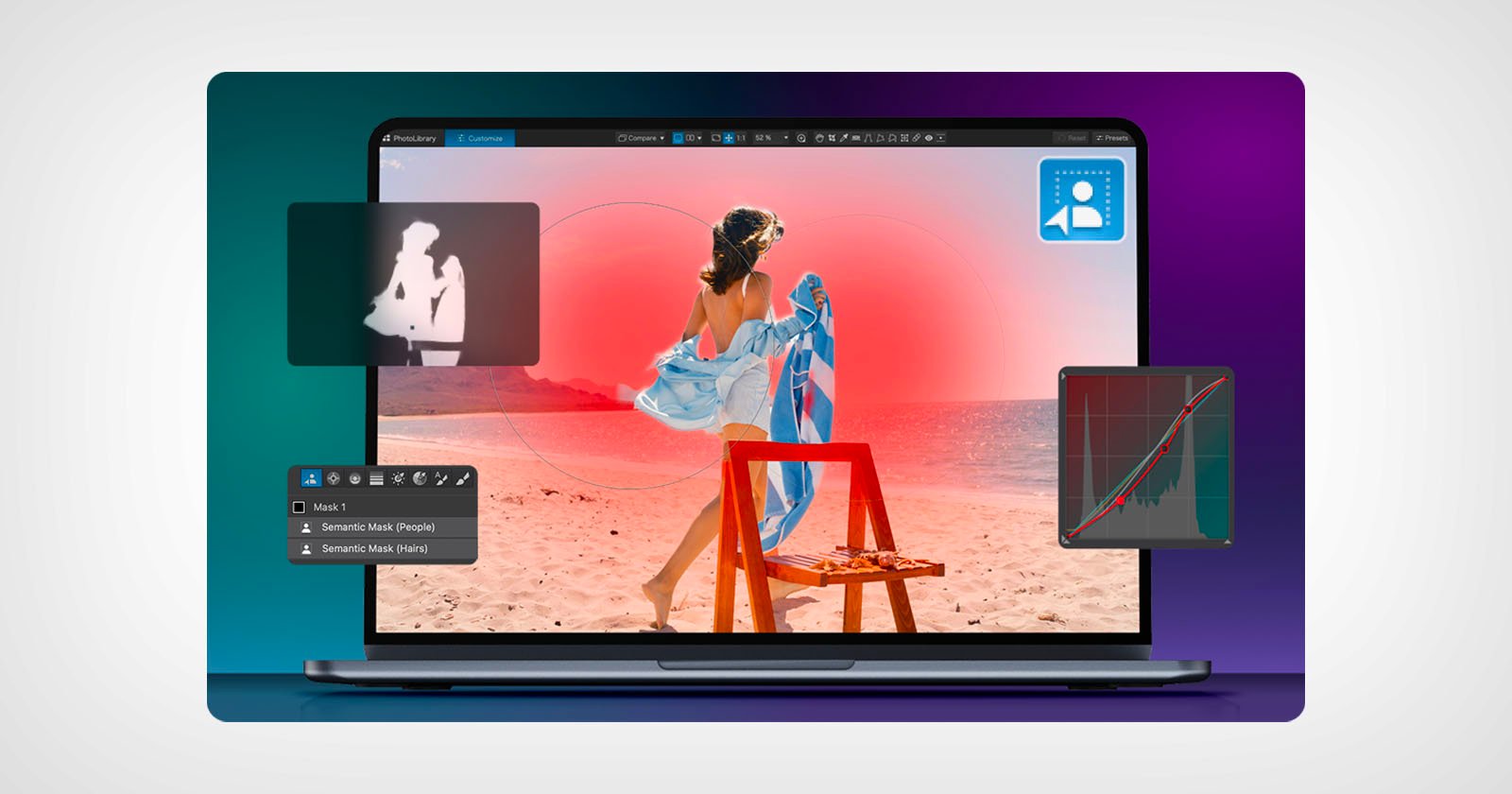
The updated AI masks in DxO PhotoLab 9.2 now feature improved matting precision and an increased edge sensitivity threshold for more refined, cleaner, and more accurate selections. Users will notice the new effect particularly around complex subjects like hair, fur, or foliage.

AI selections in PhotoLab 9 are already pretty fast and reliable, but the update to 9.2 not only applies a more precise mask, it also presents a way to manage each mask. You can reorder or label them how you want, and in an instance where the same person or object is masked twice, the duplicates will appear in numerical order.
In keeping with that theme, the PhotoLibrary gains three new filters: Unedited Images, Edited Images, and Edited Images with Local Corrections. The idea is to help photographers quickly find and assess specific files. While it applies to both Windows and macOS, Windows users get an extra perk: an enhanced History panel that now retains every edit step across sessions, ensuring complete continuity when reopening projects.
The update is free for existing PhotoLab 9 users; otherwise, pricing remains the same. The macOS and Windows software is $239.99 for a new license and $119.99 when upgrading from versions 7 or 8.
DxO PureRAW 5.5: A New Bridge to Photoshop RAW Editing
In a bid to compete with Adobe’s Camera Raw, DxO’s PureRAW 5.5 is getting closer to Photoshop through tighter integration that lets it switch back and forth between the two. The latest version allows photographers to apply PureRAW as a Photoshop Smart Object for non-destructive RAW processing without leaving the app.

Opening a DxO-processed image in Photoshop as a Smart Object makes it possible to fine-tune settings in PureRAW, and then have those adjustments update instantly in Photoshop. Doing this cuts out a step by eliminating the need to start over when re-editing or experimenting with new processing parameters. This integration basically mirrors the Smart Object workflow long used by the Nik Collection, laying out a smoother collaboration between DxO tools and Adobe’s Creative Suite.
PureRAW’s main pillars remain DxO’s DeepPRIME 3 and DeepPRIME XD3 technologies for significant noise reduction, improved detail recovery, and color fidelity, especially for images shot at high ISO or in difficult lighting conditions. And finally, the update addresses user demand by extending DxO’s advanced denoising algorithm to Fujifilm’s X-Trans sensors, bringing parity for users of those systems. The beta support for X-Trans arrived in September and proved extremely impressive.
Those who already have DxO PureRAW 5 will receive the update for free, while new licenses for macOS and Windows will cost $129.99 for new users, or $89.99 as an upgrade from previous versions.
Nik Collection 8.2: A Whole Lot of Paper Textures
DxO’s creative plugin suite Nik Collection 8.2 adds a new dimension to artistic image editing with the introduction of paper textures in Analog Efex. The update introduces 30 handcrafted overlays inspired by fine art and antique papers, allowing photographers to lend their images the tactile charm of traditional prints.
If you’re looking to add some physical depth and obvious hints of nostalgia to your digital images, you’ll have options. You can fine-tune texture intensity, blending modes, and tonal integration for everything from subtle matte finishes to richly grained watercolor looks. Sliders and other adjustments also let you decide how far you want to go since they’ll work with Nik Collection’s existing palette of vintage effects. So, if you want light leaks, lens distortions, film grains, worn marks, and color casts, you should expect some flexibility in developing a result that pays homage to the aesthetic of analog photography.

Textures come in three distinct categories: Classic, Vintage, or Worn. Sliders and selections for intensity, scale, orientation, blending mode, and even colorization let you turn any image into anything from a subtle matte finish to a richly grained, aged print. DxO sees it as a “bridge between digital precision and analog emotion.”
Beyond that main upgrade, Nik Collection 8.2 also includes performance optimizations and stability improvements across all seven integrated plugins.
The update is free for existing version 8 owners, while new licenses for macOS and Windows users are $169.99 and $99.99 for those upgrading from older versions.
Image creditsDxO