Apple’s RAW Processing is Finally Evolving After a Decade and It’s a Big Deal
Although Apple’s WWDC Keynote gets by far the most attention, the event is a treasure trove of new info for developers across the entire Apple ecosystem. Buried among literally over 100 new videos Apple posted to its Apple Developer YouTube channel this week is one about a significant upgrade to the company’s Core Image RAW processing APIs that power RAW and ProRAW capture on iPhone and RAW image processing across all of Apple’s platforms.
As Apple Core Image Engineer David Hayward explains, the brand-new version 9 of Core Image RAW Processing and the accompanying CIRAWFilter API lets users process RAW photos with significantly improved image quality, including better sharpness, color, and noise reduction. There are major RAW image quality improvements coming to iOS 27, iPadOS 27, VisionOS 27, and macOS 27.
While some of Hayward’s presentation is geared specifically toward developers (and there are a lot of nitty-gritty technical details in the video above), it contains a lot of exciting news for photographers inside the Apple ecosystem, including those who capture RAW photos on iPhone and edit RAW images from other cameras on iPad or Mac.
As Hayward explains, RAW photos from every camera require “special handling” before they can be displayed or edited. The initial RAW data parsing and demosaicing process is integral to all RAW processing software. All that RAW image sensor data has to be interpreted by software before it can be viewed or processed. This is an essential function of Apple’s Core Image RAW processing engine.

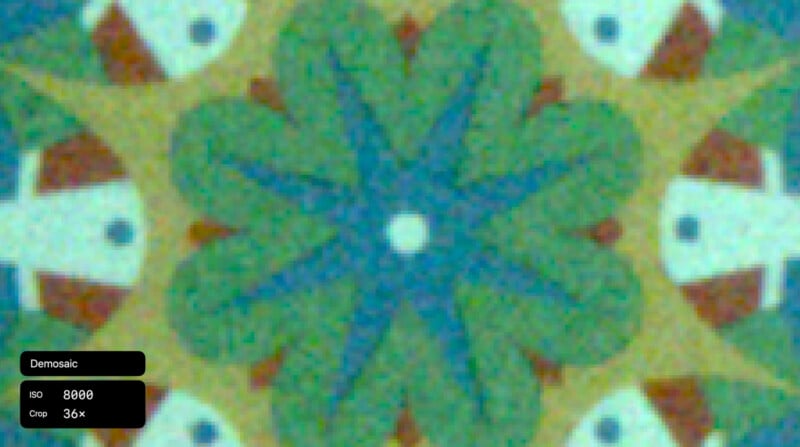
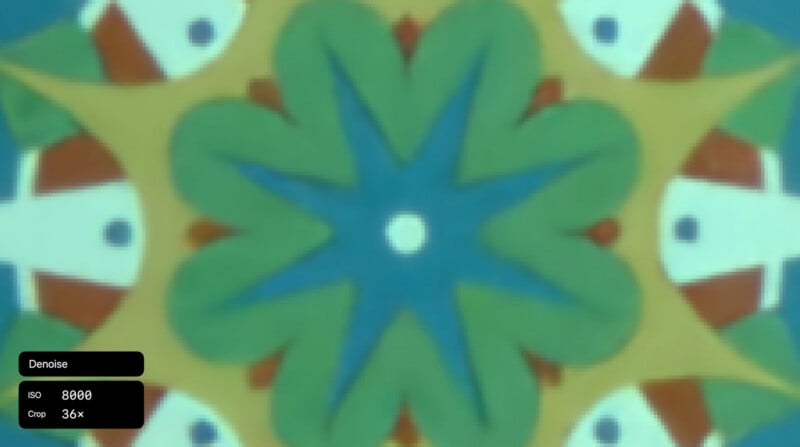
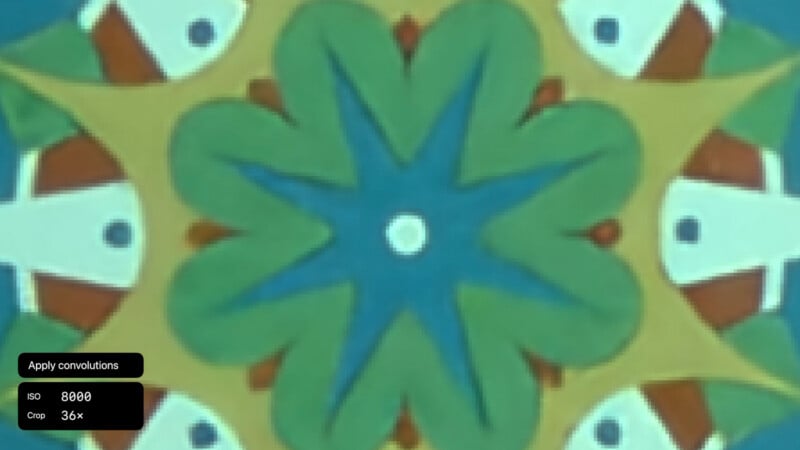

There is a significant amount of engineering behind the scenes to turn a RAW file into a useful, visible file. In addition to demosaicing, there is noise reduction, color correction, lens corrections, and other image processing that tweaks microcontrast, tone curves, and more. Precisely how all of this works and what changes are made relate to technical and artistic decisions made by developers, whether at Apple, Adobe, Capture One, DxO, etc.
The software side of RAW photography is not given nearly the attention it deserves. It is impossible to overstate just how important the underlying processing technology is when working with RAW photographs.
In Apple’s case, the company promises that version 9 of Core Image RAW processing will deliver better-looking RAW photos across the board, no matter which Apple product the user has. The algorithmic steps for interpreting RAW image data are the same on iPhone, iPad, and Mac. The RAW APIs are used by Photos, Pixelmator Pro, and other third-party apps, like Nitro.
While PetaPixel has previously discussed Apple’s occasionally slow support for new RAW image formats and cameras, the company touts that it supports 784 different cameras as of now and is always working on new support. Hopefully, with the arrival of RAW 9, Apple’s support will get even better. This is the first major version update for Core Image RAW since RAW 8 arrived in 2017. Hayward calls this “the biggest update yet.”
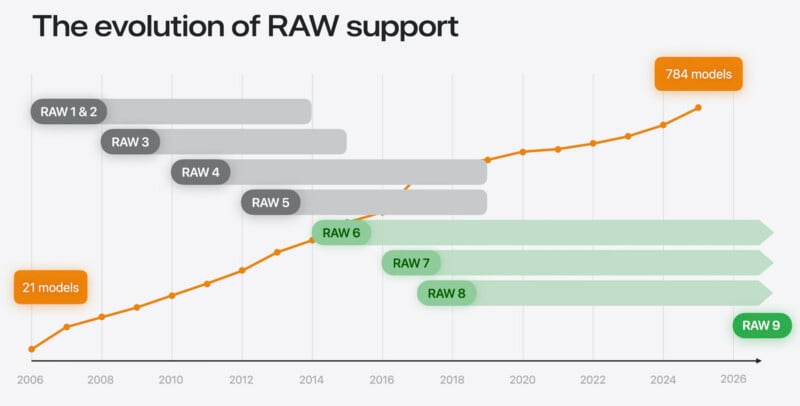
RAW version 9 is a “major improvement” for RAW image processing. A big part of that is that the demosaic and denoise processes happen simultaneously within a new CoreML model. Traditionally, demosaicing and denoising are performed at different steps, which can degrade overall image quality and rendering. This is something DxO specifically overcomes through its DeepPrime 3 technology, which also performs demosaic and denoise in a single step. Apple says it leverages the Neural Cores in its Apple A- and M-series silicon chips to run all its new RAW processing models directly on-device. It is more resource-intensive than prior versions, which developers will need to consider when implementing it in their photo-editing software.
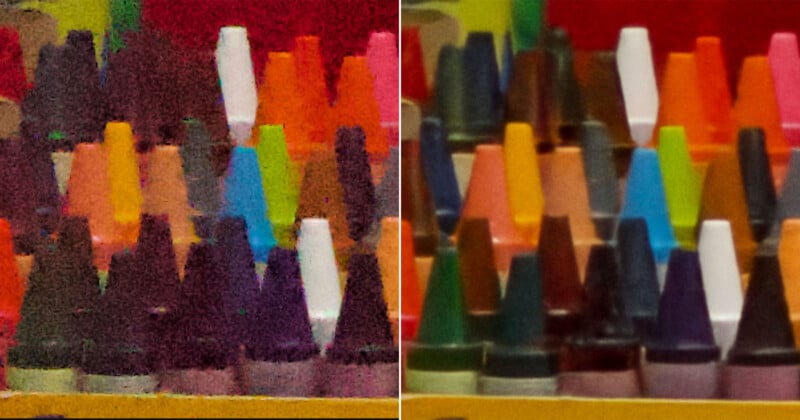
However, in exchange for this more demanding RAW 9 technology, the quality improvements are massive. Consider the examples below that Apple shared, which even include a non-traditional X-Trans sensor in the Fujifilm X-T5. The quality leap from RAW 8 to RAW 9 is substantial and extremely impressive.
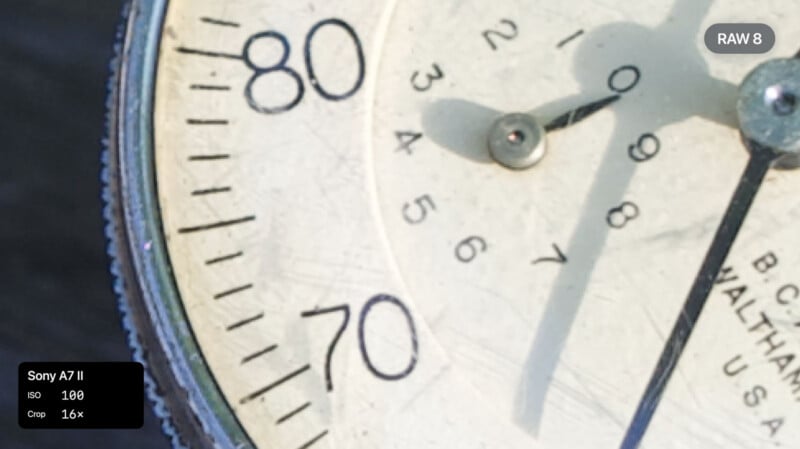
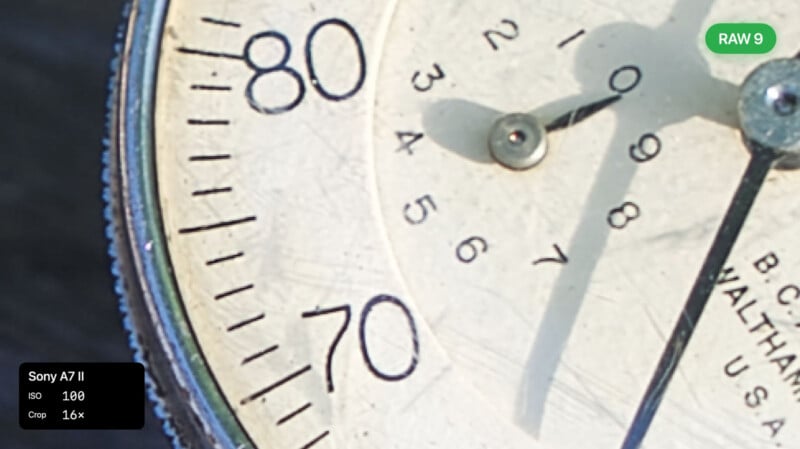
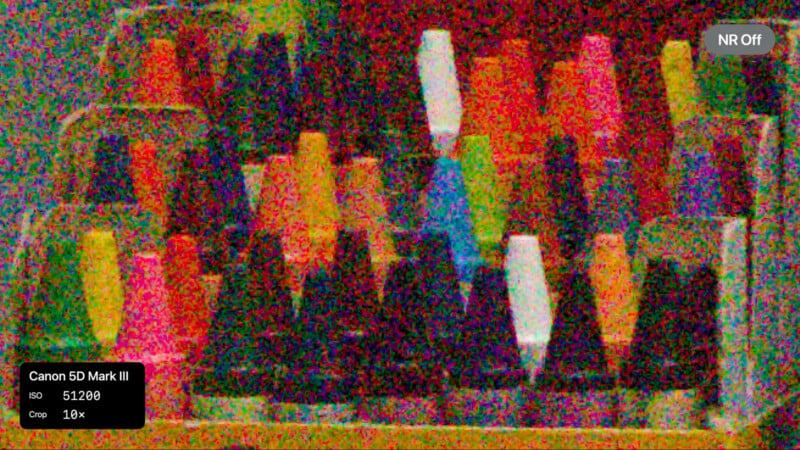
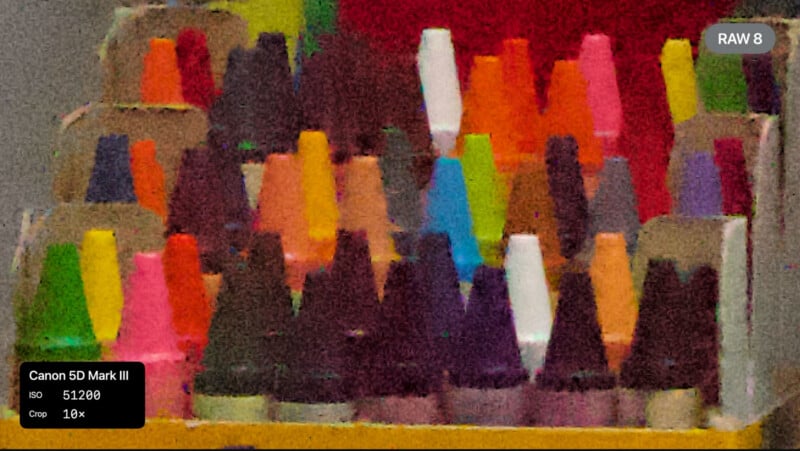
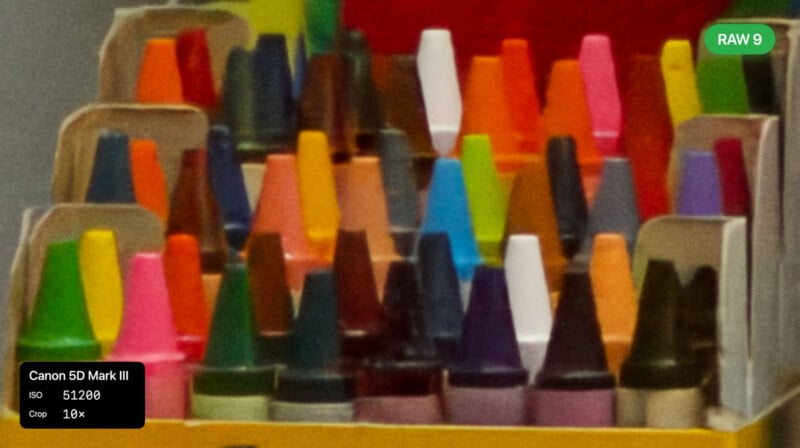
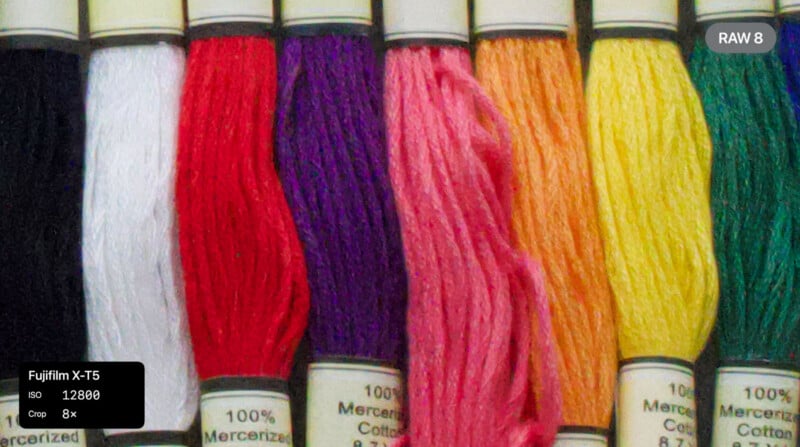
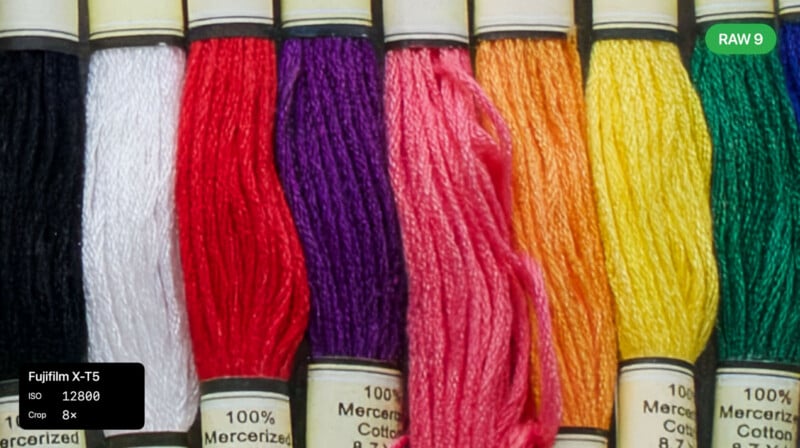
Mac developer Albert, who created ApolloOne and Camera RawX for macOS, plus worked closely with Nik Bhatt of Gentlemen Coders to create RawBridge, has been trying out Raw Engine 9 inside the macOS 27 developer beta. He wrote about his experiences over at DPReview‘s forums, and showed how Apple RAW 9 compares against the RAW decoding in DxO DeepPrime 3. Albert calls RAW Engine 9 the “new noise reduction king.”
It’s a big claim, but it may very well be true. This is great news for those who shoot RAW files on iPhone or edit RAW photos inside the Photos app, Pixelmator Pro, or any third-party app that relies on Apple’s Core Image RAW engine. Next, it will be important for Apple to continually expand its support for the different types of RAW files, which has previously been somewhat of a bottleneck for the company’s native photo editing applications.
Image creditsApple
Affiliate Disclosure PetaPixel articles may include affiliate links; we may earn a commission if you buy through one.