Several Sigma L-Mount Lenses Just Got Some Excellent Usability Upgrades
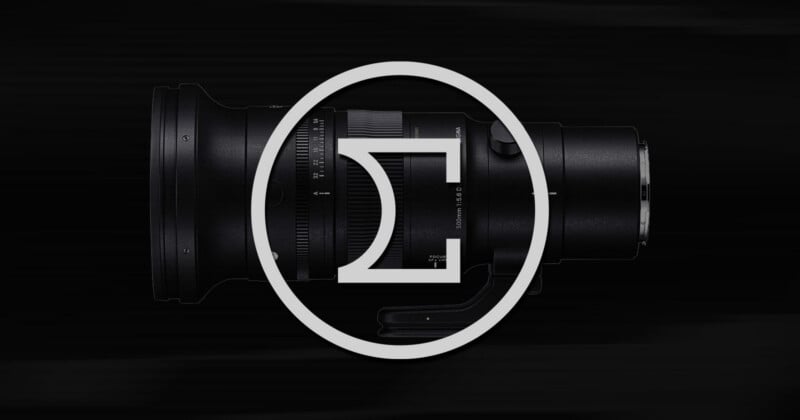
Last week, Sigma announced a firmware update for eight of its lenses that unlock some seriously unexpected usability upgrades. While they only work with select L-mount cameras, it is a nice sign of Sigma’s ongoing dedication to its product line.
As outlined on Sigma’s website, the company added the ability to assign specific functions to the manual focus ring when the lens is set to autofocus, added the option to change the rotation direction of the manual focus ring while it is in manual focus, and added the option to display aperture values as T-stop values during video recording.
These updates are for the L-mount versions of eight lenses:
- Sigma 20mm f/2 DG DN | Contemporary
- Sigma 20mm f/2 DG | Contemporary
- Sigma 24mm f/1.4 DG DN | Art
- Sigma 24mm f/2 DG DN | Contemporary
- Sigma 24mm f/2 DG | Contemporary
- Sigma 35mm f/1.4 DG DN | Art
- Sigma 50mm f/1.2 DG DN | Art
- Sigma 500mm f/5.6 DG DN OS | Sports
The language on Sigma’s website is a rather vague and cursory overview of the features — and perhaps undersells just how neat these updates are — so PetaPixel spoke with the company to get more details.
The ability to turn the manual focus ring into a custom dial is particularly useful, especially since photographers very rarely leave autofocus, making the manual focus ring mostly useless for a majority of the time. Now, that changes. Sigma’s update allows the focus ring to be re-mapped to front dial command, real dial command, aperture, shutter speed, crop zoom, exposure compensation, ISO sensitivity, white balance, color temperature, autofocus mode, or photo style. While some of the lenses that are receiving this update also give photographers additional FN buttons, not all of them do, so having the ability to remap the focus ring seriously expands usability.
Being able to change the manual focus direction might be nice for photographers who are switching to the L-mount system from Nikon, which famously asks photographers to turn the focus ring in the opposite direction compared to the rest of the industry. At least now, those photographers won’t have to re-learn muscle memory.
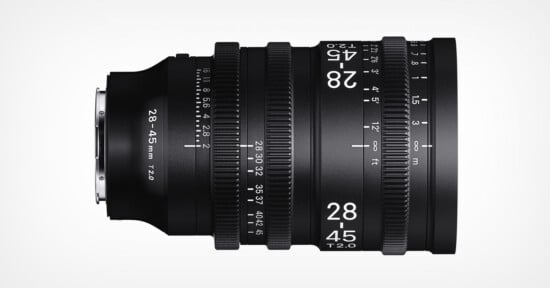
The addition of T-stop display instead of aperture value will be a great complement to L-mount videographers who already can take advantage of shutter angle with Lumix cameras. Just bear in mind that T-stops measure light transmittance, which results in a slight change to maximum values. What they will be will vary per lens, but previous Sigma lenses have been made into cinema optics and shows how much they tend to shift, such as the 28-45mm f/1.8 becoming a 28-45mm T2, the 18-35mm f/1.8 also becoming a T2, or the 28-105mm f/2.8 being a T3.
Sigma’s website only states that these updates are going to be available when used in conjunction with some “supported cameras,” but does not specify which. Luckily, the company provided a list to PetaPixel:
- Lumix S1R II
- Lumix S1 II
- Lumix S1 IIE
- Lumix S5 II
- Lumix S5 IIX
- Lumix S9
In short, all of Panasonic Lumix’s most recent cameras support the update. Curiously, they will are not compatible with the Sigma BF, which is odd considering that being able to remap the focus ring would have been a nice addition to the camera given its sparse manual controls.
Speaking of odd, Sigma is only providing this update to the older 35mm f/1.4 DG DN Art, not the new 35mm f/1.4 DG II Art. Overall, it’s a strange batch of lenses and most of them were released some time ago. Photographers will have to hope Sigma rolls this update out to more of its lens library in the future.
PetaPixel would like to see the option to re-map the focus ring to other functions when using autofocus come to all Sigma lenses — both those already in the market and those coming in the future.
The update is available to download now from Sigma’s website for free. Lenses can either be updated through a compatible camera or via the Sigma USB Dock UD-11.
Image creditsSigma
Affiliate Disclosure PetaPixel articles may include affiliate links; we may earn a commission if you buy through one.